




New Trade Zone
Trade Zone is now live
Use the new Trade Zone for auctions and instant-price trades so Pokemon and item offers are easy to find.

Agree
Registered User
-
Joined
-
Last visited
Everything posted by Agree
-
isnt this the same rotom from https://pokemonrevolution.net/forum/topic/153738-url
-
5.7
-
5.5
-
5.3
-
5m
-
4.3
-
4m gold
-
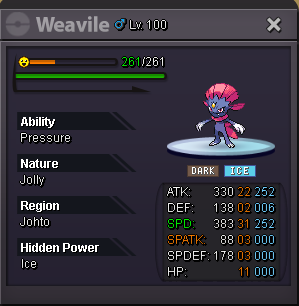
Added 22/31 Weavile
-
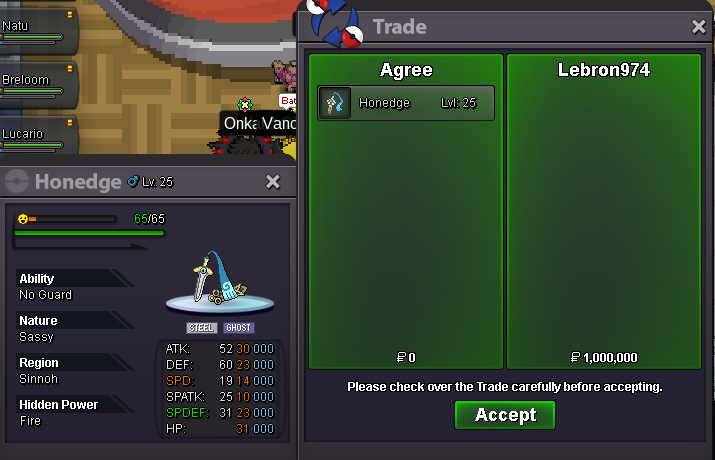
Honedge sold
-
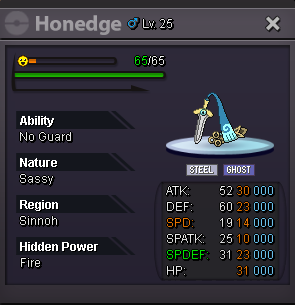
Added 31x31 Sassy Honedge

-
Added Clefabe Unaware Bold 21+

-
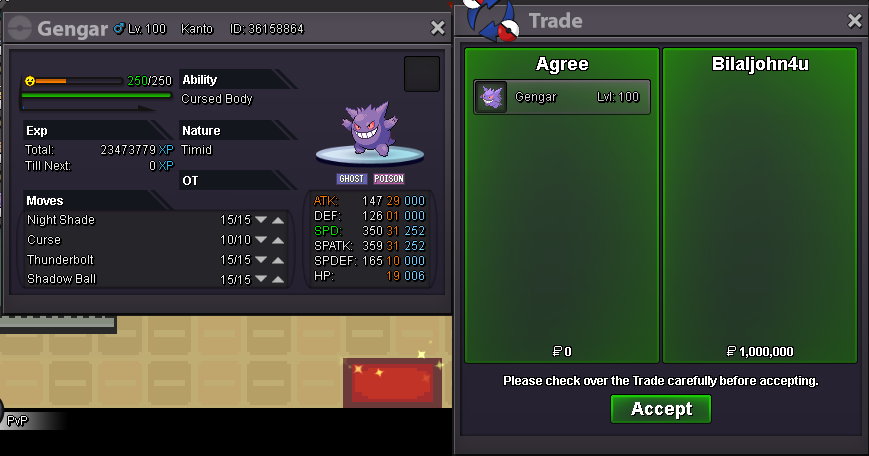
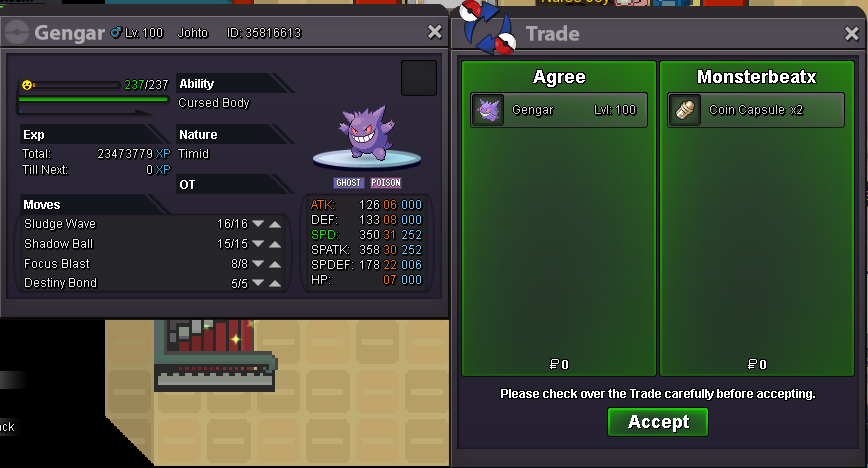
Gengar 31x31 Sold
-
Added 31x31 Gengar
-
Clefabe 19+ Sold

-
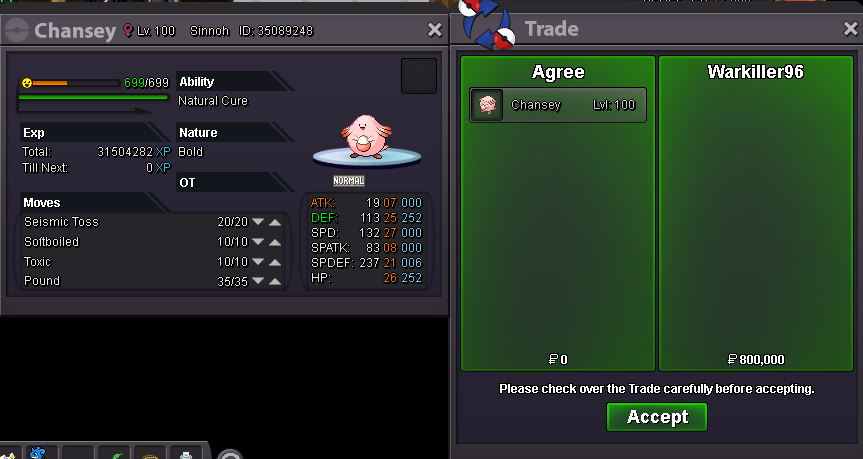
Added Chansey Epic low spatk Gengar Timid 31x30Thanks for showing but Im looking for an adamant nature.Increased budget bumpBump, Increased Budget Accepting lower spdef epics with lower budget can pm me or post hereIncreased budget for pokesAdded more budget for pokeChansey 2 Sold


Account
Navigation
Search
Configure browser push notifications
Chrome (Android)
- Tap the lock icon next to the address bar.
- Tap Permissions → Notifications.
- Adjust your preference.
Chrome (Desktop)
- Click the padlock icon in the address bar.
- Select Site settings.
- Find Notifications and adjust your preference.
Safari (iOS 16.4+)
- Ensure the site is installed via Add to Home Screen.
- Open Settings App → Notifications.
- Find your app name and adjust your preference.
Safari (macOS)
- Go to Safari → Preferences.
- Click the Websites tab.
- Select Notifications in the sidebar.
- Find this website and adjust your preference.
Edge (Android)
- Tap the lock icon next to the address bar.
- Tap Permissions.
- Find Notifications and adjust your preference.
Edge (Desktop)
- Click the padlock icon in the address bar.
- Click Permissions for this site.
- Find Notifications and adjust your preference.
Firefox (Android)
- Go to Settings → Site permissions.
- Tap Notifications.
- Find this site in the list and adjust your preference.
Firefox (Desktop)
- Open Firefox Settings.
- Search for Notifications.
- Find this site in the list and adjust your preference.