




New Trade Zone
Trade Zone is now live
Use the new Trade Zone for auctions and instant-price trades so Pokemon and item offers are easy to find.

Sanda08
Suspended
-
Joined
-
Last visited
Everything posted by Sanda08
-
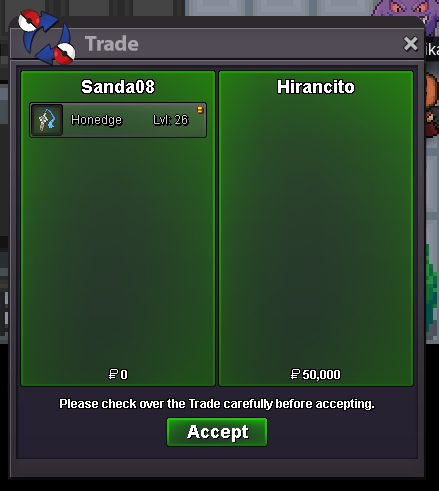
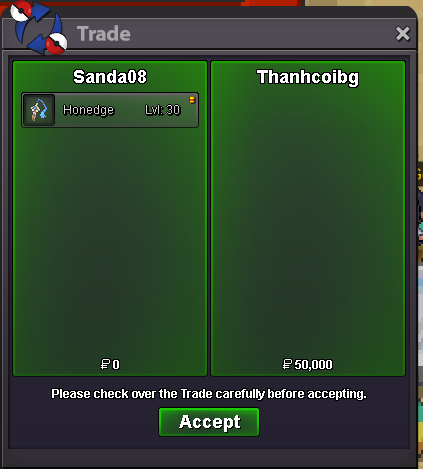
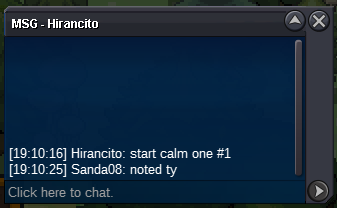
@Hirancito u r winner #1, text me when u ingame. Congratulations.@Thanhcoibg u r winner #3, text me when u ingame. Congratulations.#1 #2 #3 Auction Details: Start Price: 50k ea End Point: 48 hours (after 1st bid) Insta Price: 1M ea Minimum Raise: 50k Accepted Payments: Pokedollars, Coin Capsules (x1 Coin Capsule = 450k), IV Reroll Tickets (x1 IV Reroll Ticket = 600k) If you intend to purchase with an alt account, specify the account alongside your bid. 15-minute auction rule.
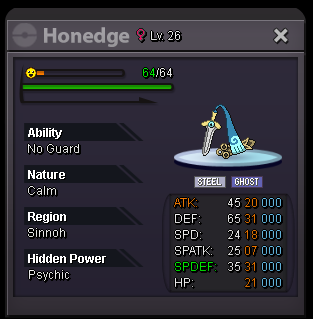
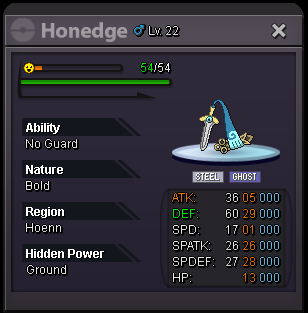
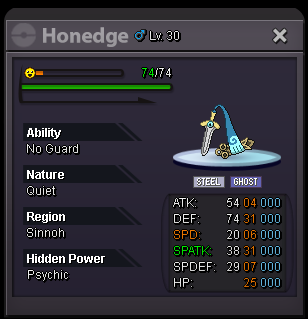 @Doakes Can u help me force trade pls. Many Thanks.Hi Mods, may can i sugesst force trade cause a long time i dont see @Qgiang2307 online to trade.
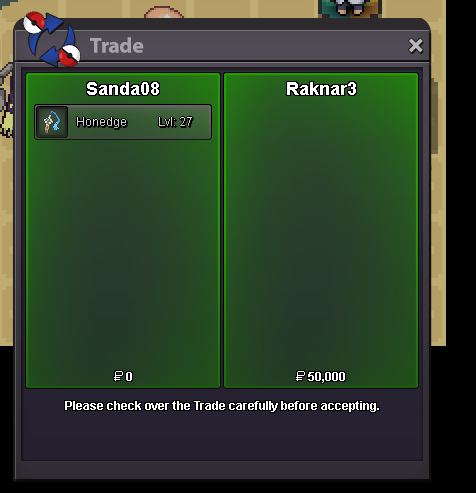
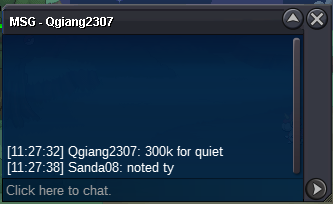
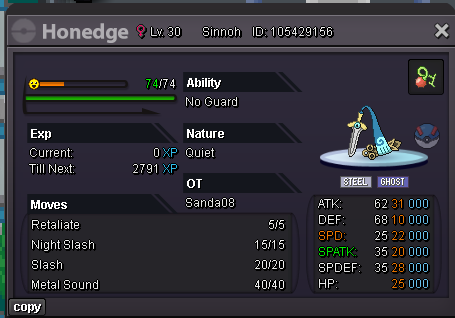 @Raknar3 u r winner #3, lets me know when u r online. Congratulations.@Qgiang2307 u r winner #1, lets me know when u r online. Congratulations.#1 #2 #3 #4 Auction Details: Start Price: 50k each End Point: 48 hours (after 1st bid) Insta Price: 1M each Minimum Raise: 50k Accepted Payments: Pokedollars, Coin Capsules (x1 Coin Capsule = 450k), IV Reroll Tickets (x1 IV Reroll Ticket = 600k) If you intend to purchase with an alt account, specify the account alongside your bid. 15-minute auction rule.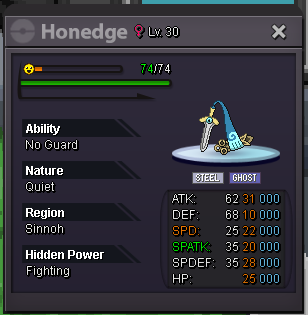
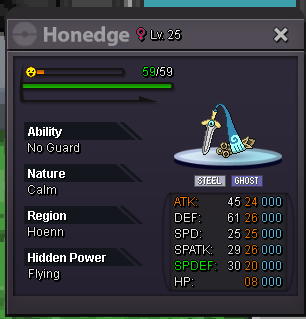
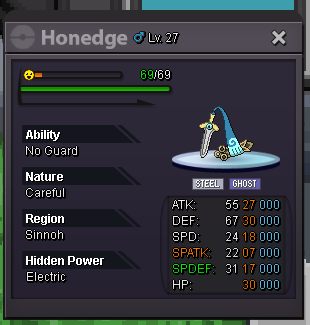
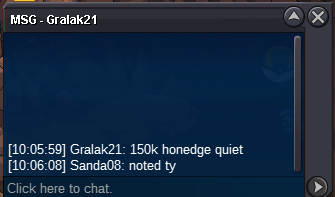
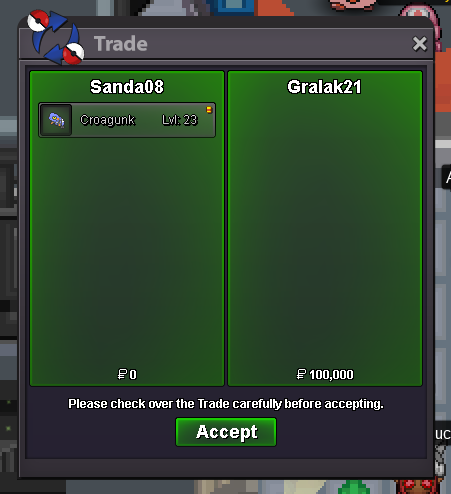
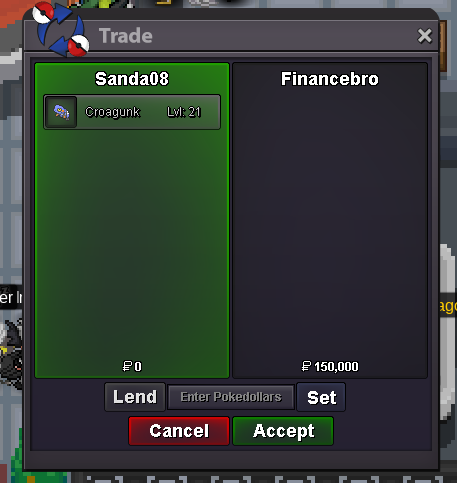
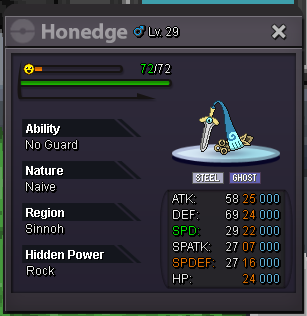 @Financebro u r winner #2, lets me know when u r online. Congratulations.@Gralak21 u r winner #1, lets me know when u r online. Congratulations.


Account
Navigation
Search
Configure browser push notifications
Chrome (Android)
- Tap the lock icon next to the address bar.
- Tap Permissions → Notifications.
- Adjust your preference.
Chrome (Desktop)
- Click the padlock icon in the address bar.
- Select Site settings.
- Find Notifications and adjust your preference.
Safari (iOS 16.4+)
- Ensure the site is installed via Add to Home Screen.
- Open Settings App → Notifications.
- Find your app name and adjust your preference.
Safari (macOS)
- Go to Safari → Preferences.
- Click the Websites tab.
- Select Notifications in the sidebar.
- Find this website and adjust your preference.
Edge (Android)
- Tap the lock icon next to the address bar.
- Tap Permissions.
- Find Notifications and adjust your preference.
Edge (Desktop)
- Click the padlock icon in the address bar.
- Click Permissions for this site.
- Find Notifications and adjust your preference.
Firefox (Android)
- Go to Settings → Site permissions.
- Tap Notifications.
- Find this site in the list and adjust your preference.
Firefox (Desktop)
- Open Firefox Settings.
- Search for Notifications.
- Find this site in the list and adjust your preference.