




New Trade Zone
Trade Zone is now live
Use the new Trade Zone for auctions and instant-price trades so Pokemon and item offers are easy to find.


Leeluckya
Registered User
-
Joined
-
Last visited
Everything posted by Leeluckya
-
dump
-
dump
-
dump
-
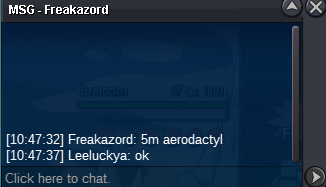
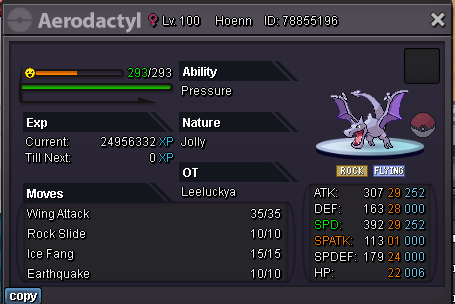
start aerodactyl 48 hours left. end in 2/28 10:47:32 GMT+8
-
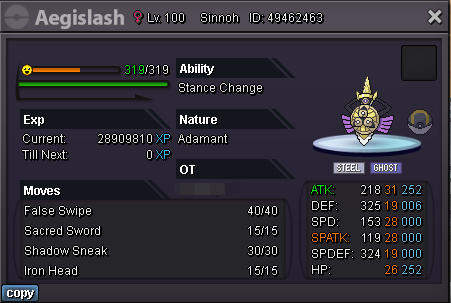
5m sold 700k sold start bid 500k end 48hours after the 1st bid minimum bid 100k insta 6m accept cc 380k Please mark the name of Pokemon when bidding
-
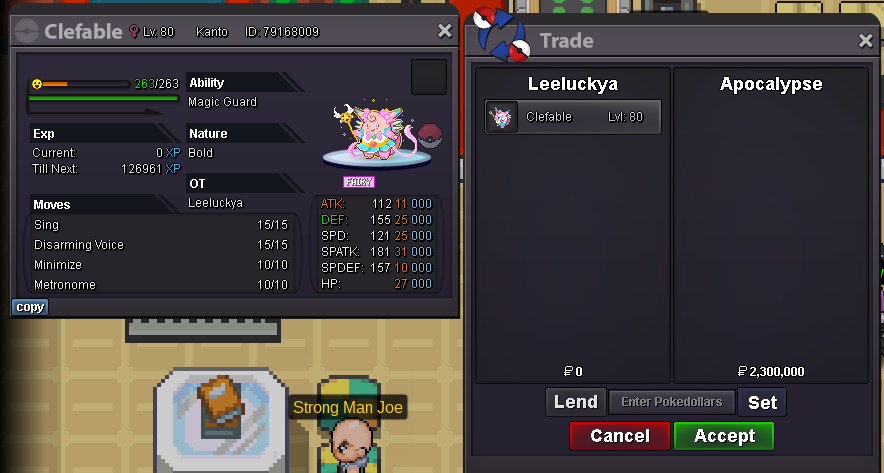
clefable win apocalypse2.3m
 2.2m
2.2m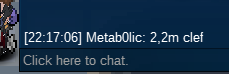 2.1m
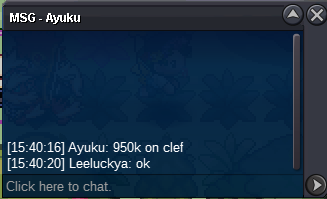
2.1m clef
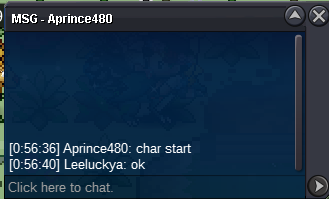
clef 48hours left .end in 2/27 0:56:36 GMT+8 charizard
 bumpmy name is Leeluckya i come from sliver i want recovery uxie ID 79560014 lvl30 Due to network instability I lost it by accident uxie I hope the management can help me when they see it I need it thank you very much
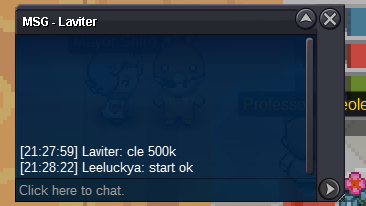
 sorry I made a mistake. I hope I've corrected it1clefable end time 48 hours left end in 2/25 21:27:59 GMT+8开始出价800k 第一次出价后48小时结束 最低出价100k insta 6m accept cc 380k 开始出价 1m 结束 48hours after the 1st bid minimum bid 100k insta 8m accept cc 380k 开始出价800k 第一次出价后48小时结束 最低出价100k insta 6m accept cc 380k 开始出价 1m 结束 48hours after the 1st bid minimum bid 100k insta 7m accept cc 380k 需要的话请在每个名字上注明 方便大家区分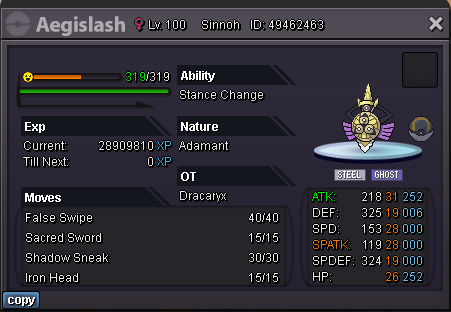
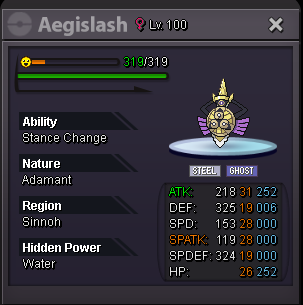
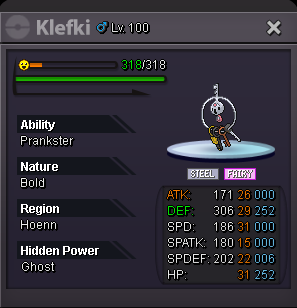
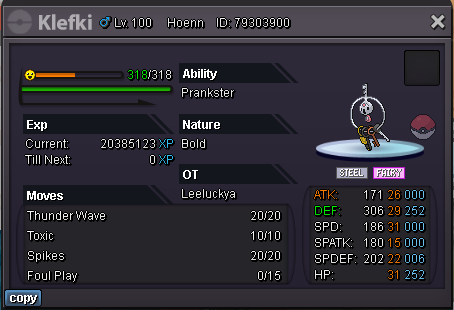
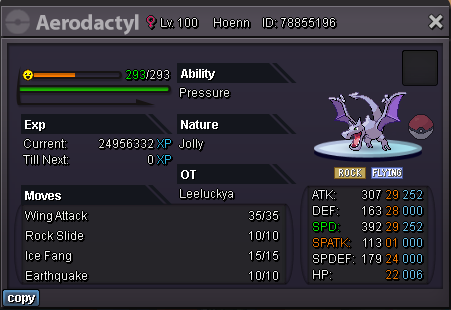
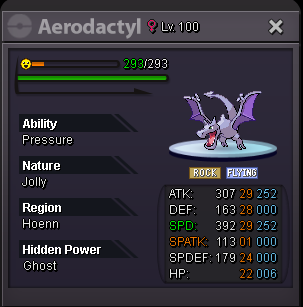
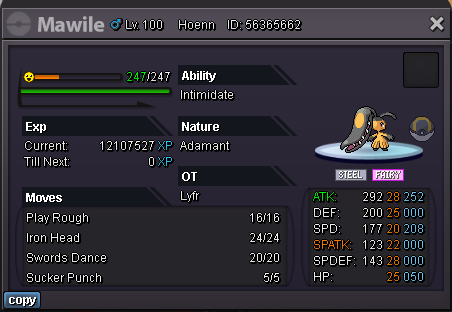
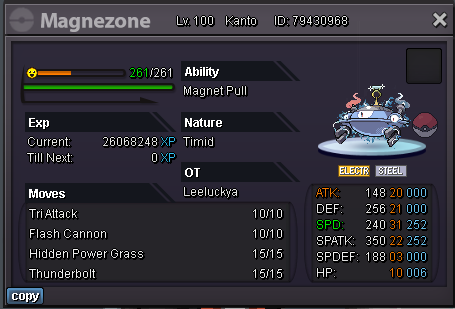
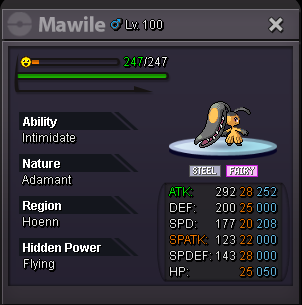 clefable sold 2.3m sold 500k magnezone close 如果你需要他 请标记每个名字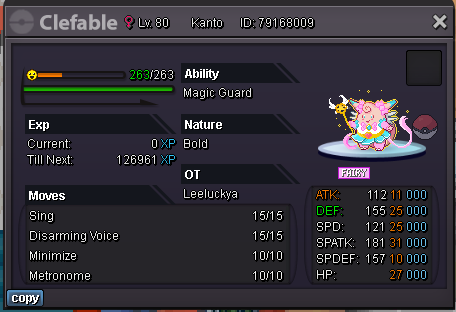
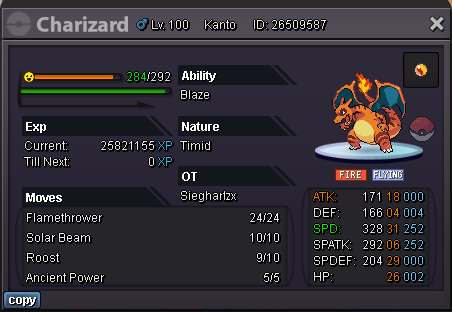
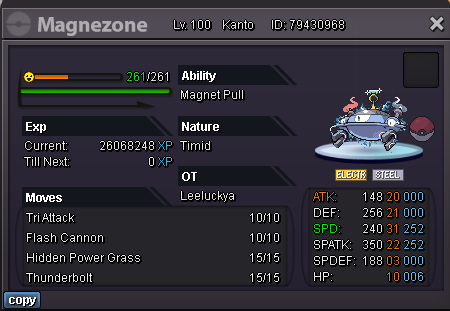
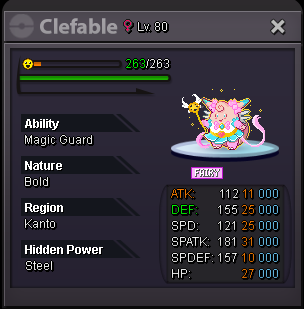
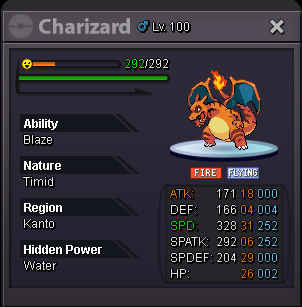
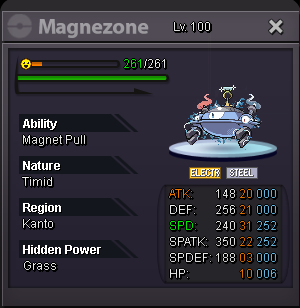 iI may not be able to tell who's who, I just got to auction开始出价 1m 结束 48 小时后第一次出价 最低出价 100k insta 6m accept cc 380k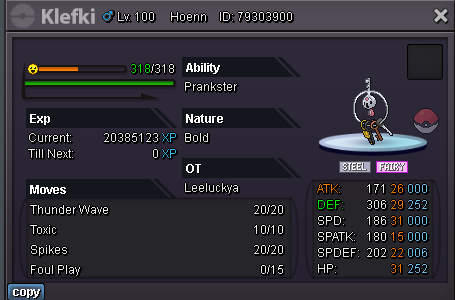

Account
Navigation
Search
Configure browser push notifications
Chrome (Android)
- Tap the lock icon next to the address bar.
- Tap Permissions → Notifications.
- Adjust your preference.
Chrome (Desktop)
- Click the padlock icon in the address bar.
- Select Site settings.
- Find Notifications and adjust your preference.
Safari (iOS 16.4+)
- Ensure the site is installed via Add to Home Screen.
- Open Settings App → Notifications.
- Find your app name and adjust your preference.
Safari (macOS)
- Go to Safari → Preferences.
- Click the Websites tab.
- Select Notifications in the sidebar.
- Find this website and adjust your preference.
Edge (Android)
- Tap the lock icon next to the address bar.
- Tap Permissions.
- Find Notifications and adjust your preference.
Edge (Desktop)
- Click the padlock icon in the address bar.
- Click Permissions for this site.
- Find Notifications and adjust your preference.
Firefox (Android)
- Go to Settings → Site permissions.
- Tap Notifications.
- Find this site in the list and adjust your preference.
Firefox (Desktop)
- Open Firefox Settings.
- Search for Notifications.
- Find this site in the list and adjust your preference.