New Trade Zone
Trade Zone is now live
Use the new Trade Zone for auctions and instant-price trades so Pokemon and item offers are easy to find.

Hongdinh
Suspended
-
Joined
-
Last visited
Everything posted by Hongdinh
-
That's right. I want to drop to level 15 because of the repel trick of those pokemon. I will leave the trace at 2nd place to check the ability immediately instead of having to spend more time swapping pokemon to check. I know this request is selfish but if I can't level down then I will use Kadabra for sync purposes but still regret not being able to use the repel trick. Thanks and look forward to your response again.
-
Can I get help lowering my pokemon level? I want to drop from level 17 to 15 for shiny Kadabra ID:65898368. Thanks in advance and looking forward to your response
-
Sorry I didn't notice the response. He announced like this. The kimono girls, potted berry plants or the bridge from Lotad and sentret were still standing there... They all returned to their original positions before the start of the mission...
-
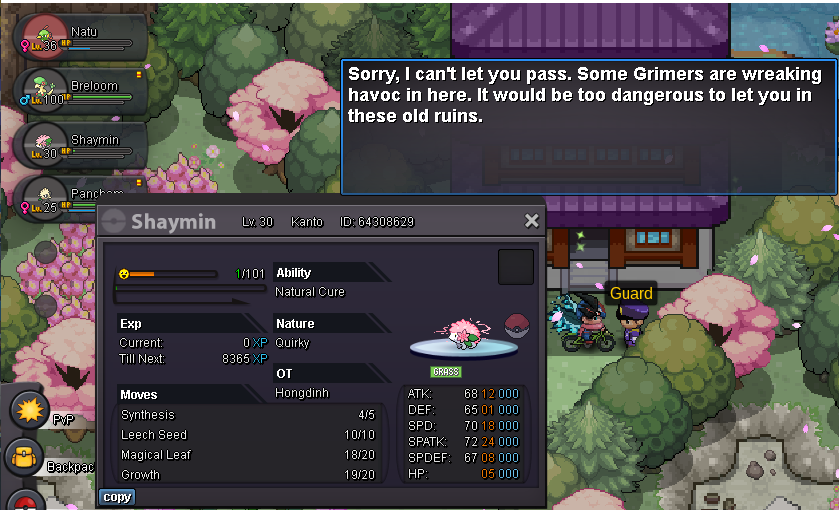
So now I have to start all over again even though I've captured Shaymin?Hello. As title few days ago I finished and got Shaymin to complete the quest. But today when I just returned to Suzuka Cave and found the easter egg basket, my Suzuka town side quest refreshed and asked me to complete it again. Guard didn't let through to reach Suzuka Cave. Looking forward to your help and early response. Thanks and have a nice day!70k each