




New Trade Zone
Trade Zone is now live
Use the new Trade Zone for auctions and instant-price trades so Pokemon and item offers are easy to find.

Agencyneverdies
Registered User
-
Joined
-
Last visited
Everything posted by Agencyneverdies
-
start offer: 800k min raise: 50k insta: 2m ends: 24h after first bid gl bidding
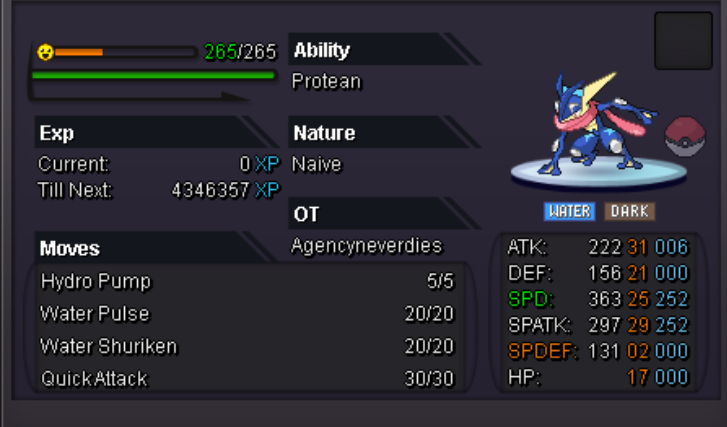
-
48h by now
 start offer: 600k min. raise: 50k insta: 2m cc: 400k rr:700k nature reroll: 350k Ends: 48h after first bit gl bidding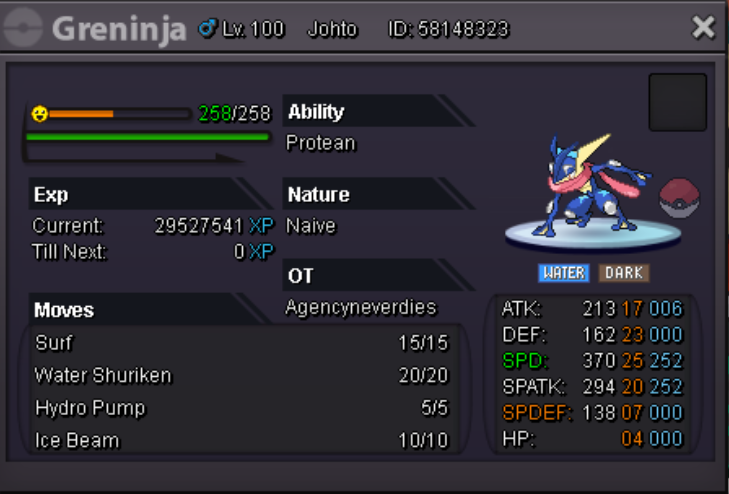
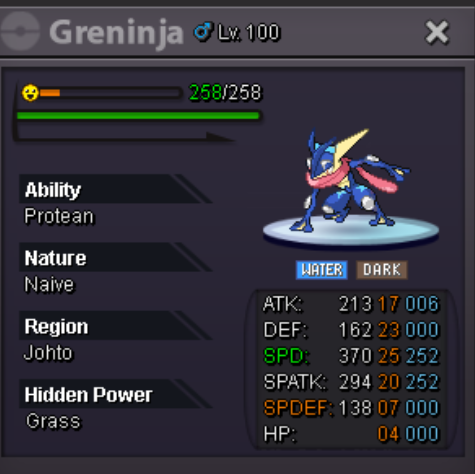 So I did the Megastone quest for Charizard-Y and you need to give a charmander to professor oak with certain iv's. I caught one but didn't show it to him and already evolved it into Charizard. I want to ask if you can set it back to level 98 Charmander. Sincerly agencyneverdiesI will be online in about 1h or a bit moresoldCurrent offer: 800k by Ddolbba Minimum Raise: 100k Insta price: set later End: 17.08.2020 19:28 GMT+2 GL BIDDING
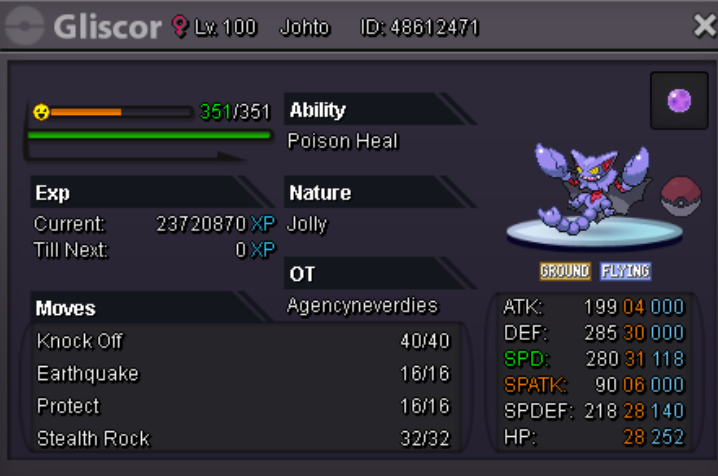 Player name: agencyneverdies Showdown name: maxisthier Server: Silver Timezone: GMT+2 Rank on ladder: 13Sold to Corradini8810 hours leftc.o: 400k by limit min. raise: 100k Insta: 2m Ends in 24 Hours GL BIDDING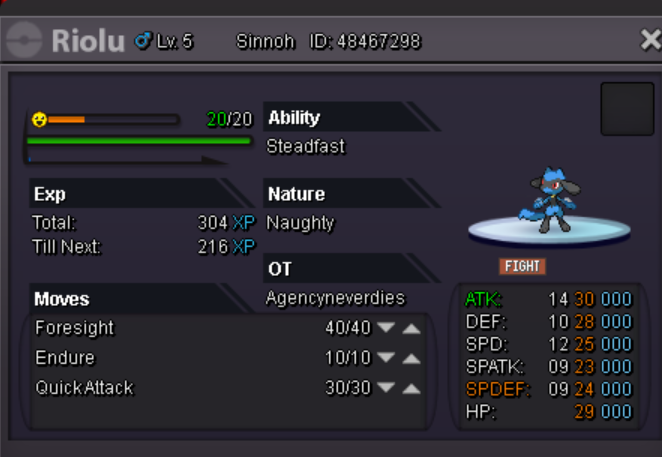
 black girl called steve#6737 just pm me in discord when youre onlineAuction Ended Sebophaa has won.23 Hours leftC.o 3m by Sebophaa minimum increase: 200k Insta Price: will be set later Ends: 16.07.2020 9:36 am (gmt+2) GL BIDDING!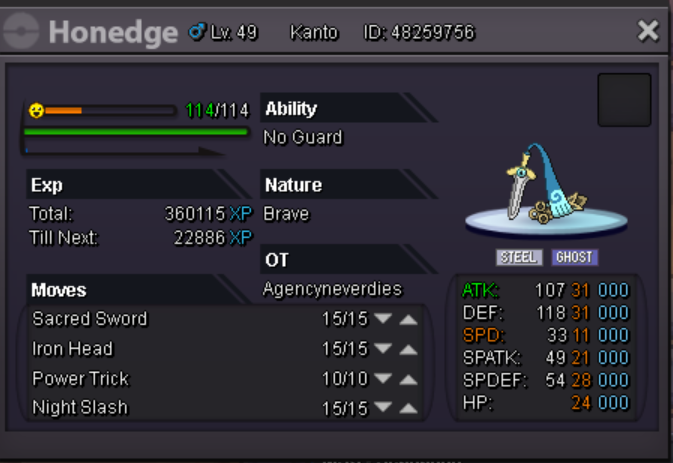
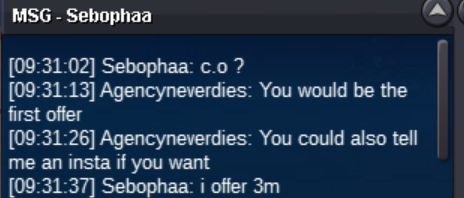 Hello I just wanted to ask if I can end my auction if no one has bid yet?s.o reduced to 5mBumpStart Offer: 8m Minumum Increase: 500k Insta Price: 15m Ends: 76h after first bid GL BIDDING!
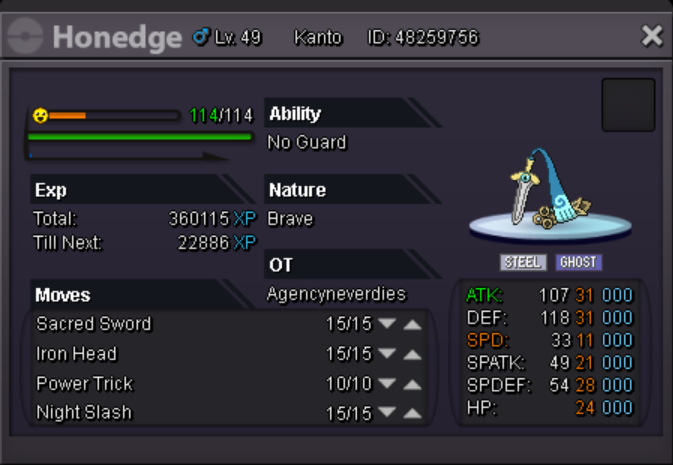 Nice slash, good luck selling!



Account
Navigation
Search
Configure browser push notifications
Chrome (Android)
- Tap the lock icon next to the address bar.
- Tap Permissions → Notifications.
- Adjust your preference.
Chrome (Desktop)
- Click the padlock icon in the address bar.
- Select Site settings.
- Find Notifications and adjust your preference.
Safari (iOS 16.4+)
- Ensure the site is installed via Add to Home Screen.
- Open Settings App → Notifications.
- Find your app name and adjust your preference.
Safari (macOS)
- Go to Safari → Preferences.
- Click the Websites tab.
- Select Notifications in the sidebar.
- Find this website and adjust your preference.
Edge (Android)
- Tap the lock icon next to the address bar.
- Tap Permissions.
- Find Notifications and adjust your preference.
Edge (Desktop)
- Click the padlock icon in the address bar.
- Click Permissions for this site.
- Find Notifications and adjust your preference.
Firefox (Android)
- Go to Settings → Site permissions.
- Tap Notifications.
- Find this site in the list and adjust your preference.
Firefox (Desktop)
- Open Firefox Settings.
- Search for Notifications.
- Find this site in the list and adjust your preference.