




New Trade Zone
Trade Zone is now live
Use the new Trade Zone for auctions and instant-price trades so Pokemon and item offers are easy to find.

Shreeyan07
Registered User
-
Joined
-
Last visited
Everything posted by Shreeyan07
-
dot
-
donee prooff
.png.dd4c8c87d09139a3b4c94220e3a9be5d.png)
-
u won bro come online dm me fastttt man
-
Pokemon / Item Start Point/Price: 150k End Point: 24hours from start Insta: 600k Min. Raise: 30k Accepted Payment(s): POKEDOLLARS , RARE CANDY-5K EA, CC -400K CONTACT ME : INGAME NAME: Shreeyan07 discord: shradanth
.png.1c30cea4f61b5628b880c08f329946a1.png)
-
the auction is closed congrats shimulll u won the auction dm me ingame or real life
-
Pokemon/Item being auctioned: Starting price/point: 400k Ending point: 36 hours from start Insta Price:2m Available payments: POKEDOLLARS,CC(400K),IV REROLL(600K) Minimum bid : 50K CONTACT ME: IN GAME NAME: Shreeyan07 DISCORD: shradanth
.png.a9e59fc8b18b1deb65dc154da6c06520.png) what starting price 200kmin bid:30k c.o 280k ends after : 24hrs after start accepted payments : reroll-500k coin capsule-300k if interested dm me (shreeyan07)
what starting price 200kmin bid:30k c.o 280k ends after : 24hrs after start accepted payments : reroll-500k coin capsule-300k if interested dm me (shreeyan07)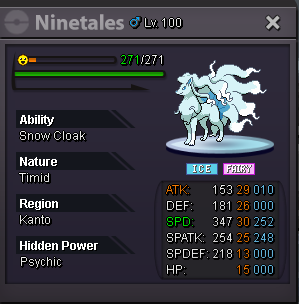
 proof
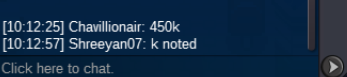
proof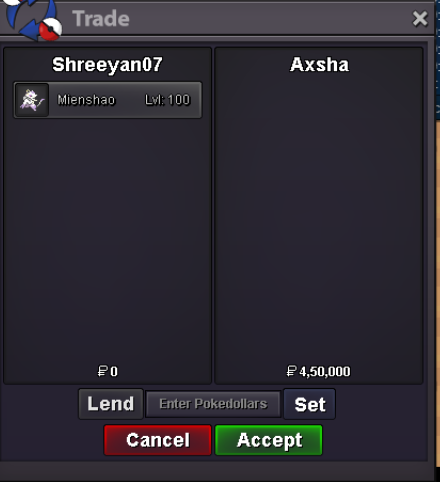 c.o 450k by @Axsha min bid: 50k starting at : 12:50pm ending time: july1st 7:00pm accepted items: cc 350k RR 500k congrats axsha auction closed
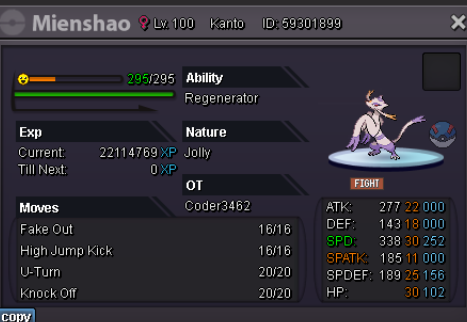 k wait i am new to this so i made a mistake u can auction now i will keep the screenshot later because he is offline @Rudedingo22 sry for the inconvenience200k broc.o 450k by @Chavillionair starting price :200k minbid:50k starting at 7:25pm ends at 30 June 5:30pm accepted items : CC=350k RR=500K proof: the auction has ended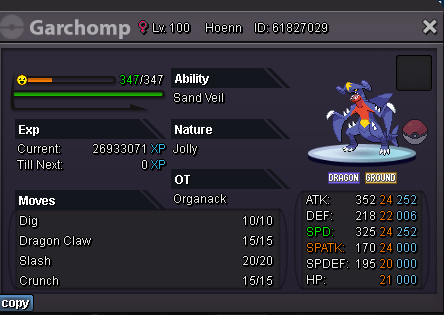
 i am starting an auction at 11:00 clock min bid 70k
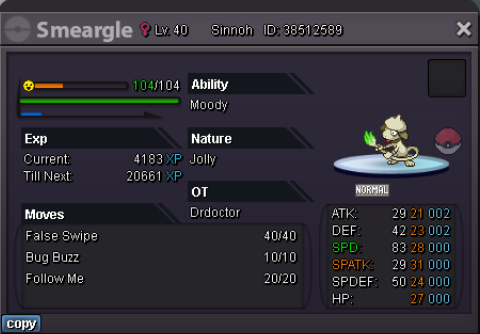
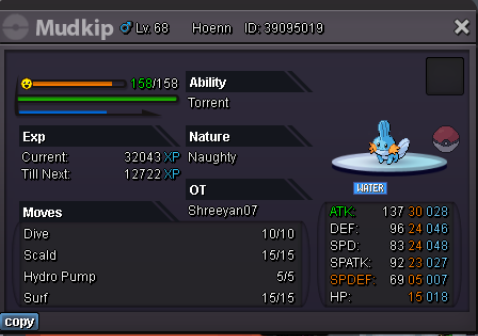 [Poke38512589][Poke38920151][Poke65491433][Poke42098767][Poke42098767]
.png.d9a63197daaec1aa7fd5762b6884cbc5.png)


Account
Navigation
Search
Configure browser push notifications
Chrome (Android)
- Tap the lock icon next to the address bar.
- Tap Permissions → Notifications.
- Adjust your preference.
Chrome (Desktop)
- Click the padlock icon in the address bar.
- Select Site settings.
- Find Notifications and adjust your preference.
Safari (iOS 16.4+)
- Ensure the site is installed via Add to Home Screen.
- Open Settings App → Notifications.
- Find your app name and adjust your preference.
Safari (macOS)
- Go to Safari → Preferences.
- Click the Websites tab.
- Select Notifications in the sidebar.
- Find this website and adjust your preference.
Edge (Android)
- Tap the lock icon next to the address bar.
- Tap Permissions.
- Find Notifications and adjust your preference.
Edge (Desktop)
- Click the padlock icon in the address bar.
- Click Permissions for this site.
- Find Notifications and adjust your preference.
Firefox (Android)
- Go to Settings → Site permissions.
- Tap Notifications.
- Find this site in the list and adjust your preference.
Firefox (Desktop)
- Open Firefox Settings.
- Search for Notifications.
- Find this site in the list and adjust your preference.