




New Trade Zone
Trade Zone is now live
Use the new Trade Zone for auctions and instant-price trades so Pokemon and item offers are easy to find.

Cuongfchd
Registered User
-
Joined
-
Last visited
Everything posted by Cuongfchd
-
Wtb metagross ada 450k
-
Wtb beldum or evol nature ada 20+ <1m
-
-
-
-
-
-
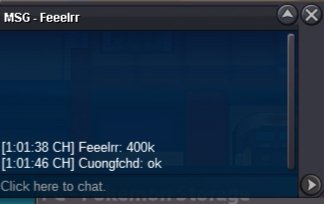
sorry I don't have that much moneyBắt đầu 1m Trả giá 200k Không có inta Kết thúc 23:00 gmt + 7 30/1/2022
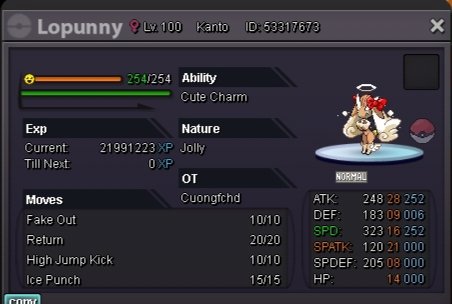
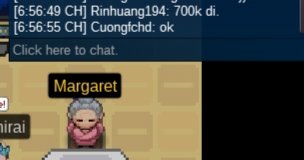
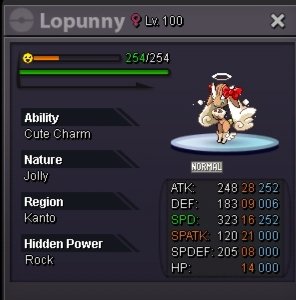 sorry I was too focused on the game chat bar not paying attentionRinhuang win 1m1:VĐấu giá hỗn loạn Bắt đầu 200k Đặt giá 100k Không có inta Kết thúc 23h00 27/1/2022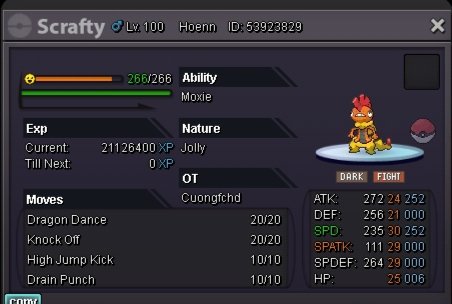
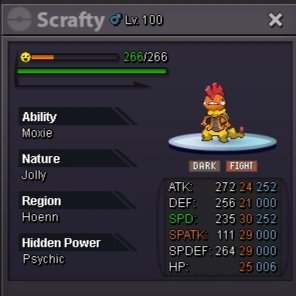 auction c.o 3m by I3dontknow32 minbid 200k 23:00 14/12 end


Account
Navigation
Search
Configure browser push notifications
Chrome (Android)
- Tap the lock icon next to the address bar.
- Tap Permissions → Notifications.
- Adjust your preference.
Chrome (Desktop)
- Click the padlock icon in the address bar.
- Select Site settings.
- Find Notifications and adjust your preference.
Safari (iOS 16.4+)
- Ensure the site is installed via Add to Home Screen.
- Open Settings App → Notifications.
- Find your app name and adjust your preference.
Safari (macOS)
- Go to Safari → Preferences.
- Click the Websites tab.
- Select Notifications in the sidebar.
- Find this website and adjust your preference.
Edge (Android)
- Tap the lock icon next to the address bar.
- Tap Permissions.
- Find Notifications and adjust your preference.
Edge (Desktop)
- Click the padlock icon in the address bar.
- Click Permissions for this site.
- Find Notifications and adjust your preference.
Firefox (Android)
- Go to Settings → Site permissions.
- Tap Notifications.
- Find this site in the list and adjust your preference.
Firefox (Desktop)
- Open Firefox Settings.
- Search for Notifications.
- Find this site in the list and adjust your preference.