New Trade Zone
Trade Zone is now live
Use the new Trade Zone for auctions and instant-price trades so Pokemon and item offers are easy to find.

Frenchpro
Suspended
-
Joined
-
Last visited
Everything posted by Frenchpro
-
@MidsommarIt's good. The NPC appeared in route 17 (and indeed it was not there before)
-
It's on top of the Celadon market building iirc Edit : Well I may have replied a little too fast. I got one which looked like this one but I am not sure it was exactly this one...
-
Same for me... Checked several places even if I think NPC should be around the bike road.
-
Okay so it seems I was wrong about the quest... Is it possible to have any advice on this one then ? ^^'
-
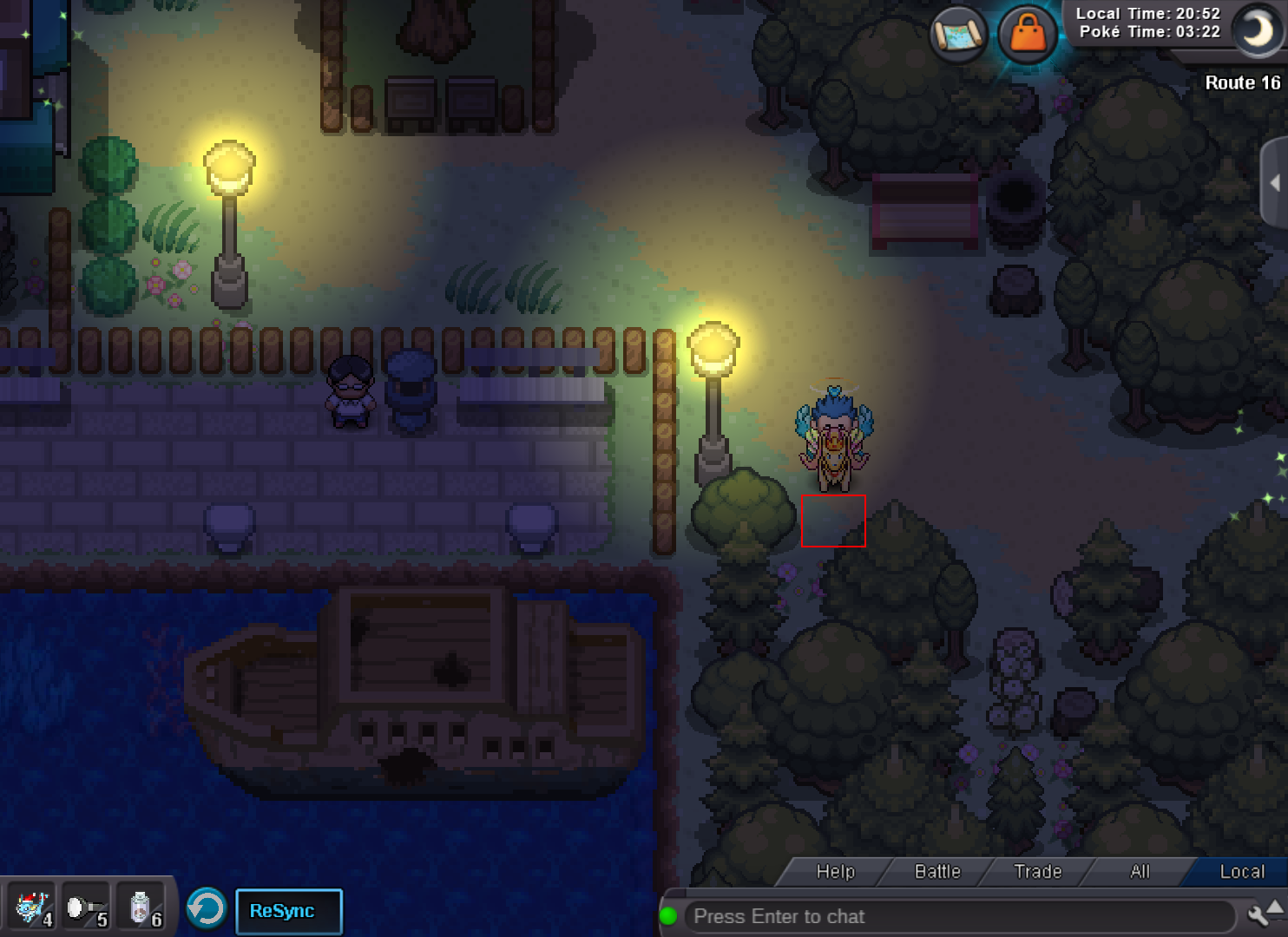
Hello, I've been doing the quest on Aphrodia Island where you need to deliver letters to people in the last region you are in, which is Kanto for me. All was good until I had the riddle below... I've been searching for this NPC several times and couldn't find him : "Biker angel be my guide, Cause for this long ride, I really want you by my side." I looked at several places but mostly around the bike road (route 16 / route 17 ...) because it looked like the best match. As I said I didn't find a NPC to give the letter but I found a strange cell in Route 16 on which I can't go on, whereas there is nothing on it. So I thought maybe it could be a bug and the NPC should be there : Can you tell me if I'm right or if I'm just totally looking at the wrong place (honestly I will take any more advice then haha) ? Thanks in advance ! FrenchPRO