




New Trade Zone
Trade Zone is now live
Use the new Trade Zone for auctions and instant-price trades so Pokemon and item offers are easy to find.

Katawaredokifan
Registered User
-
Joined
-
Last visited
Everything posted by Katawaredokifan
-
Looking to buy 10 iv rr for 5m pm with possibile offers
-
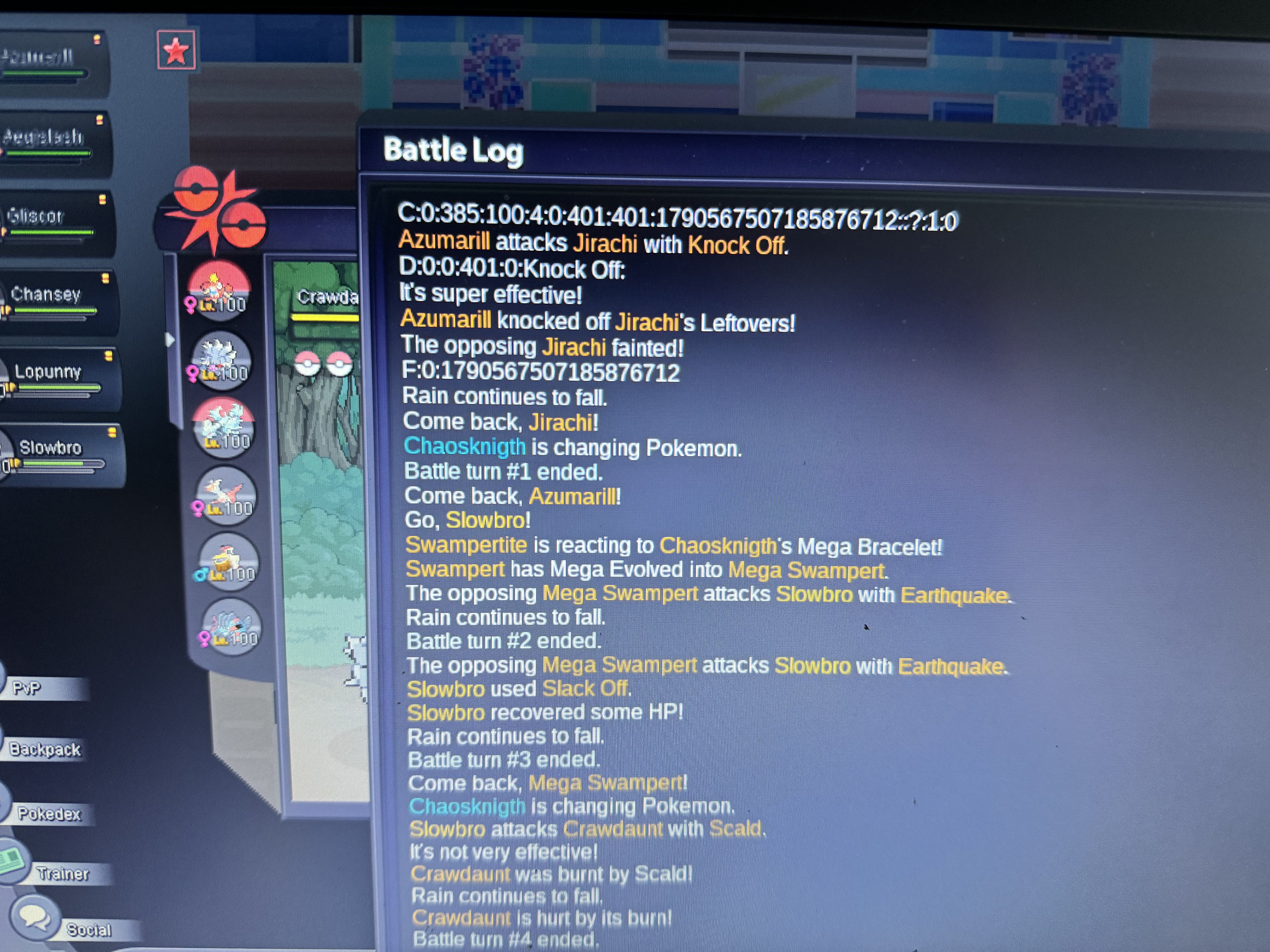
Played a game, when game starts that weird code appeared then I click knockoff and kill a jirachi when it shows opponent has a kyurem Before this game I played a game and I had to log off mid game in front of a kyurem when i join the next game it shows that opponent has a damaged kyurem before the game even started but it was the kyurem from previous match some how showing instead of jirachi Ig name: katawaredokifan
-
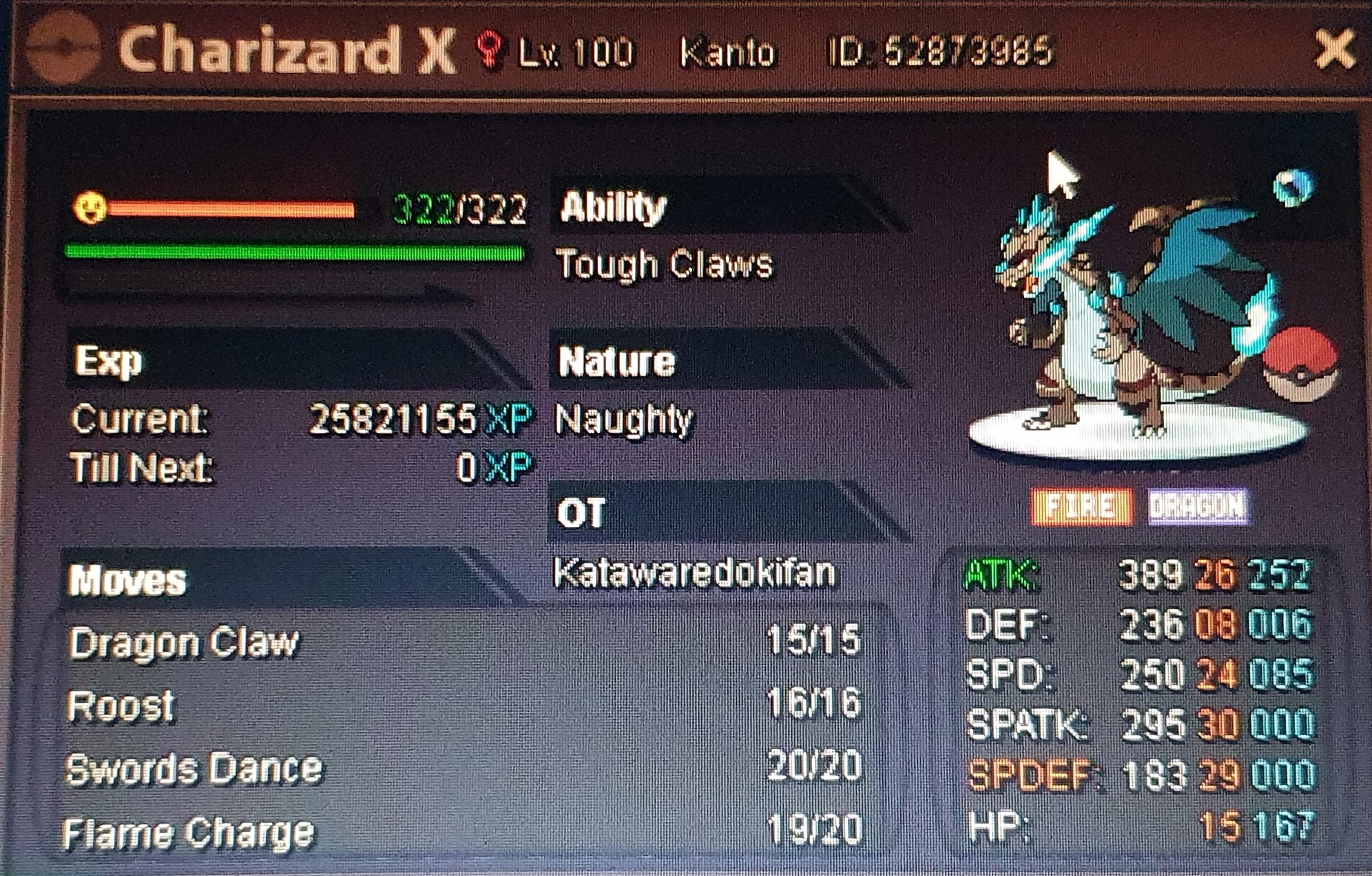
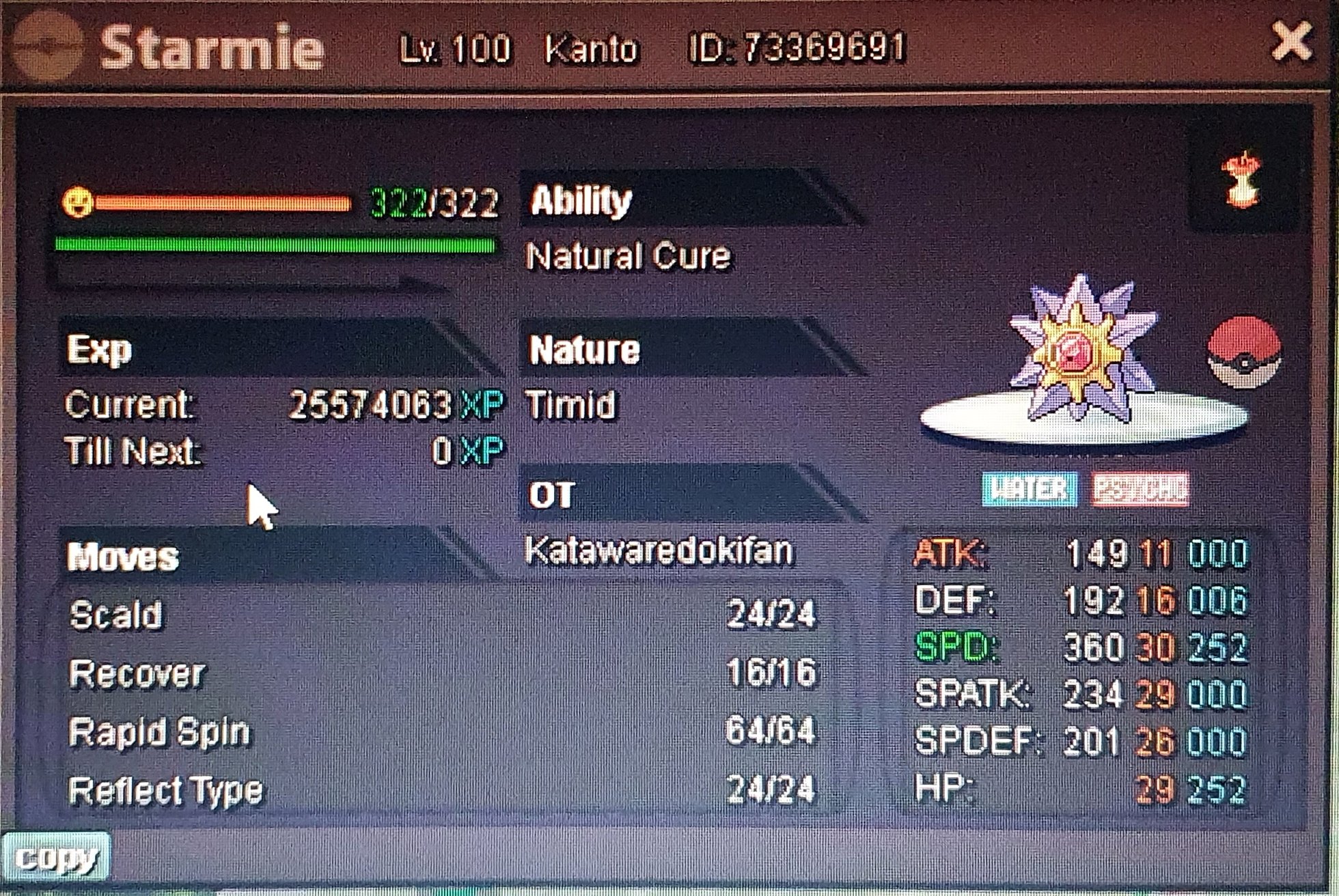
Starmie sold for: agreed price whit customer
-
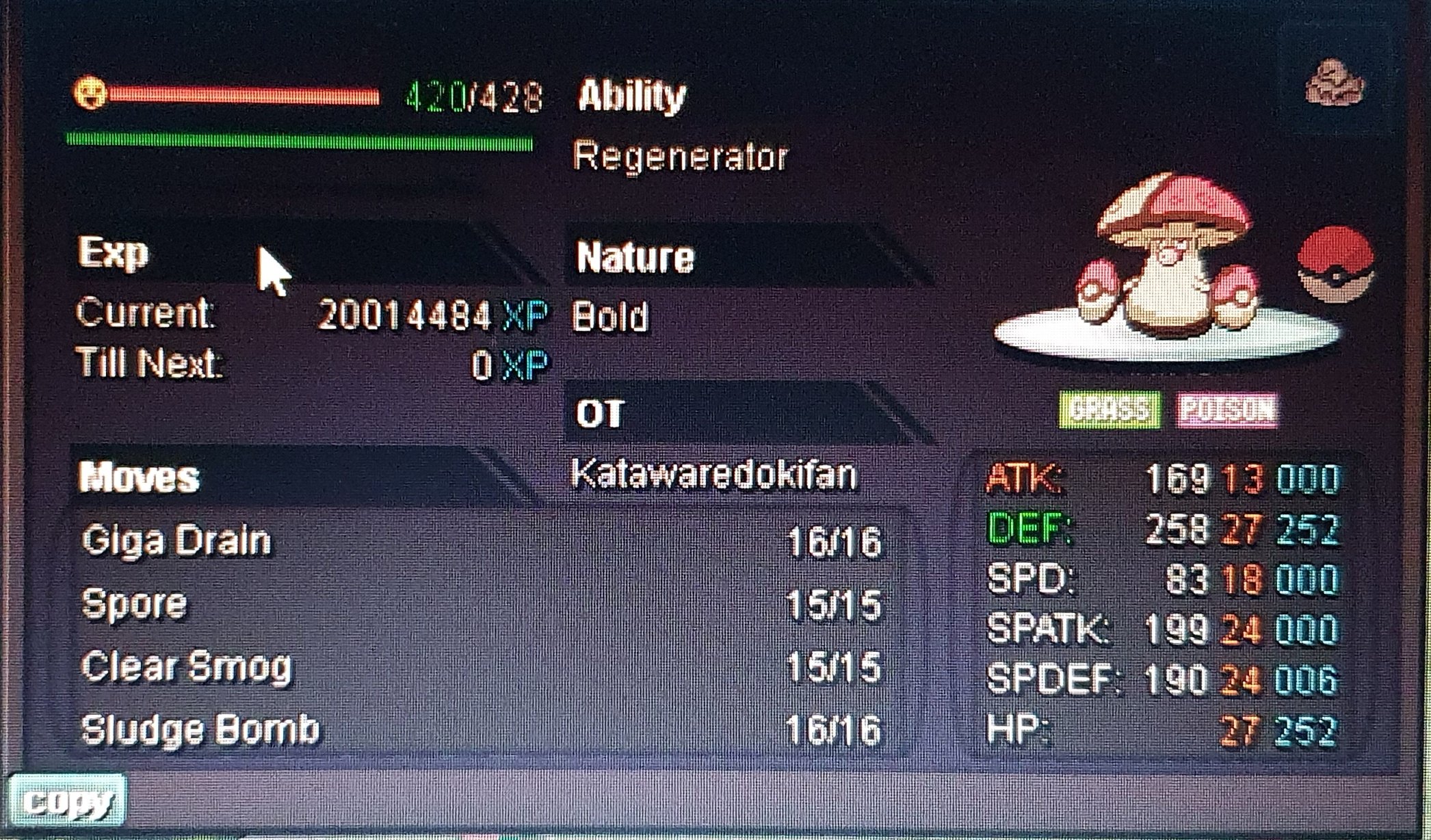
Accept rr 700k Charizard: 2m Starmie: 1m Hawlucha: 500k Amoongus: 900k All prices are negotiable and can be discussed

-
Sold. To ig exoforce Thread closed
-
Bump
-
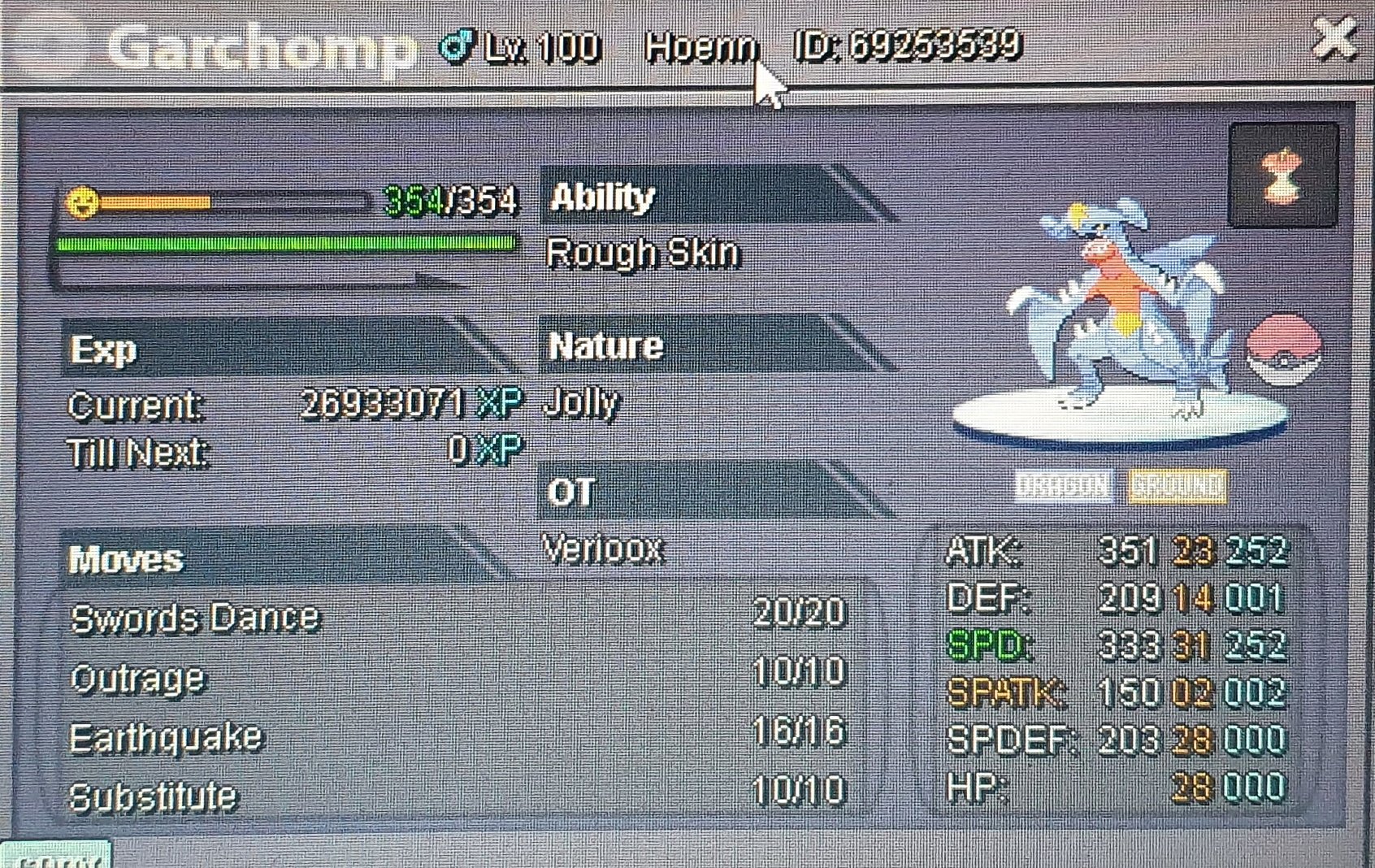
Looking to get 3m, In case of it not selling in few days it will be set in an auction not long after.
-
If by mistake doin storia service i get banned for mass account, i will get unbanned right? Cause its not an account of mine
-
Is it legal to do story/region Service??
-
16m
-
12m
-
Im the 5000 th one!
-
3.3 first chomp 😉
-
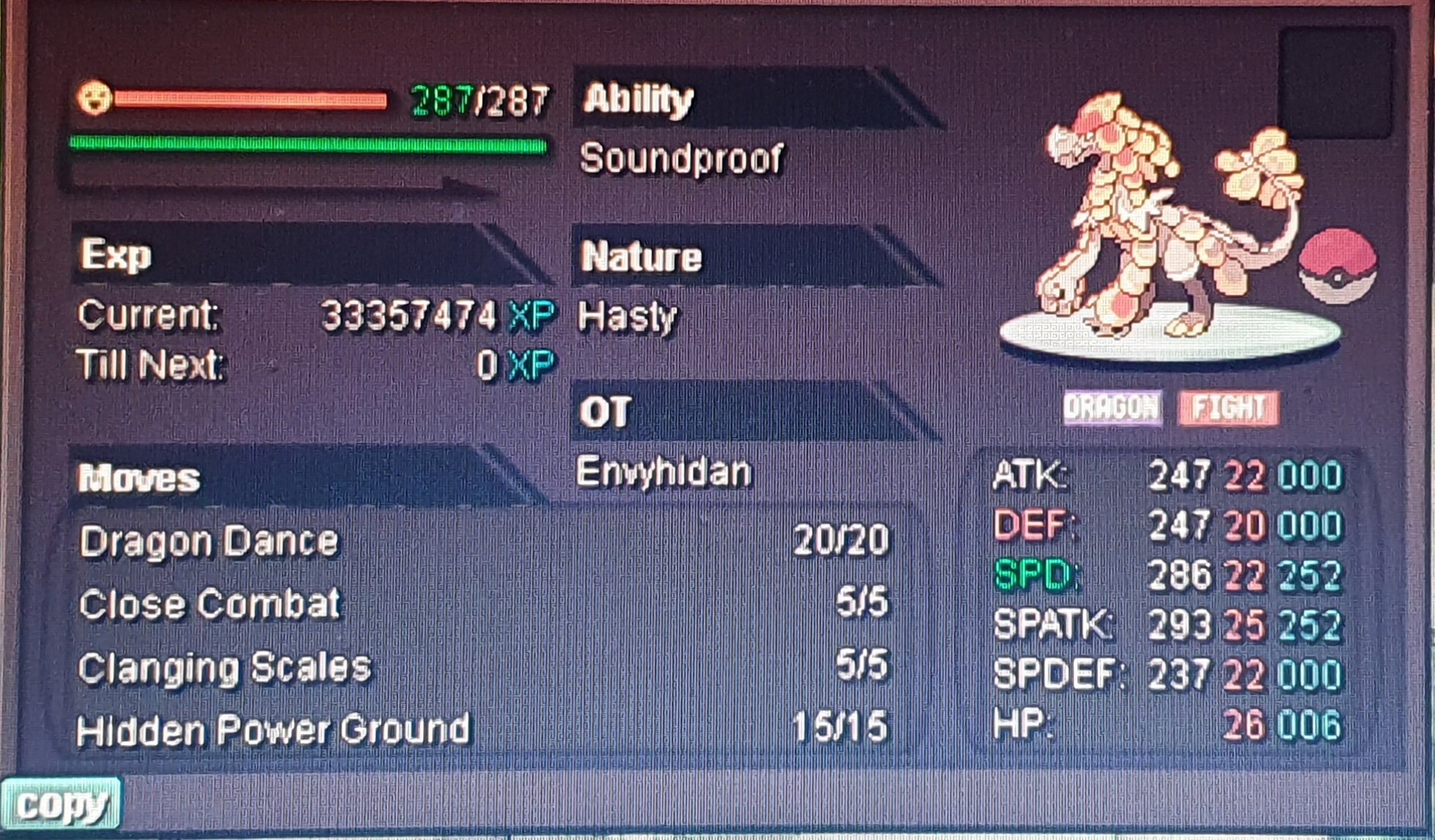
1m negotiable Feel free to send offers
-
Bump
-
Bump
-
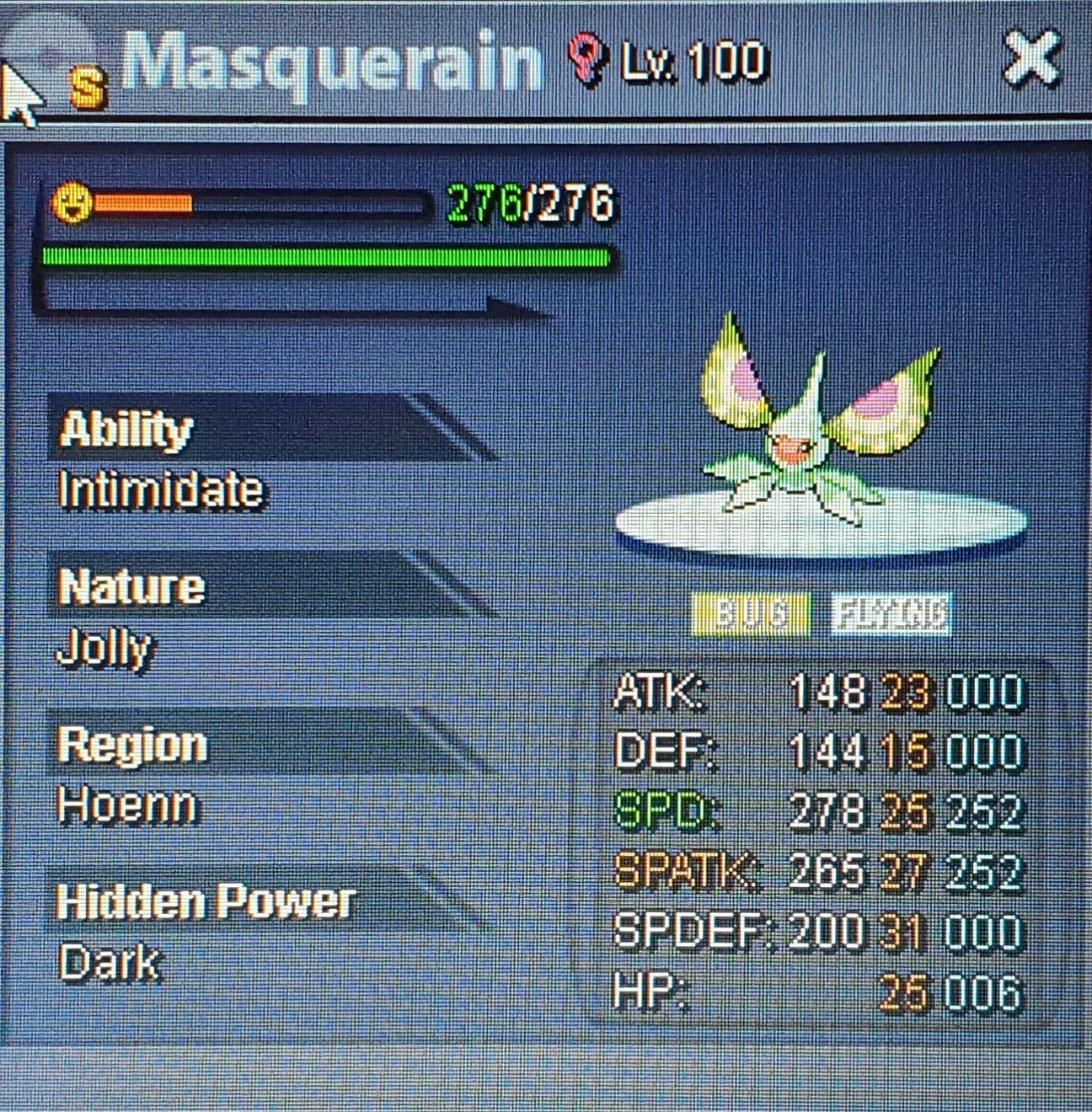
Wanna place your sticky webs straight up flexing? This is the poke for you im looking for offers, imma review them tomorrow and ill pm you if I accept your offer. Ty everyone who partecipate
-
You can click it, I managed to do it its just soo hard
-
Bump
-
BumpBump
-
S.o: 250k Min rase: 50k Duration: 12h

-
Bump
-
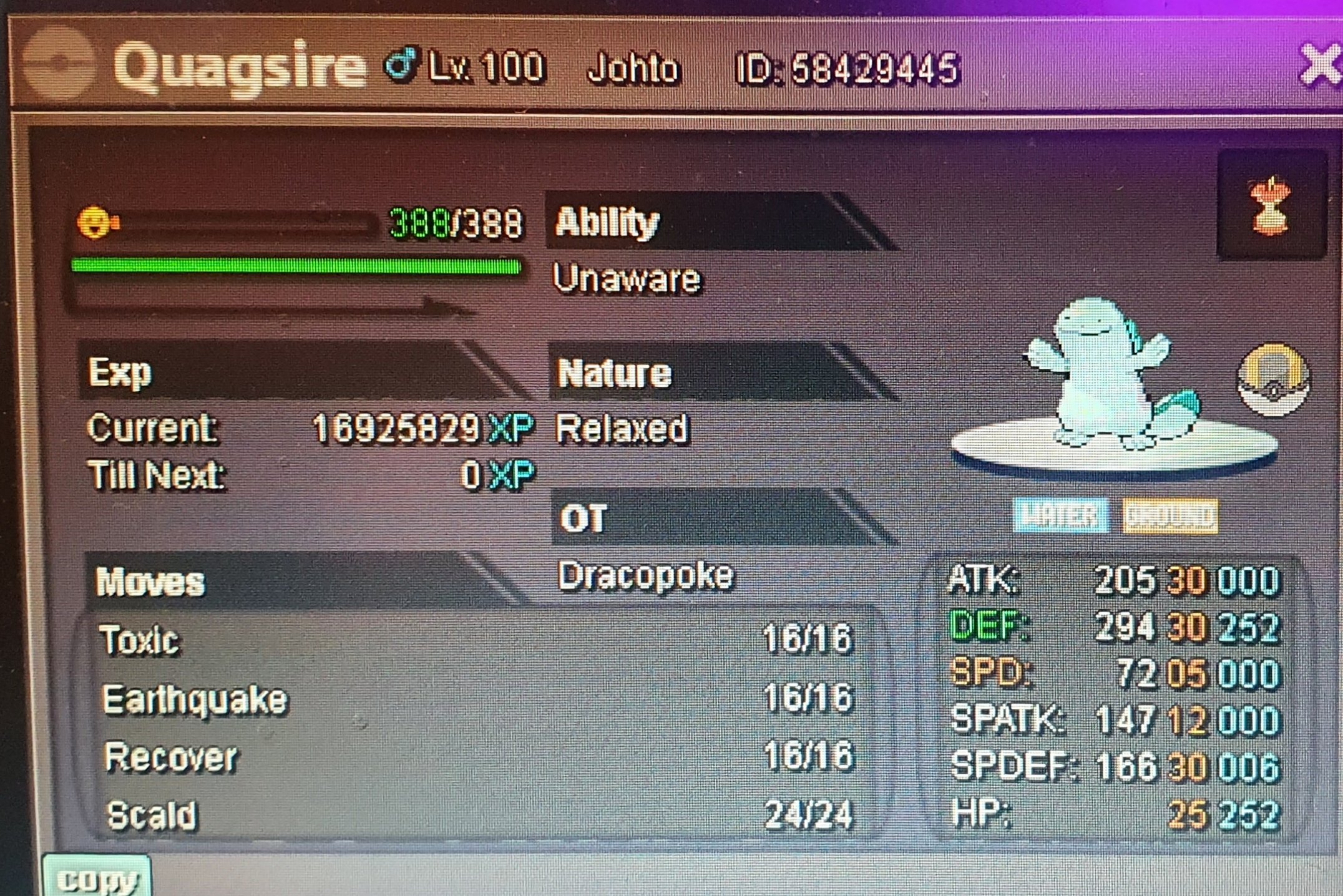
500k
-
-
Bump
