New Trade Zone
Trade Zone is now live
Use the new Trade Zone for auctions and instant-price trades so Pokemon and item offers are easy to find.


Jackett
Registered User
-
Joined
-
Last visited
-
Hi @Maisa , i can confirm that the pikachu is back and now on my team again, Thank you for your help! Is there something i should do to prevent this from happening again or is this at random?
-
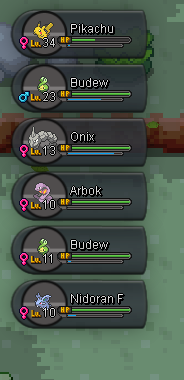
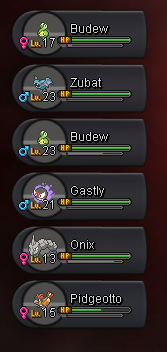
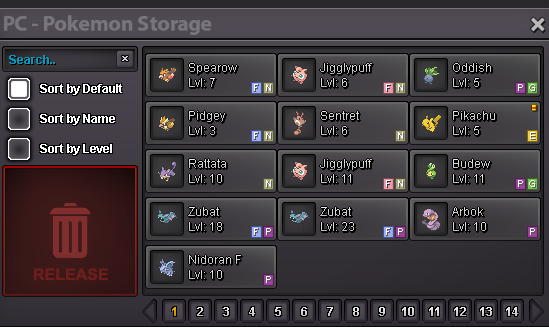
I was playing with some friends and in the middle of it we stopped playing for a bit to have a bit of a break and i just stood to get something and basically let the game disconnect me but when i came back and logged in, my lvl35 pikachu was gone and got replaced with a level 17 budew, i checked the machine in the pokecenter, logged back in and out, even asked if my friends got a lvl 35 pikachu or something, but got nothing, hope i am able to get mines back because i actually really really needed him The first screenshot is one i took a bit before it happened, second one is it after i realized what happened, and third one is the ones i have in my box at the center