New Trade Zone
Trade Zone is now live
Use the new Trade Zone for auctions and instant-price trades so Pokemon and item offers are easy to find.

Gaxton
Registered User
-
Joined
-
Last visited
-
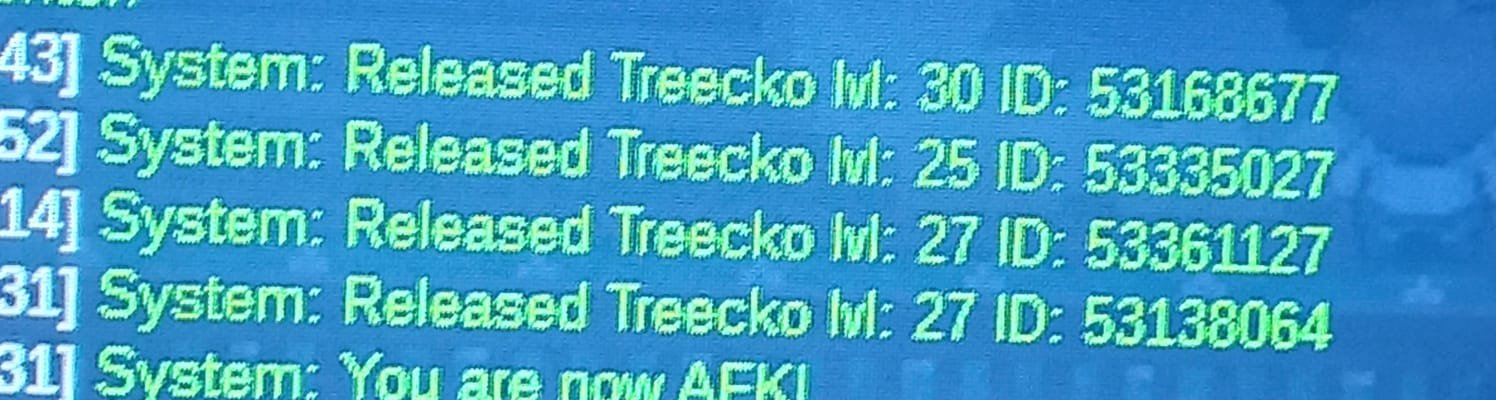
Hi, I wanted to ask if you could restore some pokemon, accidentally deleted. In this case, I removed 4 treeckos and one of them was the one I shouldn't remove. I don't know which one is his ID, but, to avoid complications, can these 4 Treeckos be restored ?
-
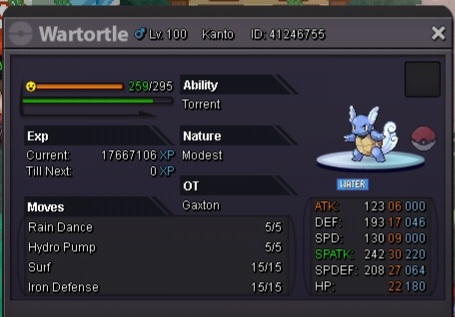
I wanted to find out if there was any moderator or tip, to help me with the following. It happens that, when I was with my squirtle at level 98, I had thought of finishing it to evolve to the blastoise at level 100. It was going to be my first pokemon, I wanted to use it in the quest of mega stones, but it happened that when I was going to evolve it to wartortle at level 99, using rare candy, this one did not evolve, giving in a problem, which frustrated me, having this pkmm at level 100 being wartortle. That is why I want to know if someone knows how to solve it, or that it can evolve, even if it is already at level 100, because it hurts a lot after training it, both by level and by ev's.