




New Trade Zone
Trade Zone is now live
Use the new Trade Zone for auctions and instant-price trades so Pokemon and item offers are easy to find.

Tastyparty
Registered User
-
Joined
-
Last visited
Everything posted by Tastyparty
-
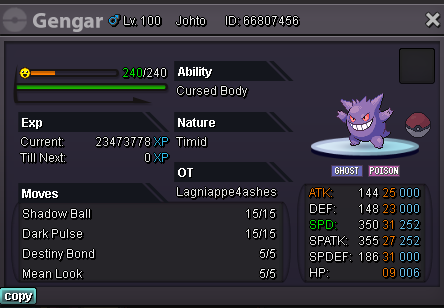
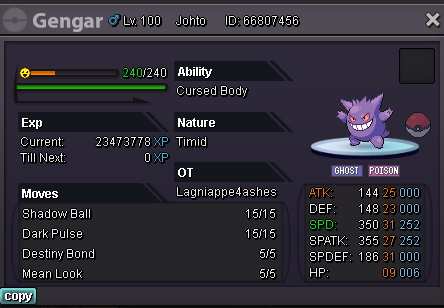
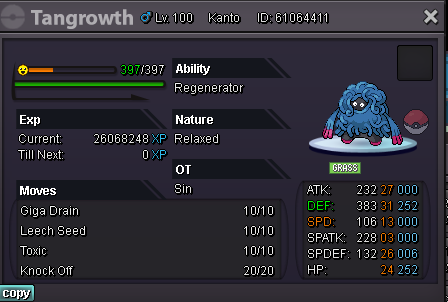
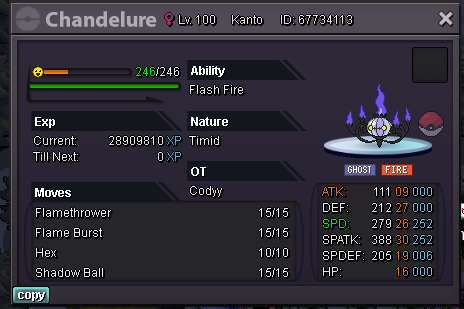
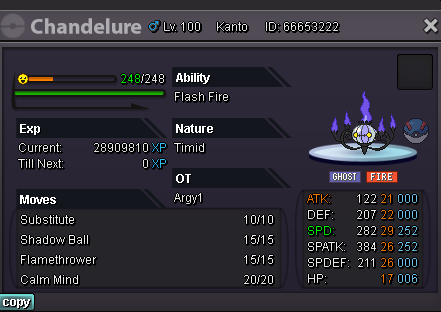
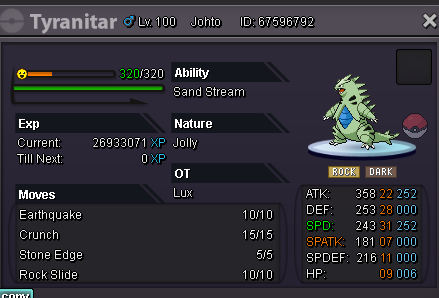
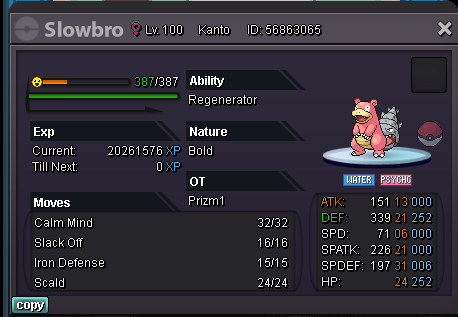
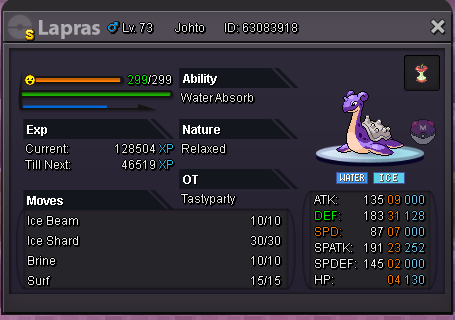
Selling bold 21def and 31spdef and 24hp taking offers Selling Timid 29/26 Setup sweeper, 1.5m Selling sweeper MAX speed jolly 22 atk, 1.5m Selling MAX def h.a. 24hp and 26spatk 1m Timid max speed 1.5m
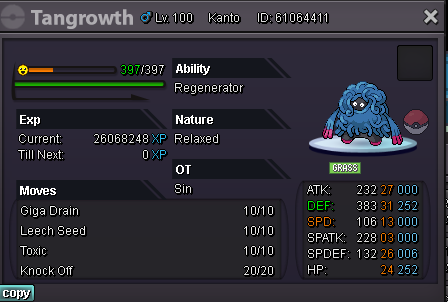
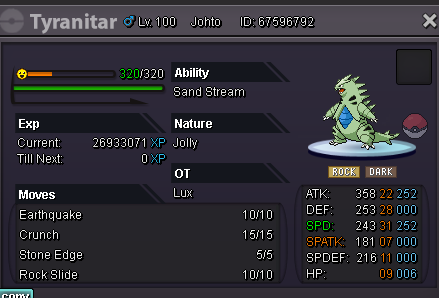
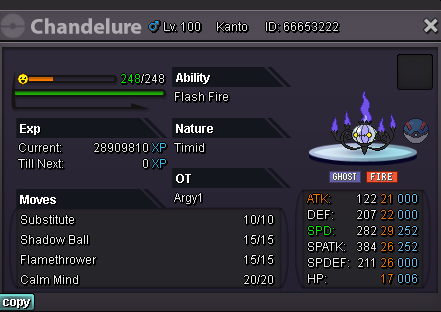
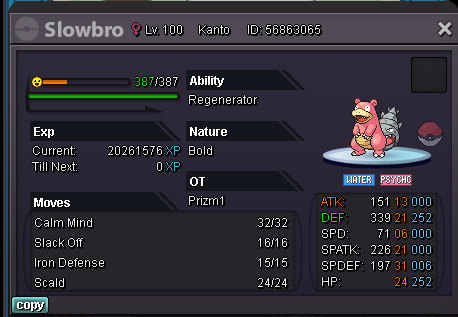
-
We noticed that rotom was listed by the reborn bot on discord in the johto safari zone this free weekend. But while the other pokes are there like varvesta is but rotom is not.I left the dark realm then went back into it and beat it. does that disqualify me from getting the iv rr?Hello my name is tastyparty in game and i have done all the steps needed to get the iv locked reroll and when i go and talk to the NPC it says "i have done all i can do" but i have darkrai and gengarite. Am i just missing a step? or is my game bugged?Feel free to pm me on questions and offers :)
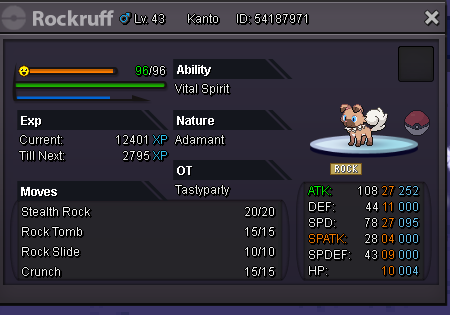
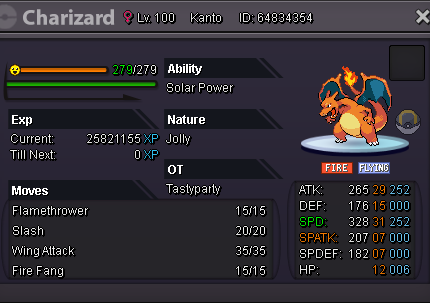 I will be training this more and more through out the week! Gamer tag is: Tastyparty Just offer willing to trade Pokémon for it or sell!!
 I have had this problem multiple times now and you guys have been great in responding to it and fixing the situation but this is the second or third day in a row that this has happened to me. My nidorino was replaced with a bellsprout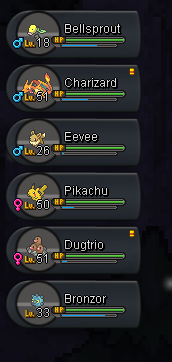

Account
Navigation
Search
Configure browser push notifications
Chrome (Android)
- Tap the lock icon next to the address bar.
- Tap Permissions → Notifications.
- Adjust your preference.
Chrome (Desktop)
- Click the padlock icon in the address bar.
- Select Site settings.
- Find Notifications and adjust your preference.
Safari (iOS 16.4+)
- Ensure the site is installed via Add to Home Screen.
- Open Settings App → Notifications.
- Find your app name and adjust your preference.
Safari (macOS)
- Go to Safari → Preferences.
- Click the Websites tab.
- Select Notifications in the sidebar.
- Find this website and adjust your preference.
Edge (Android)
- Tap the lock icon next to the address bar.
- Tap Permissions.
- Find Notifications and adjust your preference.
Edge (Desktop)
- Click the padlock icon in the address bar.
- Click Permissions for this site.
- Find Notifications and adjust your preference.
Firefox (Android)
- Go to Settings → Site permissions.
- Tap Notifications.
- Find this site in the list and adjust your preference.
Firefox (Desktop)
- Open Firefox Settings.
- Search for Notifications.
- Find this site in the list and adjust your preference.