




New Trade Zone
Trade Zone is now live
Use the new Trade Zone for auctions and instant-price trades so Pokemon and item offers are easy to find.

Chunkydischarge
Registered User
-
Joined
-
Last visited
-
bump
-
start tyranitar 1
-
This one still available?
-
Start Rotom 2
-
Pink Jolly Guts Rattata up for auction. Starting offer 100k. 10k bid amounts. Ends 24 hours after first bid. Pokedollars, coin capsules (425k valuation), rare candies (7k valuation) accepted as payment

-
start greninja
-
WTB godly 25+iv adamant timburr/conkeldurr budget 8m WTB godly 25+iv sassy ferroseed/ferrothorn budget 3m
-
Winner. Message me on how you want to meet and finalize.
-
@Lux pmed offer of 21m
-
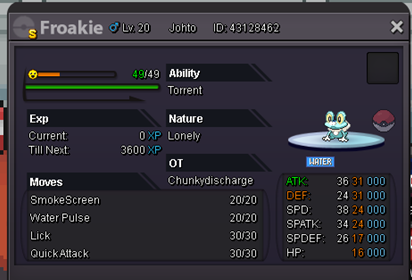
Auction. Starting offer 20 million. Will accept offers in game @chunkydischargeand on discord @stiffy078 #6190. Ends Sunday 8pm EST.
-
I have gone through everything once again and not found a single lever. I find it hard to believe that I can't find a single one while searching everything in that area. Is there a way to to show the map of the area highlighting where they are supposed to be so I can confirm that I have searched everywhere? I am certain I have since I have now spent 2 hours searching this area without any progress.
-
I am having an issue completing the Keldeo quest. I have gotten to the Forest Maze and have been searching for the hidden levers for some time now. I have searched all items mentioned in walkthroughs, etc. and have not found a single lever. I am beginning to think there is a bug of some type. Can someone reach out and assist?