




Skip to content
View in the app

A better way to browse. Learn more.

Pokemon Revolution Online

A full-screen app on your home screen with push notifications, badges and more.

To install this app on iOS and iPadOS
  1. Tap the Share icon in Safari
  2. Scroll the menu and tap Add to Home Screen.
  3. Tap Add in the top-right corner.
To install this app on Android
  1. Tap the 3-dot menu (⋮) in the top-right corner of the browser.
  2. Tap Add to Home screen or Install app.
  3. Confirm by tapping Install.
New Trade Zone
Trade Zone is now live
Use the new Trade Zone for auctions and instant-price trades so Pokemon and item offers are easy to find.
Open Trade Zone

Voos

Registered User
  • Joined

  • Last visited

Everything posted by Voos

  1. Voos replied to Voos's topic in Selling Pokémon - Silver
    5 min!
  2. Voos replied to Voos's topic in Selling Pokémon - Silver
    1 hour left!
  3. Voos replied to Voos's topic in Selling Pokémon - Silver
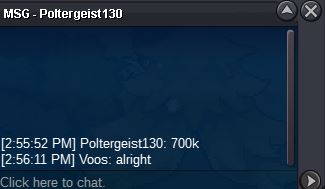
    c.o 700k
  4. Voos replied to Voos's topic in Selling Pokémon - Silver
    Bump, C.o 600k by Fenermania. ~10 hours left
  5. Voos replied to Voos's topic in Selling Pokémon - Silver
    Bump. C.o 500k by Kenshinv
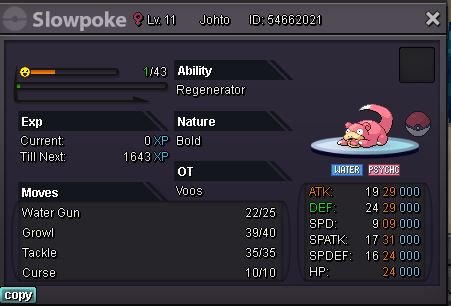
  6. IGN: Voos Discord: Voos#4747 Will pay 500k. Moveset ready
  7. discord: Voos#4747 if im not on PRO
  8. Hello, Last night I bought 250k worth of casino points, played 6 hands of quackjack, won 5/6 hands betting 10 chips per hand, bought 5 rare candies and 10 focus sashes and now it says I'm out of coins. I didn't even get close to spending the amount of coins I had and it seems they've all disappeared. If anyone could explain the mechanics of the coins or if any staff could help me out by looking at logs for what I did to lose all that coins that'd be much appreciated because 250k is a lot of in game money to lose.
Account

Navigation

Search

Search

Configure browser push notifications

Chrome (Android)
  1. Tap the lock icon next to the address bar.
  2. Tap Permissions → Notifications.
  3. Adjust your preference.
Chrome (Desktop)
  1. Click the padlock icon in the address bar.
  2. Select Site settings.
  3. Find Notifications and adjust your preference.