




Skip to content
View in the app

A better way to browse. Learn more.

Pokemon Revolution Online

A full-screen app on your home screen with push notifications, badges and more.

To install this app on iOS and iPadOS
  1. Tap the Share icon in Safari
  2. Scroll the menu and tap Add to Home Screen.
  3. Tap Add in the top-right corner.
To install this app on Android
  1. Tap the 3-dot menu (⋮) in the top-right corner of the browser.
  2. Tap Add to Home screen or Install app.
  3. Confirm by tapping Install.
New Trade Zone
Trade Zone is now live
Use the new Trade Zone for auctions and instant-price trades so Pokemon and item offers are easy to find.
Open Trade Zone

Enjoylife

Suspended
  • Joined

  • Last visited

Everything posted by Enjoylife

  1. Making things rare makes people hunt and more and think bout that and that raises the competition , secondly it also depends upon ur luck
  2. Yes haaha never thought of it
  3. Why can't I download pro? I downloaded it from dll and then tried to install it from zarchiver but it is showing this I tried it many times thank. You Additionally my phone is android and it's version is 10
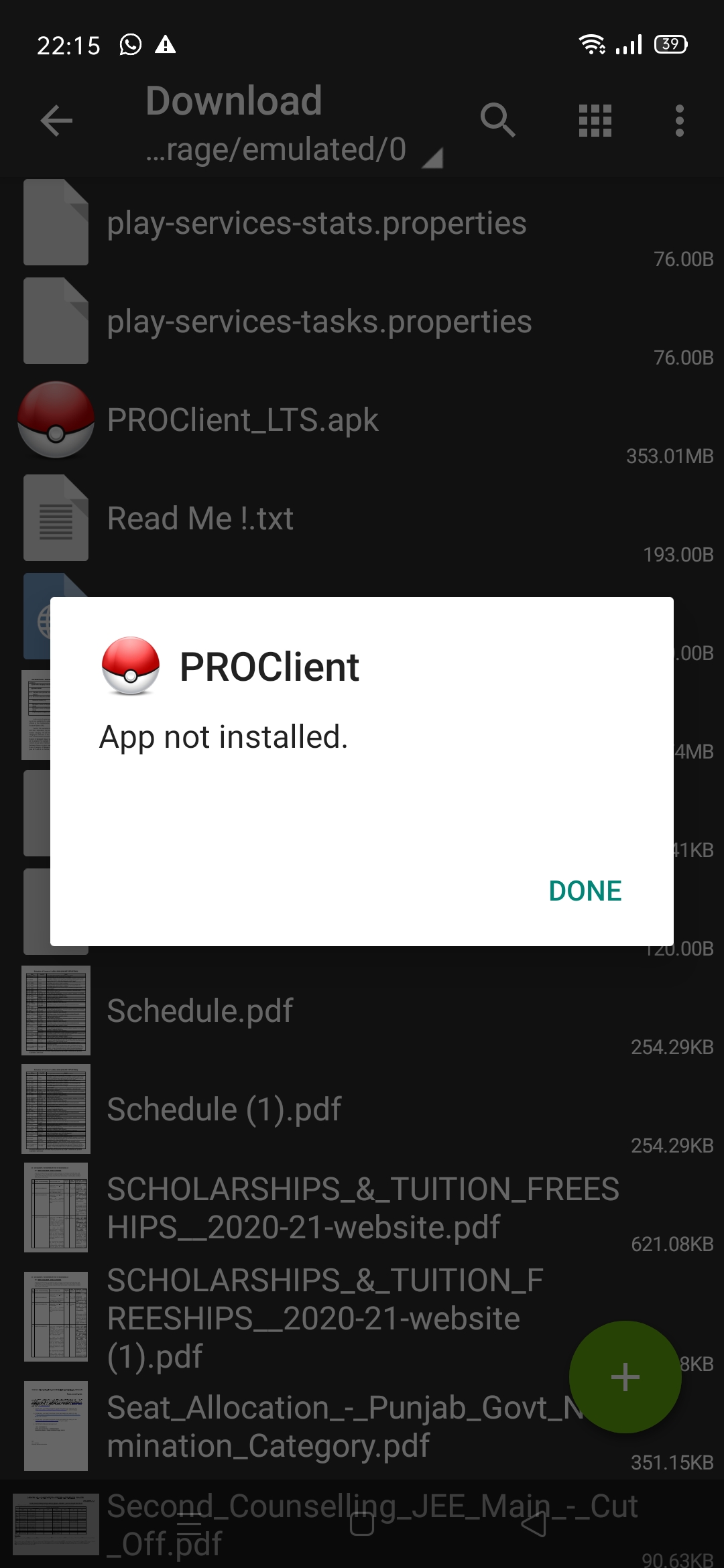
  4. Pls staff I think already know me but pls don't introduce them my. Previous identity and I am willing to make friends and enjoy my life with staffs happily living sharing and donating for game and If any help needed in python am always there just call me 🙂 thank you

Account

Navigation

Search

Search

Configure browser push notifications

Chrome (Android)
  1. Tap the lock icon next to the address bar.
  2. Tap Permissions → Notifications.
  3. Adjust your preference.
Chrome (Desktop)
  1. Click the padlock icon in the address bar.
  2. Select Site settings.
  3. Find Notifications and adjust your preference.