New Trade Zone
Trade Zone is now live
Use the new Trade Zone for auctions and instant-price trades so Pokemon and item offers are easy to find.

Whitt
Registered User
-
Joined
-
Last visited
-
you won bro let me know when you can collect
-
-
-
Accepted payment(s): Selling this amazing Sassy Tyranitar! S.O: 200k Min bid: 1k No insta 48hr Auction https://countingdownto.com/?c=6095887 Please remember if a bid is placed within the final 15 minutes of the auction, the auction will be extended by a further 15 min. If bidding from Silver, please clearly state you will transfer to Gold if you happen to win. GOOD LUCK! ❤️
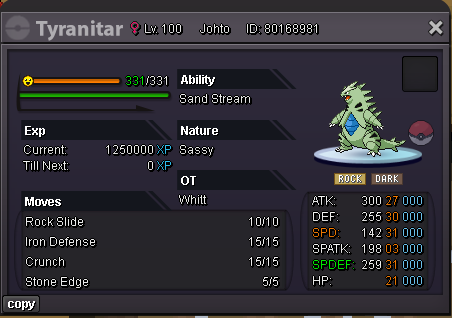
-
900k
-
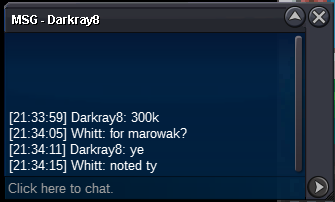
trade done, can be closed
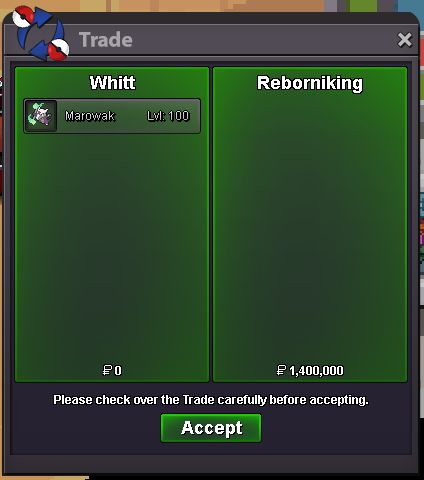
-
You won mate. Let me know which server your on and when we can meet
-
Bump 40 min remaining!
-
bump
-
Accepted payment(s): Welcome to the Auction for this beautiful Trick Room Alolan Marowak! I am currently based in Gold Server, but will transfer to Silver if necessary. C.O: 1.4m MIn bid: 50k Insta: 5m 48hr auction https://countingdownto.com/?c=6056032 Please remember if a bid is placed within the final 15 minutes of the auction, the auction will be extended by a further 15 min. GOOD LUCK! ❤️
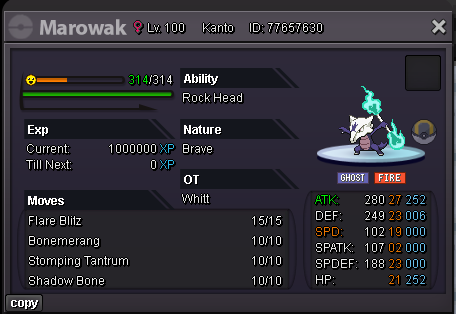
-
350k
-
Ill be on in 10 min mate