New Trade Zone
Trade Zone is now live
Use the new Trade Zone for auctions and instant-price trades so Pokemon and item offers are easy to find.

Devil001
Registered User
-
Joined
-
Last visited
Everything posted by Devil001
-
Hello Sir, Now my game is working. Thank you very much sir.
-
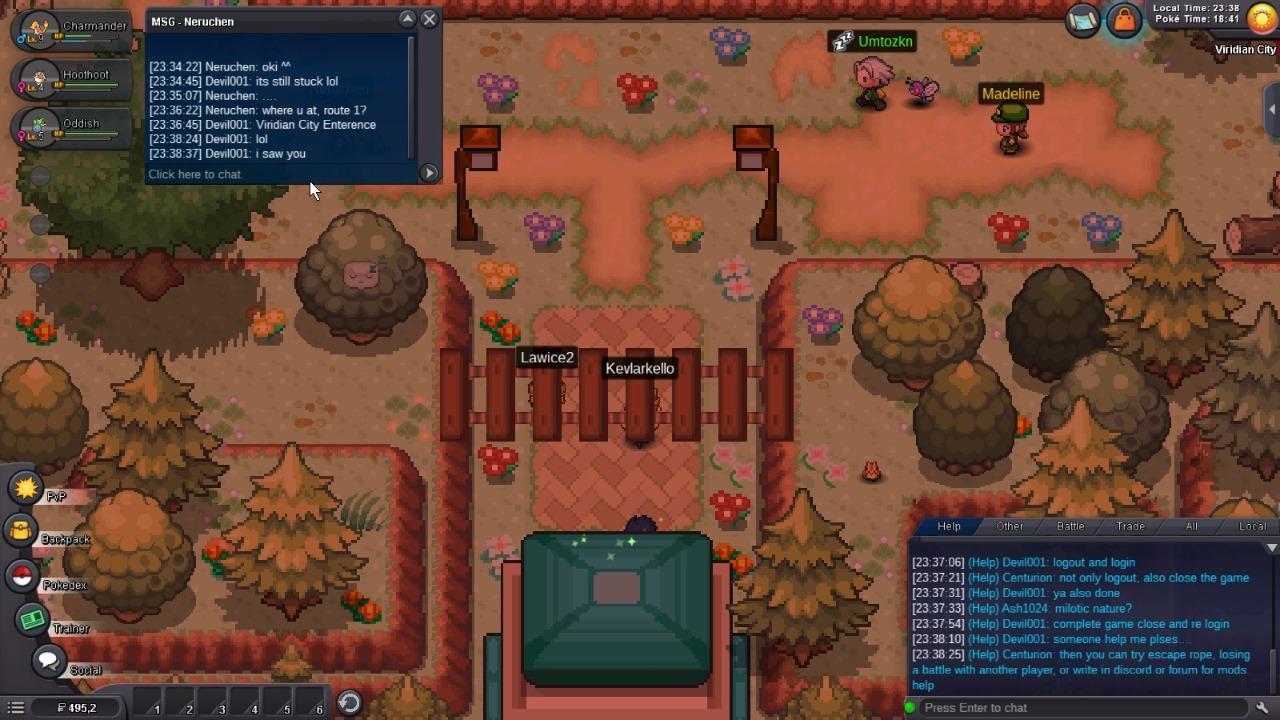
1st of all Thank you very much for reply me. Your first ques. -When do you get stuck? Does it happen randomly or only when you enter and leave buildings? Only my controls are stuck (not able to move). No, it doesn't happen randomly only when, I enter or leaving in building. Your second ques. -Do you have connectivity/internet issues? No, I don't have any connectivity issues. Yes, I am able to chat also when this issue occurs. I already try everything but nothing happened. I have also video (when, I stuck). So Sir, if you want more accurate proof of what happen with me, I can send you video. I hope you reply me ASAP. Devil001
-
I am facing the problem of game stuck / control freeze IDK what we have to called. But, I don't know why this is happening to me. I hope you help me. (I already try login logout and complete game close and open again). You can the my both chat in Help or with Neruchen. I litrelly don't know what is going on there??????? Help me out from this error AND FIX THIS (IN CAPS).