




Skip to content
View in the app

A better way to browse. Learn more.

Pokemon Revolution Online

A full-screen app on your home screen with push notifications, badges and more.

To install this app on iOS and iPadOS
  1. Tap the Share icon in Safari
  2. Scroll the menu and tap Add to Home Screen.
  3. Tap Add in the top-right corner.
To install this app on Android
  1. Tap the 3-dot menu (⋮) in the top-right corner of the browser.
  2. Tap Add to Home screen or Install app.
  3. Confirm by tapping Install.
New Trade Zone
Trade Zone is now live
Use the new Trade Zone for auctions and instant-price trades so Pokemon and item offers are easy to find.
Open Trade Zone

Beta6796

Suspended
  • Joined

  • Last visited

  1. Still have the same issue. Created a shortcut and changed target like u said, and ran as admin in compatible settings. The device drivers are up to date and so is Windows. Could it be a RAM problem? It only has 1gb
  2. Found a thread that talks about creating a shortcut that forces directx. Tried that and I got a better response. But still not fixed. Im getting this and then crashes
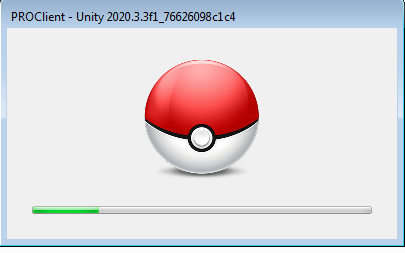
  3. Hi, I'm using a low end 32-bit pc. Apparently the game opens to a white screen and stays like that until I close. I tried to find a system requirements thread but couldn't. Can someone help me find out if this can be fixed?

Account

Navigation

Search

Search

Configure browser push notifications

Chrome (Android)
  1. Tap the lock icon next to the address bar.
  2. Tap Permissions → Notifications.
  3. Adjust your preference.
Chrome (Desktop)
  1. Click the padlock icon in the address bar.
  2. Select Site settings.
  3. Find Notifications and adjust your preference.