




New Trade Zone
Trade Zone is now live
Use the new Trade Zone for auctions and instant-price trades so Pokemon and item offers are easy to find.

Yanis1699
Suspended
-
Joined
-
Last visited
Everything posted by Yanis1699
-
750k rotom
-
@60671k3congratulations you won the abra, pm me to tradeStart 50k Min Bid 50k No insta Auction ends 48h after first bid Accepted payments: Pokedollars Nature reroll 280k IV reroll 560k Coin Capsule 360k Rare Candy 6k
.png.e63c0344e733b65f0442e1008532bd22.png)
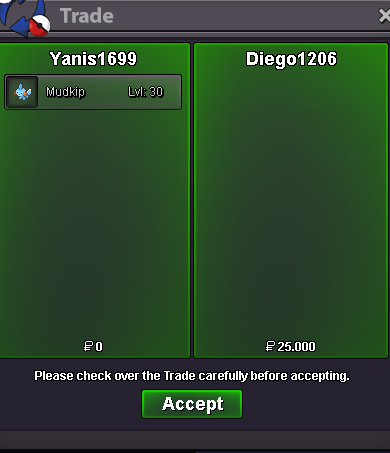
.png.d15cfee2c96951cdbd7882eef54519fc.png) @Diego1206you won mudkip, contact me to tradecongratulation @Suyyyy you won the horsea and wingul, pm me in game to trade (or on disc yanis1699#7714)startwingull already started, ok for mudkip@Sayan12345678 you offer is lower than min bid, so it's not valid.Start 25k Min bid 25k No insta auction ends 24h after first bid current offer 300k Start 25k Min bid 25k No insta auction ends 24h after first bid Current offer 25k Start 25k Min bid 25k No insta auction ends 24h after first bid current offer 100k
@Diego1206you won mudkip, contact me to tradecongratulation @Suyyyy you won the horsea and wingul, pm me in game to trade (or on disc yanis1699#7714)startwingull already started, ok for mudkip@Sayan12345678 you offer is lower than min bid, so it's not valid.Start 25k Min bid 25k No insta auction ends 24h after first bid current offer 300k Start 25k Min bid 25k No insta auction ends 24h after first bid Current offer 25k Start 25k Min bid 25k No insta auction ends 24h after first bid current offer 100k.png.5a5b9679e3d6ee05294e9eb946960c95.png)
.png.6f8d607a6a76470dc8607064ca68c19a.png)
.png.741fa8ed6751b91f68882c29e4682ccc.png) i pm you igIG: yanis1699 Discord: yanis1699#7714 Accept rc 7k each start 20k, min bid 20k, no insta, 24h after first bid start 20k, min bid 20k, no insta, 24h after first bid start 20k, min bid 20k, no insta, 24h after first bid
i pm you igIG: yanis1699 Discord: yanis1699#7714 Accept rc 7k each start 20k, min bid 20k, no insta, 24h after first bid start 20k, min bid 20k, no insta, 24h after first bid start 20k, min bid 20k, no insta, 24h after first bid.png.f3abfab399d01f3d8af3d97eb92e2b7c.png)
.png.2e9571ee45055bea51c286302623387a.png)
.png.e30aa8f54c006f23f86d6d5641b4d612.png) start
startAccount
Navigation
Search
Configure browser push notifications
Chrome (Android)
- Tap the lock icon next to the address bar.
- Tap Permissions → Notifications.
- Adjust your preference.
Chrome (Desktop)
- Click the padlock icon in the address bar.
- Select Site settings.
- Find Notifications and adjust your preference.
Safari (iOS 16.4+)
- Ensure the site is installed via Add to Home Screen.
- Open Settings App → Notifications.
- Find your app name and adjust your preference.
Safari (macOS)
- Go to Safari → Preferences.
- Click the Websites tab.
- Select Notifications in the sidebar.
- Find this website and adjust your preference.
Edge (Android)
- Tap the lock icon next to the address bar.
- Tap Permissions.
- Find Notifications and adjust your preference.
Edge (Desktop)
- Click the padlock icon in the address bar.
- Click Permissions for this site.
- Find Notifications and adjust your preference.
Firefox (Android)
- Go to Settings → Site permissions.
- Tap Notifications.
- Find this site in the list and adjust your preference.
Firefox (Desktop)
- Open Firefox Settings.
- Search for Notifications.
- Find this site in the list and adjust your preference.
.png.6d830d664d89d1501e4ce00fb00d0efa.png)
.png.3900530aa838ed8cc4cb4a196619b91e.png)
.png.10a63ce8b65b1ffa7dd381c336002bad.png)
.png.075478cf8e390c2a7a5aad287951b0e2.png)
.png.117fa0048607d6a4527efa67922f68c2.png)
.png.7998d8b5fc4936715b06a2316fd41774.png)
.png.e311aeaf79a8750fe40bfc5aa7c2fac3.png)

.png.bc9d7918271d944b06a97738470c2f62.png)
.png.d48227c7a97889817dff6e448da543ea.png)

