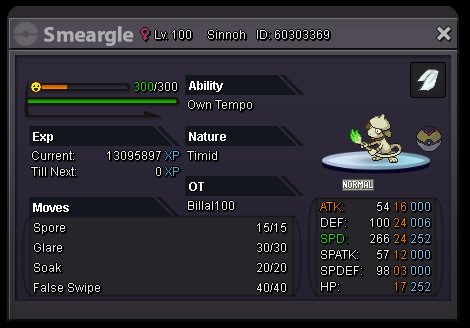
New Trade Zone
Trade Zone is now live
Use the new Trade Zone for auctions and instant-price trades so Pokemon and item offers are easy to find.


Luckymarki
Registered User
-
Joined
-
Last visited
-
THE PRICE IS 200K, YOU CAN STILL OFFER. I MAYBE ANSWER LATE NO PROBLEM
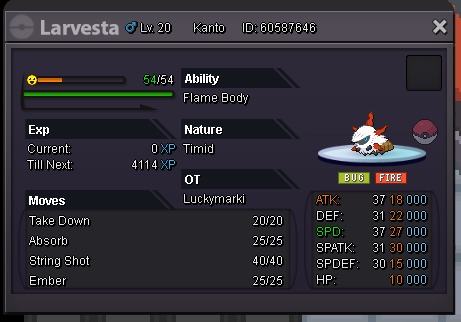
-
i waiting for you around vermilion let me know when you are here
-
hi, i mean he is not responding but lets wait a couple of hours if he doesnt come i can give to you, is that good ?
-
i wanna buy godly lickitung or evo i prefer own tempo and careful but i can look what you have, please send them with prices thank you very much
-
let me know when you are here
-
okay, deal can you come to vermilion city poke center my nickname is Luckymarki
-
THE PRICE IS 200K
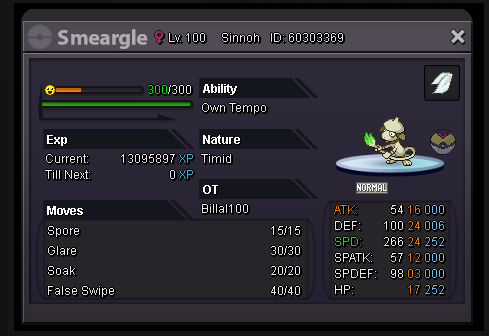
-
which server are you on ? are you in silver
-
btw how do i delete my topics
-
omg i didnt know that 😞 sorry nhocsake i hope u find what u lookin for man
-
https://pokemonrevolution.net/forum/topic/177570-wts-smeargle-own-tempo-timid/ here it is, comment that you are buying and i will quote the trade moderator
-
the price is 150k
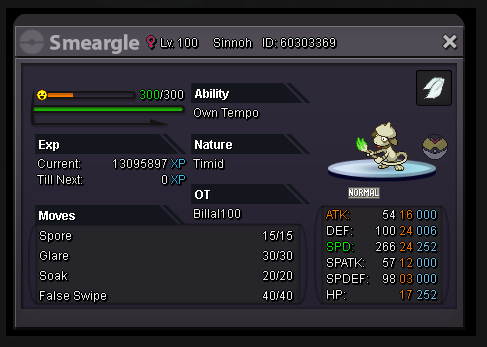
-
i think it is possible, there is a post on forum that explain trade across servers im looking it now you look too
-
okay then its a deal but how do we trade are you on gold server ? im on silver
-
here it is nice speed 100 level ev trained, price is 200k