




New Trade Zone
Trade Zone is now live
Use the new Trade Zone for auctions and instant-price trades so Pokemon and item offers are easy to find.


Jinkslit
Registered User
-
Joined
-
Last visited
Everything posted by Jinkslit
-
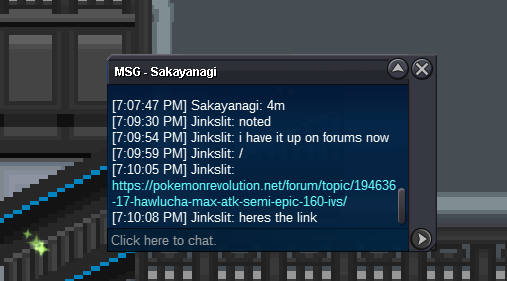
started
-
72hr auction from time of start s.o4m min bid 250k Accepted payments PokeDollars cc-400k iv rr 700k nat rr-450k
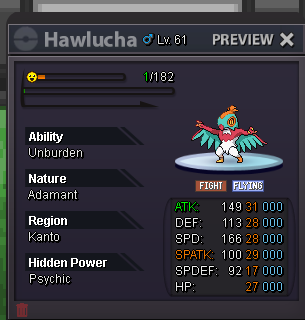
-
-
please pm about tyranitar pinsir corfagrius scizor and krookodile
-
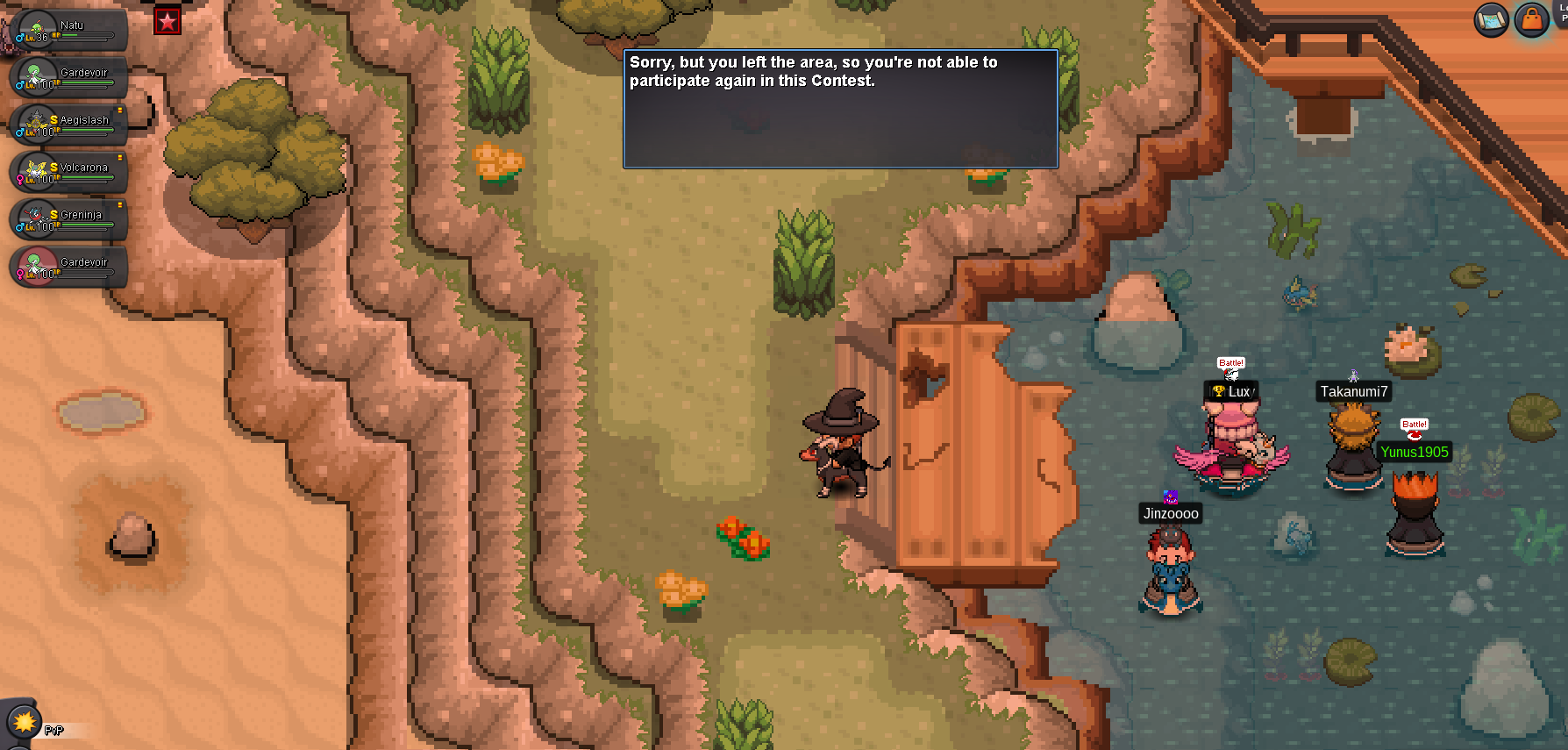
Good evening, I came to the fishing event trying to participate and this popped up on my screen. I relogged, talked to the npc, then after it kept failing left the island and came back to see if that might do anything it didn't. I don't know what triggered it to say I came here and left when I was just approaching. I got my sync in the Resort Area Pc before coming to the island so I had it with me. I thought I would just give the heads up.
-
+1
-
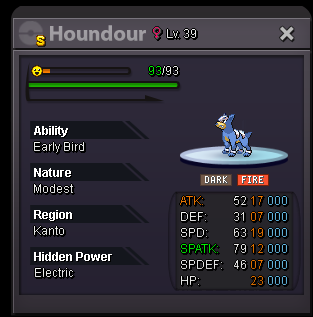
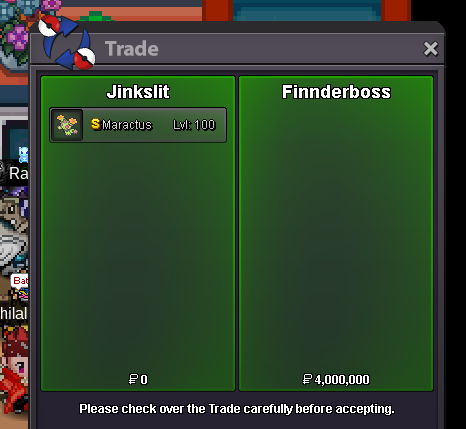
please msg when online i will be on for about 4-6 hoursmaractus and houndour have ended. I will be on in around 11 hours to do the tradesis this for maractus? just want it to be clarifiedbumpmin bid is 200k. c.o has to stay at 3mc.o is 3mno insta on any and it is currently at 3m min bid 200k.posted it for seller just incase seemed new to auctions not sure.
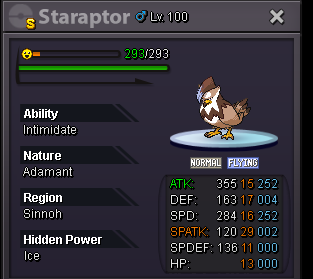
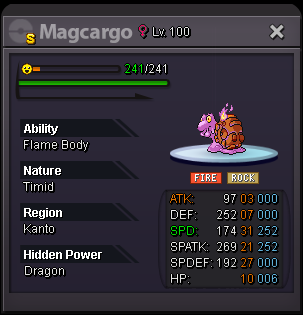
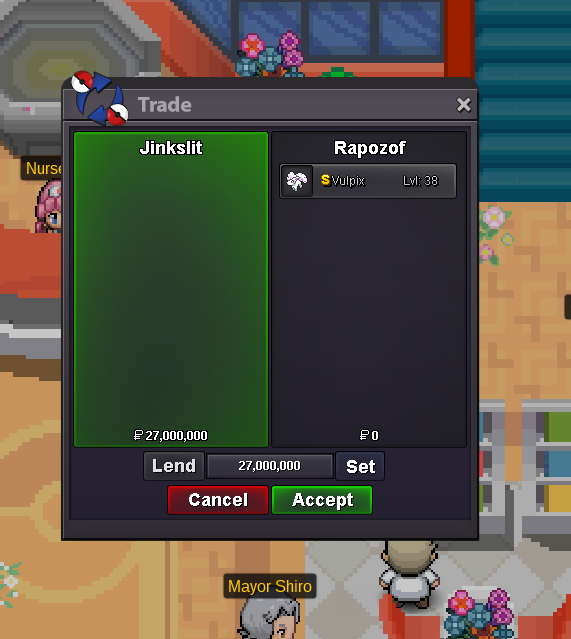 27mnotednotedi started it in selling pokemon cross server you must go off of that timeauction is still going on for 45 min 25mEvery Auction is 72 hours after start. Prices will be listed above each shiny. Discord contact: JinksLIT#6809 Tier 8 s.o 2m Min Bid 100k Very Rare very few s.o 3m min bid 200k s.o 400k Min Bid 100k Max spd shell smash baton passer if wanted s.o 400k Min Bid 100k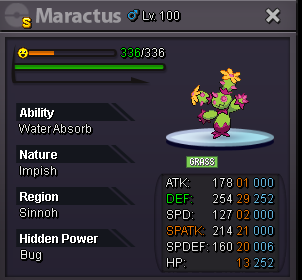



Account
Navigation
Search
Configure browser push notifications
Chrome (Android)
- Tap the lock icon next to the address bar.
- Tap Permissions → Notifications.
- Adjust your preference.
Chrome (Desktop)
- Click the padlock icon in the address bar.
- Select Site settings.
- Find Notifications and adjust your preference.
Safari (iOS 16.4+)
- Ensure the site is installed via Add to Home Screen.
- Open Settings App → Notifications.
- Find your app name and adjust your preference.
Safari (macOS)
- Go to Safari → Preferences.
- Click the Websites tab.
- Select Notifications in the sidebar.
- Find this website and adjust your preference.
Edge (Android)
- Tap the lock icon next to the address bar.
- Tap Permissions.
- Find Notifications and adjust your preference.
Edge (Desktop)
- Click the padlock icon in the address bar.
- Click Permissions for this site.
- Find Notifications and adjust your preference.
Firefox (Android)
- Go to Settings → Site permissions.
- Tap Notifications.
- Find this site in the list and adjust your preference.
Firefox (Desktop)
- Open Firefox Settings.
- Search for Notifications.
- Find this site in the list and adjust your preference.