




New Trade Zone
Trade Zone is now live
Use the new Trade Zone for auctions and instant-price trades so Pokemon and item offers are easy to find.

Sondepzai
Registered User
-
Joined
-
Last visited
-
When it's done, let me know. thank you Debut 2021-12-13 15_31_38.avi
-
Ra mắt vào 2021-12-13 15_31_38.avi


-
Tôi không biết đó có phải là lỗi thực sự không nhưng tôi đã xem video và sau khi tôi sử dụng các cú đá thấp, gurdurr không thể sử dụng cú đấm tập trung ????? Debut 2021-12-13 15_31_38.mp4
-
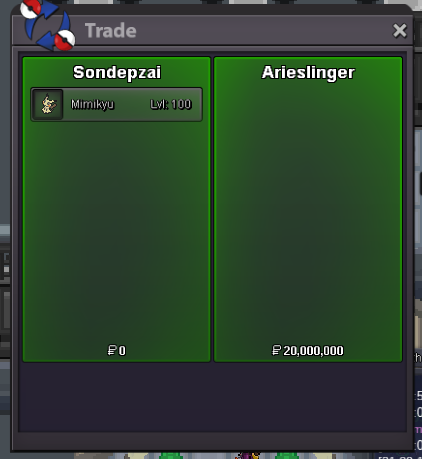
sold
-
PM me so we can trade
-
@ArieSlinger is the winner Congratulations
-
c.o 20m by ArieSlinger
-
c.o 20m by arieslinger
-
Còn 11 giờ
-
12 hours left
-
23 hours left
-
attention: Auction time 30 hours left the highest price is 17m by piproom
-
ty 17m
-
up 13,5m by kabanohut ty
-
s.o 11m bởi kabanohut