




New Trade Zone
Trade Zone is now live
Use the new Trade Zone for auctions and instant-price trades so Pokemon and item offers are easy to find.

Ianmaayrkas
Registered User
-
Joined
-
Last visited
-
Resolved. Thank you for your help, it was all because the update was not downloading
-
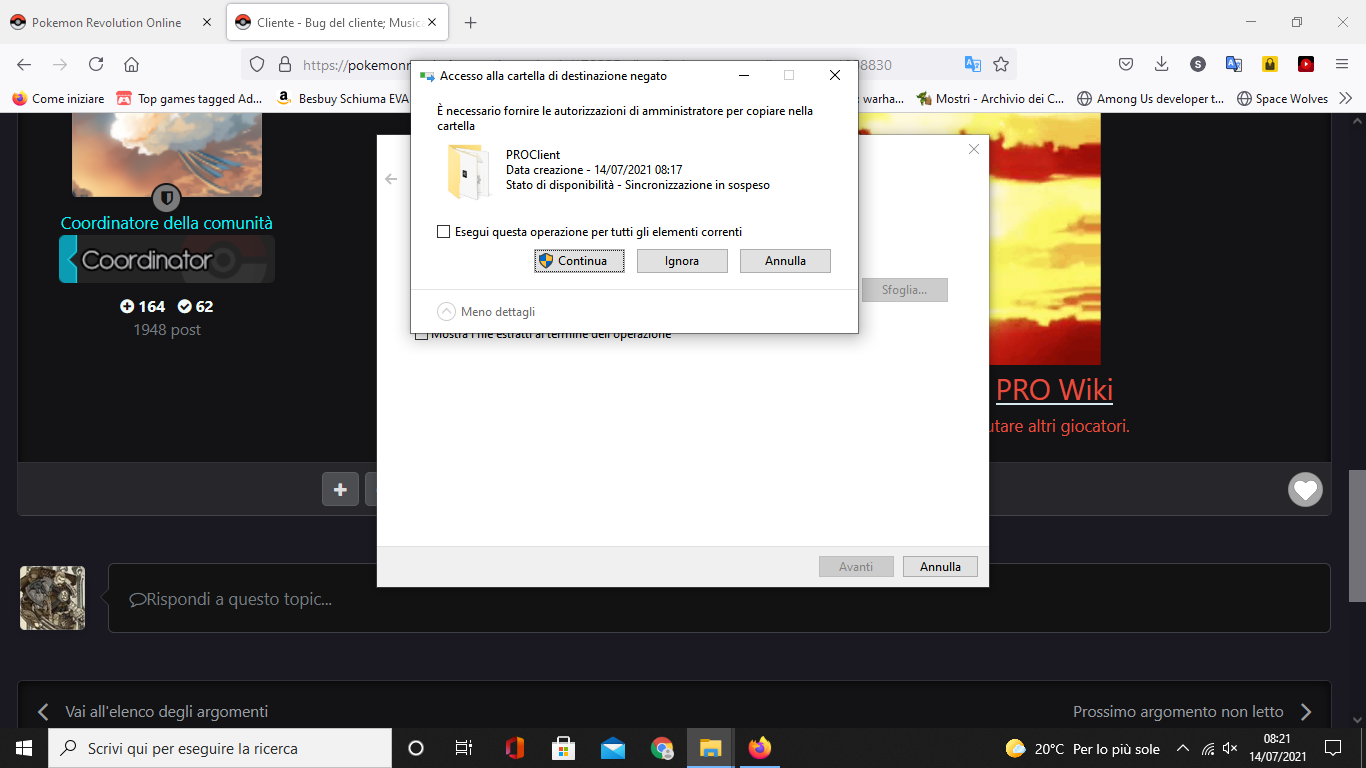
Hi ^_^ thanks for the help After downloading it again, I try to extract the files from the zip. This point asks me admin permissions to continue (see screenshot) and whatever I choose to do, it refuses to install. Looking in the folder, the only thing missing is the Client that is needed to start the game.
.png.8d573b3e84fe0c4f2a12360766033e3d.png)
-
Thanks to whoever will be able to help me I downloaded the client a short while ago and everything worked fine, until today it practically dies. I tried to download it again, but the computer refuses and tells me a lot of errors. What do I have to do?
-
Ianmaayrkas changed their profile photo
-
Hello there (someone reply "General Maayrkas", please xD) I'm an italian who likes Pokémon a lot What else? Oh, yeah, I invited a friend of mine to play here (Ertsebhet). Have a nice day. Ian