New Trade Zone
Trade Zone is now live
Use the new Trade Zone for auctions and instant-price trades so Pokemon and item offers are easy to find.


Kaifunaba08
Registered User
-
Joined
-
Last visited
Everything posted by Kaifunaba08
-
Hi, I did 'clean reg' and unfortunately it didn't work. Will try to check everything from scratch again. Thank you for the suggestion!
-
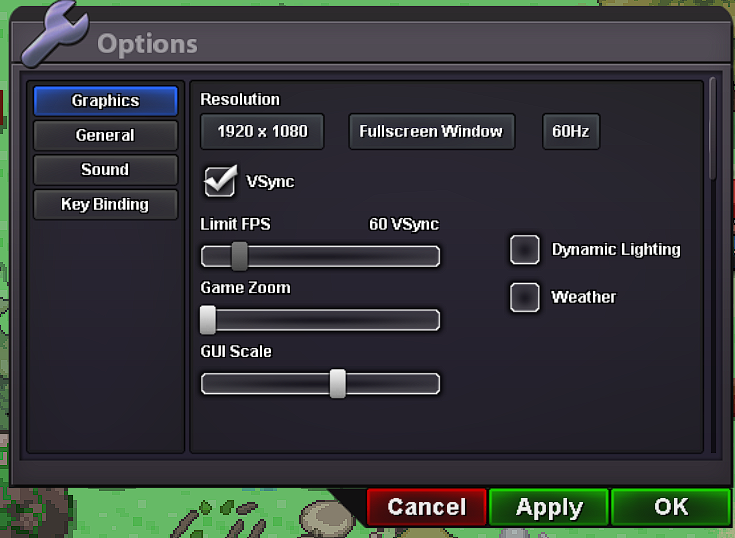
I can't control my instantly when I switch tab (ex. switching from Chrome to PROClient). I have to click on the screen once to actually control it with my keyboard. This has never happened before. It started last night or so. And when I switch tab, I have to press "Tab" twice to actually switch out from PROClient (I only need to press once to switch if PROClient is closed). And yes, same as the first problem, this has never happened before. I tried redownloading, changing screen settings (windowed/fullscreen window/exclusive fullscreen) but it's still the same. And one more problem I don't know if PRO is the cause of this but when I open another game, PROClient just overlaps it, I can't switch tab to that game at all unless I close PROClient. Edit : (referring to the redownloading part) I deleted both games and decided to download PRO first. My computer is up to date. This is my current setting: