




New Trade Zone
Trade Zone is now live
Use the new Trade Zone for auctions and instant-price trades so Pokemon and item offers are easy to find.


Denef
Registered User
-
Joined
-
Last visited
Everything posted by Denef
-
@Calvinalford you won, pm me when you available for trade
-
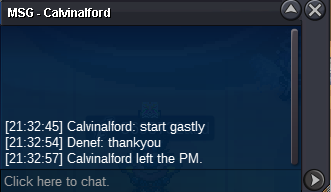
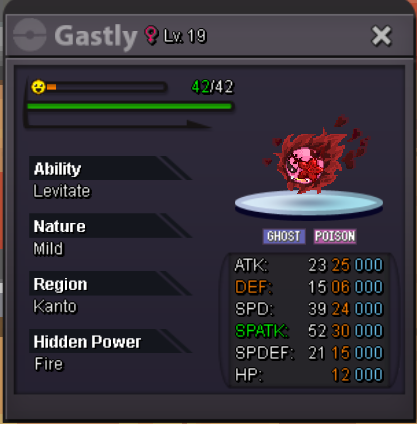
BumpYou won, i will come online in next few hours. Will pm you ingame latergastly start
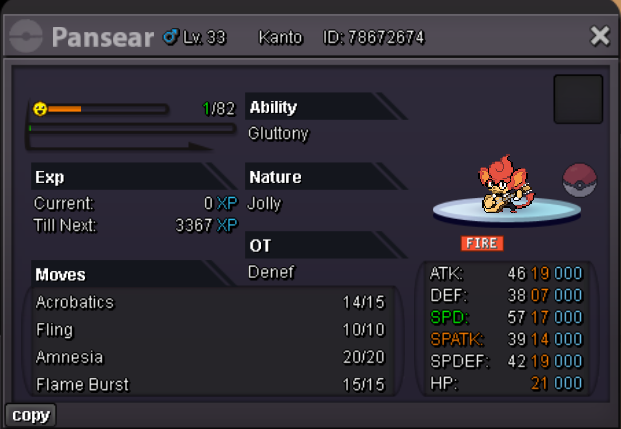
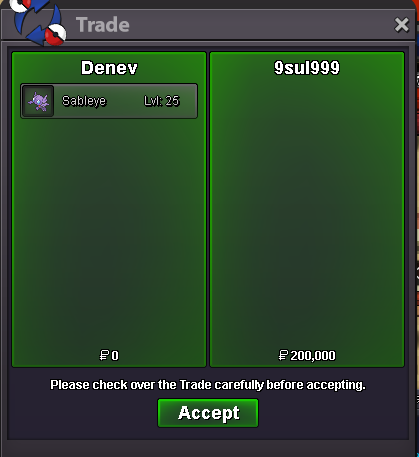
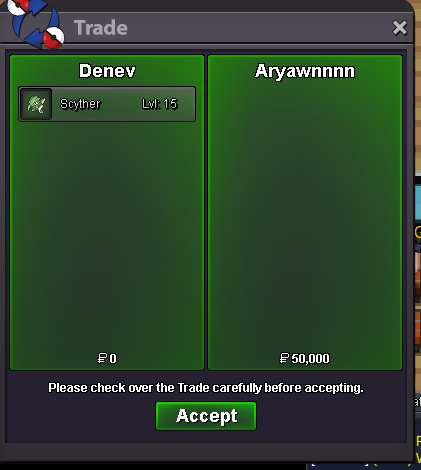
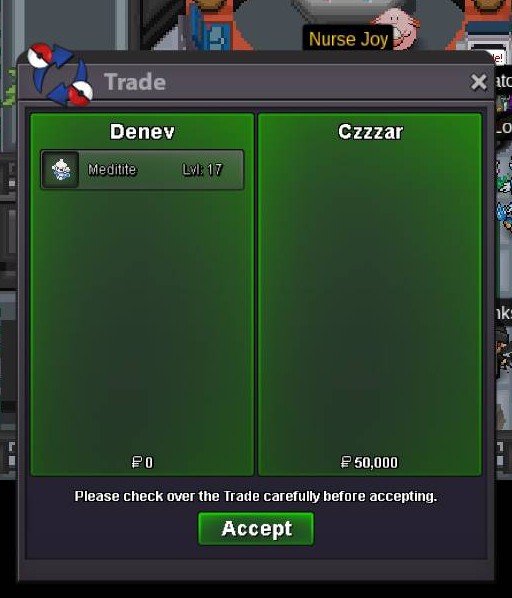
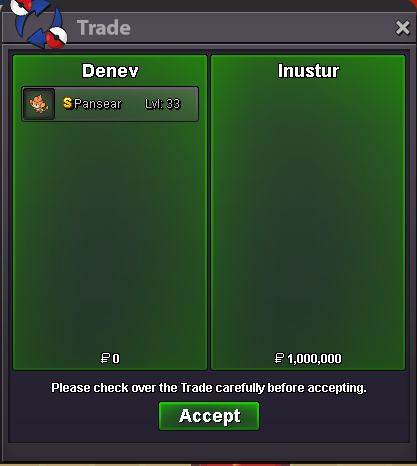
 sableye - won by @9sul999 scyther - won by @Aryawnnn04 meditite - 14 hour leftAuction Details: Start Price: (not bundle) Shuppet - 200k Pansear - 100k Gastly - 200k End Point: 24 hour after start Insta Price: 1M Minimum Raise: 50k Accepted Payments: Pokedollars Accept bid from Silver server but the player must transfer to gold if they win Auction Details: incase someone interested Start Price: 5m End Point: 72hour after start Insta Price: N/A Minimum Raise: 500k Accepted Payments: Pokedollars Accept bid from Silver server but the player must transfer to gold if they win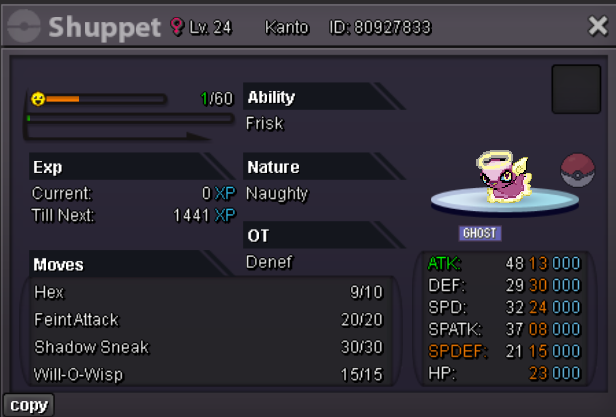
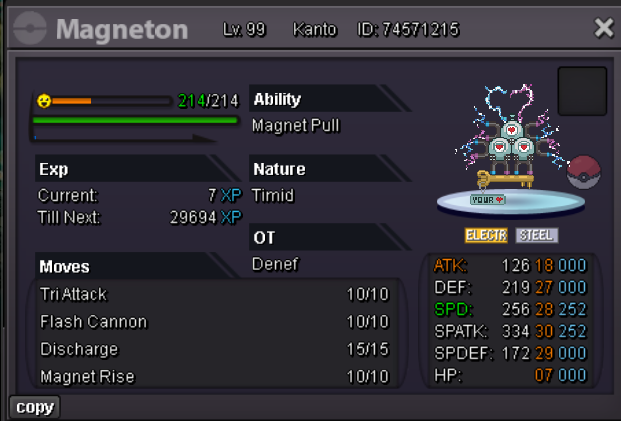
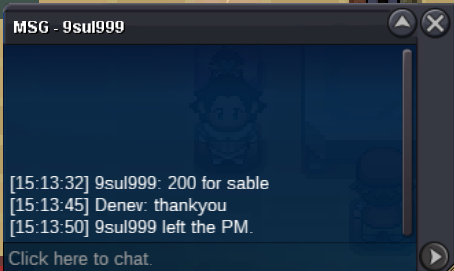
 Sableye C.O 200k
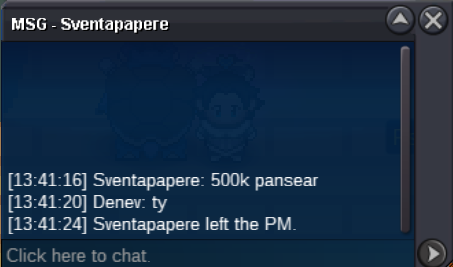
 bumpauction ended shuppet - won by @Gralak21Pansear -500k
 Shuppet - 300k Pansear - 300k
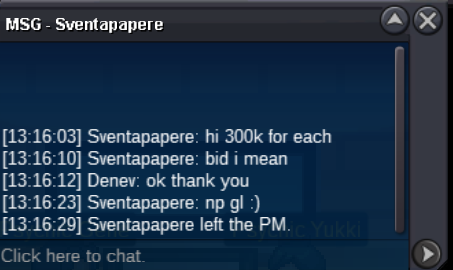 shuppet - 200k
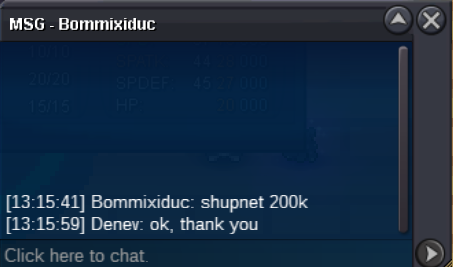 Auction Details: Start Price: 200k each (not bundle) End Point: 24 hour after start Insta Price: 1M Minimum Raise: 50k Accepted Payments: Pokedollars Accept bid from Silver server but the player must transfer to gold if they win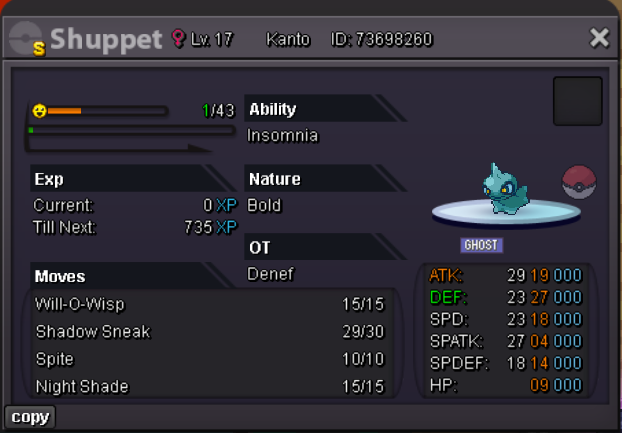
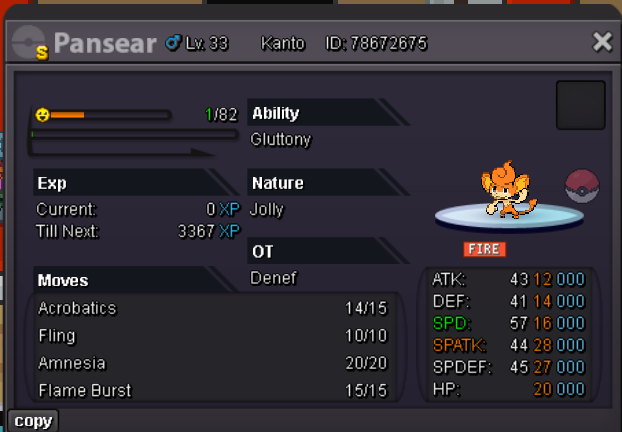 Auction Details: Start Price: 50k each (not bundle) End Point: 24 hour after start Insta Price: 600k Minimum Raise: 50k Accepted Payments: Pokedollars Accept bid from Silver server but the player must transfer to gold if they win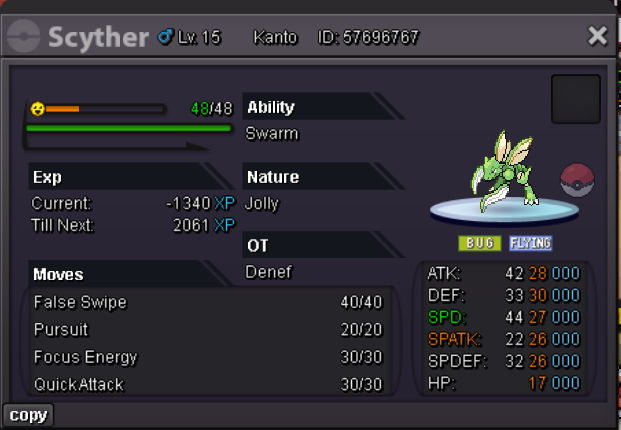
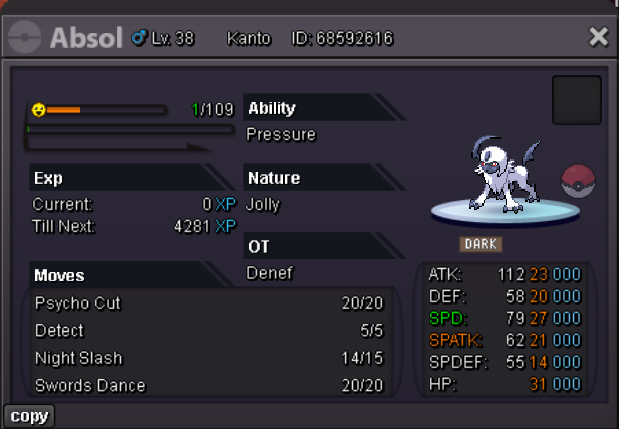
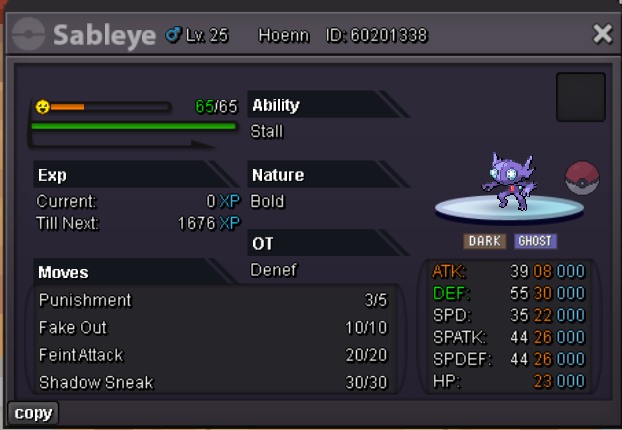
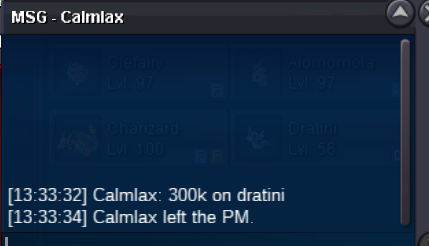
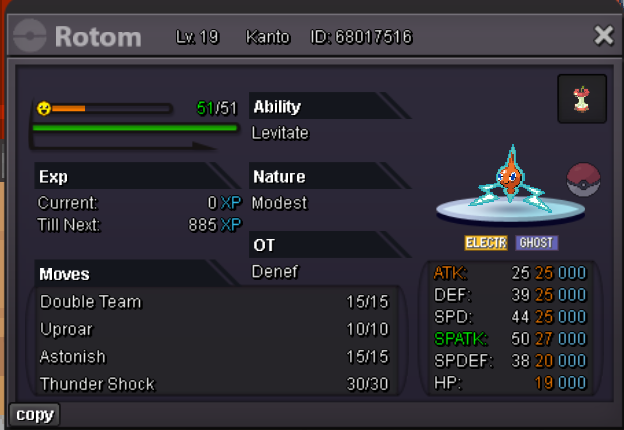
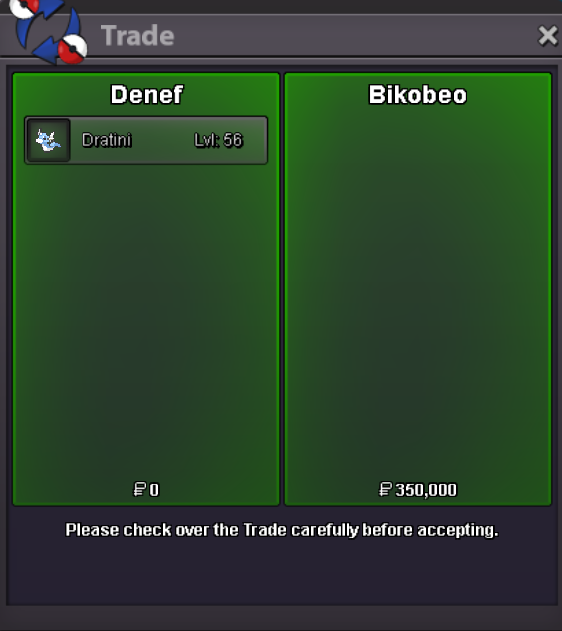
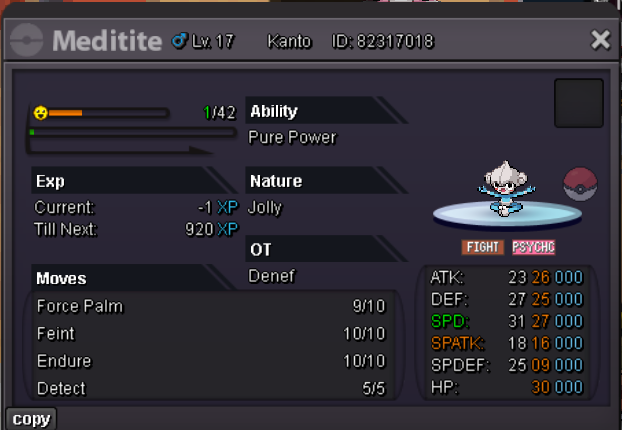 End. Let me when you guys free to trade the poke Rotom - @Tkl070701 Dratini - @BikobeoBump Dratini -1 hour left Rotom - auction endeddratini - 300k
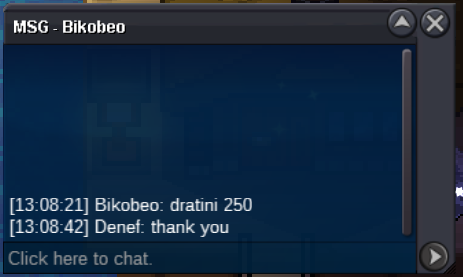
 Dratini -250k
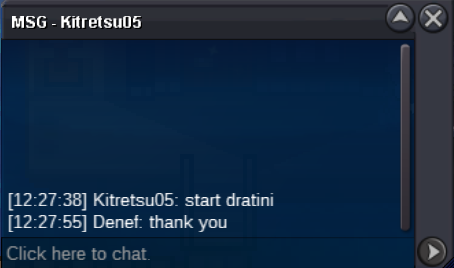
 dratini start by kiteretsu05
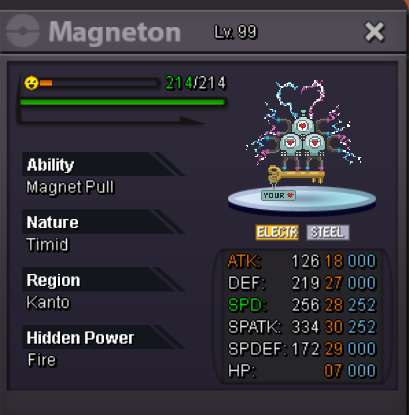
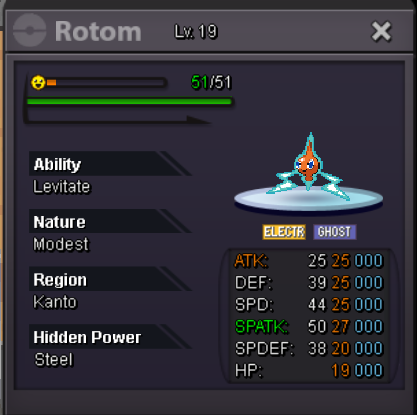
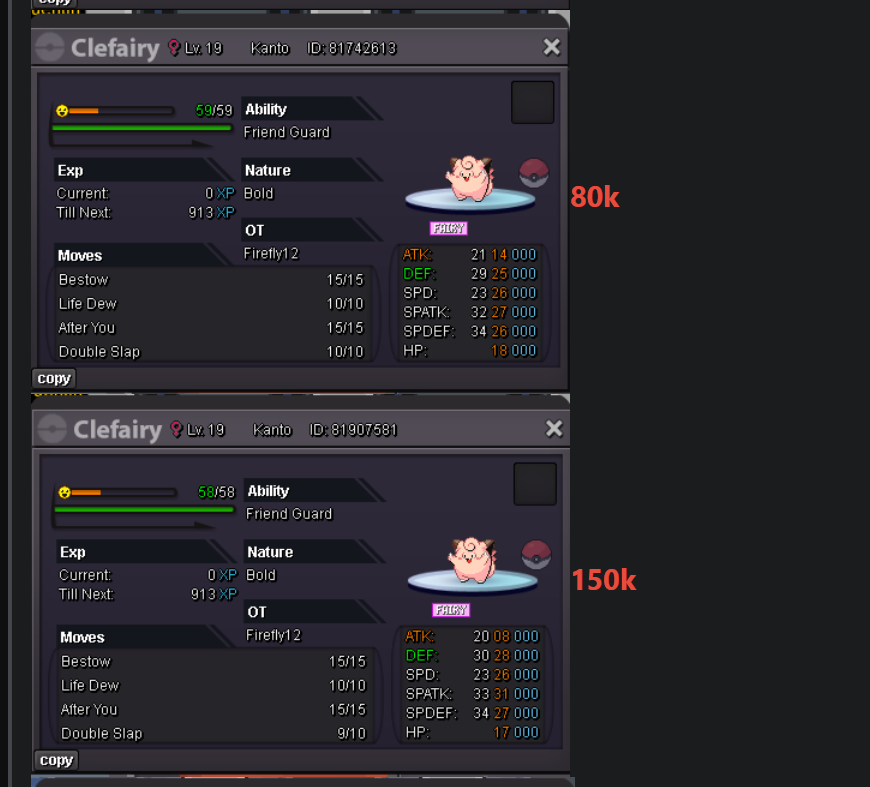
 rotom only have 1 ability. in the title i only mention H.A dratini, but if you mean you want to know what its H.P here it is:
 Auction Details: Start Price: 200k each (not bundle) End Point: 24 hour after start Insta Price: 1M Minimum Raise: 50k Accepted Payments: Pokedollars Accept bid from Silver server but the player must transfer to gold if they win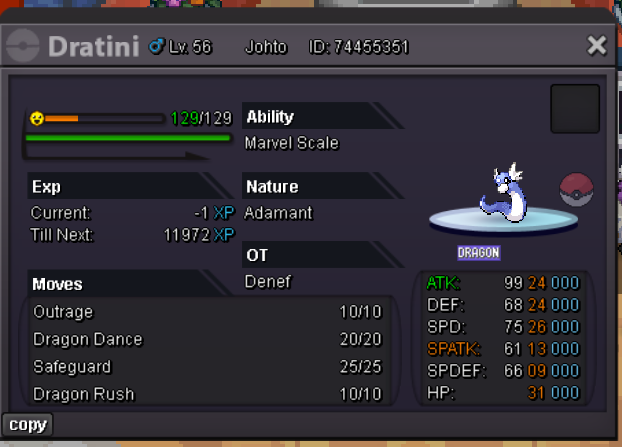

Account
Navigation
Search
Configure browser push notifications
Chrome (Android)
- Tap the lock icon next to the address bar.
- Tap Permissions → Notifications.
- Adjust your preference.
Chrome (Desktop)
- Click the padlock icon in the address bar.
- Select Site settings.
- Find Notifications and adjust your preference.
Safari (iOS 16.4+)
- Ensure the site is installed via Add to Home Screen.
- Open Settings App → Notifications.
- Find your app name and adjust your preference.
Safari (macOS)
- Go to Safari → Preferences.
- Click the Websites tab.
- Select Notifications in the sidebar.
- Find this website and adjust your preference.
Edge (Android)
- Tap the lock icon next to the address bar.
- Tap Permissions.
- Find Notifications and adjust your preference.
Edge (Desktop)
- Click the padlock icon in the address bar.
- Click Permissions for this site.
- Find Notifications and adjust your preference.
Firefox (Android)
- Go to Settings → Site permissions.
- Tap Notifications.
- Find this site in the list and adjust your preference.
Firefox (Desktop)
- Open Firefox Settings.
- Search for Notifications.
- Find this site in the list and adjust your preference.