New Trade Zone
Trade Zone is now live
Use the new Trade Zone for auctions and instant-price trades so Pokemon and item offers are easy to find.

NeoZV
Registered User
-
Joined
-
Last visited
Everything posted by NeoZV
-
-
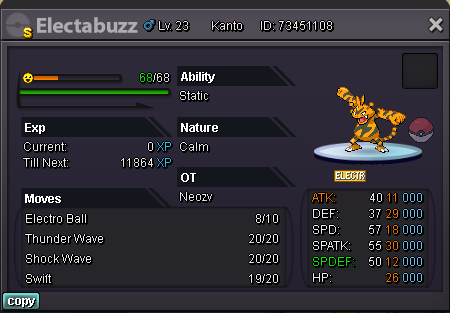
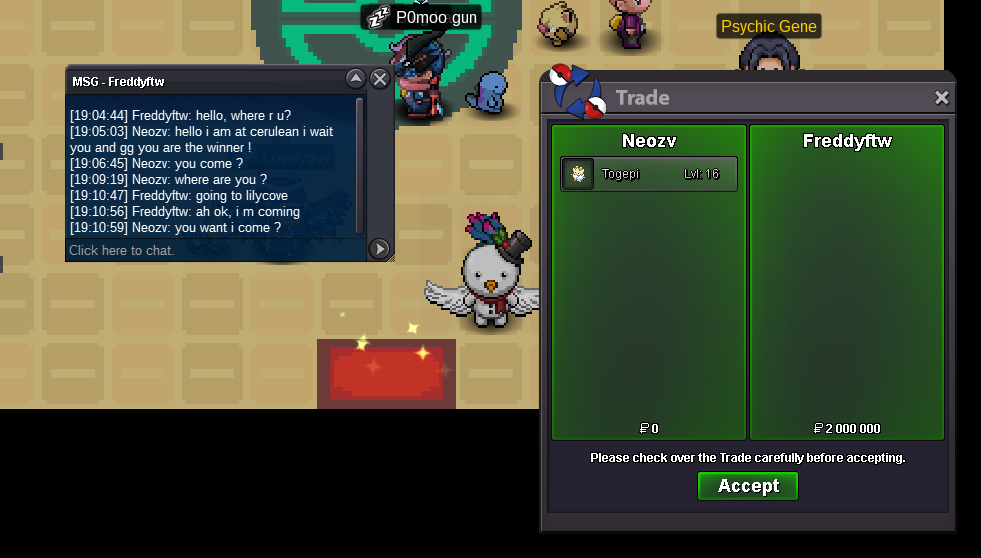
gg at freddyftw you are the winners ! add me and i trade !+10 minute remaning@MBK oh sorry really I did not intend thank you very much for having changed!tomorow at 18h50 (UTC+2) (Hours French)Yes for the moment good luckNoted and good luck ^^Start : 600k the 21/08/2022 at 18h50 Min raise : 100k Insta : 6m Finish : 24h the (22/08/2022) at 18h50
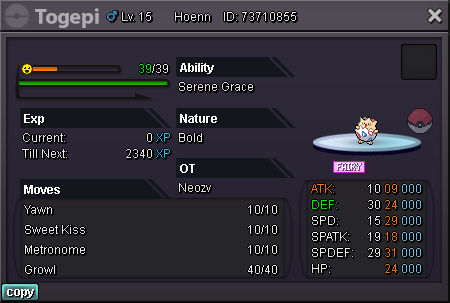 Départ : 600k le 21/08/2022 à 18h50 (UTC+2) Relance min : 100k Insta : 6m Arrivée : 24h (22/08/2022 à 18h50 (UTC+2) Only pokedolar
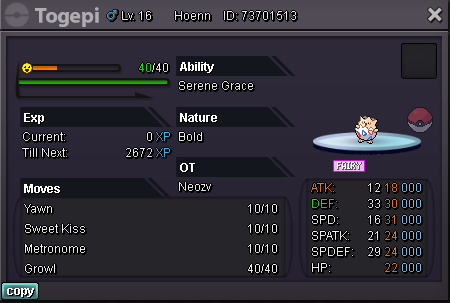 Start price 2m5k Min bid 200k 24 hours from first bid Accept poke dollars only.