




New Trade Zone
Trade Zone is now live
Use the new Trade Zone for auctions and instant-price trades so Pokemon and item offers are easy to find.

Araura
Registered User
-
Joined
-
Last visited
-
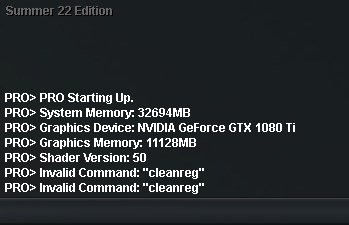
Tried doing this, only to get a invalid command. And if i do clean reg, it restarts my client, and if i EVER tab out of my game, it breaks it again.
-
Whenever i play this game, on silver, if i enter a building, i can't move, even if i press my WASD or Arrow keys, as well as the same goes for if i exit the building, it physically won't move me in the game and i don't know if this is a bug or if it has been reported already. As well as this is quite annoying as i was really looking forward to having fun in this game as it was my second pokemon game after pokemmo. Any help is much appreciated as i do wanna enjoy the game. Specs of PC if this is hardware related. CPU: AMD Ryzen 3700x GPU: GTX 1080 TI Ram: 32 GB DDR4 3200 Mh/z Network: Wired Connection