New Trade Zone
Trade Zone is now live
Use the new Trade Zone for auctions and instant-price trades so Pokemon and item offers are easy to find.

Vicshrewd
Registered User
-
Joined
-
Last visited
Everything posted by Vicshrewd
-
Trade done Can be closed
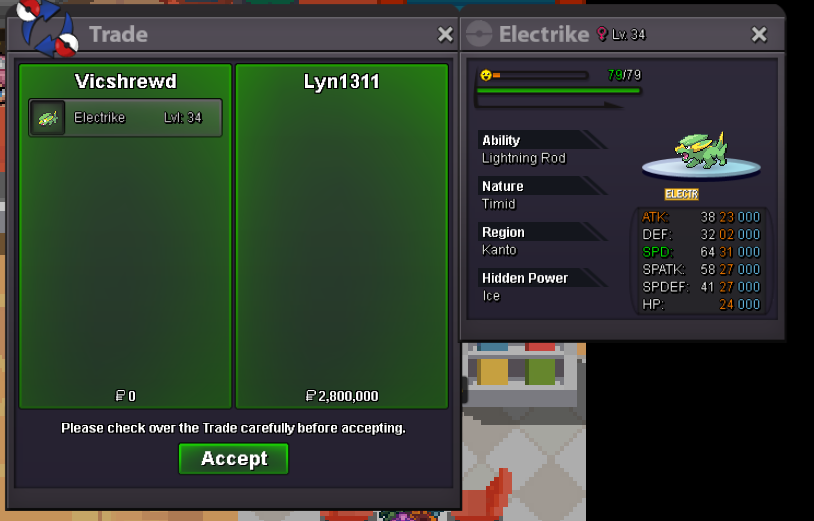
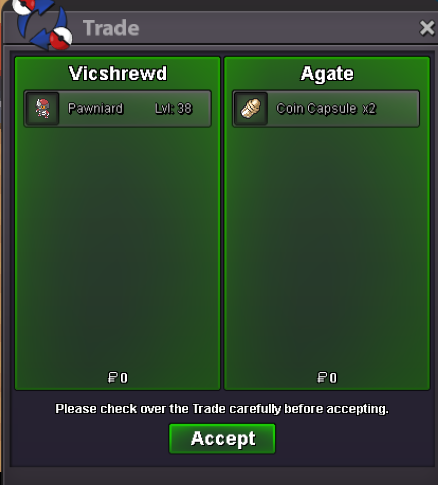 Last bump 23mins leftStart Offer: 500k End Point: 48hrs After 1st bid 6:18pm- 4/12/2024 (GMT+7) Min bid: 100k Accept Payment: Poke-Dollar, CC: 450k Insta: 2m 15-Minute Rule: If a new bid is placed within the last 15 minutes of the auction, the timer will be extended by 15 minutes or Insta is met.
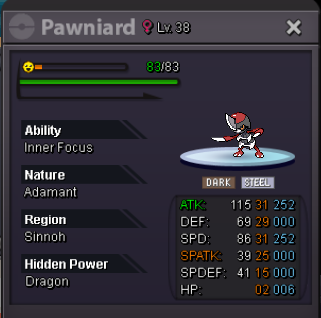 Auction Ended Winner: Lyn1311 with 2.8m
 Last pump, ends in 3hrs and 11minsBumpStart Point/Price: 2m C.o: 2m End Point: 48 hrs after first bid /// 4:12am GMT+7_29/11/2024 Insta: 7.777.777 Min. Raise: 100k Accepted Payment(s): IV Rerroll(s) 500k Coin Capsule(s) 400k Nature Reroll(s) 250k 15-Minute Rule: If a new bid is placed within the last 15 minutes of the auction, the timer will be extended by 15 minutes or Insta is met.
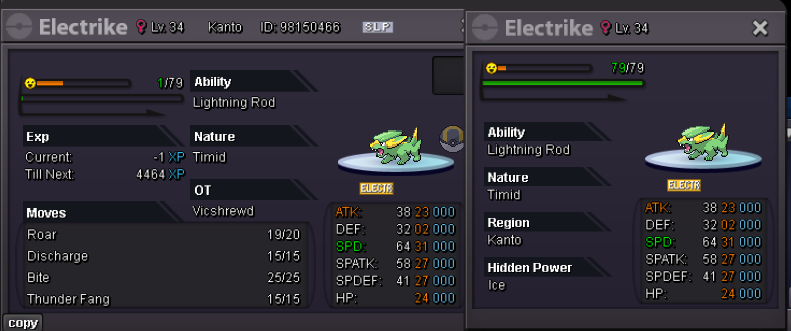 Trade is done// Auction can be closed
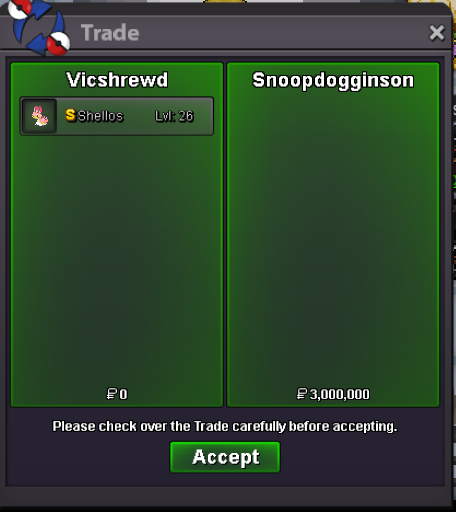 Auction ended, winner with 3m bid is Snoopdogginson22hrs leftStart Point/Price: 3m End Point: 48 hrs after first bid 2:58pm GMT+7_19/11/2024 Insta: 7.777.777 Min. Raise: 100k Accepted Payment(s): IV Rerroll(s) 500k Coin Capsule(s) 400k Nature Reroll(s) 250k 15-Minutes Rule: If a new bid is placed within the last 15 minutes of the auction, the timer will be extended by 15 minutes or Insta is met.
 Auction ended, winner Amarelle with 3.3mBumpStart Point/Price: 3m End Point: 48hrs after 1st bid 8:01 pm (GMT+7)_13/11/2024 Min. Raise: 100k No Insta Accepted Payment(s): CC- 420k, BMS- 220k
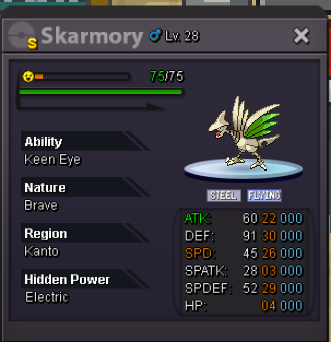 bump!Start: 200k Min bid: 50k Insta: 800k Ended 24hrs from 1st bid