




New Trade Zone
Trade Zone is now live
Use the new Trade Zone for auctions and instant-price trades so Pokemon and item offers are easy to find.

Pscion
Registered User
-
Joined
-
Last visited
-
yep, completed, ty again!
-
seriously? ill be online soon. game name is the same? ill reach out edit: awaiting response
-
@Locuraa
-
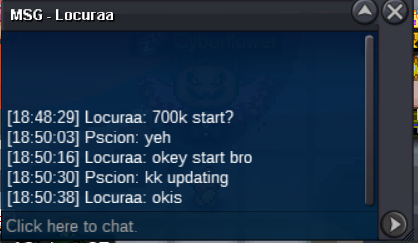
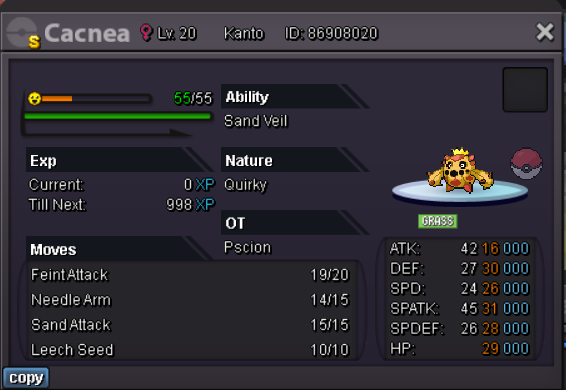
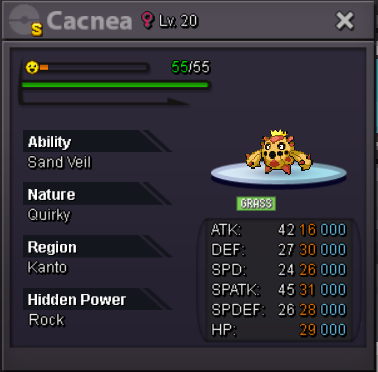
time duration: 2 days (48 hours) from starting bid starting bid: 700k min bid: 100k insta/buyout: 5mil payment in: pokedollars, CCs (@350k ea.)
-
Pscion changed their profile photo
-
when i run my current download as of this date, it misfires giving me the pokeball mini window then crashing and doing nothing else (no black screen or any border/window). ive tried compatibility settings, and the same download runs on another pc windows 10 x64 just fine... any ideas? are there any special drivers i might need?
-
i could swear the npc still asks me for dratini? ill double check, but basically after that post i ignored the quest entirely.
-
UPDATE: by this date this quest is no longer doable without spending in kanto, as now the dratini spawns have been changed and the ONLY place in kanto they spawn is in a membership limited area in safari zone - so be prepared to either buy a mount or wait long enough to get bored/burnt out on the game to maybe get this (end of johto at earliest, too long!)... imo this quest is no longer worth doing, by the time youll be able to complete it without spending you would already have the bike instead (for free) or be better off just buying a mount (im sure this was intended) - just so everyone knows.