




New Trade Zone
Trade Zone is now live
Use the new Trade Zone for auctions and instant-price trades so Pokemon and item offers are easy to find.
.jpeg.7fa4d5d06c5fe2ac3da71274807e80a6.jpeg)

Coffeeee
Registered User
-
Joined
-
Last visited
Everything posted by Coffeeee
-
Current offer is 15k

-
Noted
-
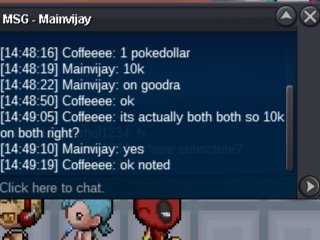
Current offer is 10k
-
Ok
-
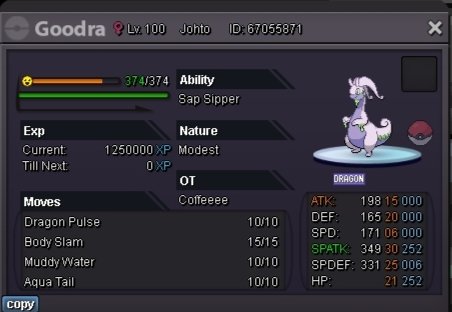
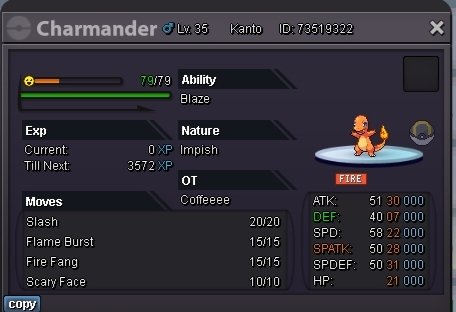
Hello trainers, Start auction at 1 pokedollar Minimum raise 1 pokedollar No insta Time start after first bid Ends in 2hr 15minutes time rule is applied Accept only pokedollars Charmder free to the winner below is the free Charmender
-
I won DM u on discord
-
570k
-
540k
-
Hello start bid at 150k raise 50k each accept only pokedollars only bid for 48hrs time start after first bid

-
As mentioned in PvP rules , Rotoms of more then 1 form in team is illegal , so my question is same applies for eeveelution ?eevee Form for more then 1 in same team is also illegal in PvP?
-
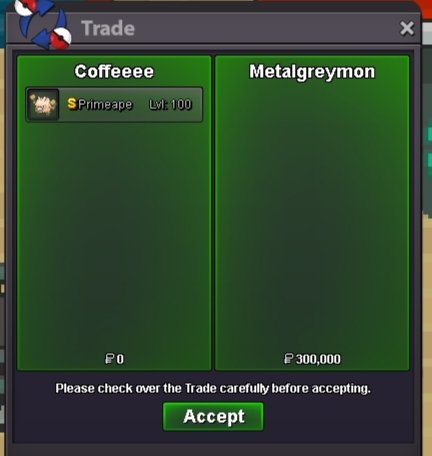
Trade complet closing the auction
-
Kindly msg me on discord to get the Pokemon , coffeeee_1
-
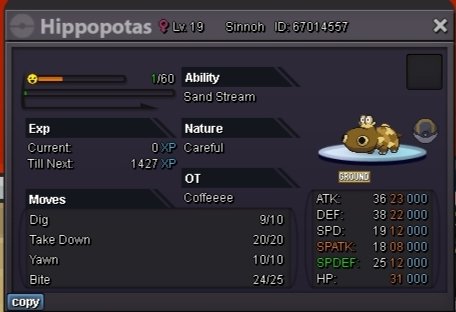
Hello , Start auction for 1 pokedollar Minimum raise 1 pokedollar End in 2hrs , 15 Minutes gap bid rule applied. Auction start after first bid Accept only pokedollars
-
I don't see you online now
-
@Metalgreymon won , when to meet ?
-
Let me know when to meet
-
You win, when n where to meet
-
-
Around 7 hours remaining
-
Closed
-
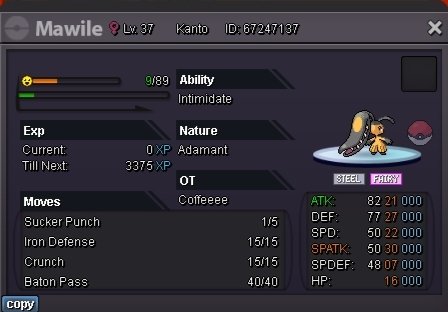
Hello, Start bid 1 pokedollar No insta Minimum bid 1 pokedollar Ends in 2Hours 15 Minutes bid rule applicable Last offer should have no another counter bid for 15minutes to win the auction. Good lucky
-
Bump
-
Bump
-
Noted
-
Noted