




New Trade Zone
Trade Zone is now live
Use the new Trade Zone for auctions and instant-price trades so Pokemon and item offers are easy to find.


Stumpgod
Suspended
-
Joined
-
Last visited
-
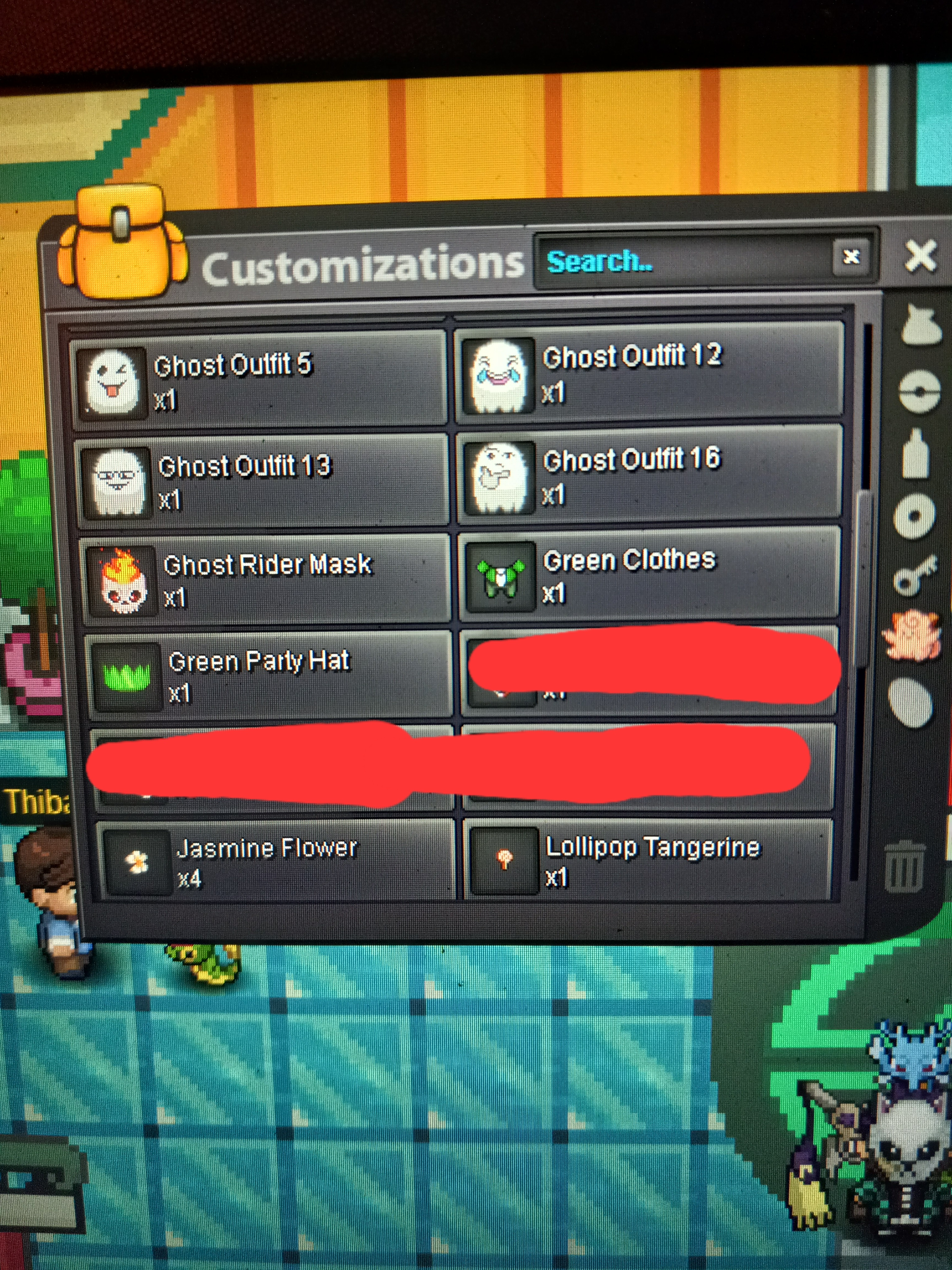
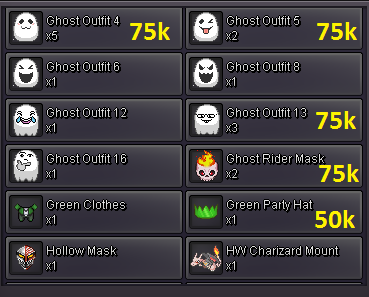
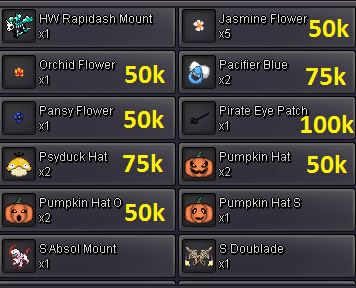
SureHere is an updated inventory list for you guys


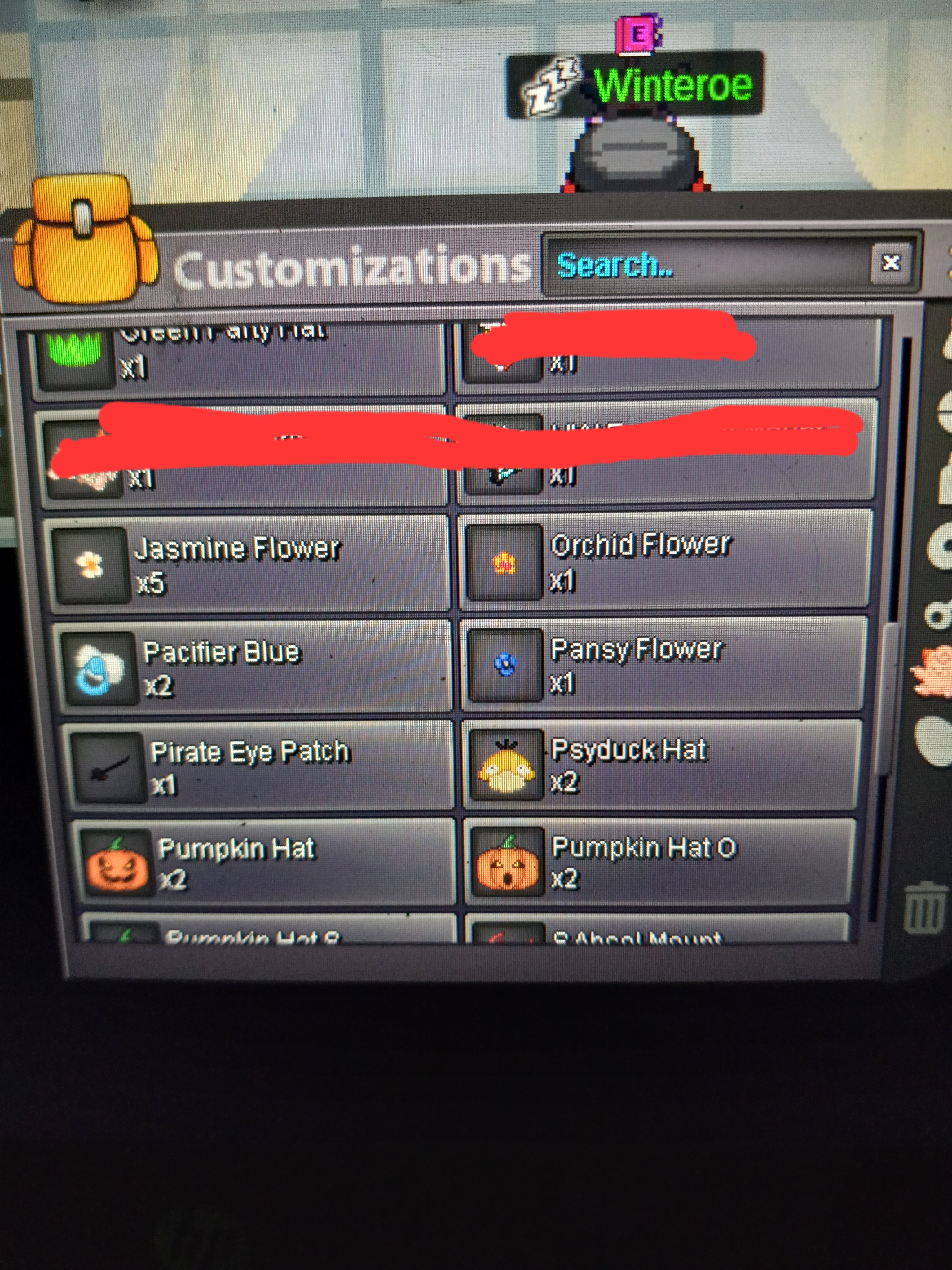
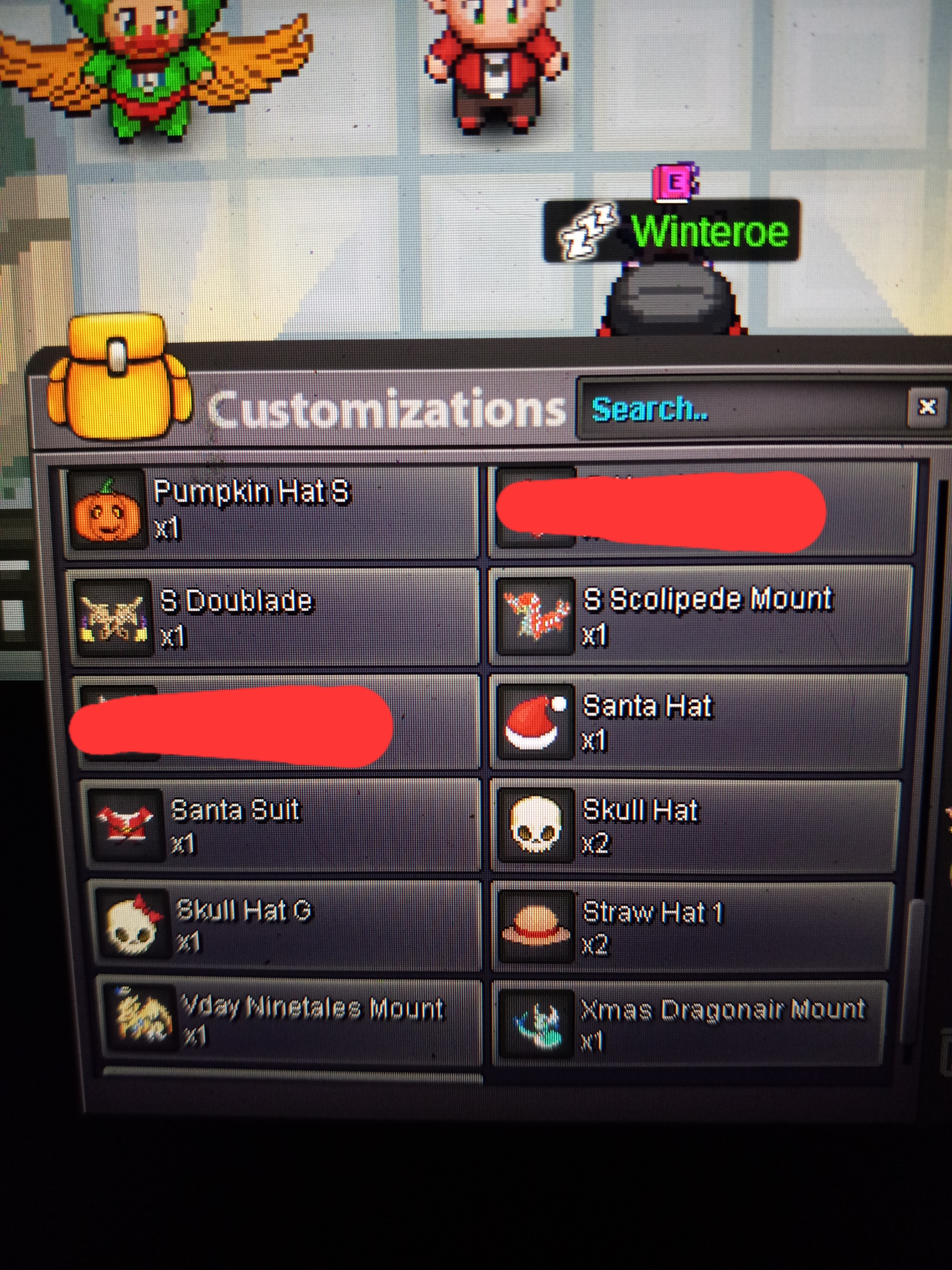 50k for pirate patch and I'll be online most of the rest of today!!!ok im online now Stumpgod in game200kDiscord : Stumpgod#2286 Open to different trades just message me and make offers!!!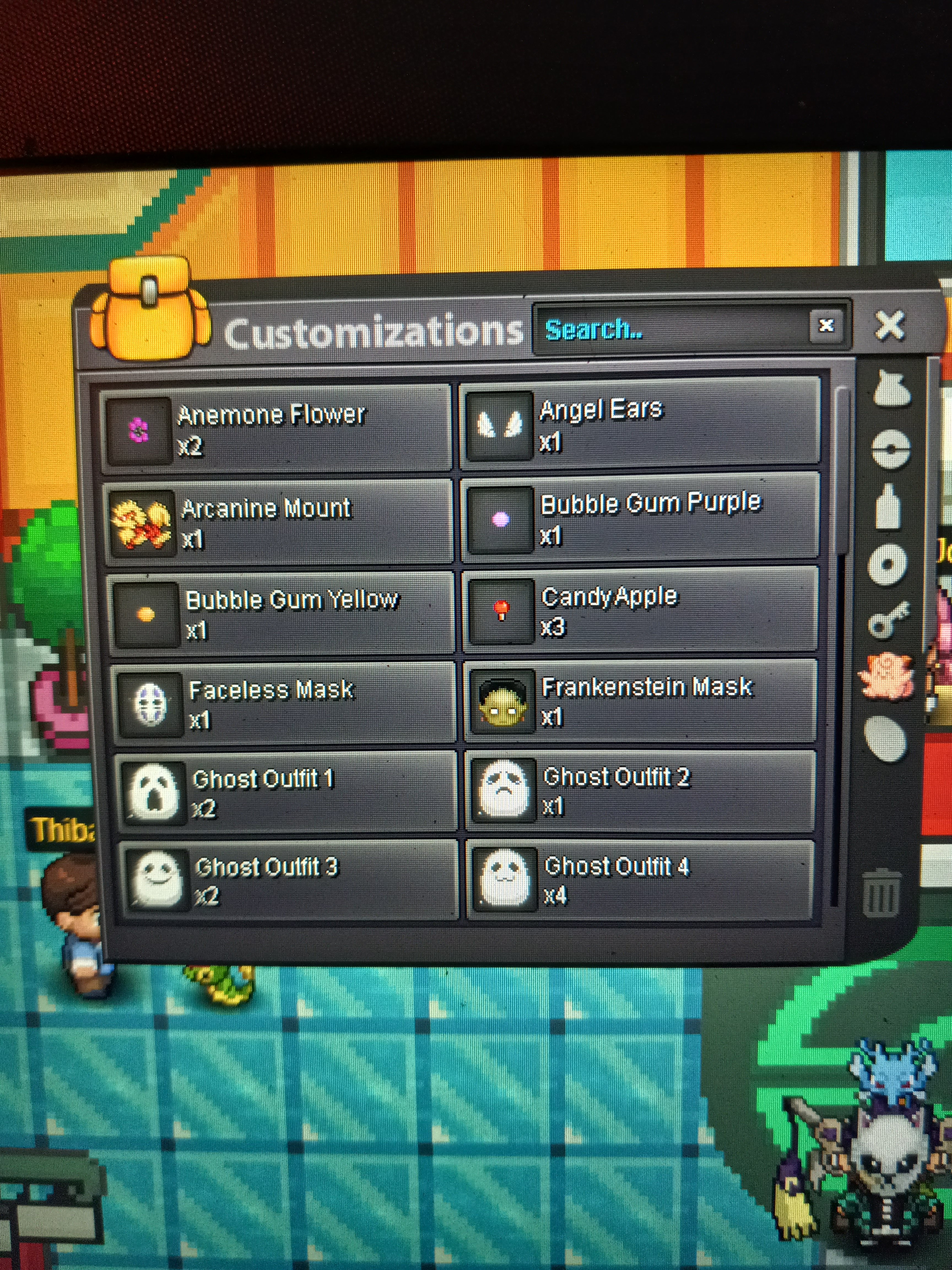

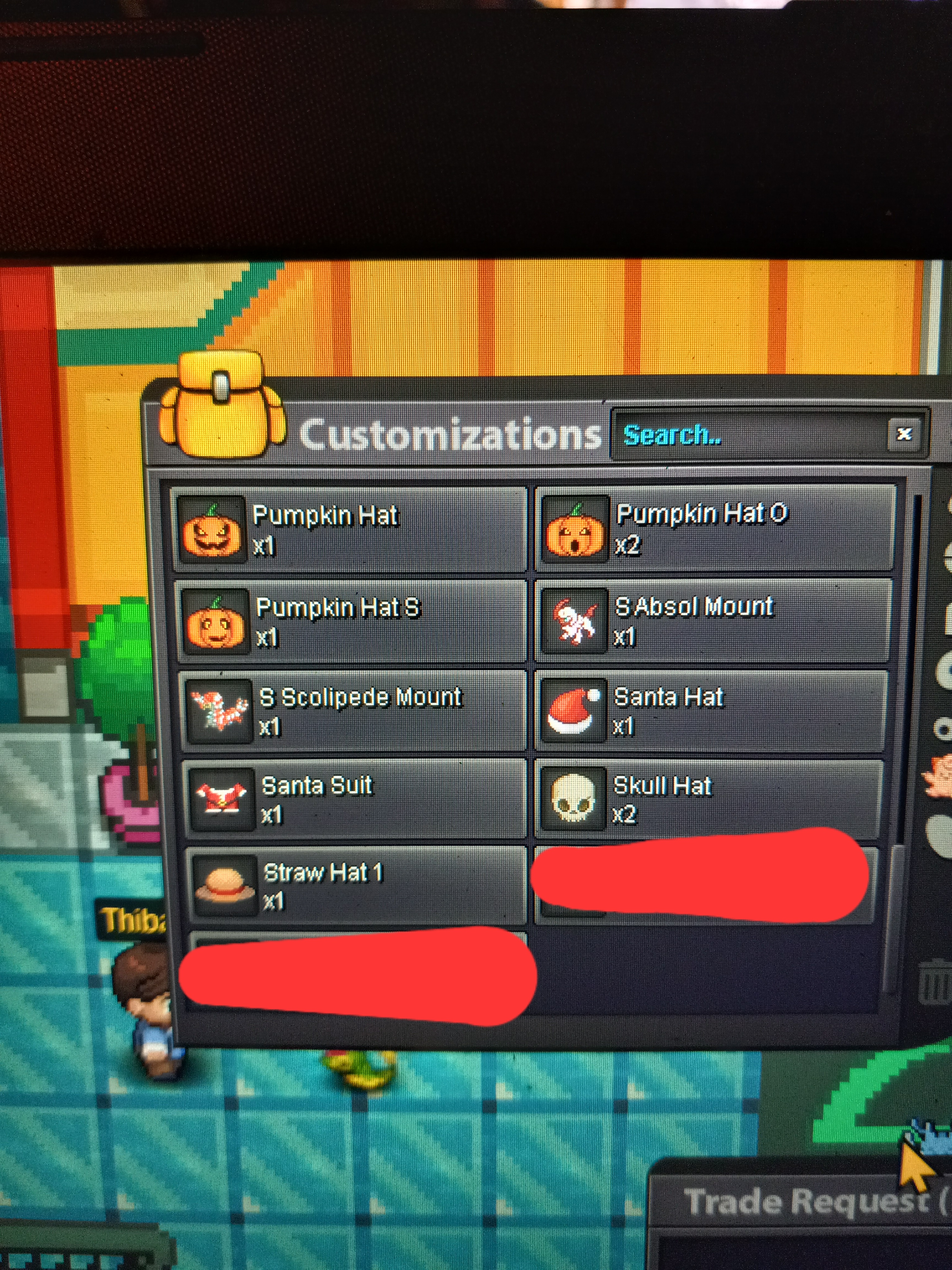
 Stumpgod changed their profile photoSorry I wasn't online for a day just now humping online50k a piecePrices are not firm I will consider trades and other offers!!!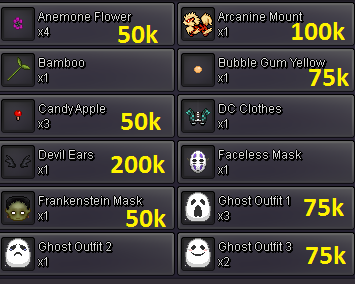
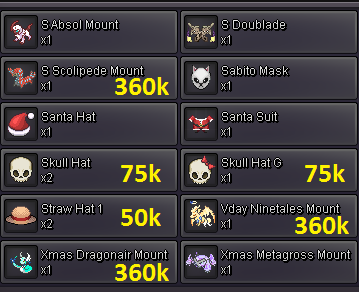 In search of buying a razor claw in Kanto!!Message me In game or on Discord please. I'm open to any kinds of trades just offer and I'll let you know if I'm interested!! StumpGod#2286
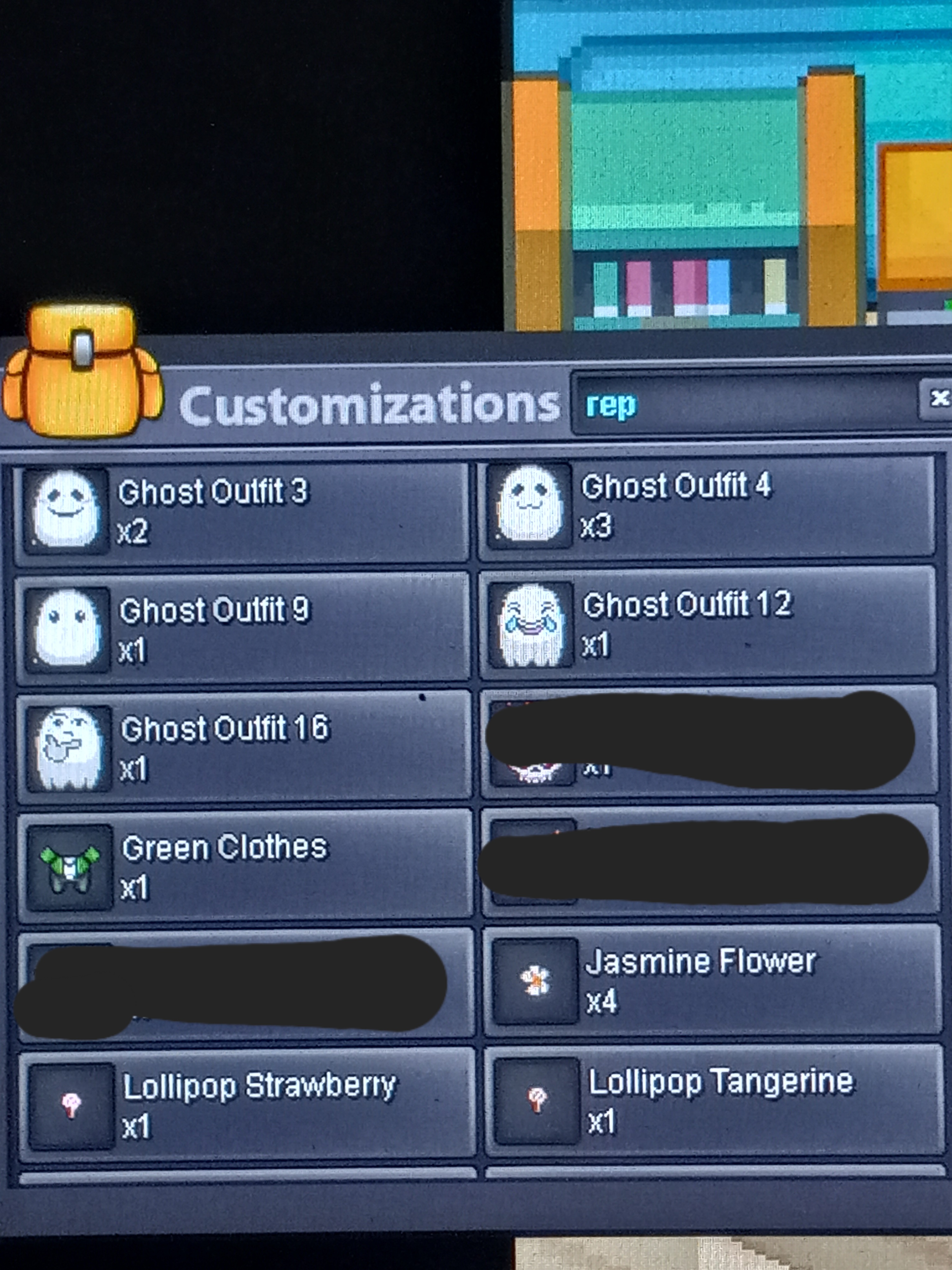
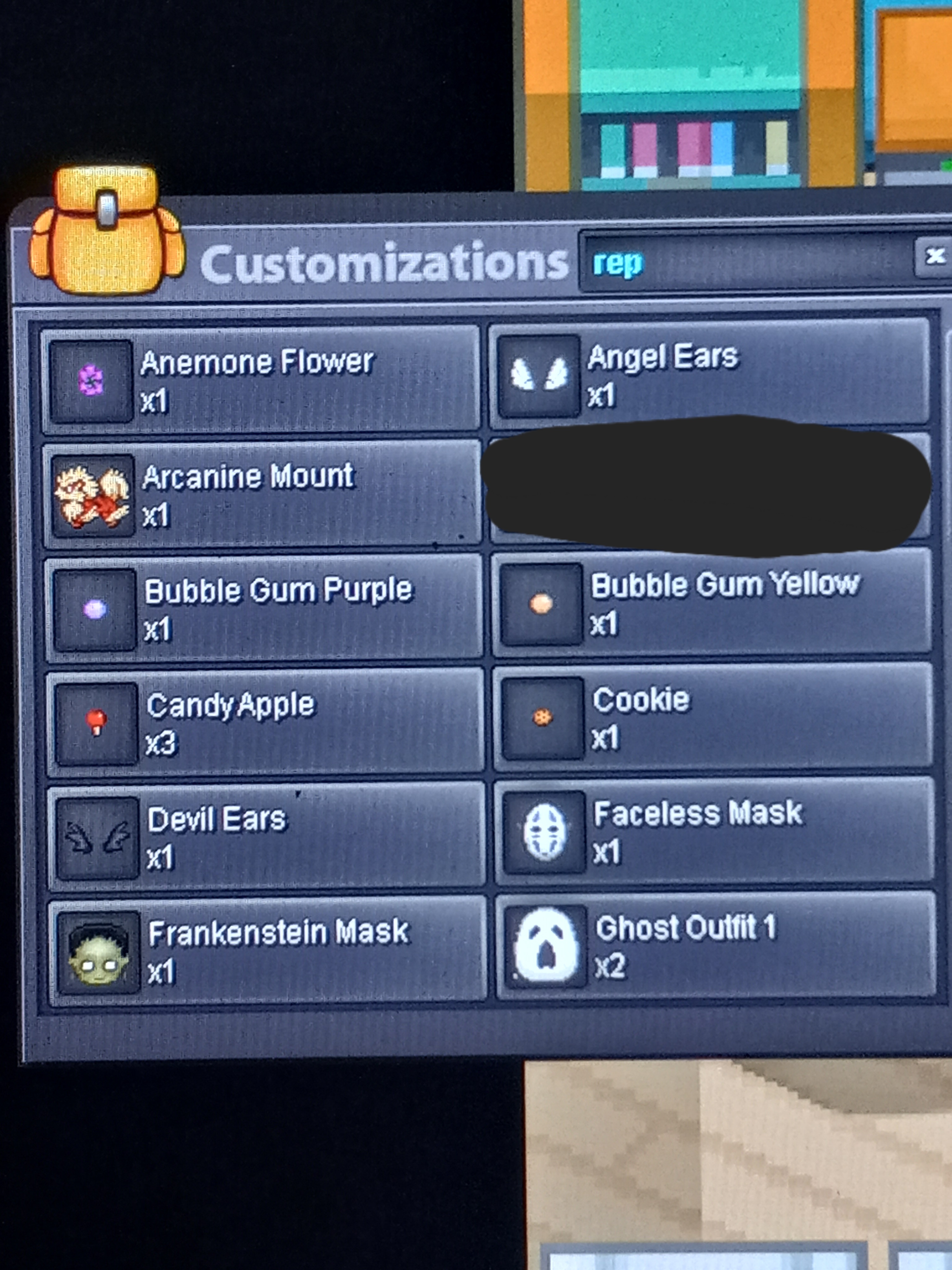 Just wondering what she's worth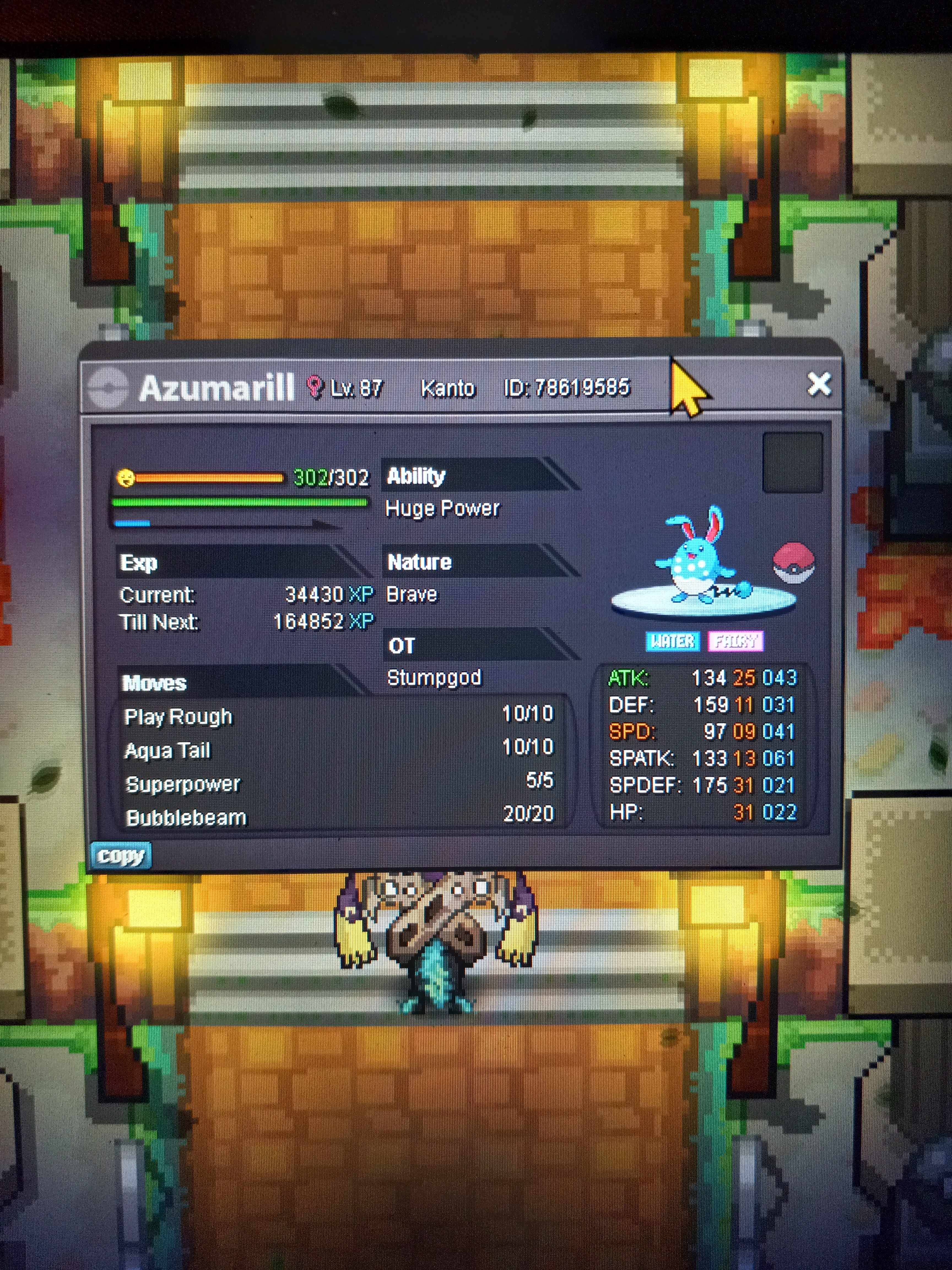
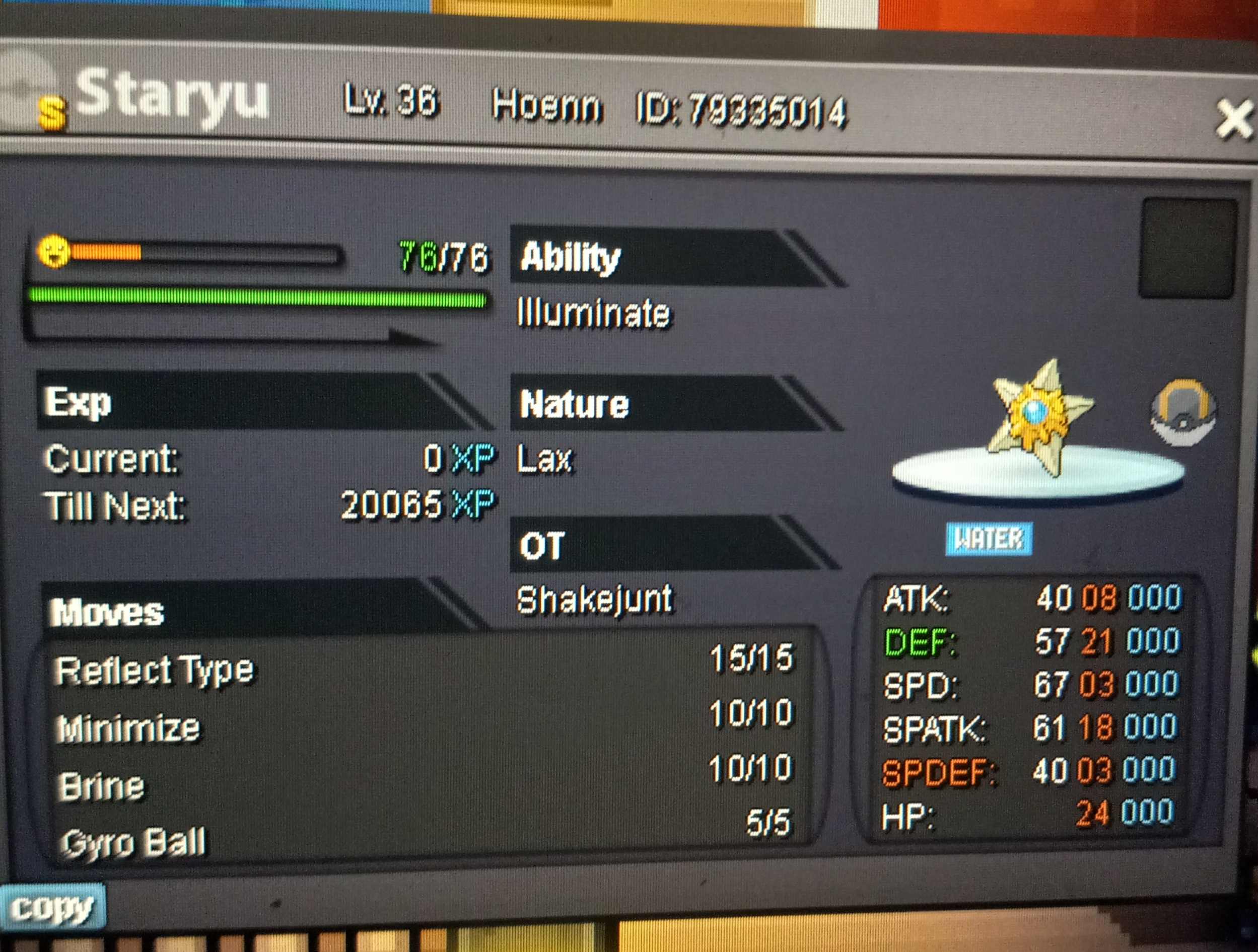
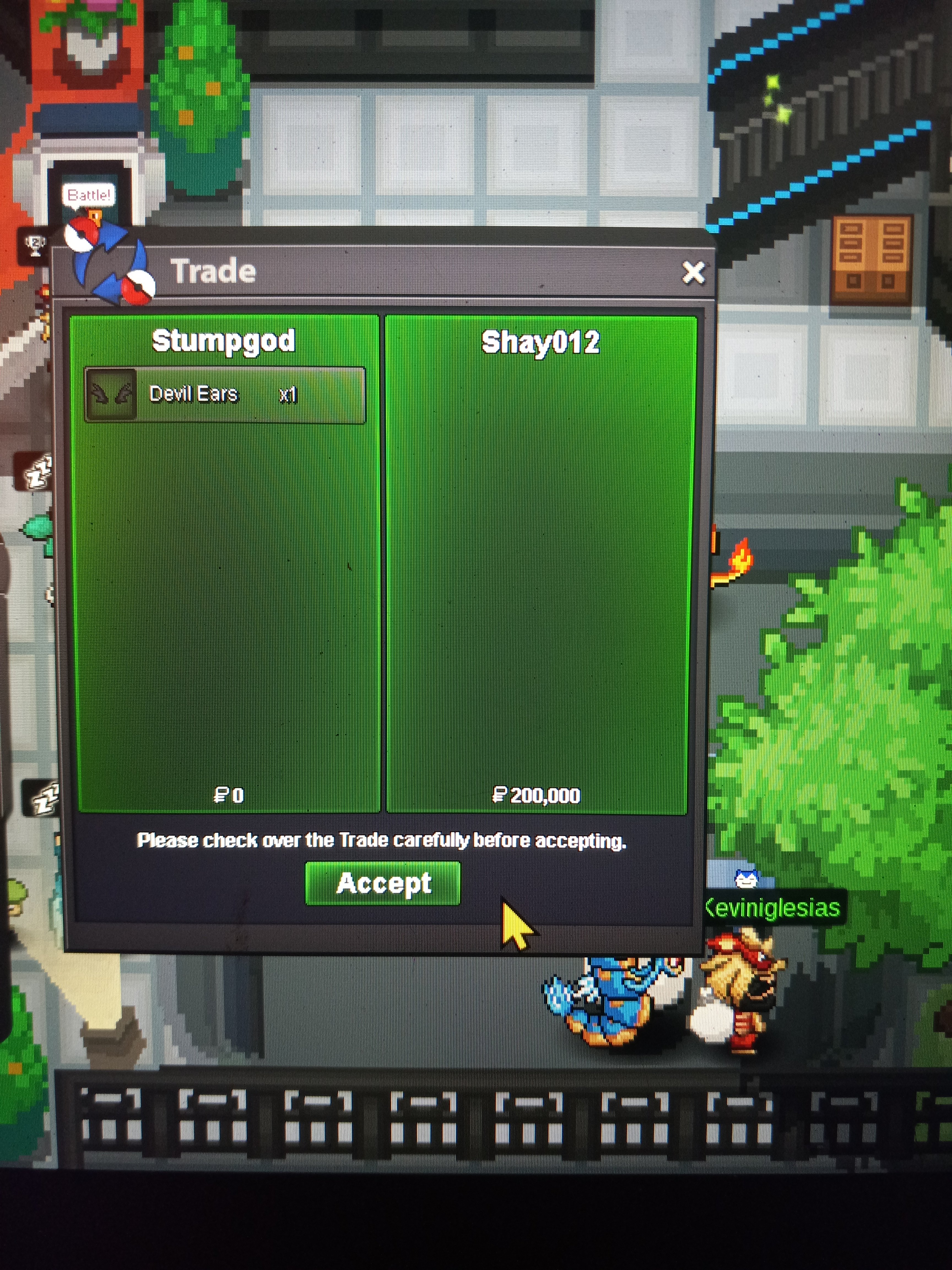
Account
Navigation
Search
Configure browser push notifications
Chrome (Android)
- Tap the lock icon next to the address bar.
- Tap Permissions → Notifications.
- Adjust your preference.
Chrome (Desktop)
- Click the padlock icon in the address bar.
- Select Site settings.
- Find Notifications and adjust your preference.
Safari (iOS 16.4+)
- Ensure the site is installed via Add to Home Screen.
- Open Settings App → Notifications.
- Find your app name and adjust your preference.
Safari (macOS)
- Go to Safari → Preferences.
- Click the Websites tab.
- Select Notifications in the sidebar.
- Find this website and adjust your preference.
Edge (Android)
- Tap the lock icon next to the address bar.
- Tap Permissions.
- Find Notifications and adjust your preference.
Edge (Desktop)
- Click the padlock icon in the address bar.
- Click Permissions for this site.
- Find Notifications and adjust your preference.
Firefox (Android)
- Go to Settings → Site permissions.
- Tap Notifications.
- Find this site in the list and adjust your preference.
Firefox (Desktop)
- Open Firefox Settings.
- Search for Notifications.
- Find this site in the list and adjust your preference.