Skip to content
View in the app

A better way to browse. Learn more.

Pokemon Revolution Online

A full-screen app on your home screen with push notifications, badges and more.

To install this app on iOS and iPadOS
  1. Tap the Share icon in Safari
  2. Scroll the menu and tap Add to Home Screen.
  3. Tap Add in the top-right corner.
To install this app on Android
  1. Tap the 3-dot menu (⋮) in the top-right corner of the browser.
  2. Tap Add to Home screen or Install app.
  3. Confirm by tapping Install.
New Trade Zone
Trade Zone is now live
Use the new Trade Zone for auctions and instant-price trades so Pokemon and item offers are easy to find.
Open Trade Zone

Yetzorf

Suspended
  • Joined

  • Last visited

Everything posted by Yetzorf

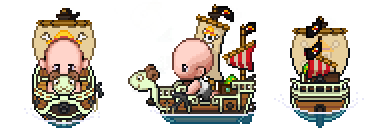
  1. One Piece Going Merry Mount (yes i'm aware of starting price, not in a rush to sell at all,) Starting Bid: 7M Min Bid Raise: 100k Duration: 72h After 1st bid 15minute auction rule : ON
  2. yeah man cause if i dont put the "m" and "k" after the bid, he doesn't understand what im offering 😷 7m 750k
  3. i'll do 7m250, but hope a trade mod comes take a look at this
  4. why new time (add time) you didn't put on thread that it would add 5min after last bid, not sure if u can do that but alright
  5. Yetzorf replied to Yetzorf's topic in Coins & Items - Gold
    Bump
  6. Yetzorf replied to Yetzorf's topic in Coins & Items - Gold
    only the mangrove left, come get it
  7. Yetzorf replied to Yetzorf's topic in Coins & Items - Gold
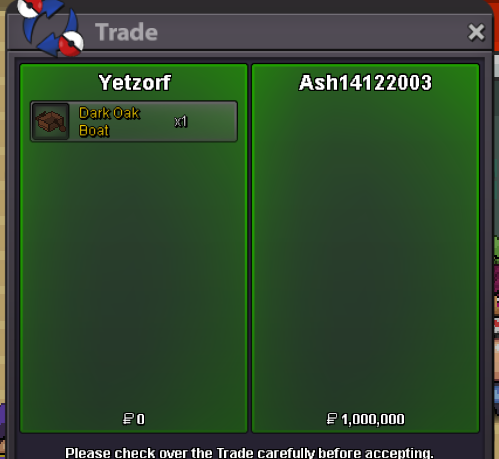
    one sold another one to go
  8. Yetzorf replied to Yetzorf's topic in Coins & Items - Gold
    yeah when i get on tomorrow we do the trade
  9. Yetzorf replied to Yetzorf's topic in Coins & Items - Gold
    bump
  10. Yetzorf replied to Yetzorf's topic in Coins & Items - Gold
    bump
  11. Yetzorf replied to Yetzorf's topic in Coins & Items - Gold
    bump
  12. Yetzorf replied to Yetzorf's topic in Coins & Items - Gold
    bump

Account

Navigation

Search

Search

Configure browser push notifications

Chrome (Android)
  1. Tap the lock icon next to the address bar.
  2. Tap Permissions → Notifications.
  3. Adjust your preference.
Chrome (Desktop)
  1. Click the padlock icon in the address bar.
  2. Select Site settings.
  3. Find Notifications and adjust your preference.