




New Trade Zone
Trade Zone is now live
Use the new Trade Zone for auctions and instant-price trades so Pokemon and item offers are easy to find.

Trafadlaw
Registered User
-
Joined
-
Last visited
Everything posted by Trafadlaw
-
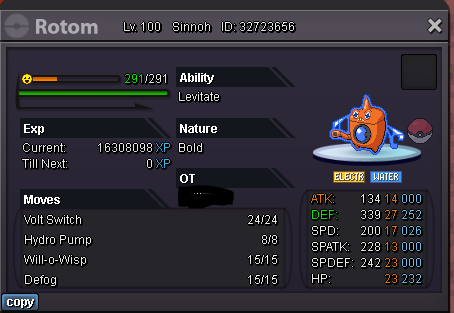
starting offer 10k min bid 10k no insta ends 24hrs after first bid accept cc 370k nat rr 280k iv rr 560k
-
hi @Suncity im online now if ure available we can trade
-
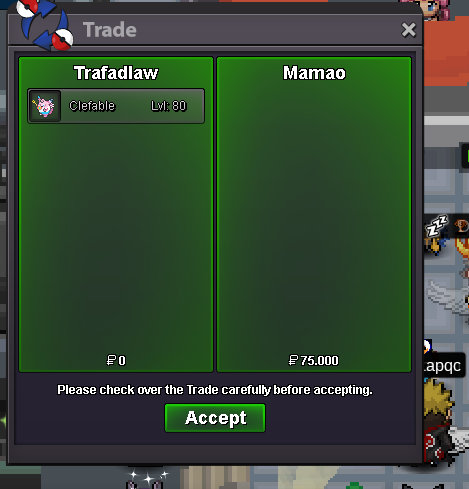
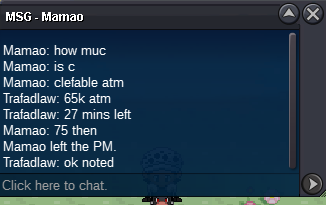
@Suncity u won magne. pm me here or ingame for trade. tyclefable 65k
 bumpnoted. Clefa ends tomorow 18:44magnemite started 50k bid ends 18:35 tomorow
 starting offer 10k ea min raise 10k no insta 24hrs acution starting after first bid MAGNEMITE ends 18:35 GMT+1 CLEFABLE ends 18:44 GMT+1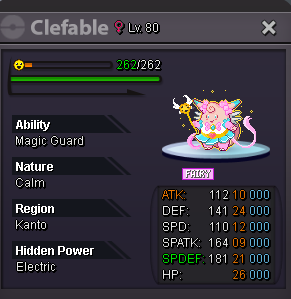
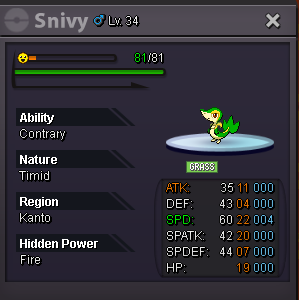
 .azu 260kclosedI have one question based on this topic. Since i still cant play on my laptop is there a chance of me getting hardware ban?S.o. 300k min bid 100k 24h from first bid cc 350k
 I did try to connect from console with the same ip, and also i tried to connect via my phone hotspot, same errorHI, it did not, I asked my sister to try and log me in to pc because i have problems login in my laptop. On pc everything works fine, but on laptop i get the same loop of trying to connectHello, i have problem loging in silver server while gold works perfectly. I talked to Norex on discord already about this problem and we tried everything (change password, direct connect via console, and even via vpn) nothing worked so he told me to try contacting support. I get the "unable to connect" loop everytime. Forgot to add that this is a new account so I cant merge anything from red/blue.


Account
Navigation
Search
Configure browser push notifications
Chrome (Android)
- Tap the lock icon next to the address bar.
- Tap Permissions → Notifications.
- Adjust your preference.
Chrome (Desktop)
- Click the padlock icon in the address bar.
- Select Site settings.
- Find Notifications and adjust your preference.
Safari (iOS 16.4+)
- Ensure the site is installed via Add to Home Screen.
- Open Settings App → Notifications.
- Find your app name and adjust your preference.
Safari (macOS)
- Go to Safari → Preferences.
- Click the Websites tab.
- Select Notifications in the sidebar.
- Find this website and adjust your preference.
Edge (Android)
- Tap the lock icon next to the address bar.
- Tap Permissions.
- Find Notifications and adjust your preference.
Edge (Desktop)
- Click the padlock icon in the address bar.
- Click Permissions for this site.
- Find Notifications and adjust your preference.
Firefox (Android)
- Go to Settings → Site permissions.
- Tap Notifications.
- Find this site in the list and adjust your preference.
Firefox (Desktop)
- Open Firefox Settings.
- Search for Notifications.
- Find this site in the list and adjust your preference.