




New Trade Zone
Trade Zone is now live
Use the new Trade Zone for auctions and instant-price trades so Pokemon and item offers are easy to find.

Rigatonis
Registered User
-
Joined
-
Last visited
Everything posted by Rigatonis
-
LESS THAN 24 HRS LEFT FOR NIDO
-
-
PLACE: VERMILION DURATION: 72 HRS AFTER FIRST BID FOR EACH ONE ACCEPT ONLY POKEDOLLARS STARTING PRICE: 150K MIN RAISE: 50K STARING PRICE: 250K MIN RAISE: 50K
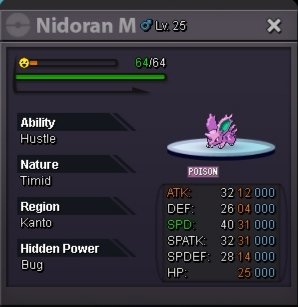
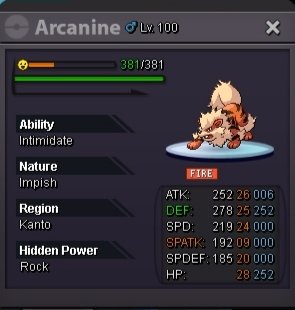
-
TRADE COMPLETED
-
AUCTION ENDED. THE WINNER IS IDREETZZ.
-
1 HOUR LEFT
-
ALMOST 28 HRS LEFT
-
STARTING PRICE: 100K MIN RAISE: 25K PLACE: VERMILION DURATION: 48 HRS AFTER FIRST BID ACCEPT ONLY POKEDOLLARS
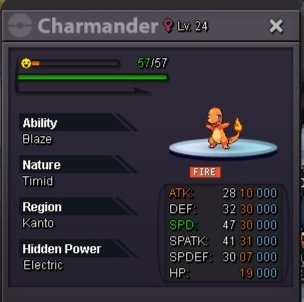
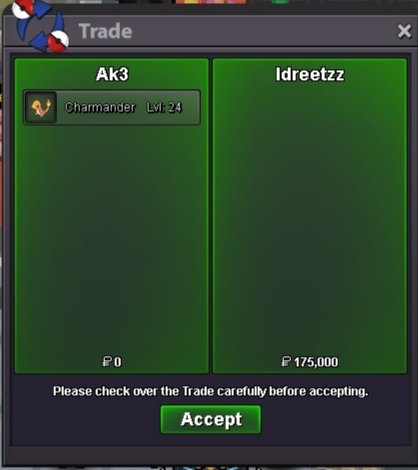
-
ALL DONE
-
STILL LOOKING FOR MAINVIJAY FOR THE OTHER TWO POKES
-
NOT AVAILIABLE ANY MORE. AUCTIONS HAVE FINISHED
-
-
-
LETS GO BUYERSSS
-
COME ON COME ON DONT BE SHY GUYSSSS XD
-
UPDATED WITH NEW POKES
-
OPEN AGAIN
-
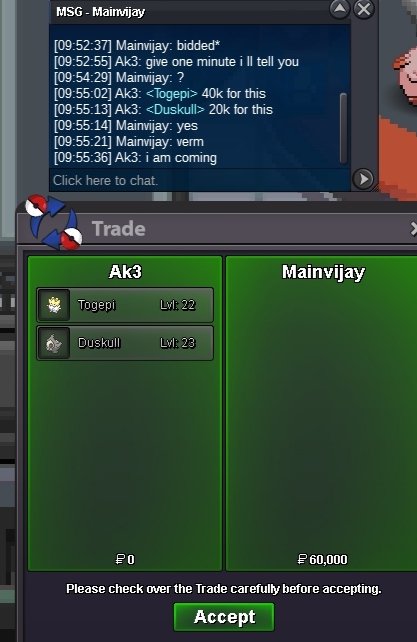
TIME : 48 HRS FROM START FOR EACH POKEMON PLACE : ANY PORT CITY ACCEPT ONLY POKEDOLLARS STARTING PRICE : 30K MIN RAISE : 10K STARTING PRICE : 20K MIN RAISE : 10K STARTING PRICE : 40K MIN RAISE : 10K
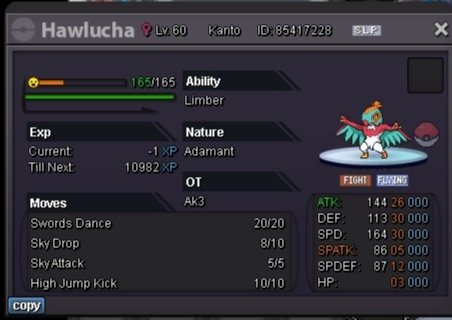
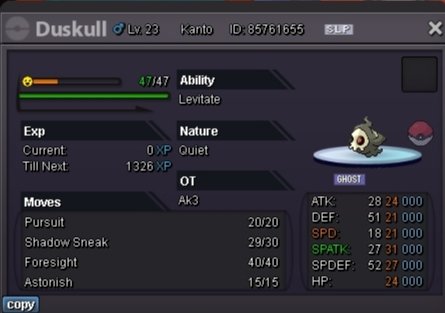
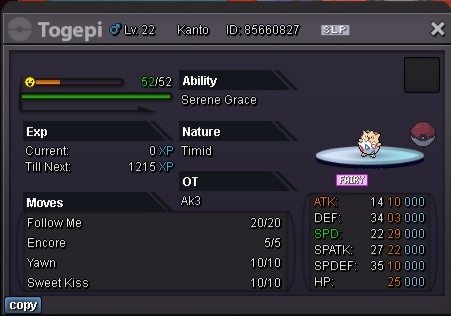
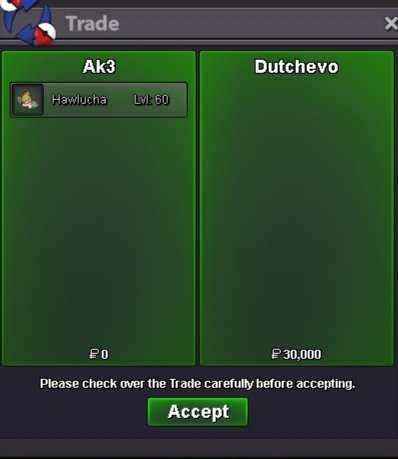
-
Oh sorry i didn't know that, my bad.. I will see the rules more carefully. Thanks for the info
-
Yes is 24 hrs from the first bid as i wrote..so first bid was at 09/27/23 at 07:03 pm and the last offer is at 09/28/23 at 06:54 pm. So the winner is Vatevuoktliek.
-
CLOSED
-
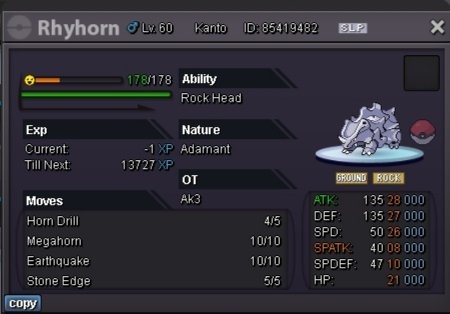
STARTING PRICE : 30K MIN RAISE : 10K DURATION : 24 HRS FROM FIRST BID ACCEPT ONLY POKEDOLLARS
-
Account
Navigation
Search
Configure browser push notifications
Chrome (Android)
- Tap the lock icon next to the address bar.
- Tap Permissions → Notifications.
- Adjust your preference.
Chrome (Desktop)
- Click the padlock icon in the address bar.
- Select Site settings.
- Find Notifications and adjust your preference.
Safari (iOS 16.4+)
- Ensure the site is installed via Add to Home Screen.
- Open Settings App → Notifications.
- Find your app name and adjust your preference.
Safari (macOS)
- Go to Safari → Preferences.
- Click the Websites tab.
- Select Notifications in the sidebar.
- Find this website and adjust your preference.
Edge (Android)
- Tap the lock icon next to the address bar.
- Tap Permissions.
- Find Notifications and adjust your preference.
Edge (Desktop)
- Click the padlock icon in the address bar.
- Click Permissions for this site.
- Find Notifications and adjust your preference.
Firefox (Android)
- Go to Settings → Site permissions.
- Tap Notifications.
- Find this site in the list and adjust your preference.
Firefox (Desktop)
- Open Firefox Settings.
- Search for Notifications.
- Find this site in the list and adjust your preference.