




New Trade Zone
Trade Zone is now live
Use the new Trade Zone for auctions and instant-price trades so Pokemon and item offers are easy to find.

Renaciente
Suspended
-
Joined
-
Last visited
Everything posted by Renaciente
-
You won come to vermiYou won come to vermiLEFT Deerling 13 minutesyes or yes I have to apply the 15 minute rule. LEFT 10 MINUTESLEFT 22 minutesDeerling START 100k MiN BID 20k LEFT 3hr after first bid Abra START 100k MiN BID 20k LEFT 3hr after first bid
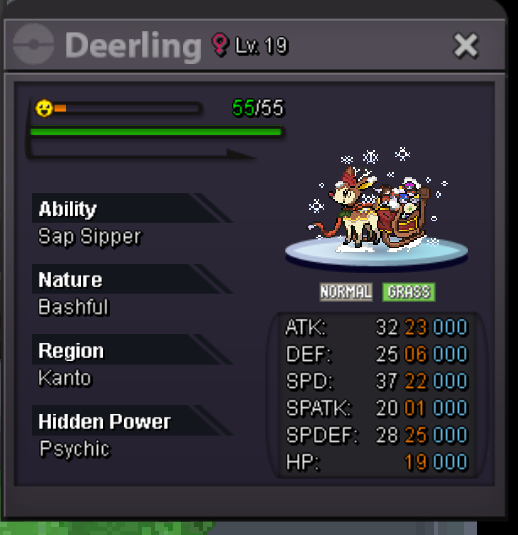
 450k for all it's a auction 5x1START for all : 200k MiN BID : 25k LEFT 11 HR after first Bid and NO 15 minutes rule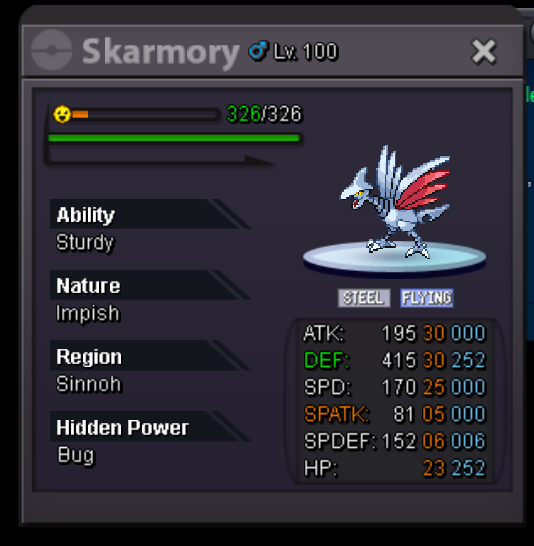

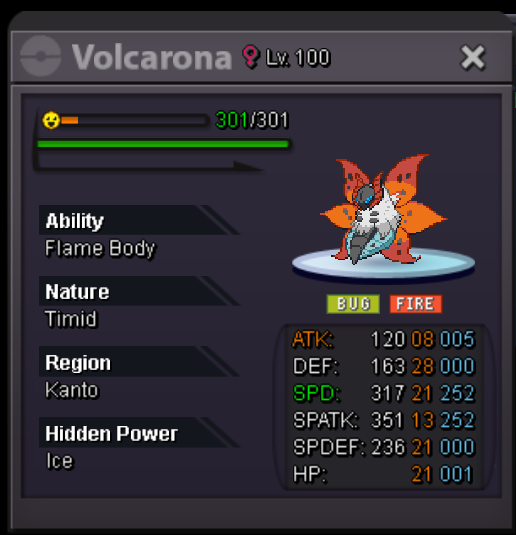
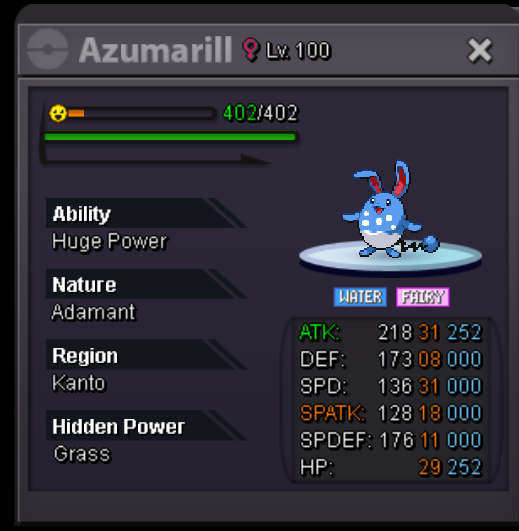
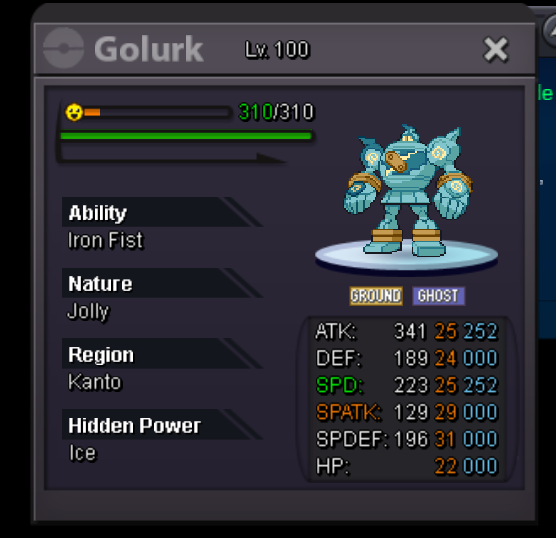 Sold!
Sold!

 All offers can be left written with the capture of the poke, I accept from 150k, the offer cannot be lower, if the offer seems good to me I accept it since I am liquidating all the pokemons!! PM or you can find me on discord: "Renaciente" sold porygon sold Scizor sold clefable 300k Sold golurk Sold skar 500k ferro sold ninetales sold 450k SOLD UNFENZANT Sold slow sold volca Sold loppu

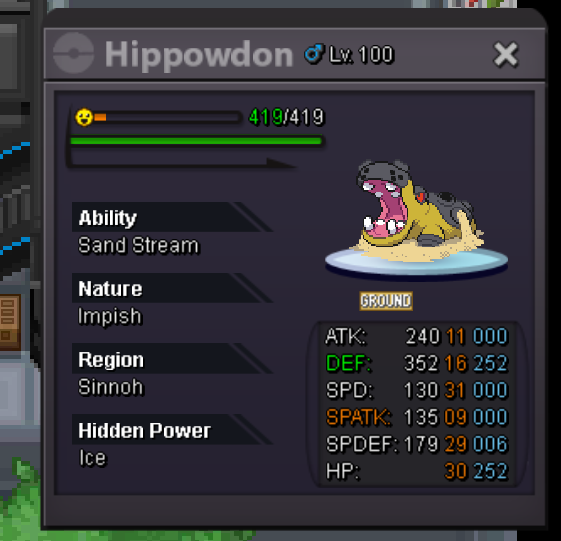
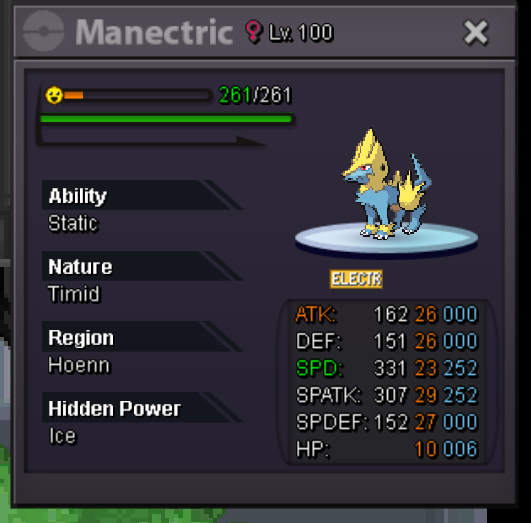


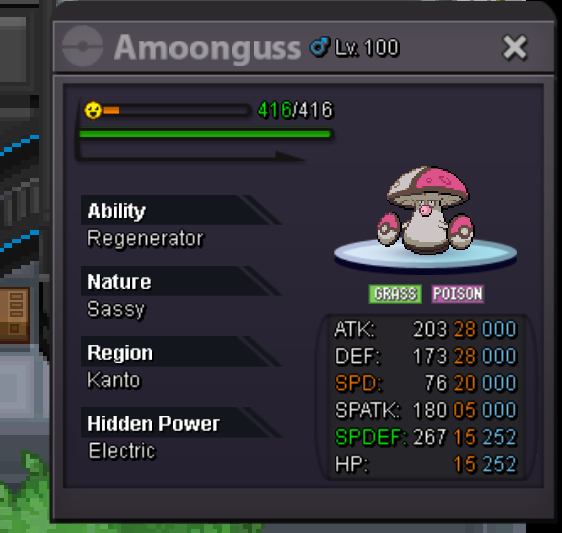
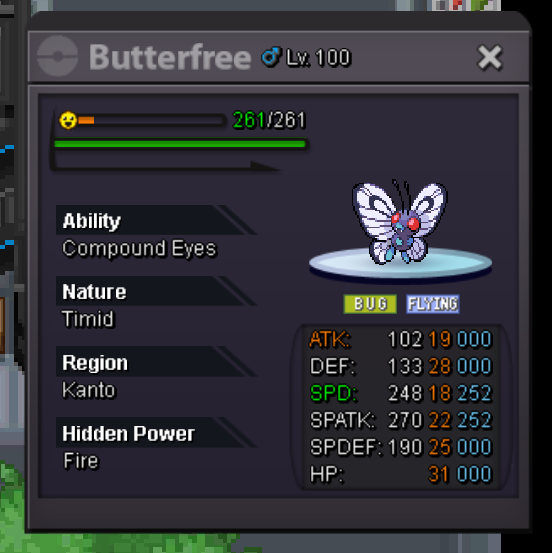
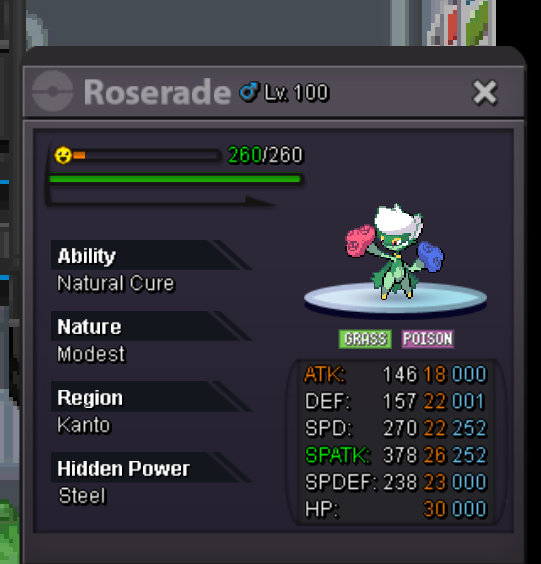
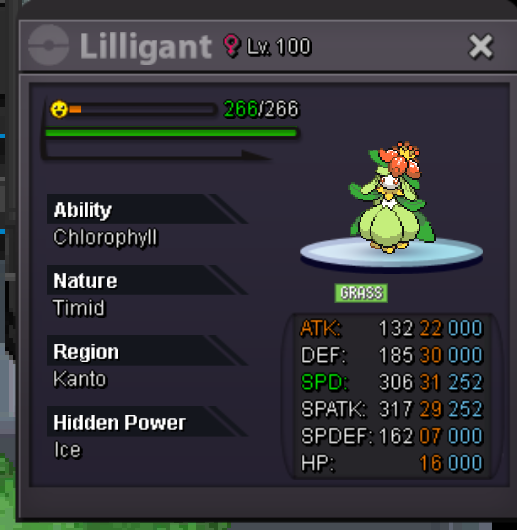


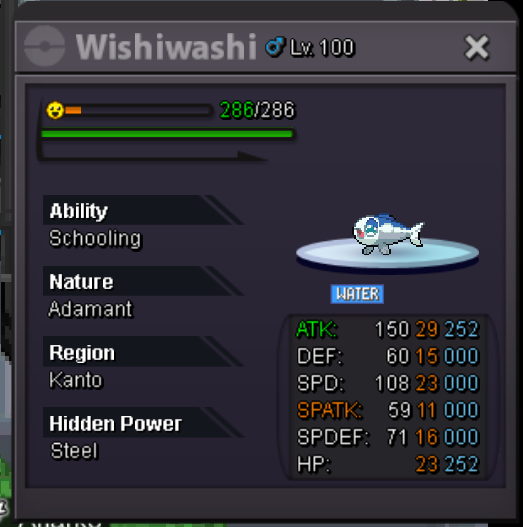


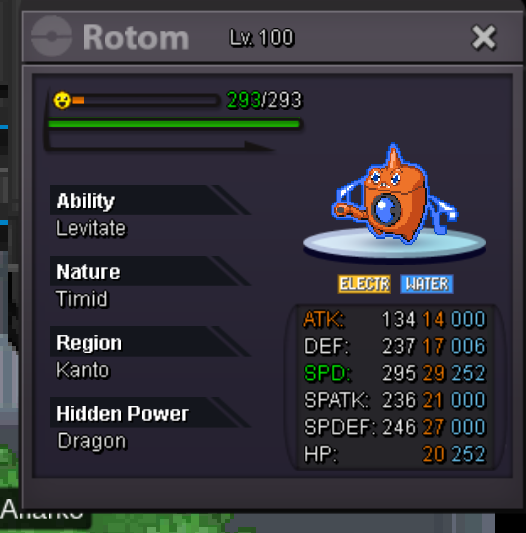





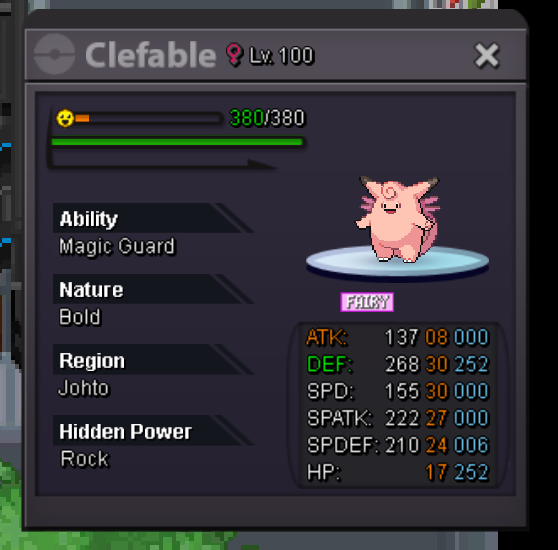
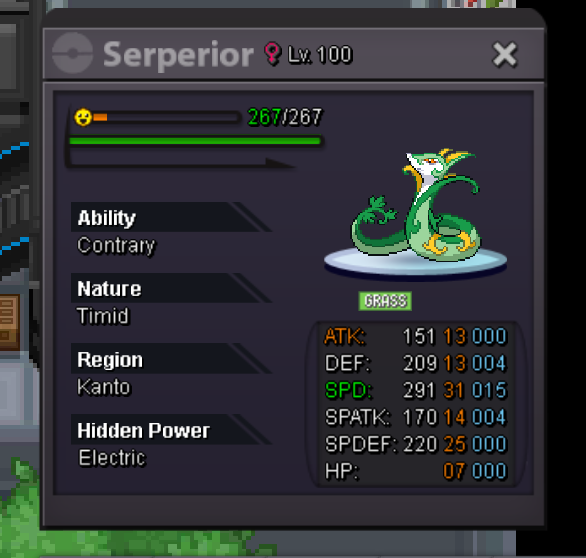
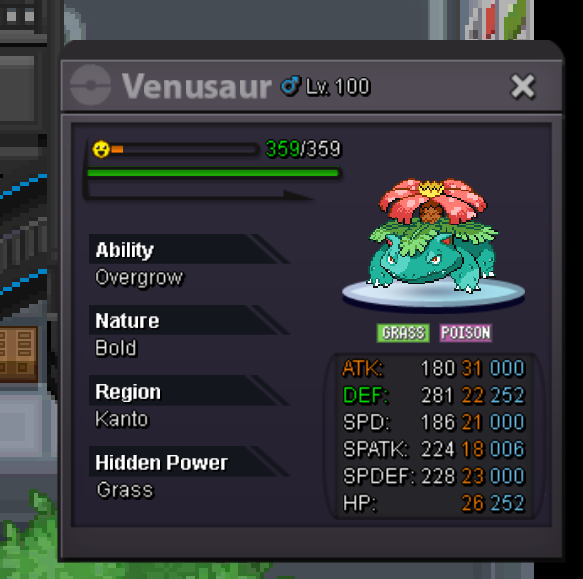
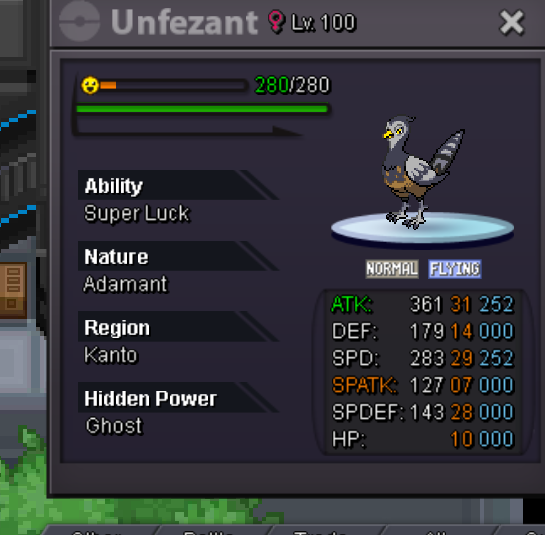

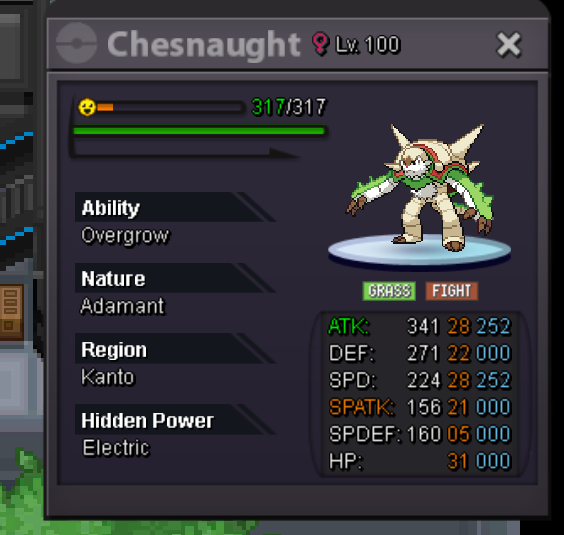

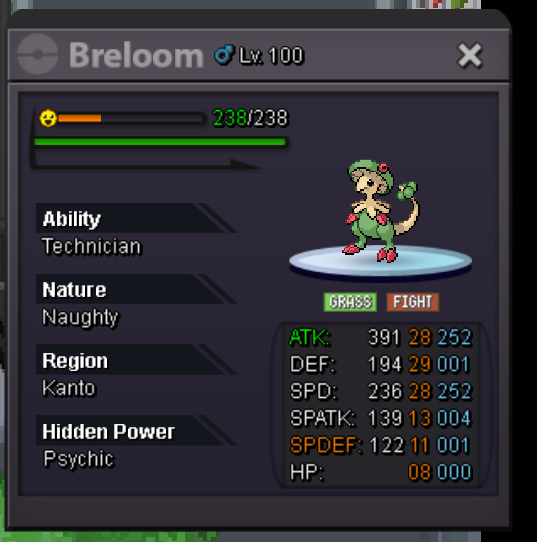


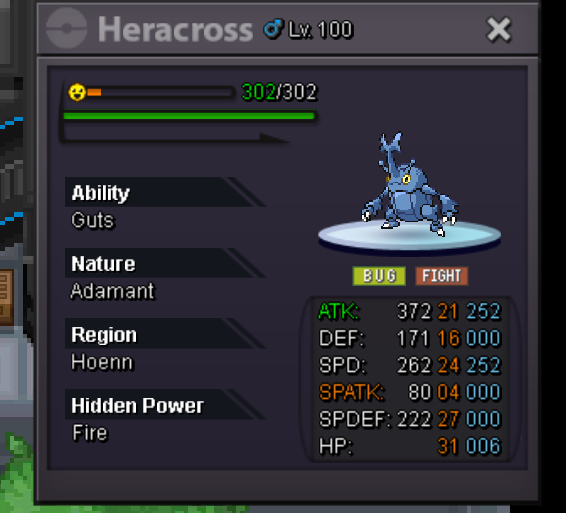


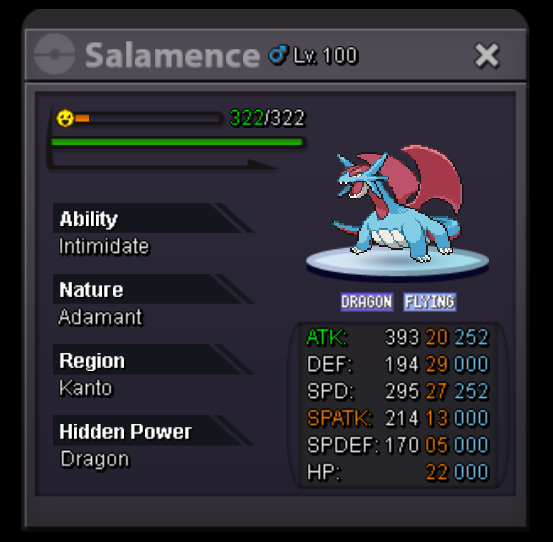
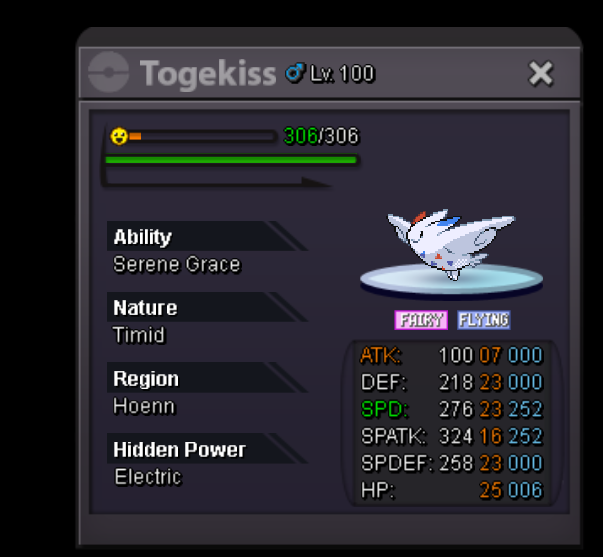


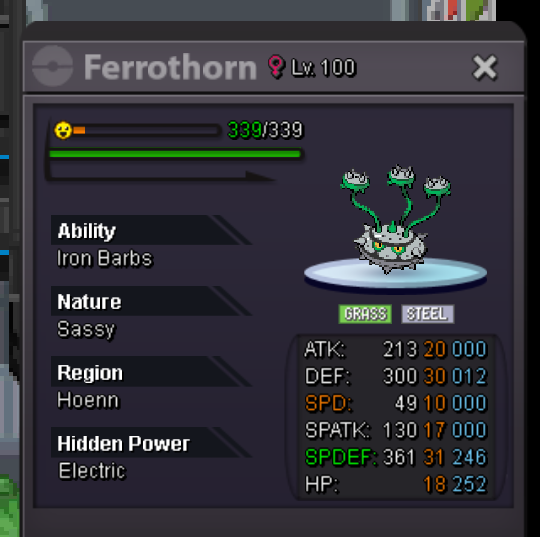

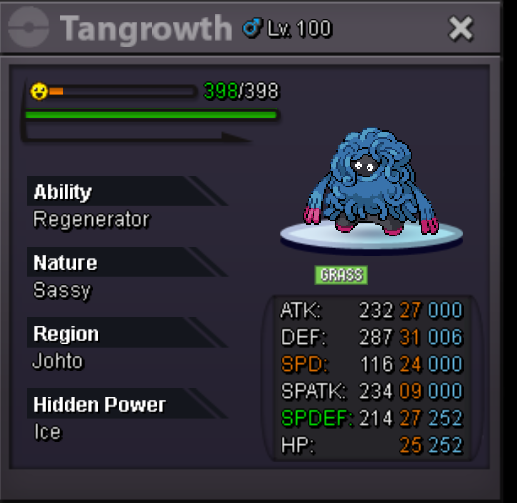
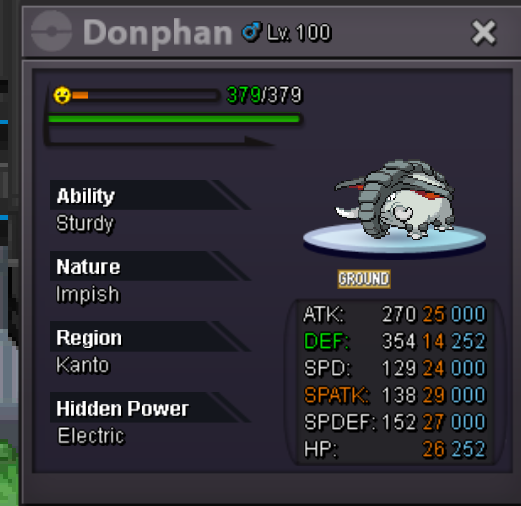

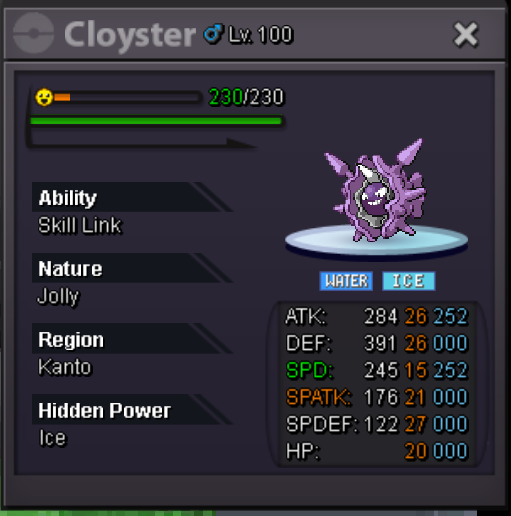


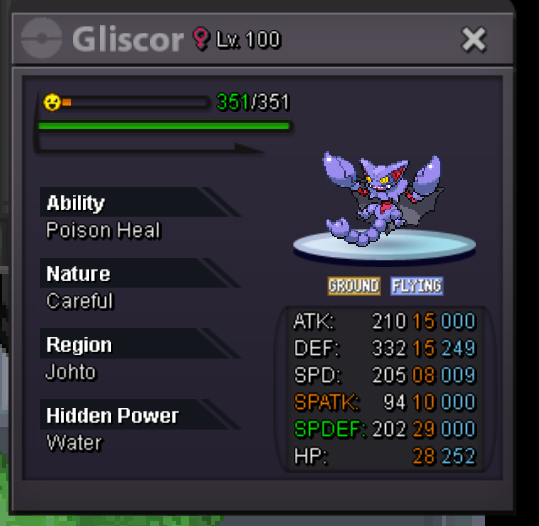

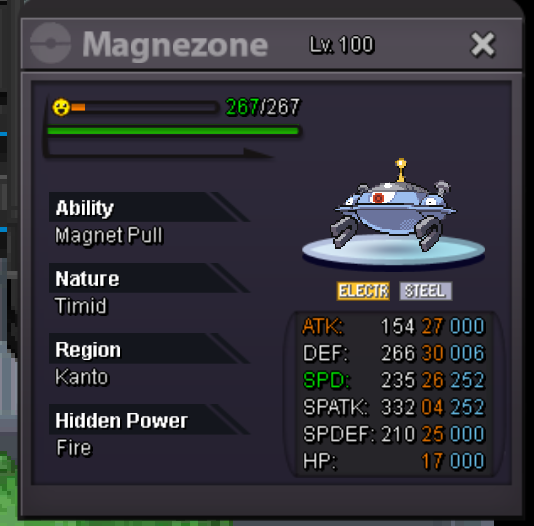


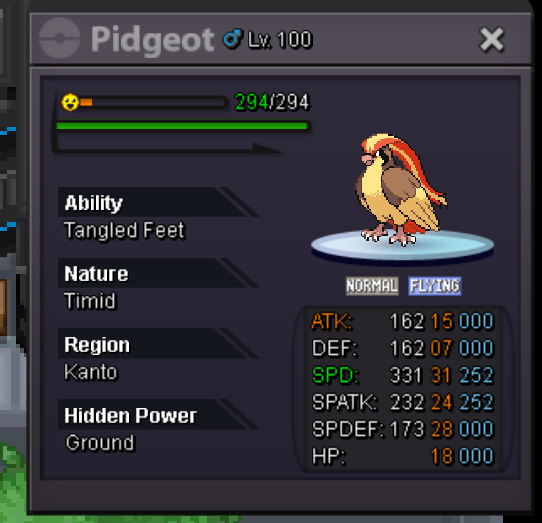


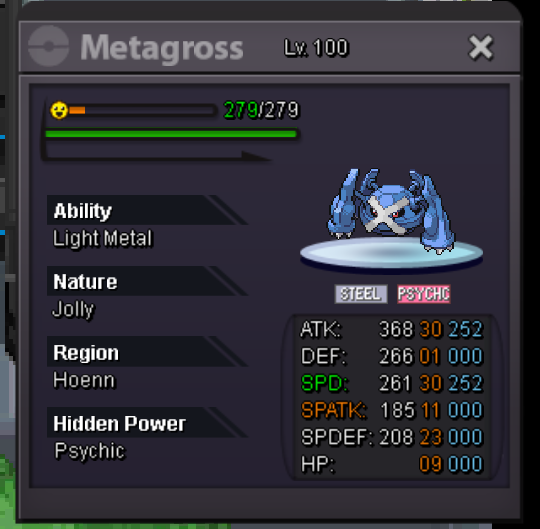
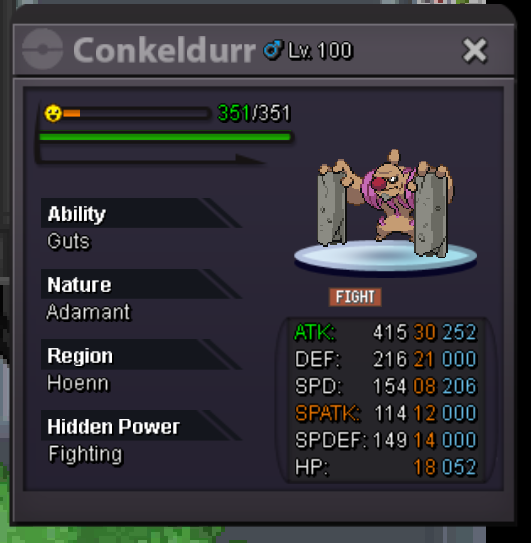

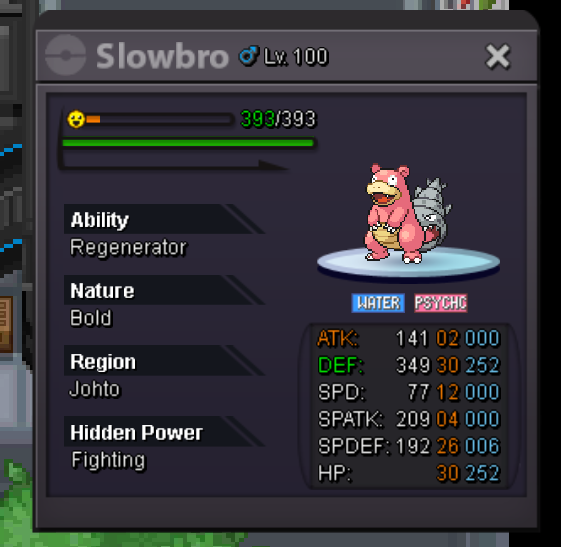
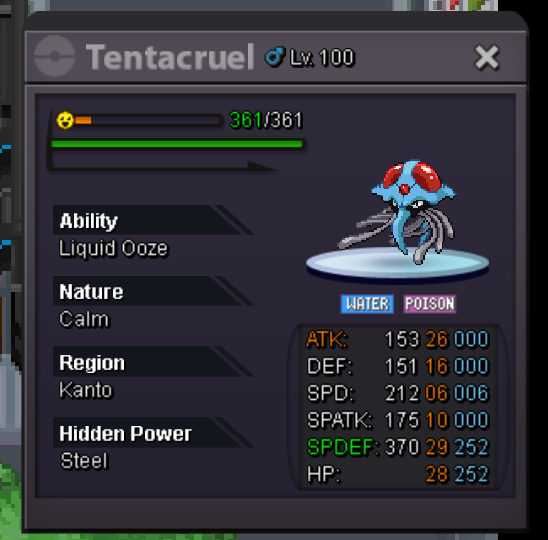
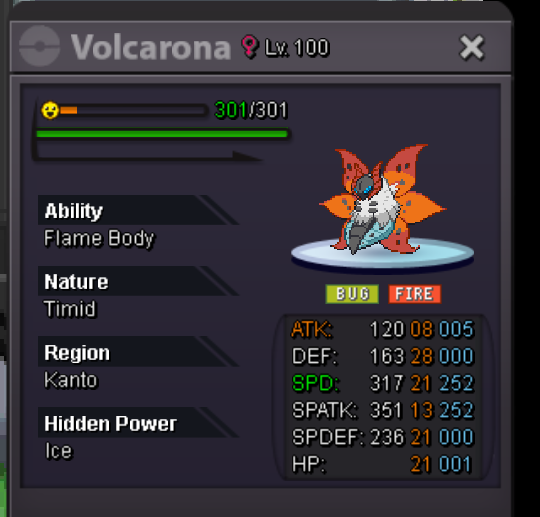


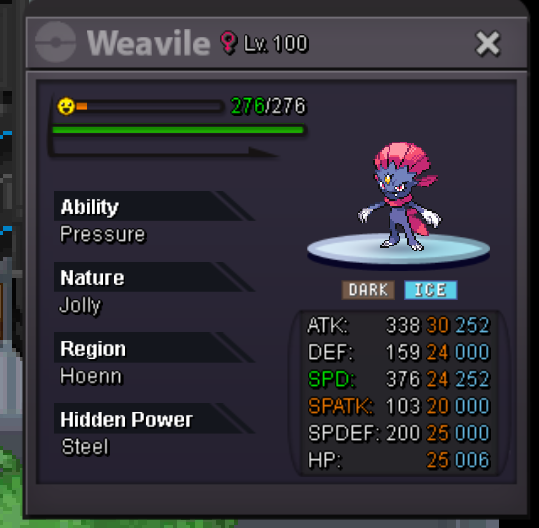
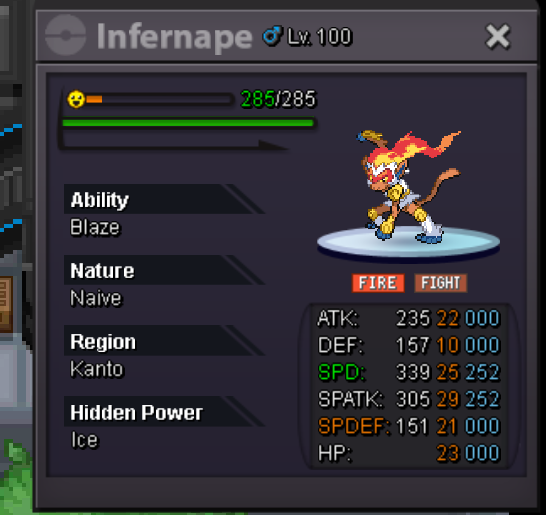
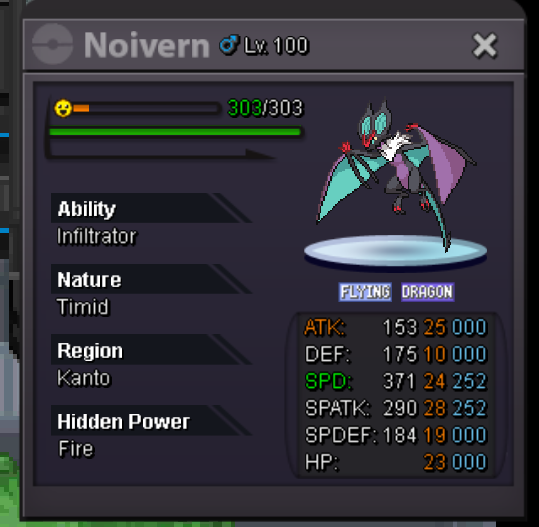


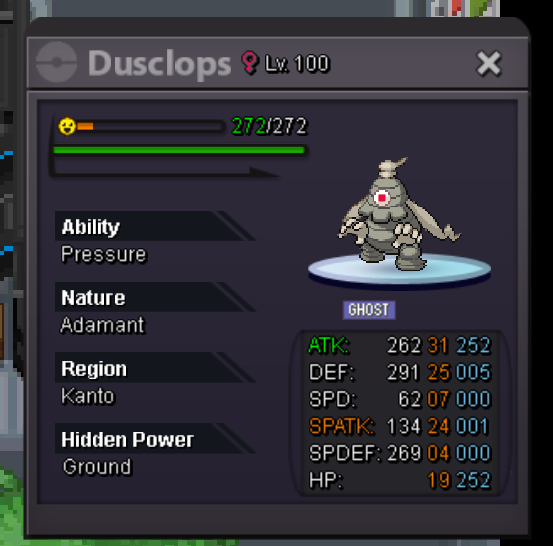


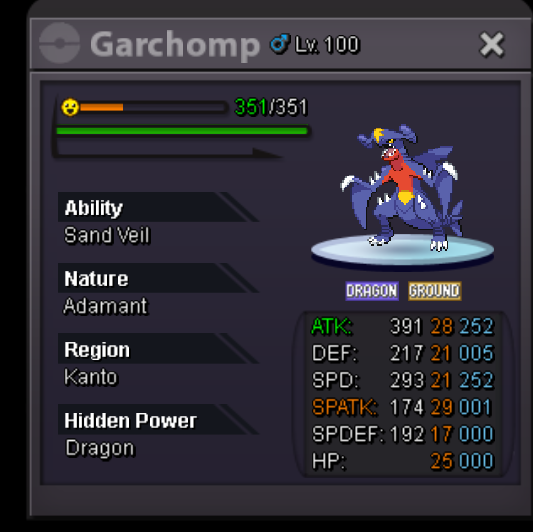
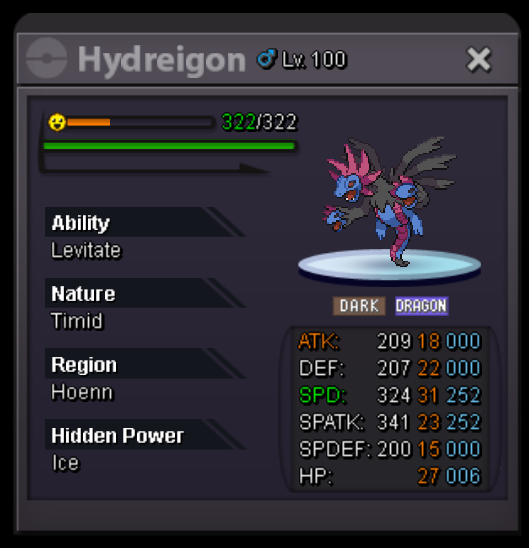


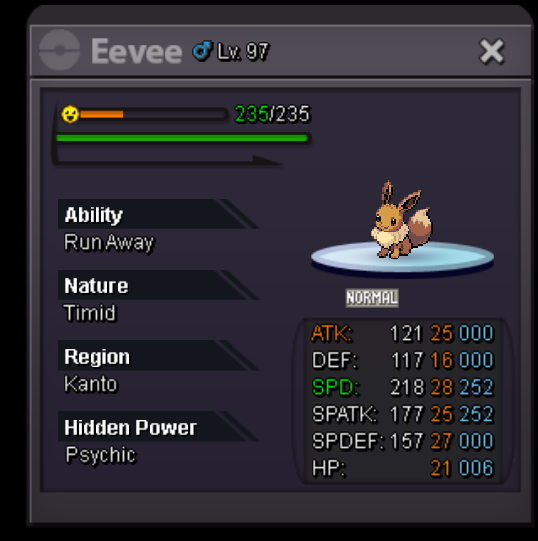

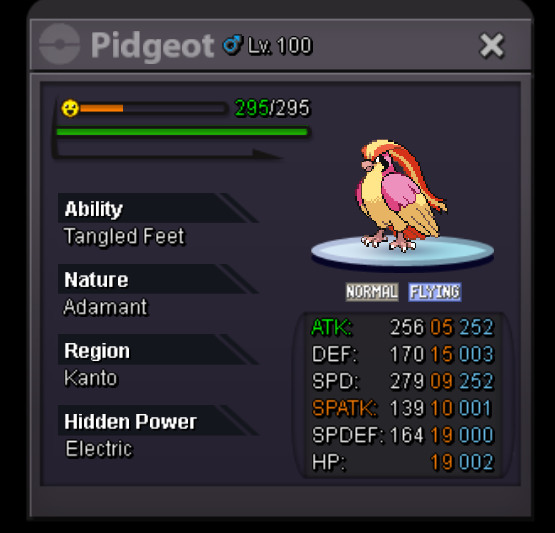 START for poke 100k MiN BID 15k LEFT 24 HR after first bid


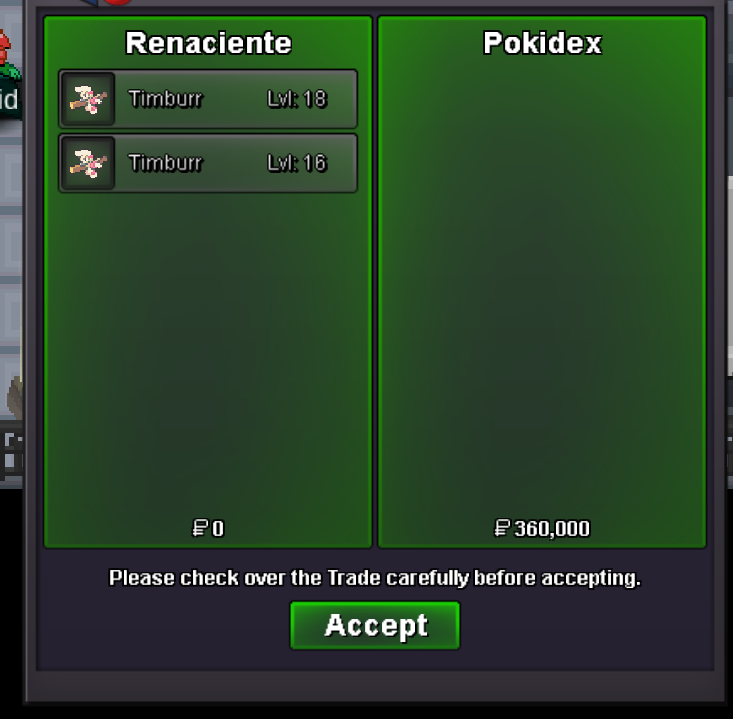
 @Yellow can You forcé the trade with "rabina" and "haseeb373" since I was banned from trade for 21 days, ty!!Ty Ty zoruami, can You forcé the trade? Because of My restrictionLEFT 4 HRLEFT 24 HRTimburr 6
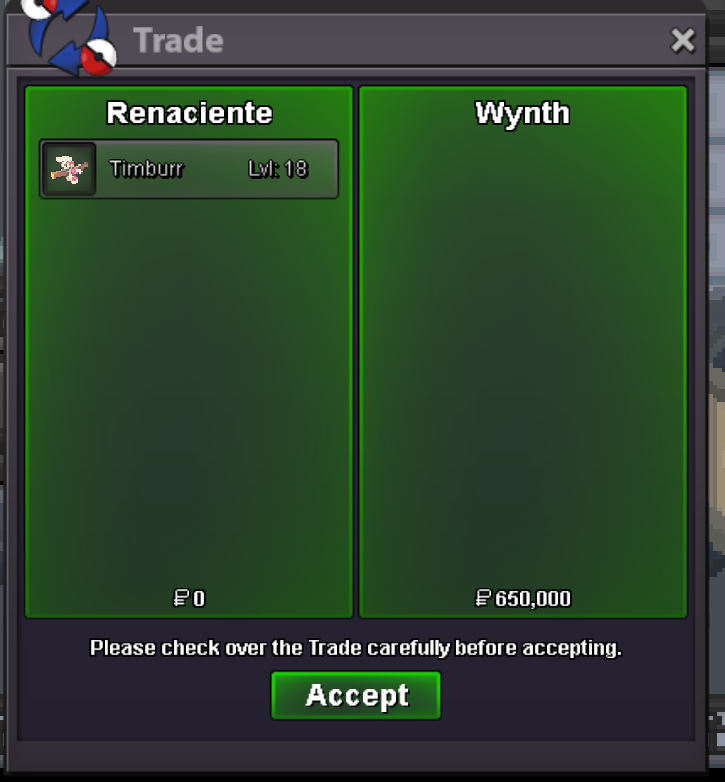 Bro go to vermi nowSTART 3M MIN BID: 250k LEFT 48 HR after first bid
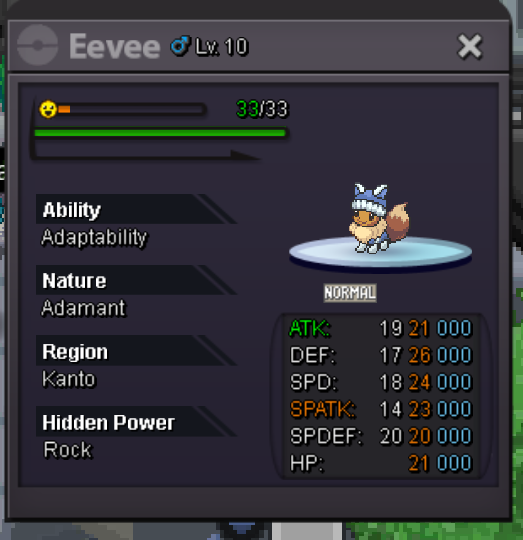 Perfect, but i don't understand with what $$ win , how much? Timburr 2 (31ATK):@Rabina, finalizando a las 03:21 a.m. GMT+0.Hi mod thanks , Can you force trades automatically? since it is impossible to contactTy @Merepapa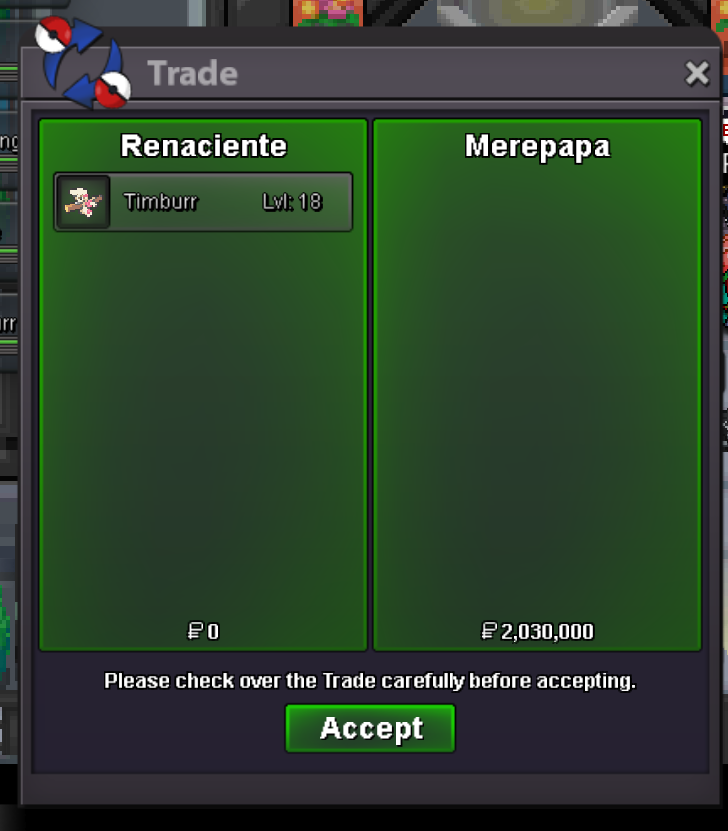




Account
Navigation
Search
Configure browser push notifications
Chrome (Android)
- Tap the lock icon next to the address bar.
- Tap Permissions → Notifications.
- Adjust your preference.
Chrome (Desktop)
- Click the padlock icon in the address bar.
- Select Site settings.
- Find Notifications and adjust your preference.
Safari (iOS 16.4+)
- Ensure the site is installed via Add to Home Screen.
- Open Settings App → Notifications.
- Find your app name and adjust your preference.
Safari (macOS)
- Go to Safari → Preferences.
- Click the Websites tab.
- Select Notifications in the sidebar.
- Find this website and adjust your preference.
Edge (Android)
- Tap the lock icon next to the address bar.
- Tap Permissions.
- Find Notifications and adjust your preference.
Edge (Desktop)
- Click the padlock icon in the address bar.
- Click Permissions for this site.
- Find Notifications and adjust your preference.
Firefox (Android)
- Go to Settings → Site permissions.
- Tap Notifications.
- Find this site in the list and adjust your preference.
Firefox (Desktop)
- Open Firefox Settings.
- Search for Notifications.
- Find this site in the list and adjust your preference.