




New Trade Zone
Trade Zone is now live
Use the new Trade Zone for auctions and instant-price trades so Pokemon and item offers are easy to find.

Renaciente
Suspended
-
Joined
-
Last visited
Everything posted by Renaciente
-
Finish forced trade please i don't have time @Innerfocus
-
♦️LEFT -2hr
-
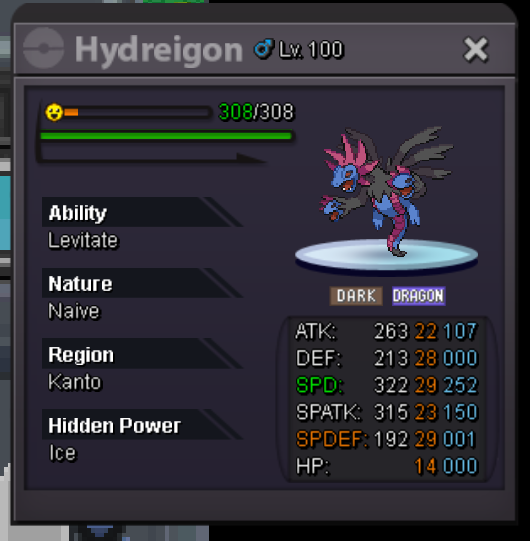
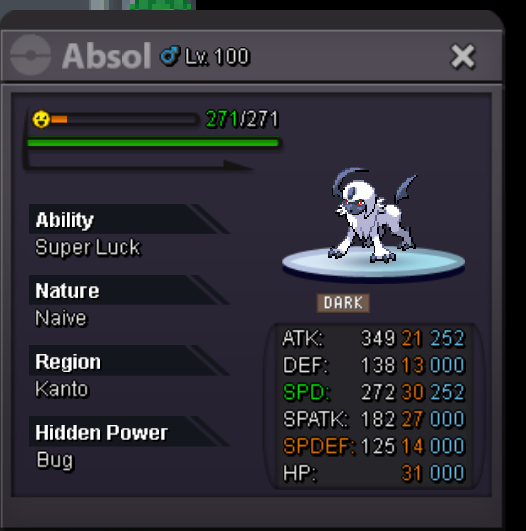
START each 60k MiN BID 5k LEFT 3hr after first bid
-
150k
-
140k
-
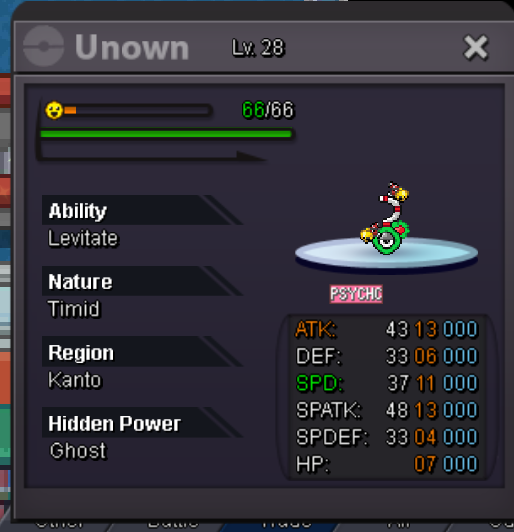
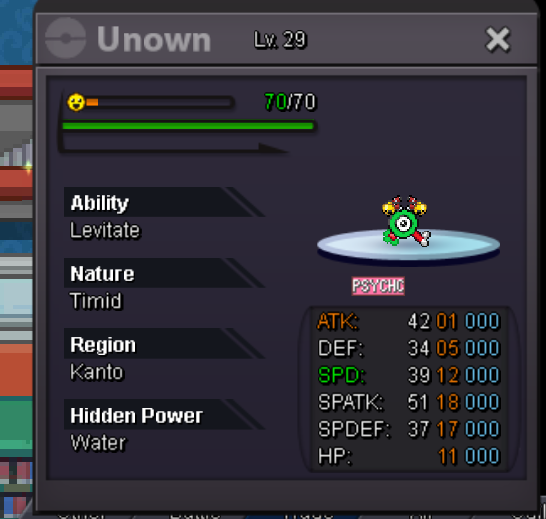
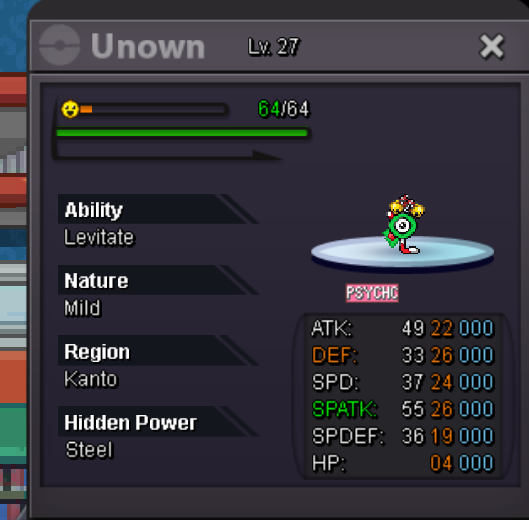
Hello everyone, I'm going to renew my pokemons, so I'm liquidating all the pokemons I have at level 100, I only accept +100k offers, good luck. DIscord : Renaciente id silver : Renaciente

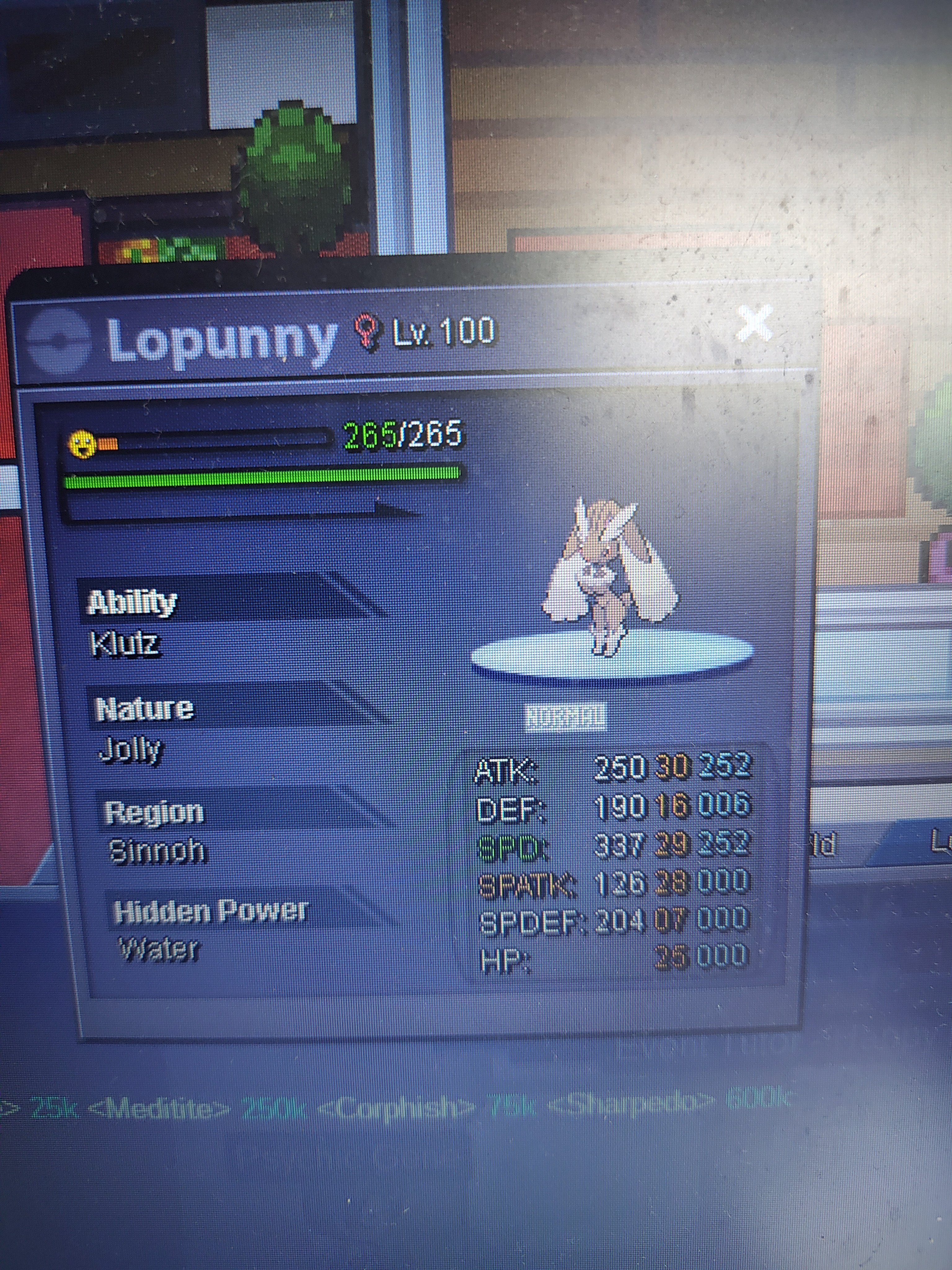
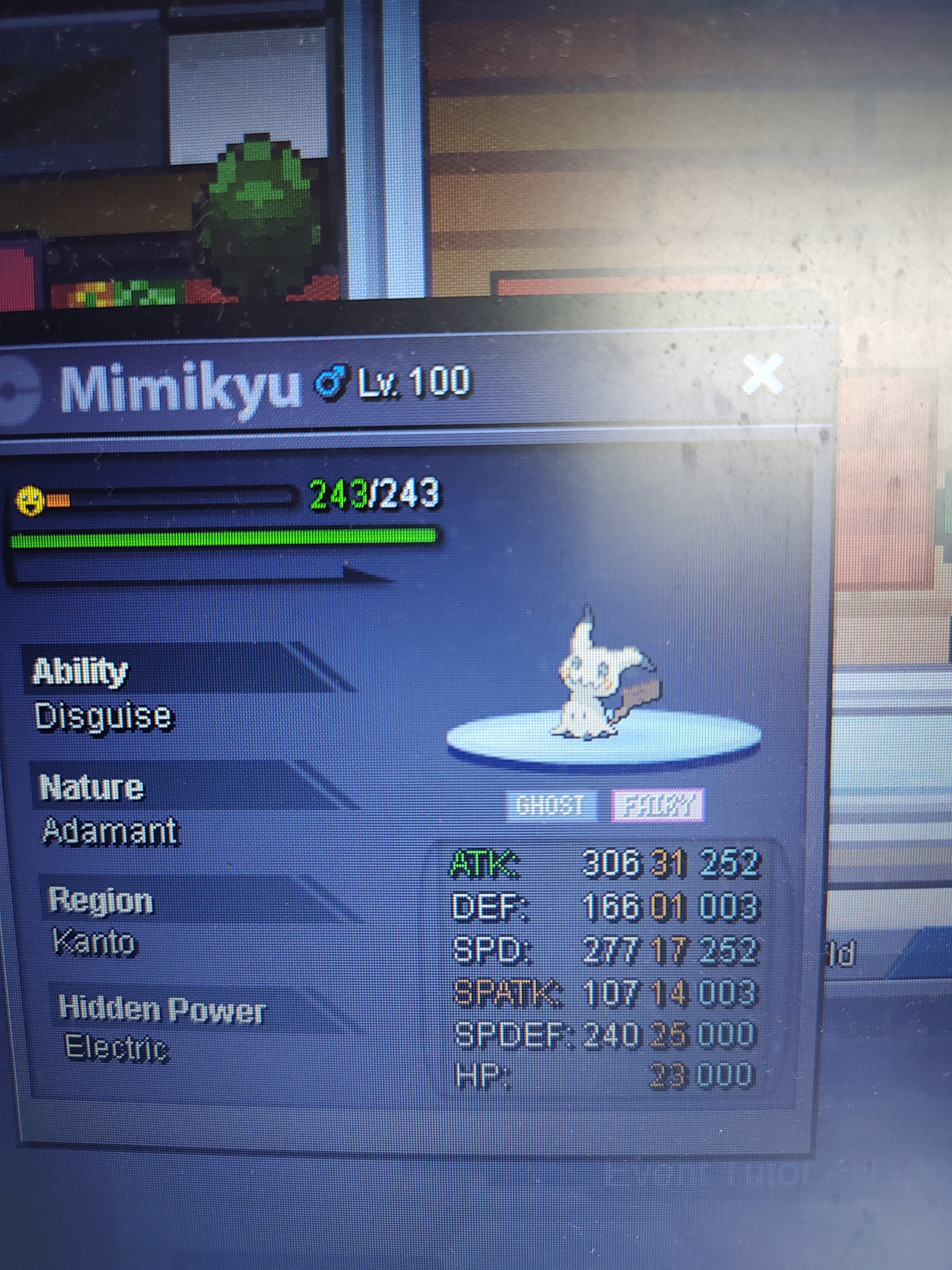
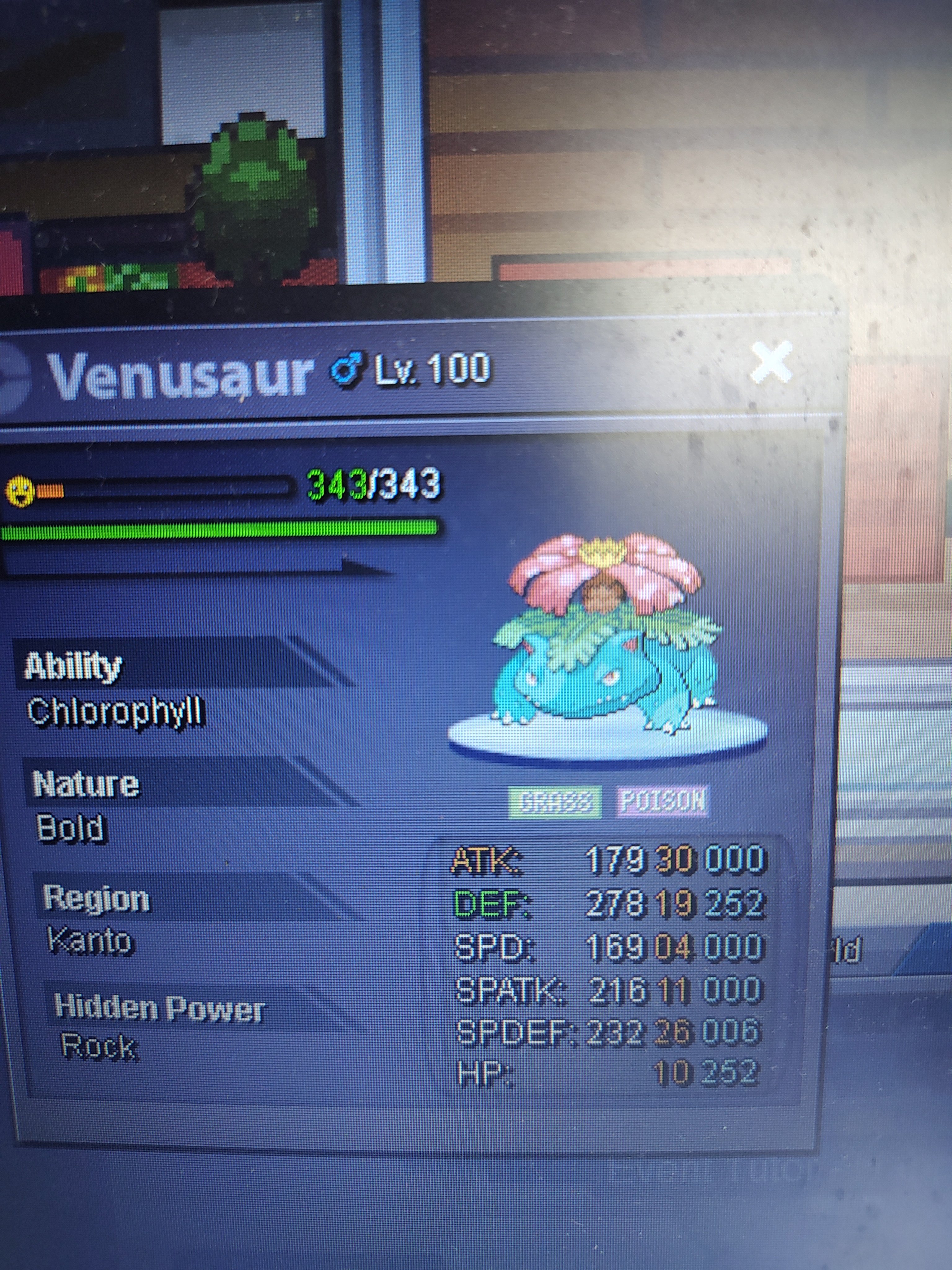
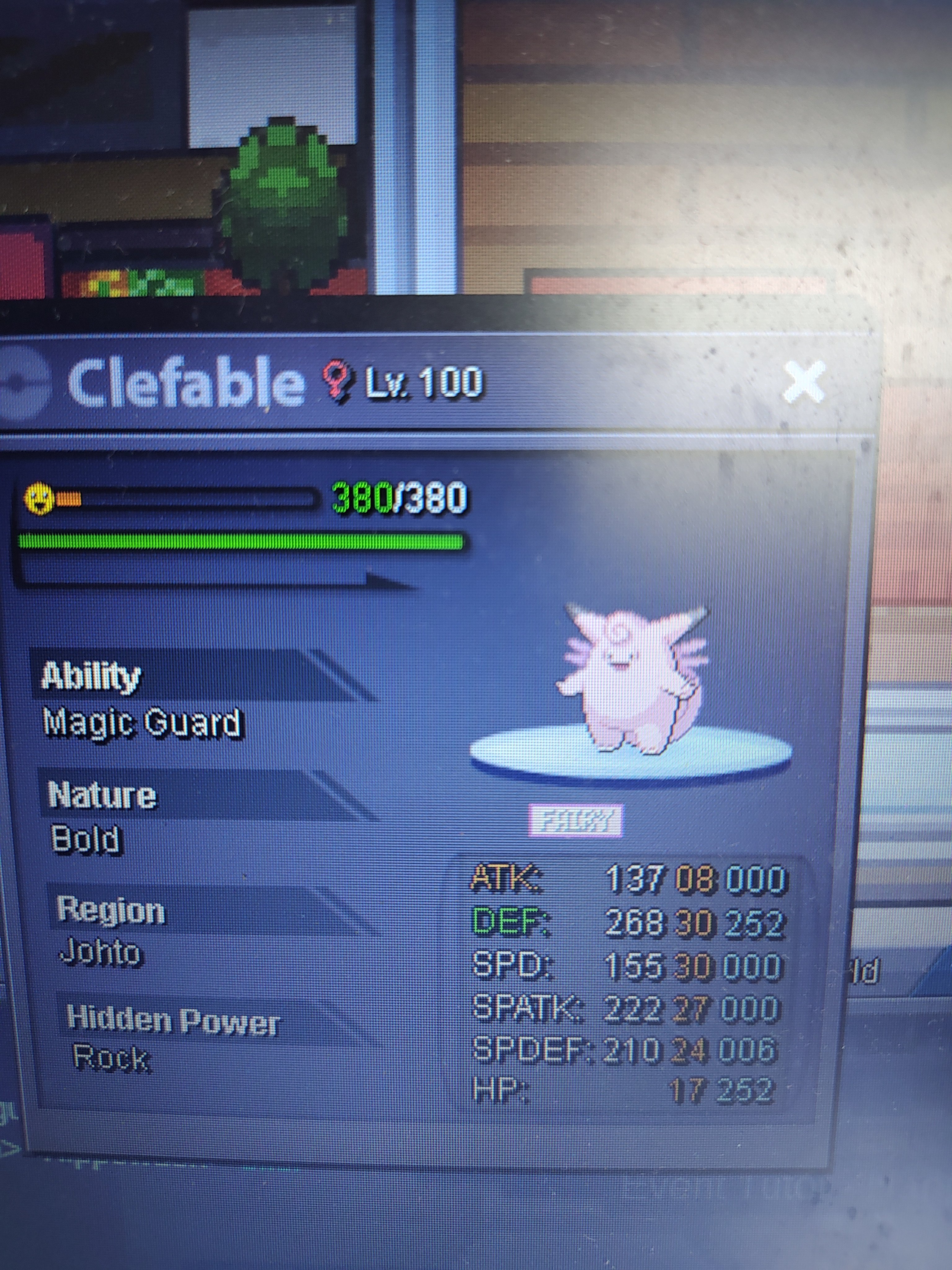
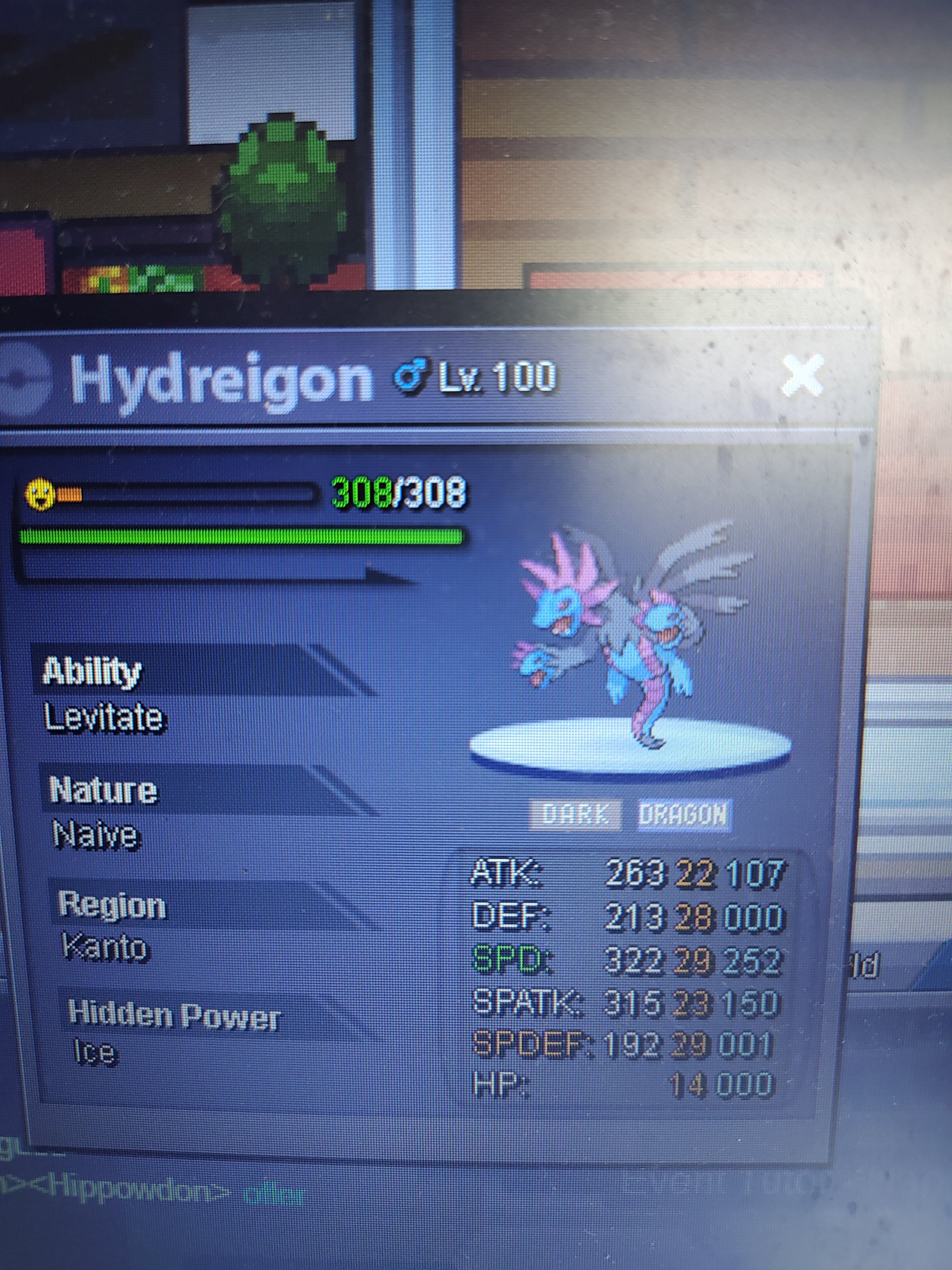
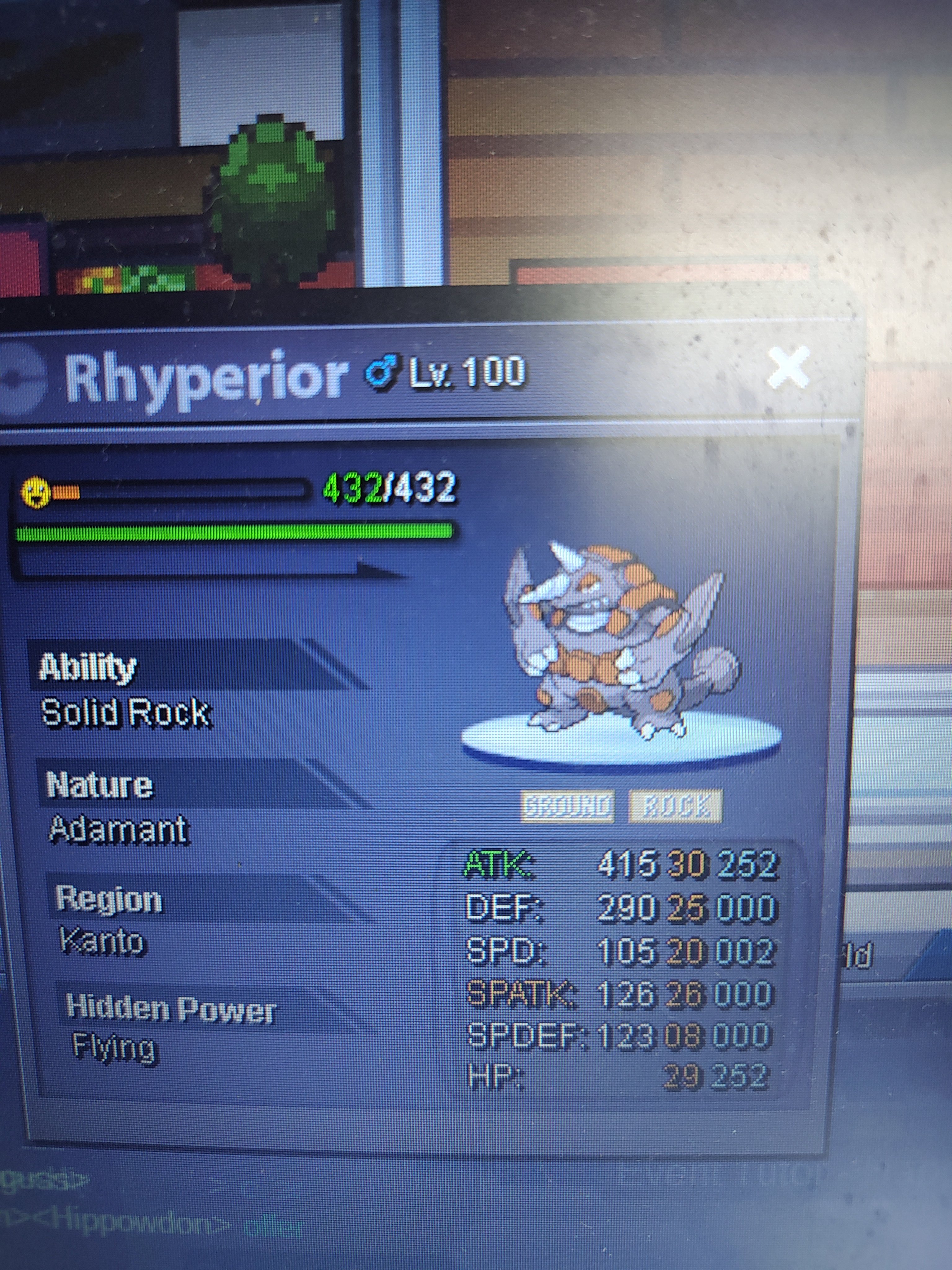
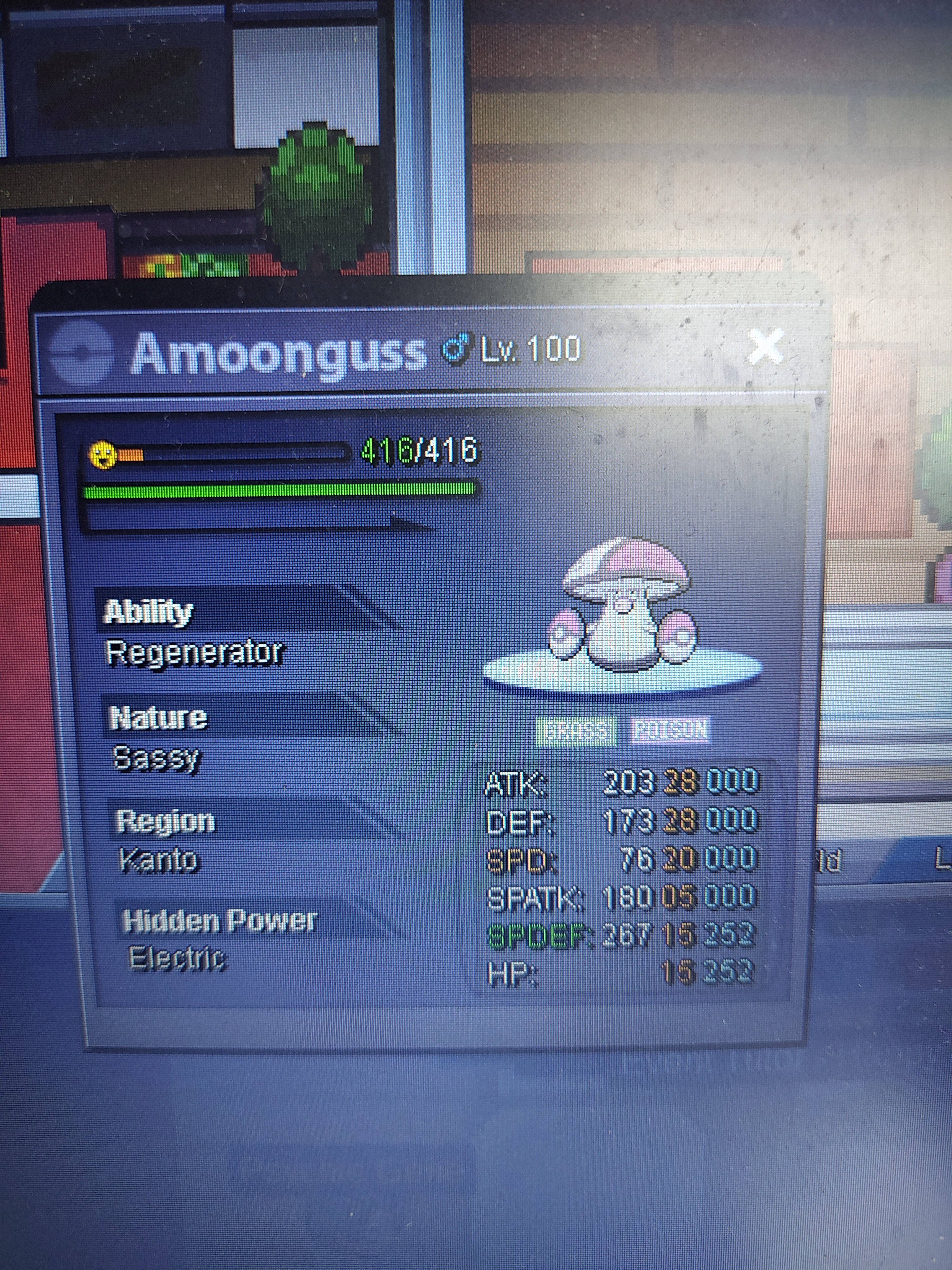
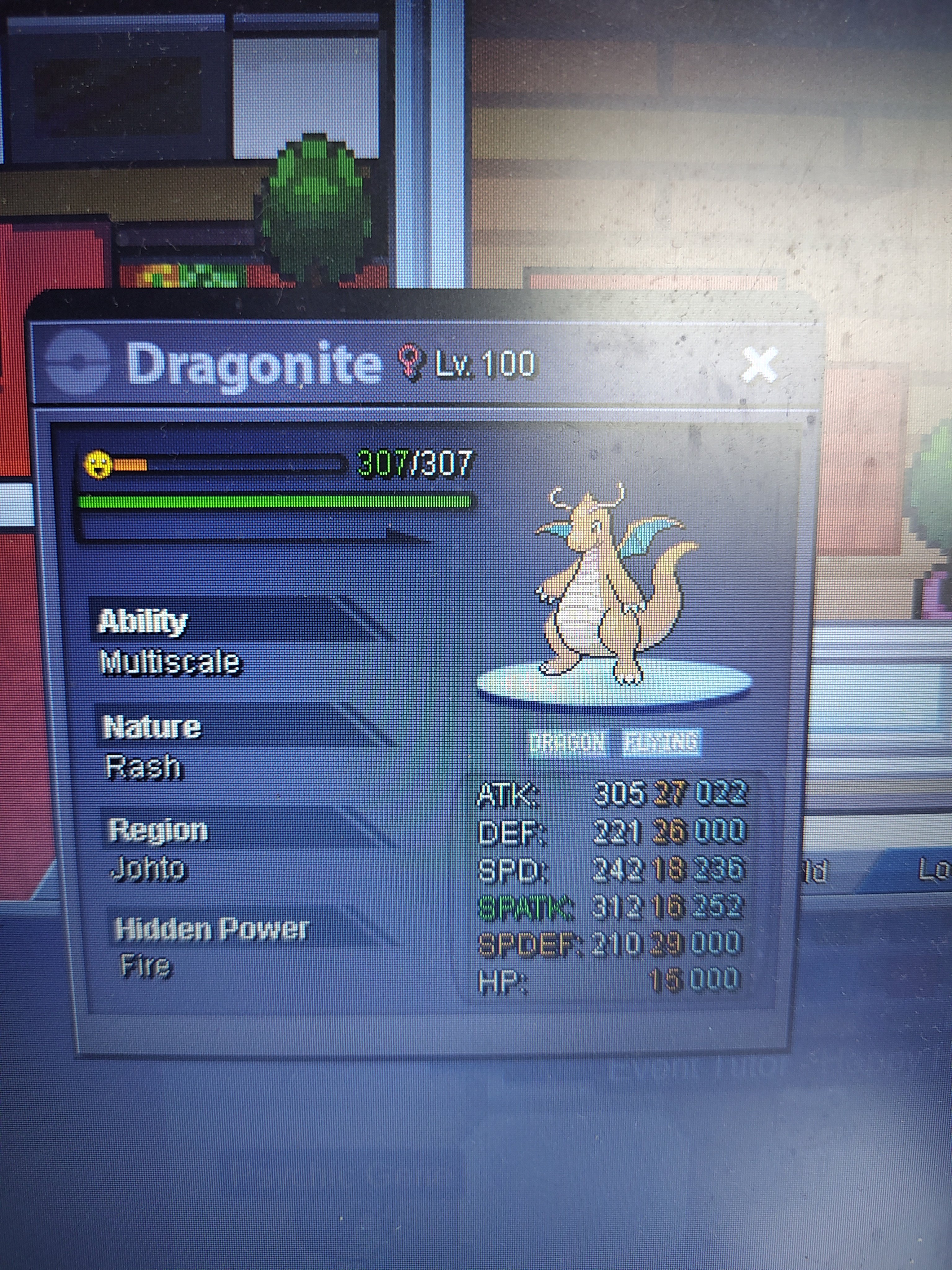
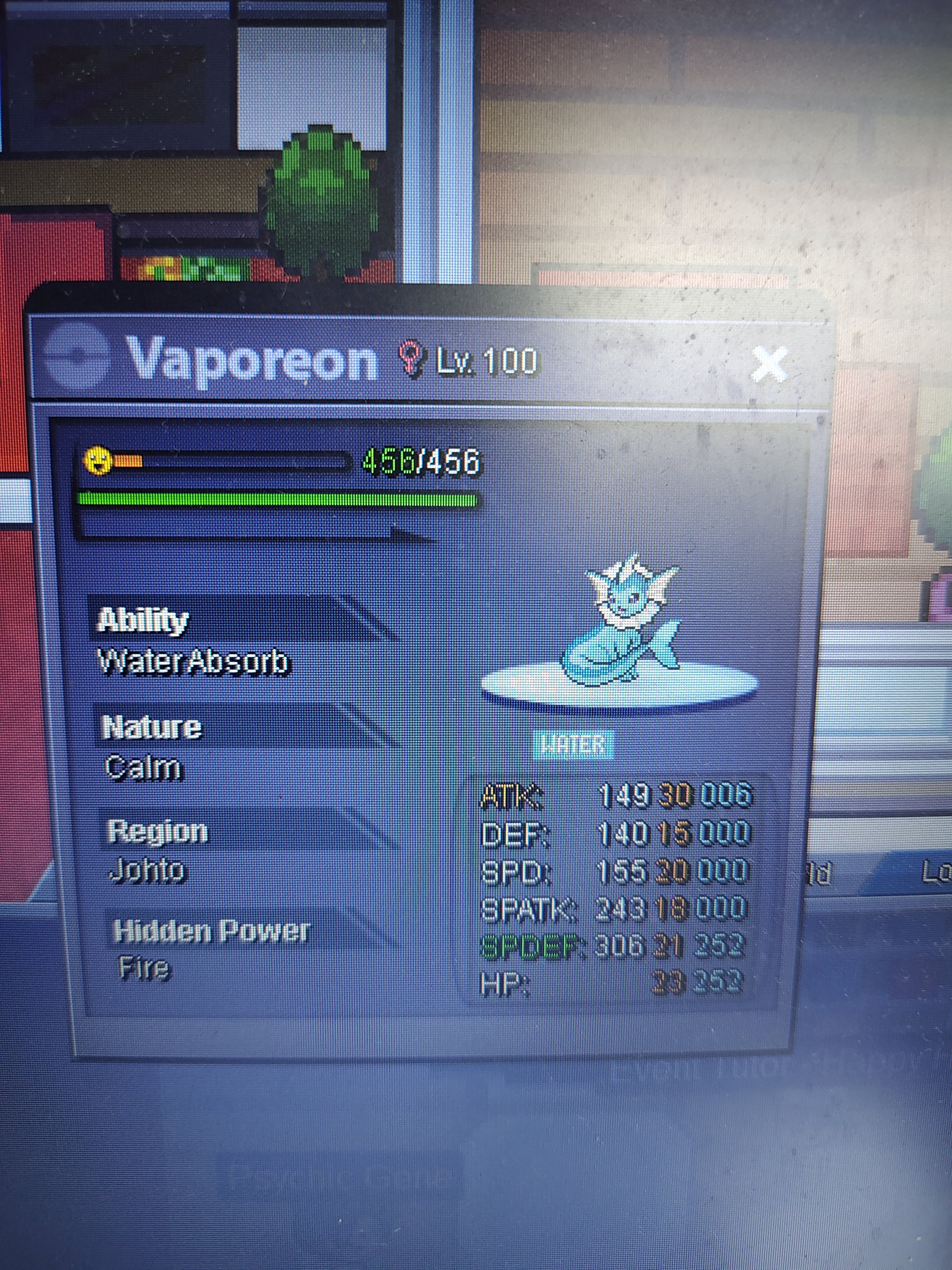
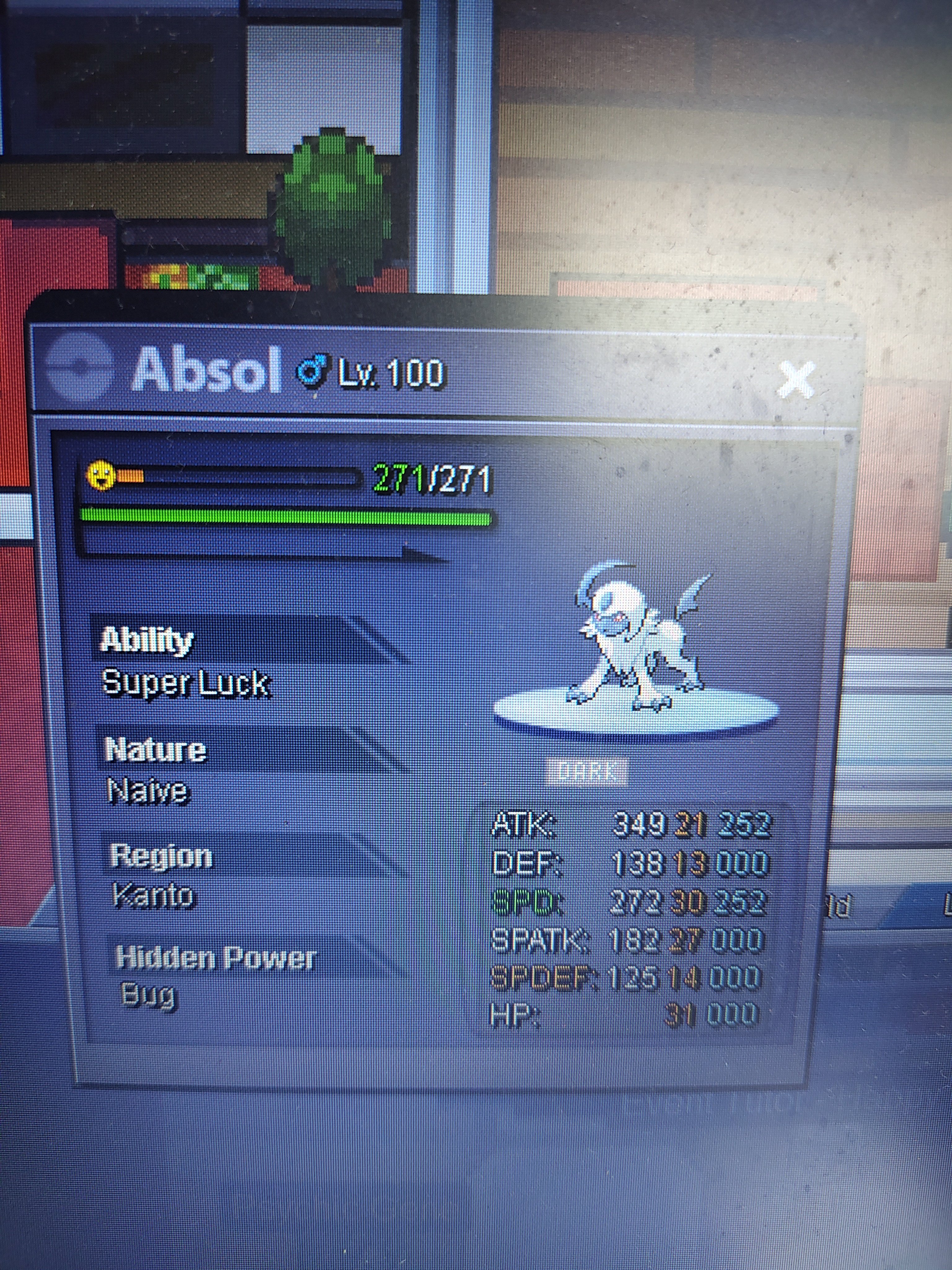

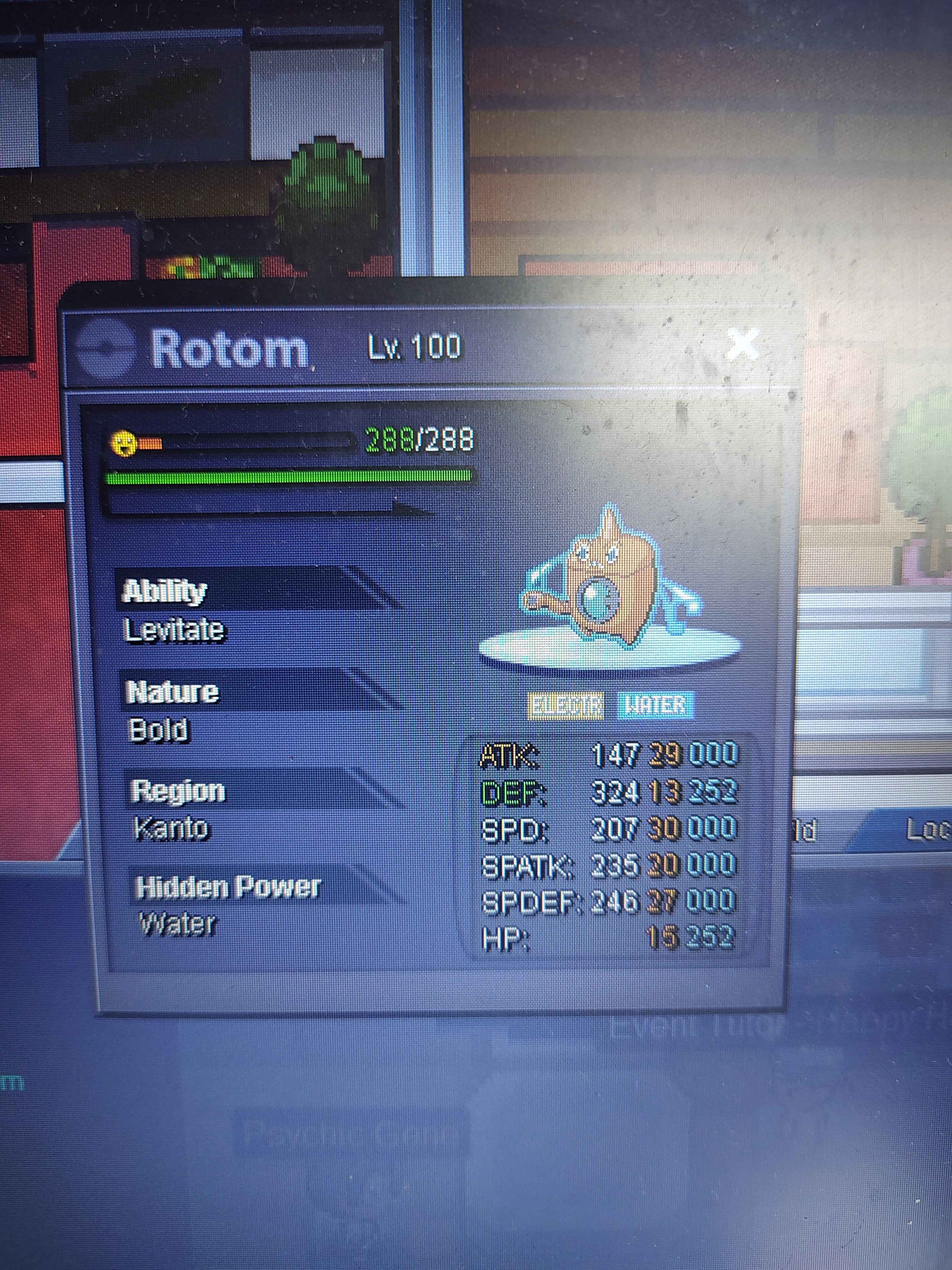
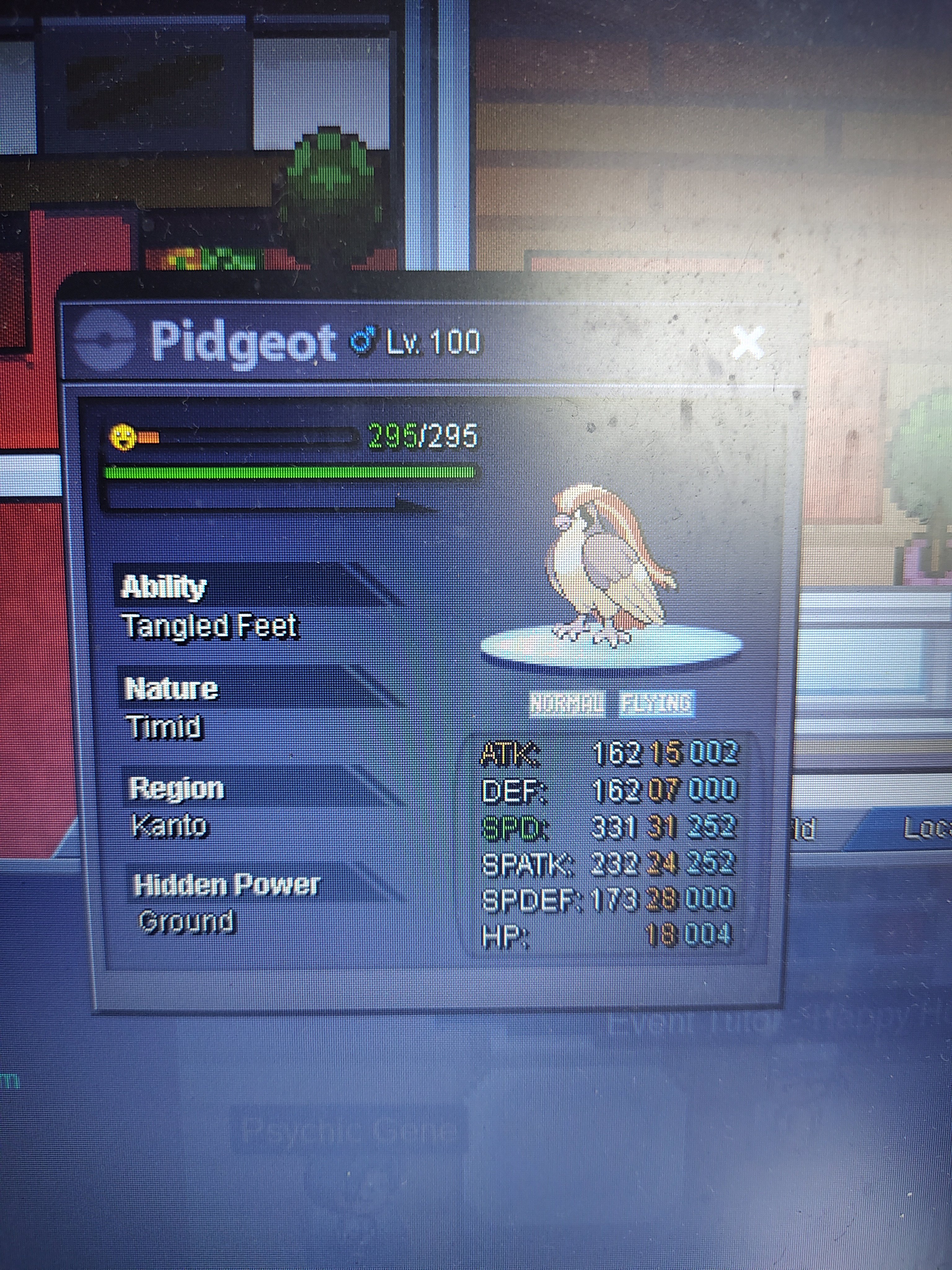

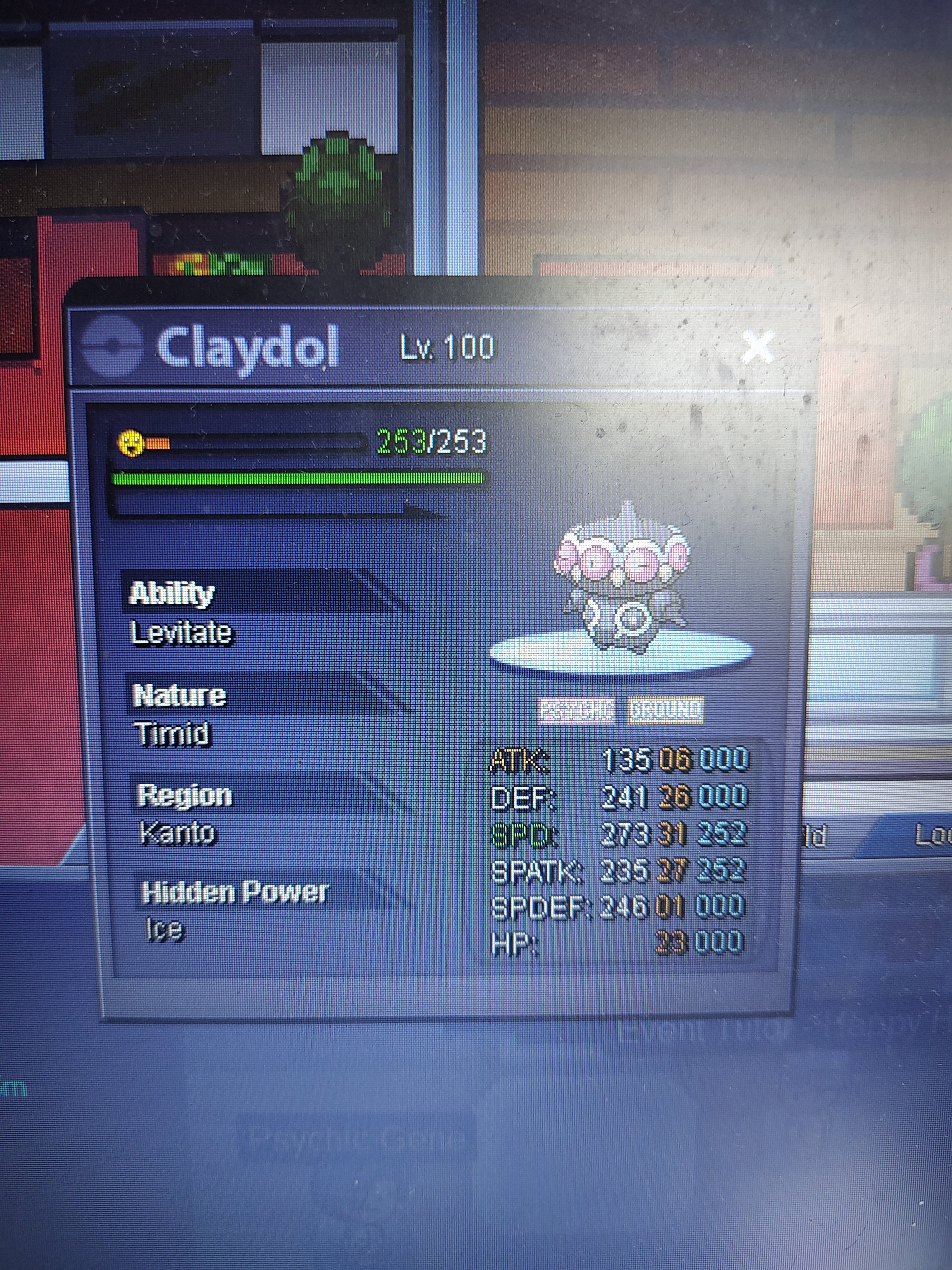
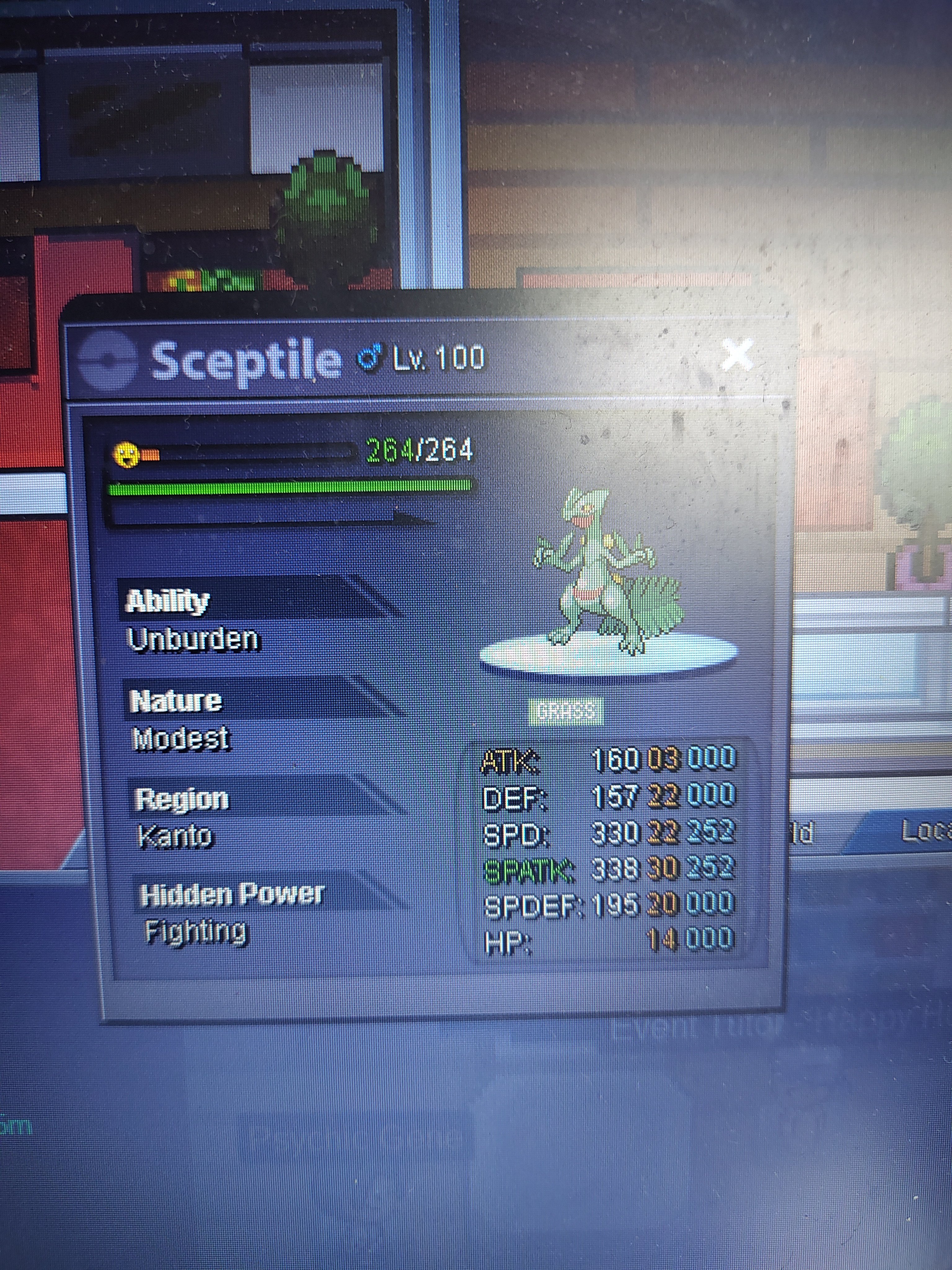


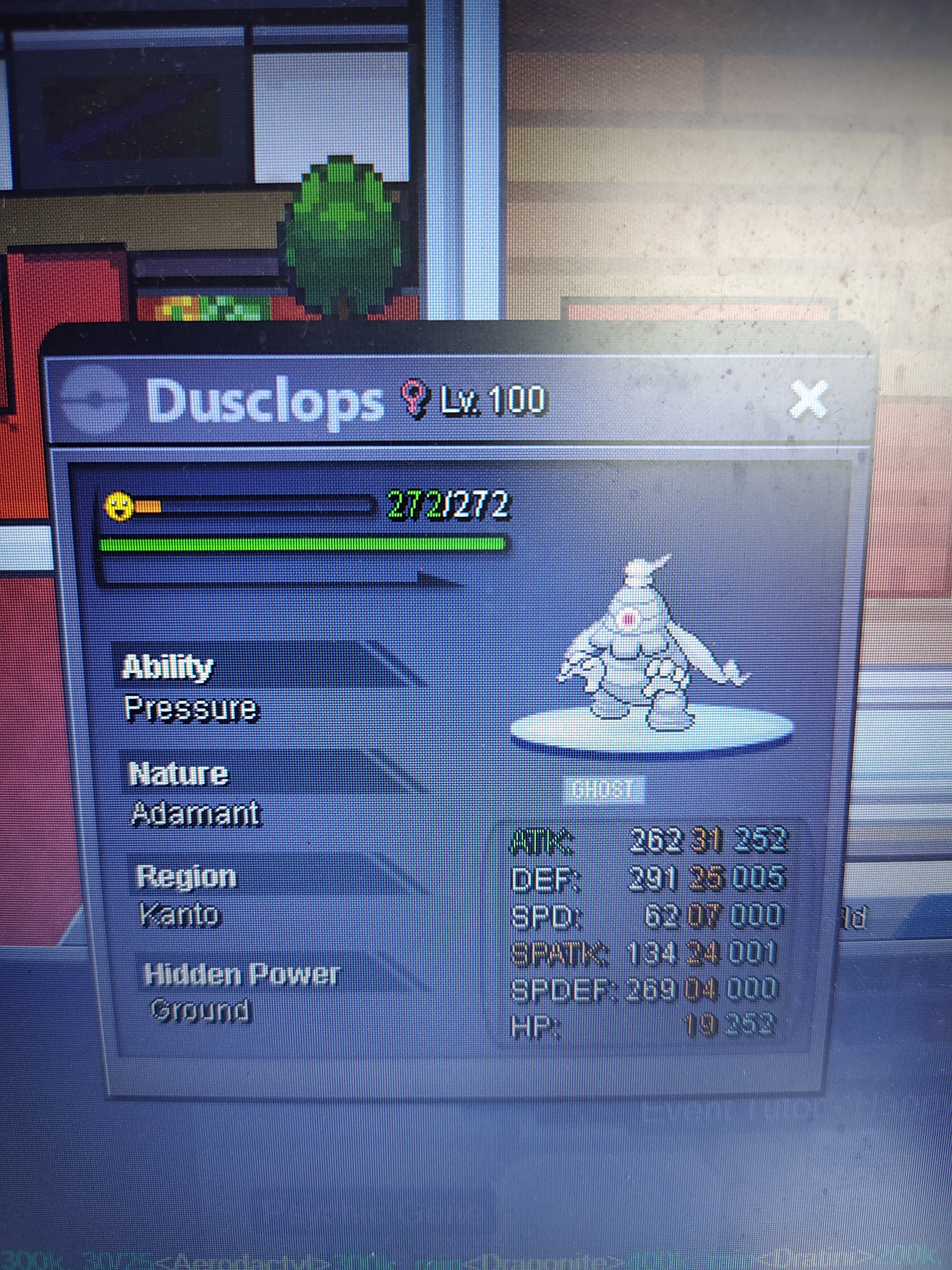

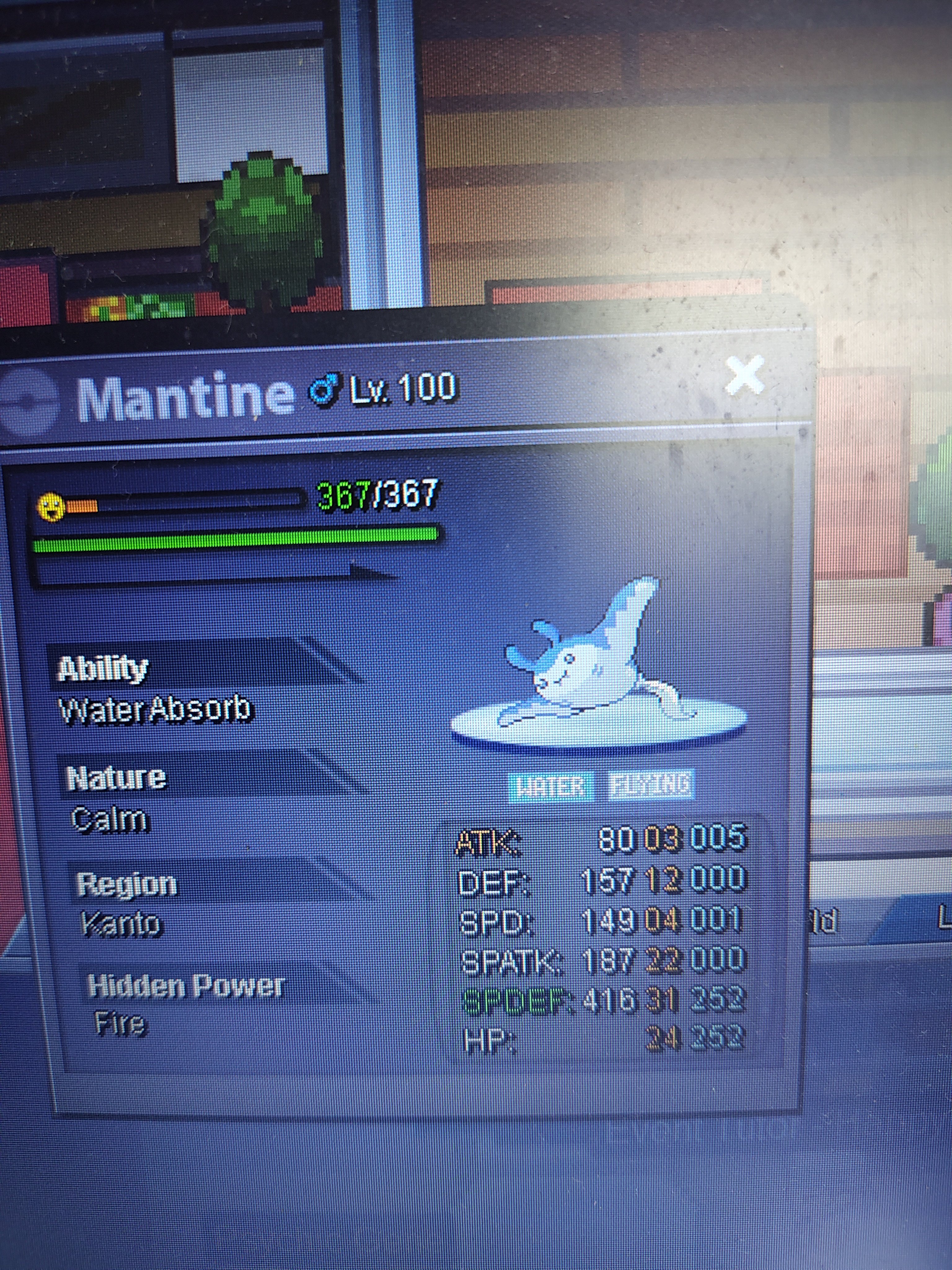
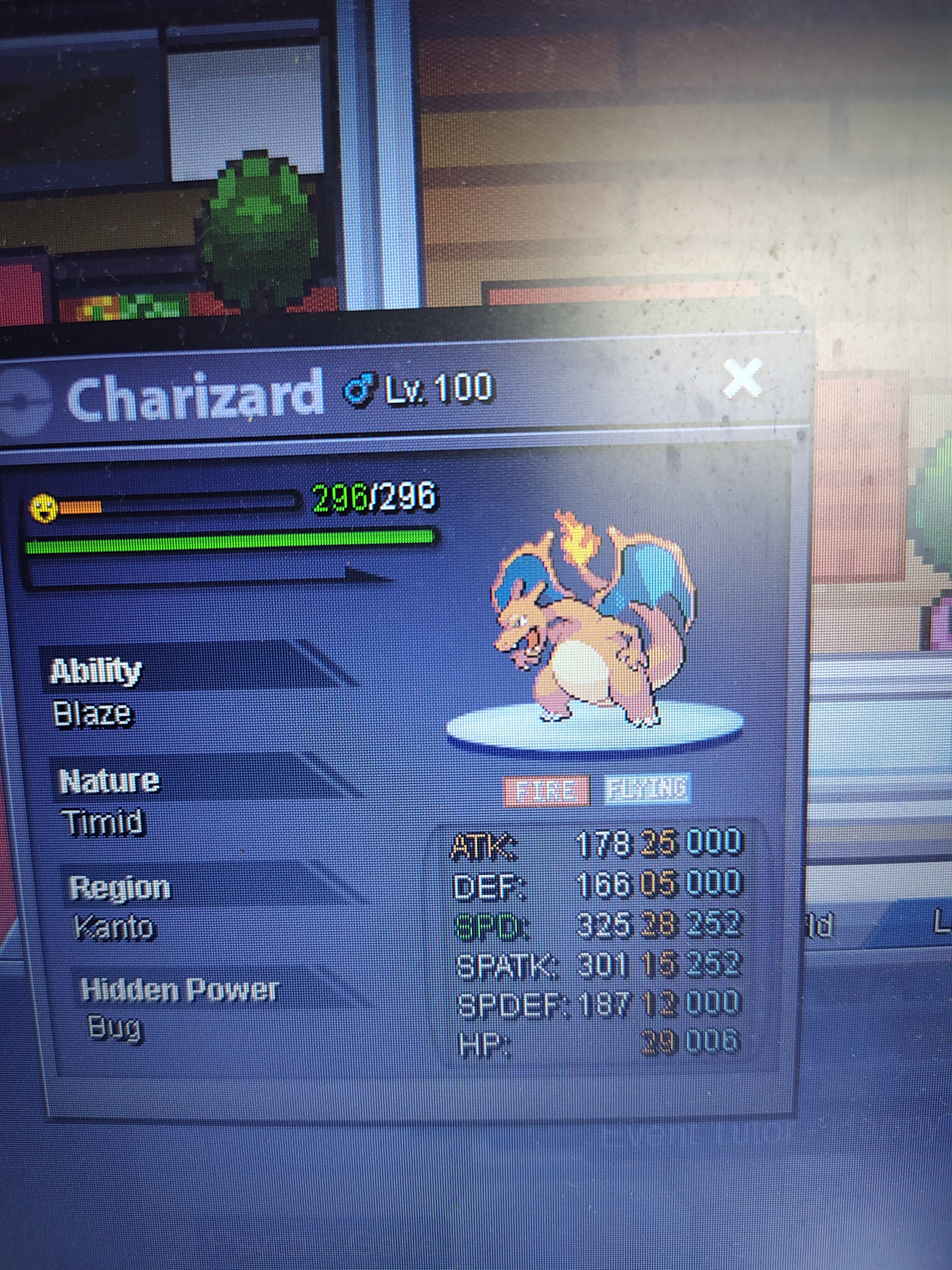
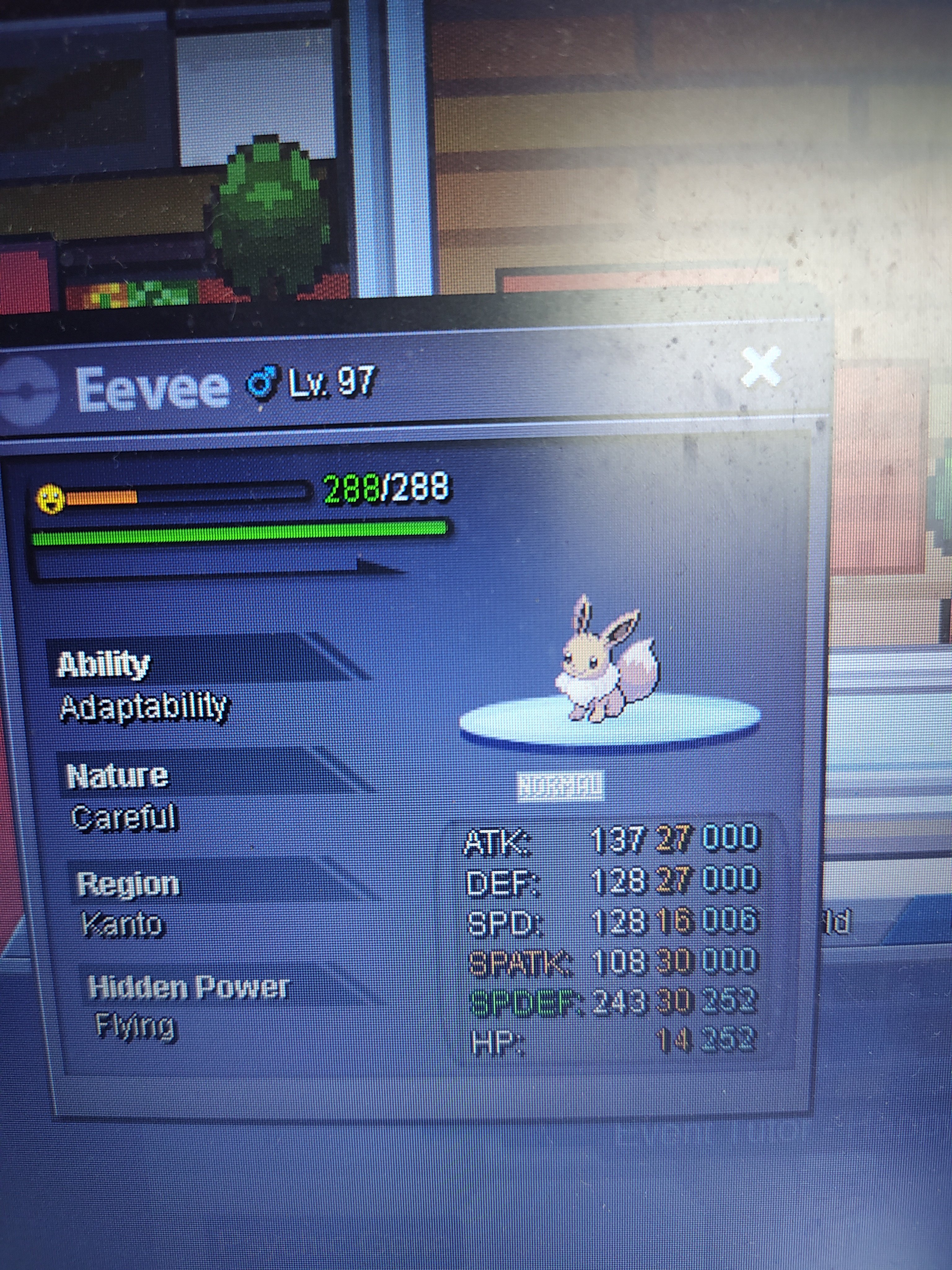
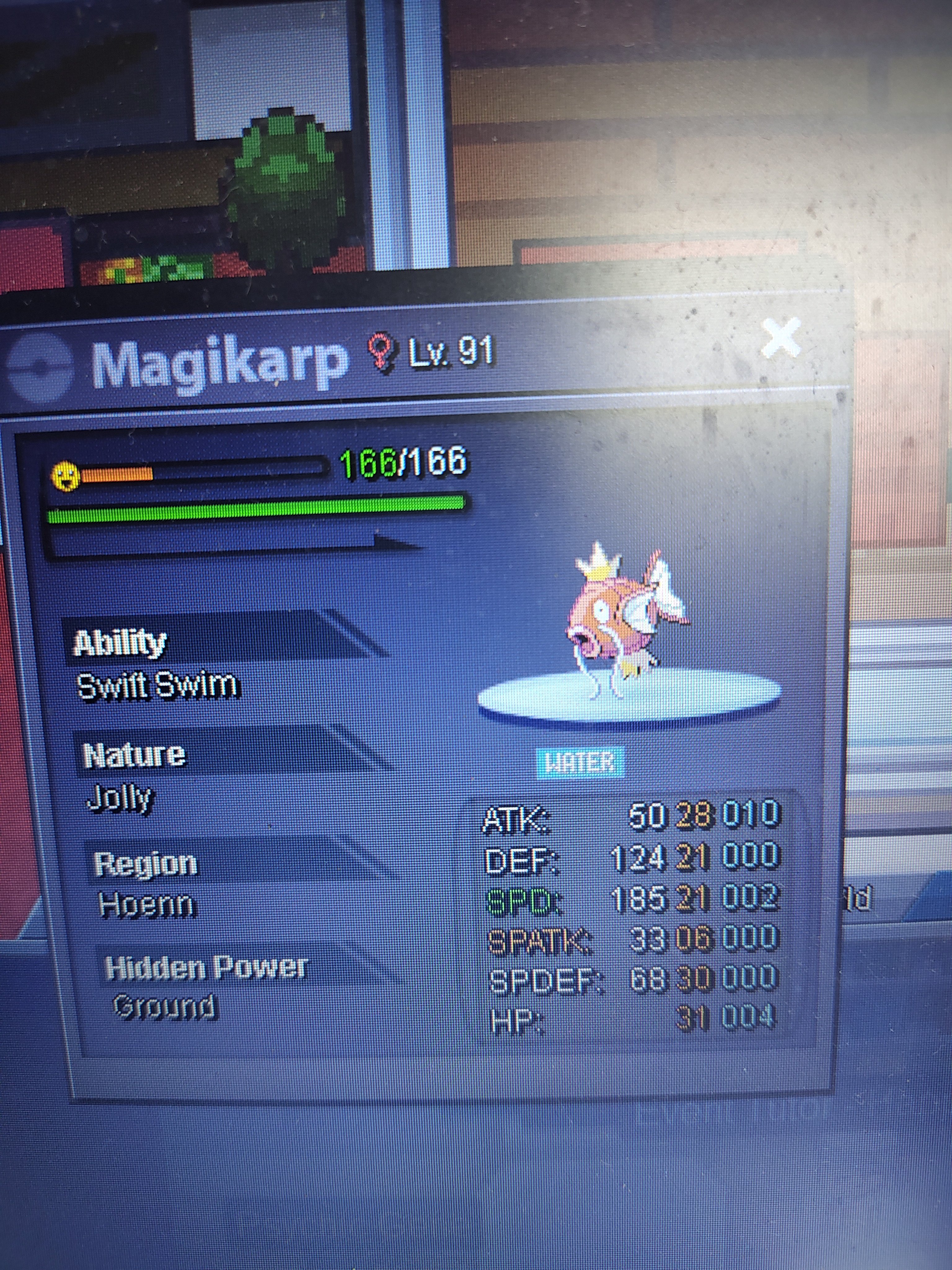

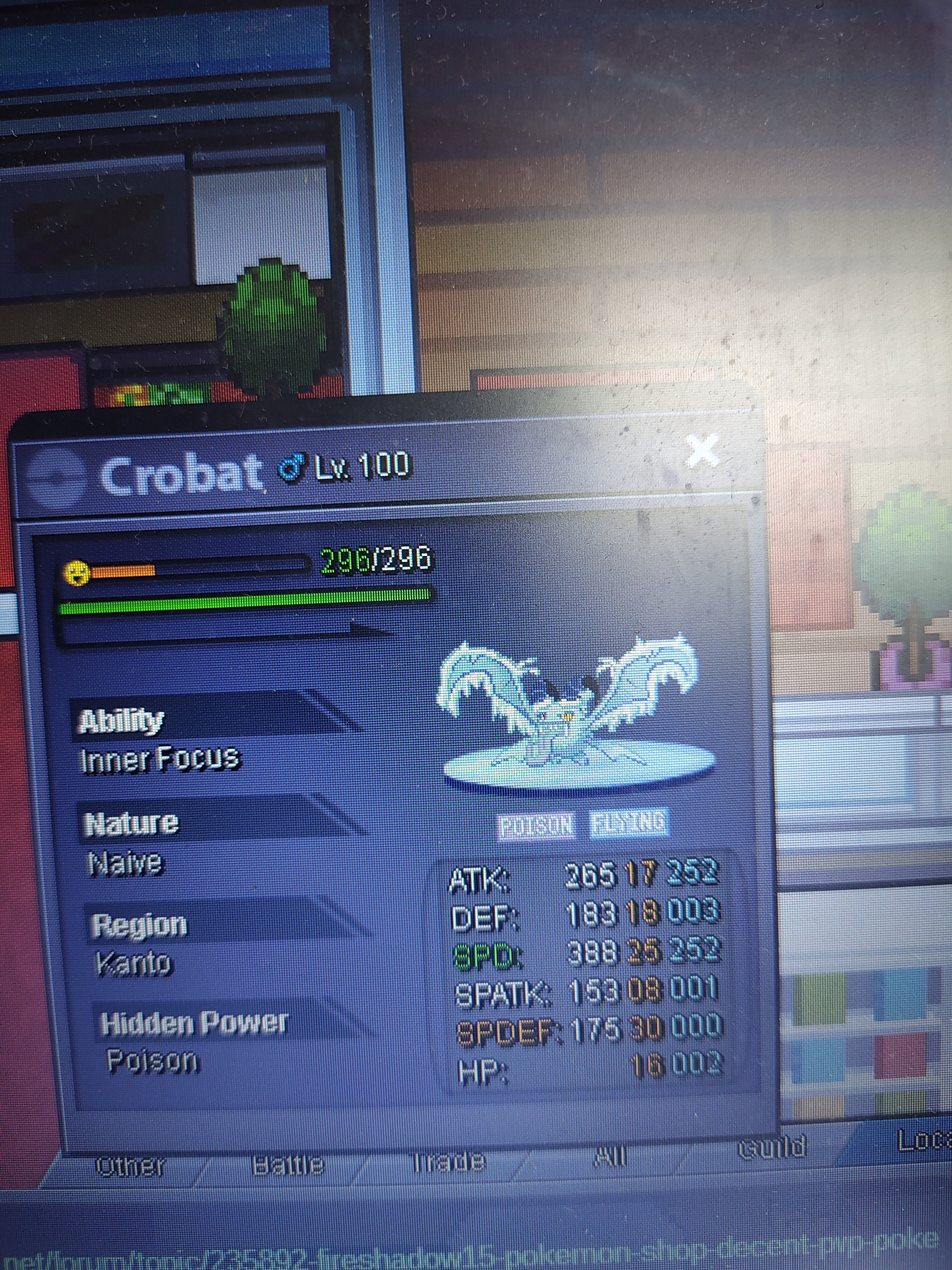

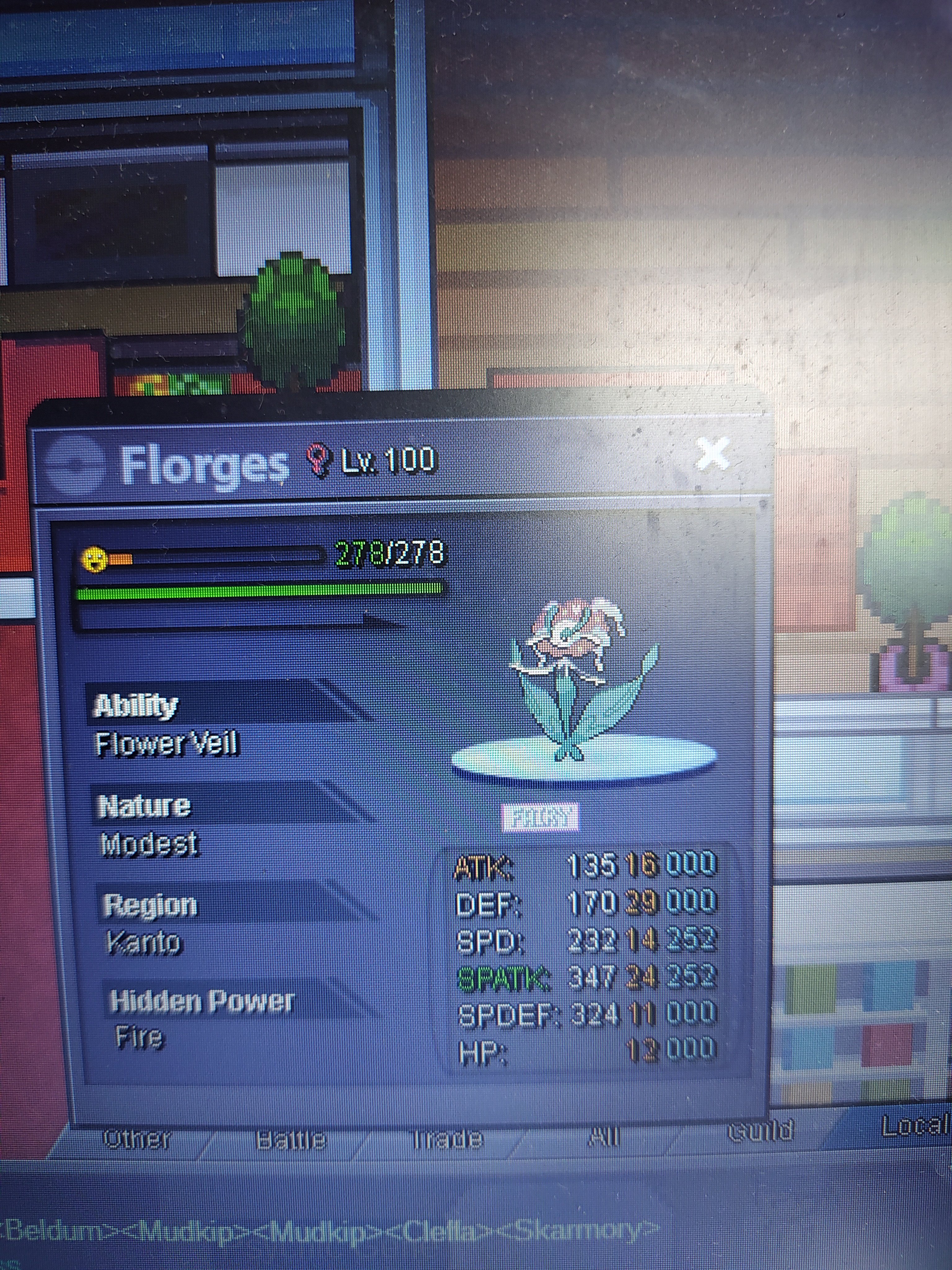
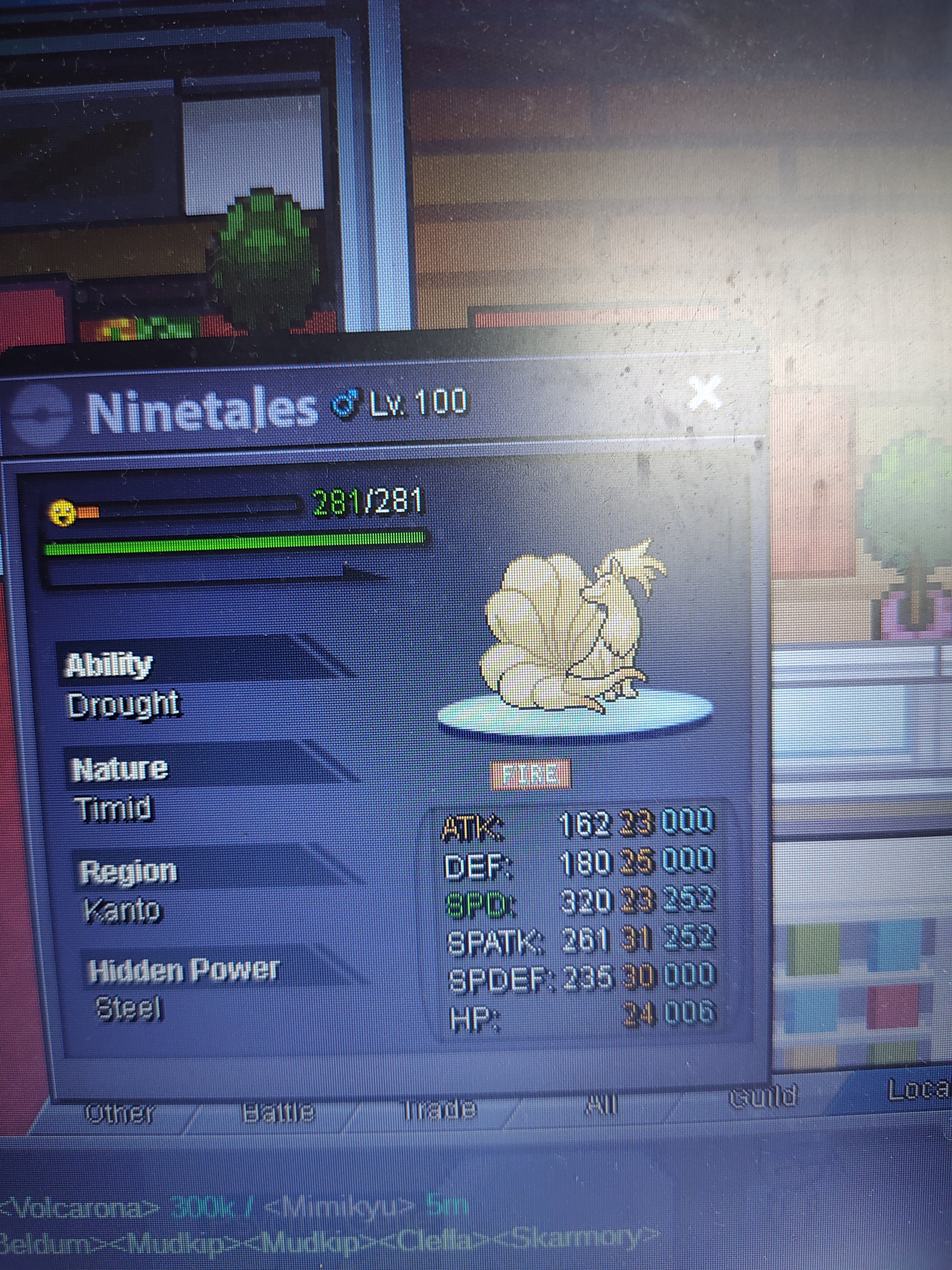
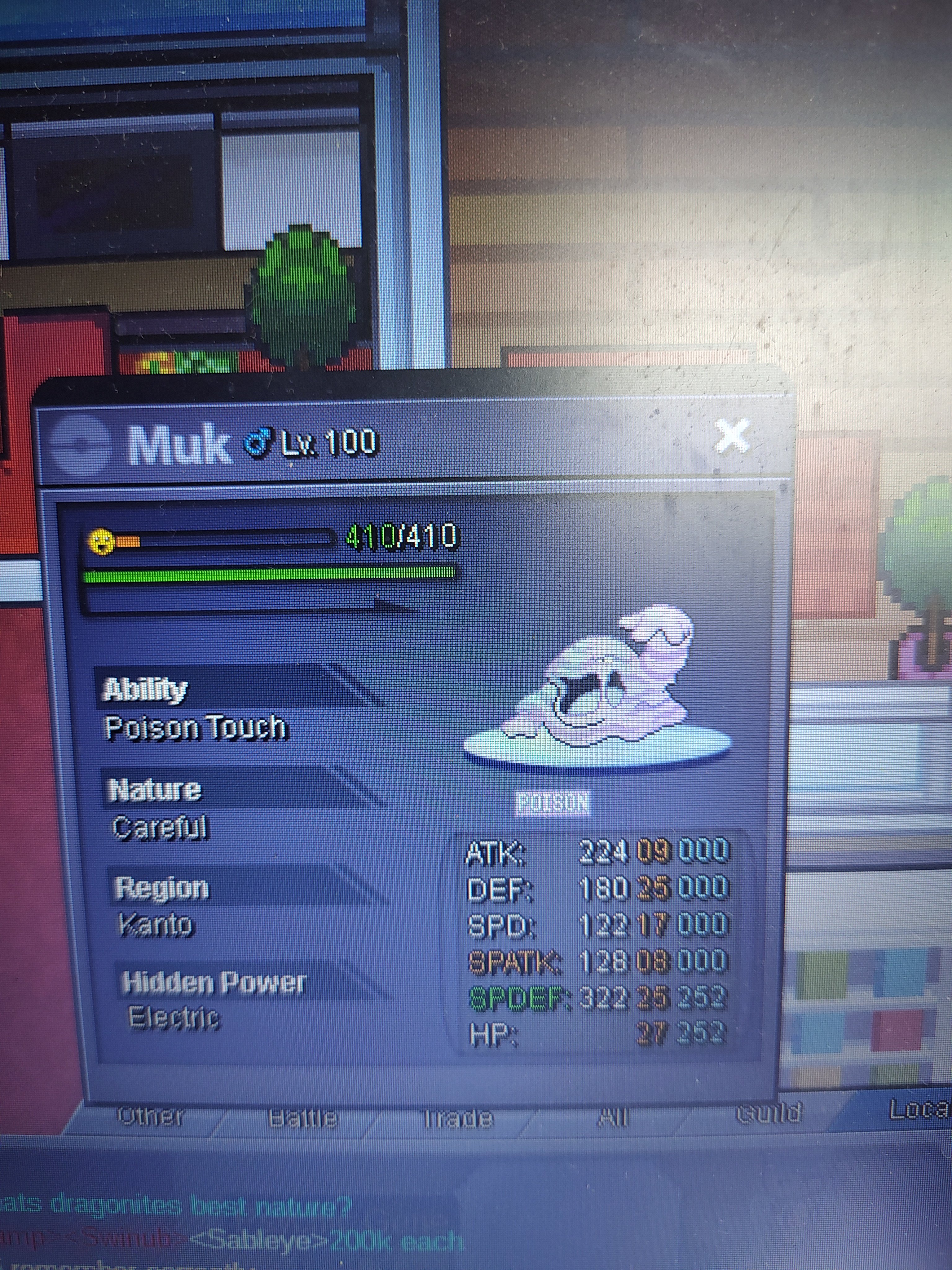 LEFT 6HRSTART 60k MiN BID 15k LEFT 7hr after first bid
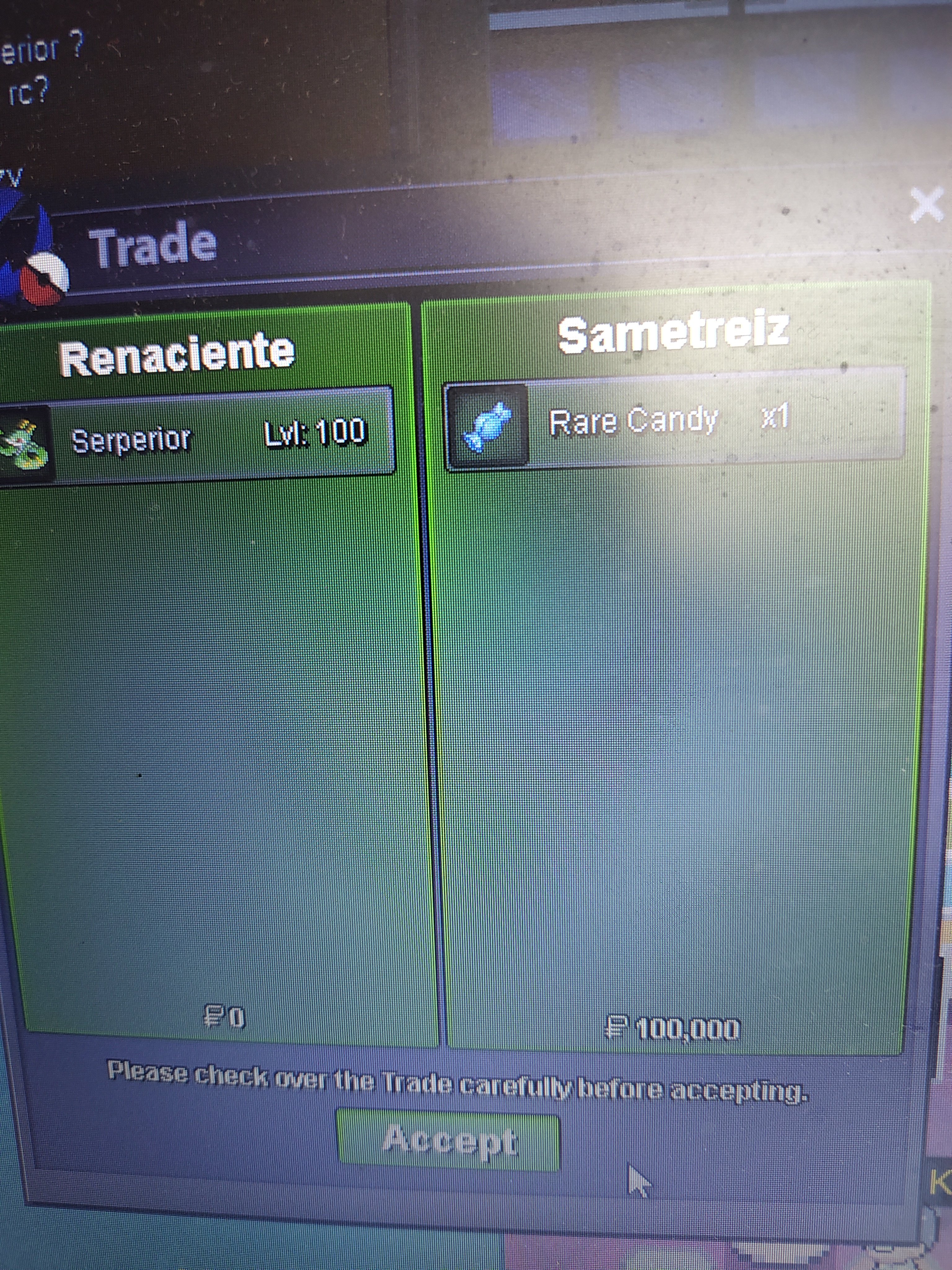
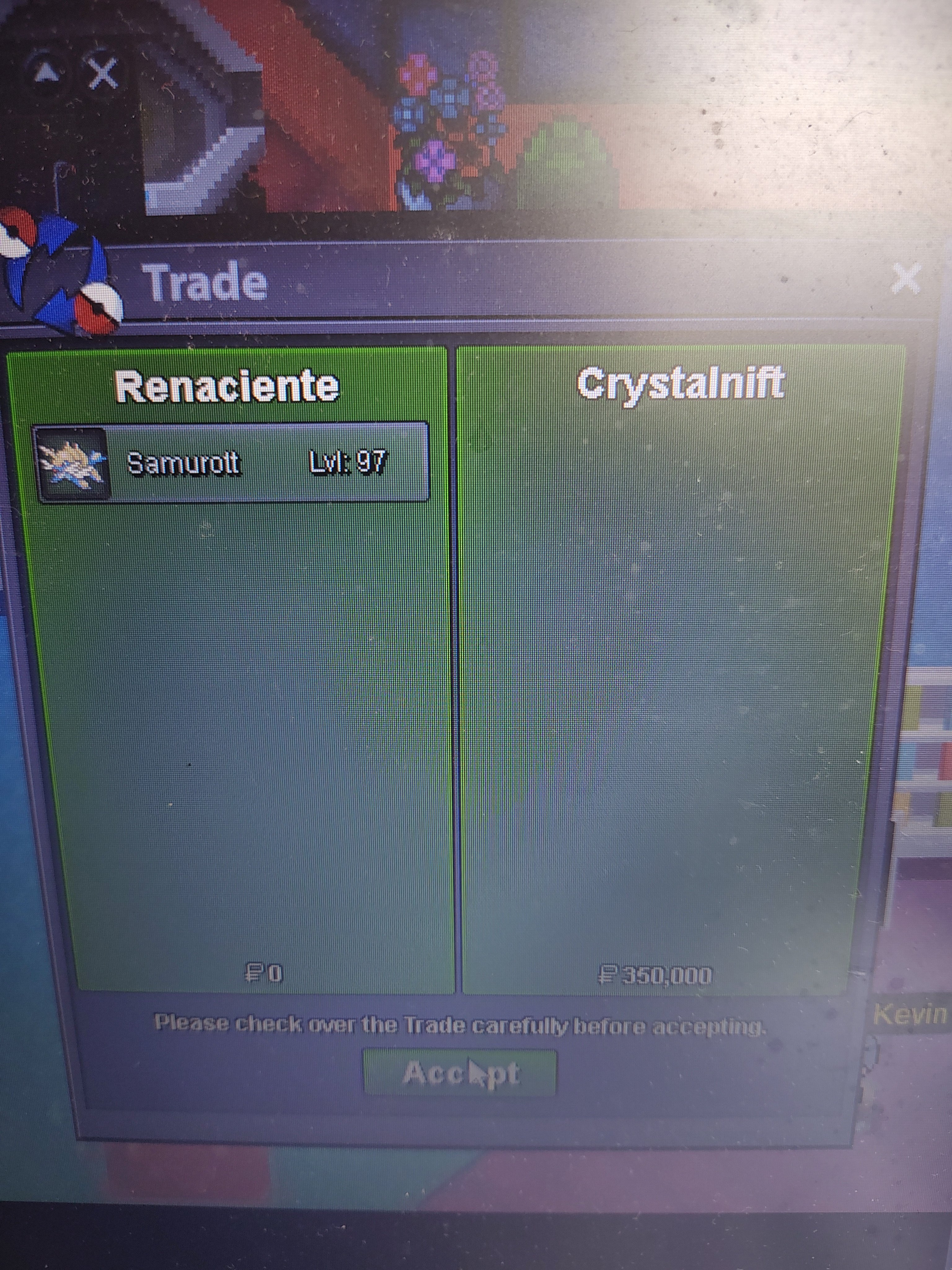
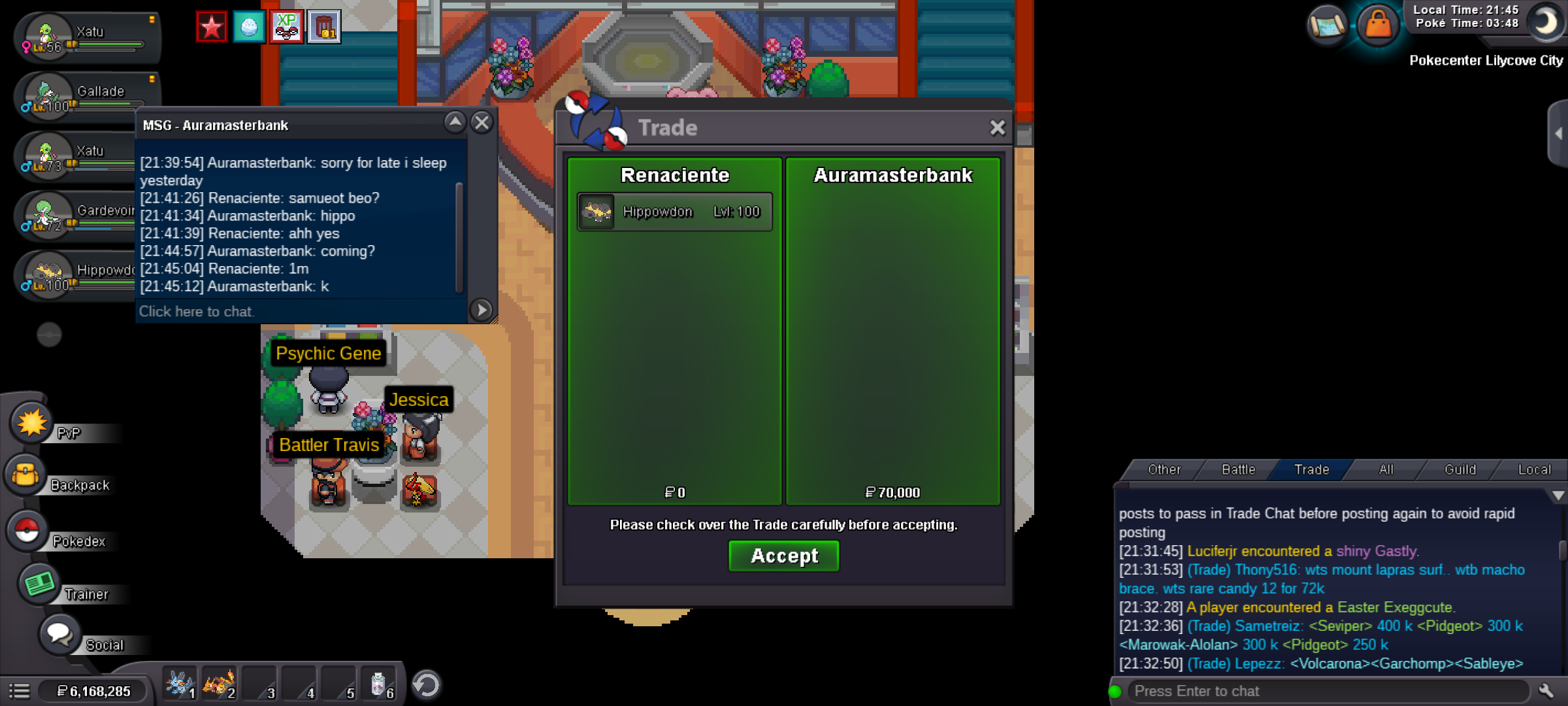
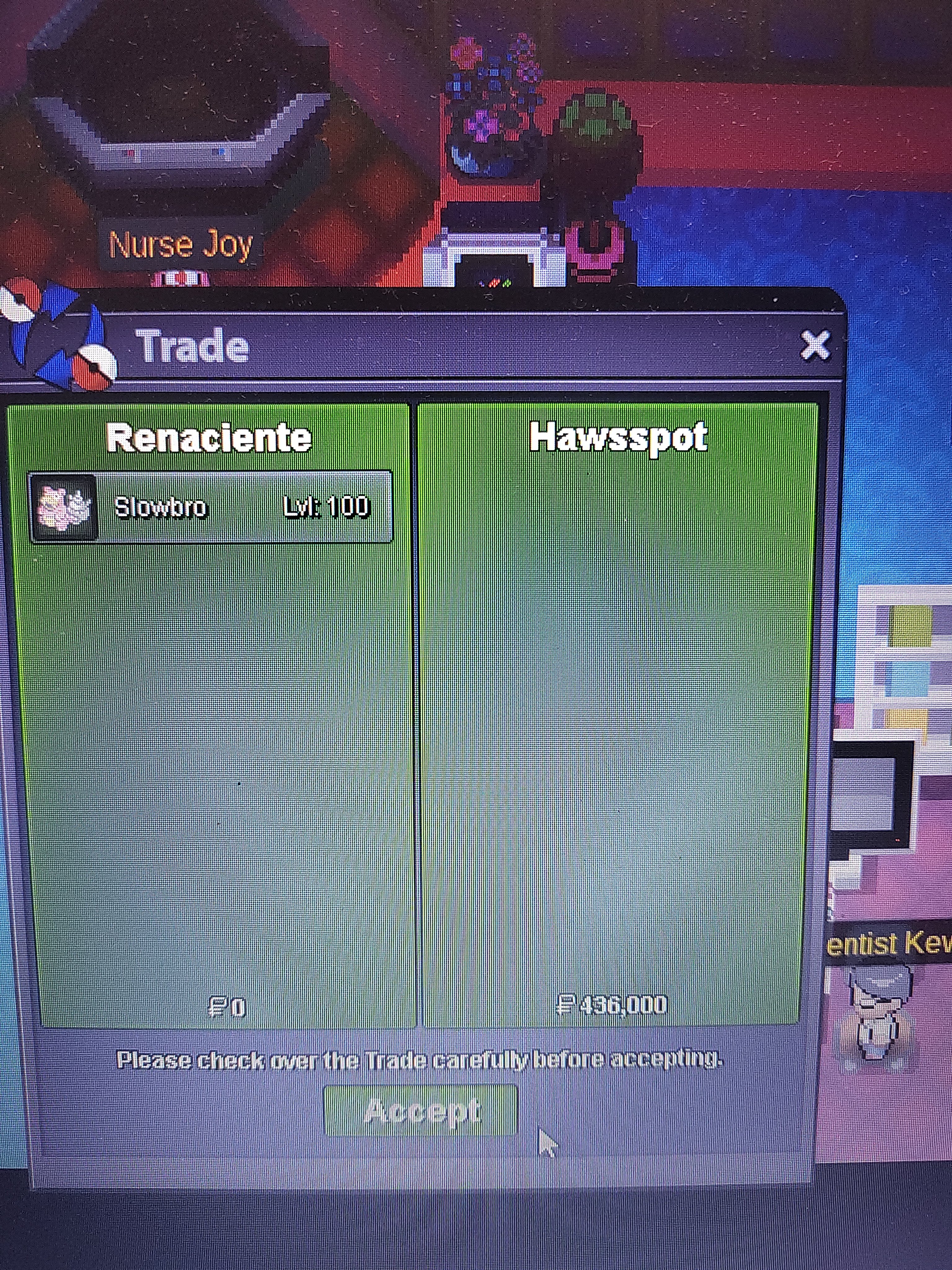
 @Innerfocus hi mod i need your help to force the trade slowbro because the winner don't Match with me, please, and i don't hace any time for diference hours for countries Ty!@Innerfocus hi mod, i need your help to force trades because we do not match the users, ty!You wonYou won samu contact to meLEFT 4 hrEach START 50k MiN bid 10 k LEFT 9hr after first bid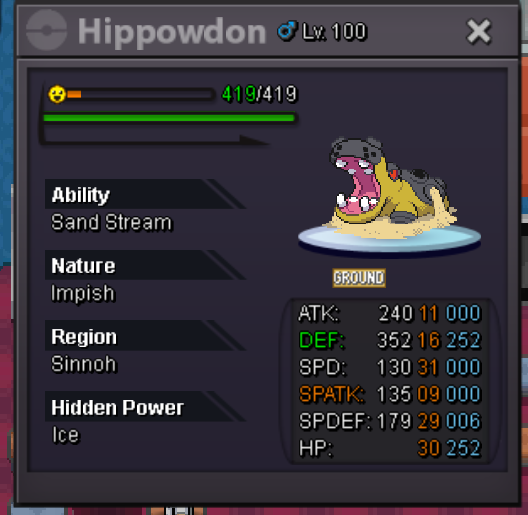
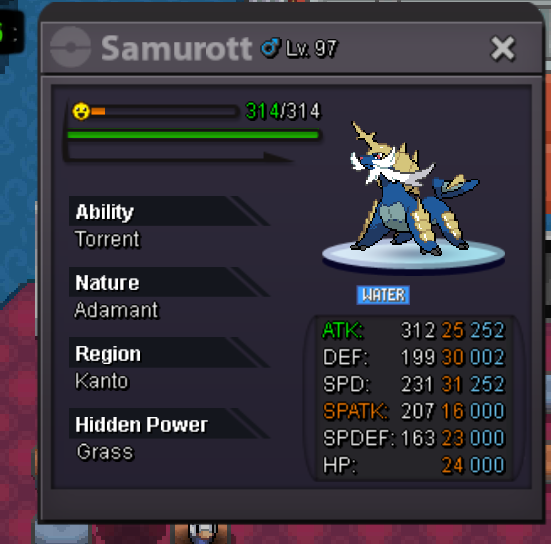 You won go to brezyYou won go to breezyLEFT 6 HRSTART all 1k MiN BID all 1k LEFT 3hr after first bid
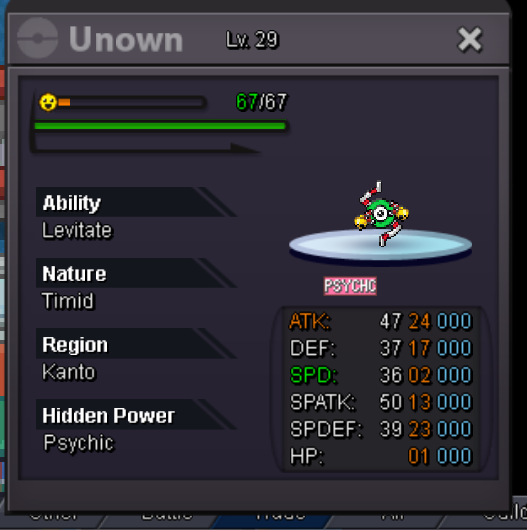



Account
Navigation
Search
Configure browser push notifications
Chrome (Android)
- Tap the lock icon next to the address bar.
- Tap Permissions → Notifications.
- Adjust your preference.
Chrome (Desktop)
- Click the padlock icon in the address bar.
- Select Site settings.
- Find Notifications and adjust your preference.
Safari (iOS 16.4+)
- Ensure the site is installed via Add to Home Screen.
- Open Settings App → Notifications.
- Find your app name and adjust your preference.
Safari (macOS)
- Go to Safari → Preferences.
- Click the Websites tab.
- Select Notifications in the sidebar.
- Find this website and adjust your preference.
Edge (Android)
- Tap the lock icon next to the address bar.
- Tap Permissions.
- Find Notifications and adjust your preference.
Edge (Desktop)
- Click the padlock icon in the address bar.
- Click Permissions for this site.
- Find Notifications and adjust your preference.
Firefox (Android)
- Go to Settings → Site permissions.
- Tap Notifications.
- Find this site in the list and adjust your preference.
Firefox (Desktop)
- Open Firefox Settings.
- Search for Notifications.
- Find this site in the list and adjust your preference.