New Trade Zone
Trade Zone is now live
Use the new Trade Zone for auctions and instant-price trades so Pokemon and item offers are easy to find.

Plasma555
Registered User
-
Joined
-
Last visited
-
Hi appreciate your help and fast reply I am online now for like 20-30 minutes at most I'm in silver server btw sry forget to mention that earlier msg me ingame username as mentioned: plasma555 in silver server
-
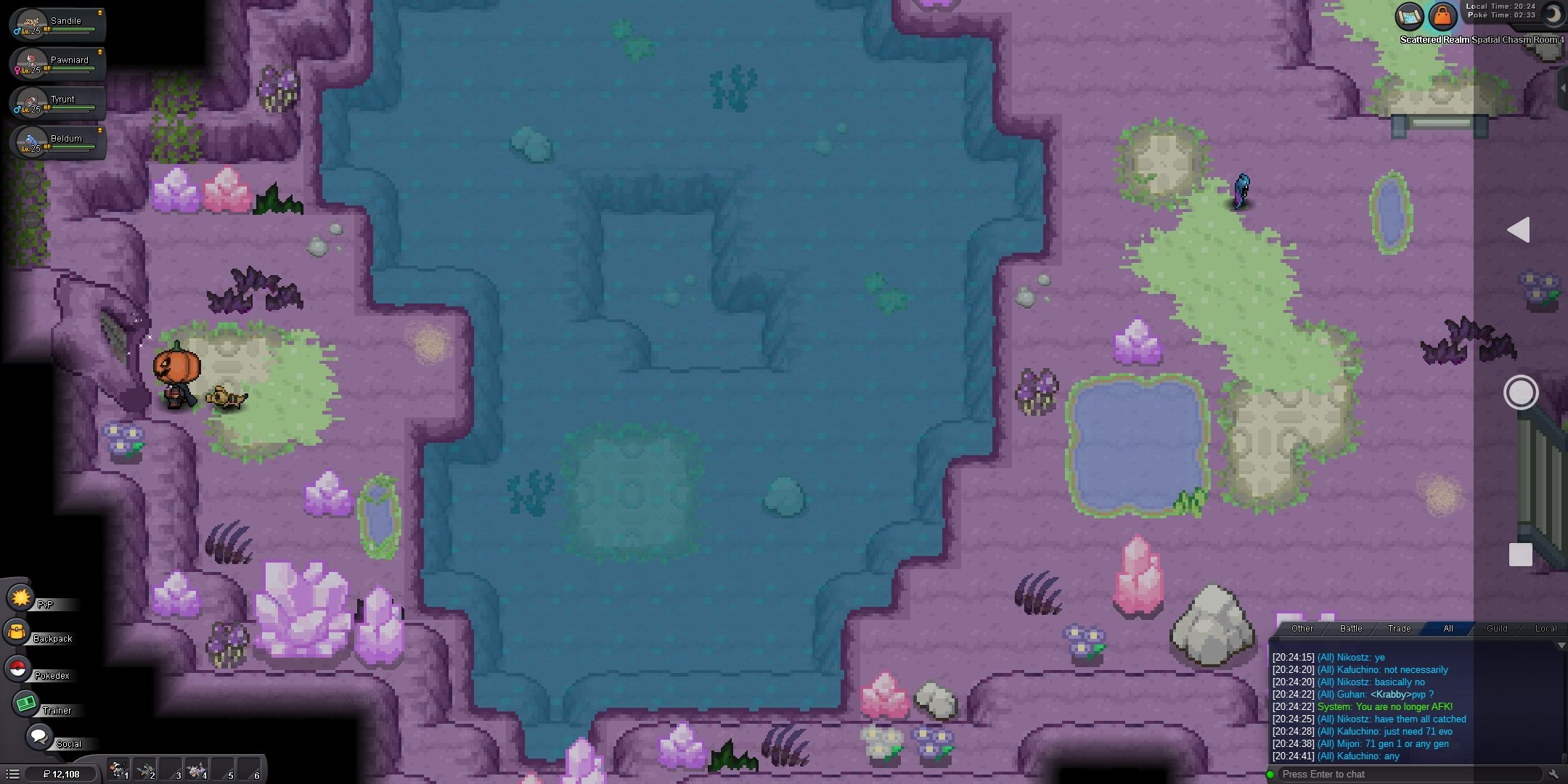
Hi here is what happened, Hi so I am stuck at one single place of a map name : scattered realm spatial chasm room 4 and I cant leave this place it blocked entrance after I entered and there is only water infront of me I don't have a surf mount nor a Pokemon which learns surf , I cant battle here with anyone and there are no wild Pokemon spawn nor any trainer I can fight I don't have a escape rope I did everything but cant leave this place I logged in and out here at this place from 2-3 days I log in and see it same like this at one place cant move same from 2-3 days not sure how much time I kept my account logged in after being here I don't know if there is any amount of time after which I will get teleported back but I thought to report it as it seems It needs to be fixed so I am making this post so , can I get help please Account name : plasma555 Here is screenshot of it