New Trade Zone
Trade Zone is now live
Use the new Trade Zone for auctions and instant-price trades so Pokemon and item offers are easy to find.

Hizzm
Registered User
-
Joined
-
Last visited
Everything posted by Hizzm
-
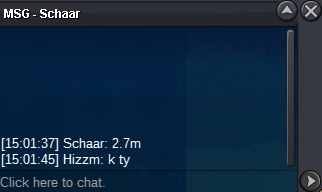
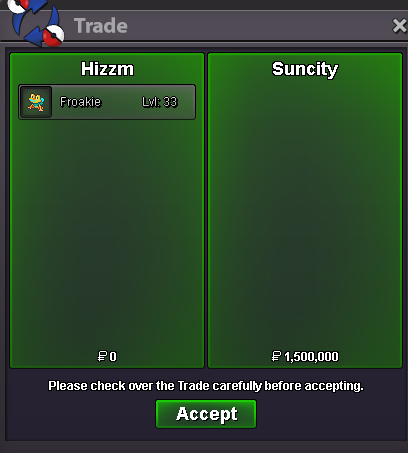
Auction enddonnnnnnnng, gz MicklanS.o : 1m End Point: 24 hour (after first bid is met) Minimum Raise: 100k 15 mins rule applied
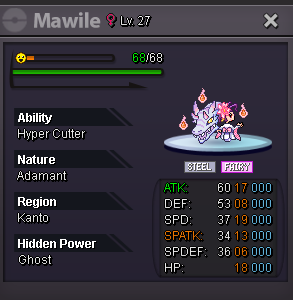 can be closedi added u ,y friendgz suncityS.o : 500k End Point: 24 hour (after first bid is met) Minimum Raise: 100k 15 mins rule applied
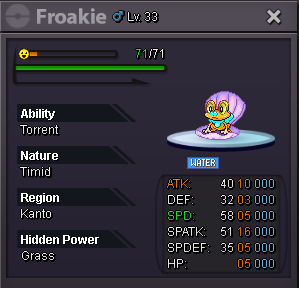 Moin, ich bin auf der suche nach einer Gilde. Habe 220h Spielzeit, story durch, PVP rdy und Boss rdy. Wäre cool wenn ich bei euch mitmachen könnte 🙂Hello 🙂 i'm looking for a guild with nice people who help each other out I have 216 h, PVP Team rdy, Boss Team rdy. pls invite or pm if u interessted
Account
Navigation
Search
Configure browser push notifications
Chrome (Android)
- Tap the lock icon next to the address bar.
- Tap Permissions → Notifications.
- Adjust your preference.
Chrome (Desktop)
- Click the padlock icon in the address bar.
- Select Site settings.
- Find Notifications and adjust your preference.
Safari (iOS 16.4+)
- Ensure the site is installed via Add to Home Screen.
- Open Settings App → Notifications.
- Find your app name and adjust your preference.
Safari (macOS)
- Go to Safari → Preferences.
- Click the Websites tab.
- Select Notifications in the sidebar.
- Find this website and adjust your preference.
Edge (Android)
- Tap the lock icon next to the address bar.
- Tap Permissions.
- Find Notifications and adjust your preference.
Edge (Desktop)
- Click the padlock icon in the address bar.
- Click Permissions for this site.
- Find Notifications and adjust your preference.
Firefox (Android)
- Go to Settings → Site permissions.
- Tap Notifications.
- Find this site in the list and adjust your preference.
Firefox (Desktop)
- Open Firefox Settings.
- Search for Notifications.
- Find this site in the list and adjust your preference.