New Trade Zone
Trade Zone is now live
Use the new Trade Zone for auctions and instant-price trades so Pokemon and item offers are easy to find.

Sirchancelot
Registered User
-
Joined
-
Last visited
Everything posted by Sirchancelot
-
@Pinkdred You won the pawniard. Message me ingame at your earliest convinience.start
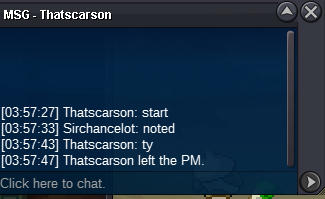 Start price: 3m Duration: 72hrs after start Min bid: 100k Accepted payments: Cash CC (400k) IV Reroll (500k)
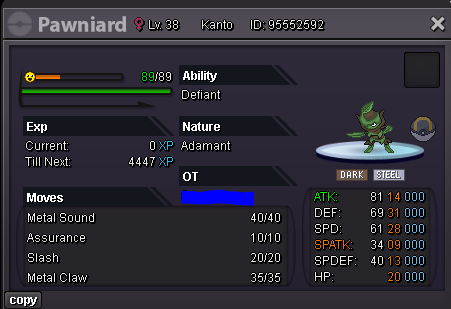 500k400k600kSold @Itspeens700k ScyStart Scytherc.o 600k
 Start price: 500k Duration: 48hrs after start Min bid: 100k Accepted payments: Cash CC (400k) IV Reroll (500k)
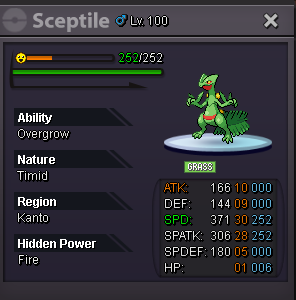 550k skar250k Skar150k Skar650k Salamence550k Salamence 750k GalladeI'm about 70% sure, based on my own anecdote and the experience of my friends, that if you have a sync fainted and you put that fainted sync in a box and then take it out that it not longer syncs until you revive it and faint it again. Replication: Faint sync Put fainted sync in PC box Take Sync out Sync doesnt work Seemingly fixed upon revive and fainting the pokemon again. I could just be crazy but I'm pretty sure this is prevalent. Also if this is a known issue then I didnt know what to search. I searched a couple things looking for a similar issue.400k Salamence 550k Gallade300k Salamence 450k GalladeThe name for the nature reroll ticket is quite misleading so all chat brainstormed a couple new names for it over the last week or so. The name I think we landed on as a whole was "Super Ultra Mega Premium Nature Selection Ticket For Legendaries Only". That being Said I think we'd be comfortable settling with "Nature Selection Ticket"