




New Trade Zone
Trade Zone is now live
Use the new Trade Zone for auctions and instant-price trades so Pokemon and item offers are easy to find.

Ayanok0ji
Registered User
-
Joined
-
Last visited
Everything posted by Ayanok0ji
-
Stars : 100k Min bid: 3k Insta:3m End :48 hours after thread's creation (GMT+7) Good Luck Accepted payments Coin Capsule = 400k Reroll Ticket = 550k
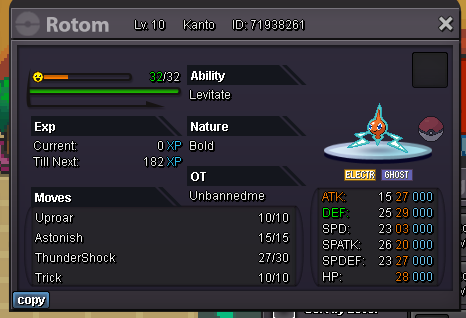 @Nofuture u won pm me when u onlStars : 100k Min bid: 3k 48 hours after thread's creation (GMT+7) Good Luck
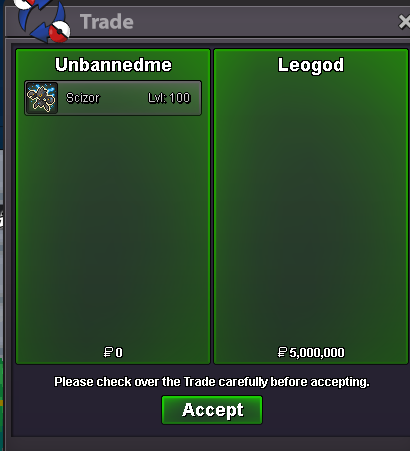
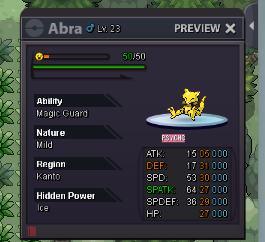 @Leogod u won pm me when u onl2h left !Sorry, I don't understand the auction rules. Can I increase the bidding time by 12 hours?Stars : 5m Insta :12m Min bid: 250k 72 hours after thread's creation (GMT+7) Good Luck Accepted payments Coin Capsule = 400k Reroll Ticket = 550k 🔥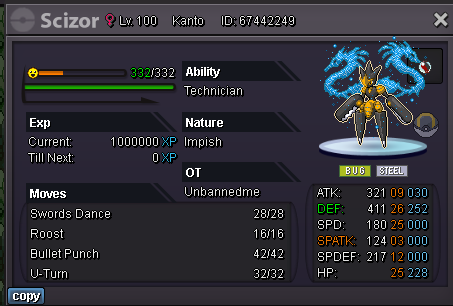
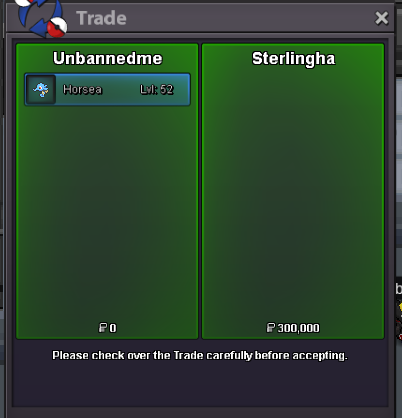
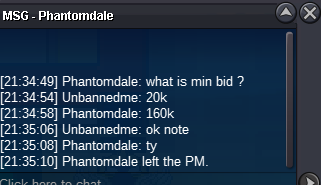
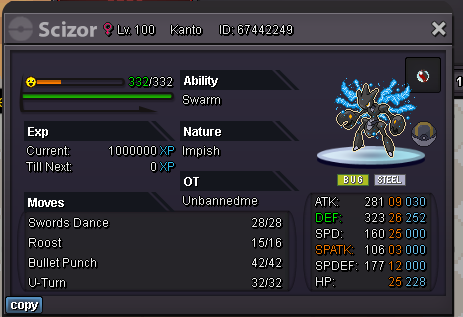 bump@Sterlinghau wonstill have ytetal mountbumpStars :100k Min bid: 20k 48 hours after thread's creation (GMT+7) Good Luck
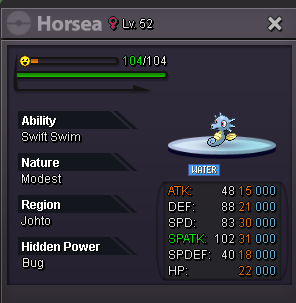 Pm me discord doo_seong_29oct8m2@Evieee 6h later if u don' reply me @Khanhtien99 win !!@Evieee u win pm me when u onl1h left




Account
Navigation
Search
Configure browser push notifications
Chrome (Android)
- Tap the lock icon next to the address bar.
- Tap Permissions → Notifications.
- Adjust your preference.
Chrome (Desktop)
- Click the padlock icon in the address bar.
- Select Site settings.
- Find Notifications and adjust your preference.
Safari (iOS 16.4+)
- Ensure the site is installed via Add to Home Screen.
- Open Settings App → Notifications.
- Find your app name and adjust your preference.
Safari (macOS)
- Go to Safari → Preferences.
- Click the Websites tab.
- Select Notifications in the sidebar.
- Find this website and adjust your preference.
Edge (Android)
- Tap the lock icon next to the address bar.
- Tap Permissions.
- Find Notifications and adjust your preference.
Edge (Desktop)
- Click the padlock icon in the address bar.
- Click Permissions for this site.
- Find Notifications and adjust your preference.
Firefox (Android)
- Go to Settings → Site permissions.
- Tap Notifications.
- Find this site in the list and adjust your preference.
Firefox (Desktop)
- Open Firefox Settings.
- Search for Notifications.
- Find this site in the list and adjust your preference.