




New Trade Zone
Trade Zone is now live
Use the new Trade Zone for auctions and instant-price trades so Pokemon and item offers are easy to find.

Comback
Registered User
-
Joined
-
Last visited
Everything posted by Comback
-
Slowpoke 100k
-
Hi. i Want to buy Service Clear Story. Can you help me ? .
-
-
end Aution Didilel Won.
-
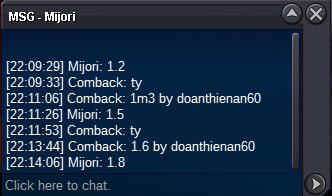
Rule aution min bid 100k . Pls raise your offer 701k . Best offer now is 601k
-
up . Less than 3 hours.
-
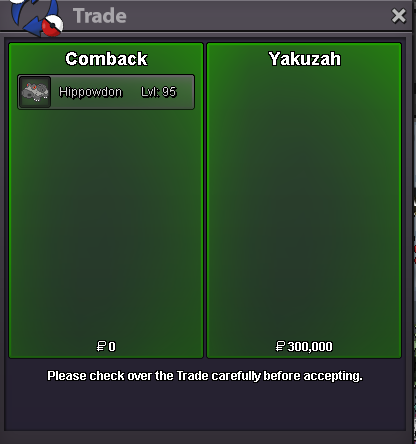
hippo Yakuzah won
-
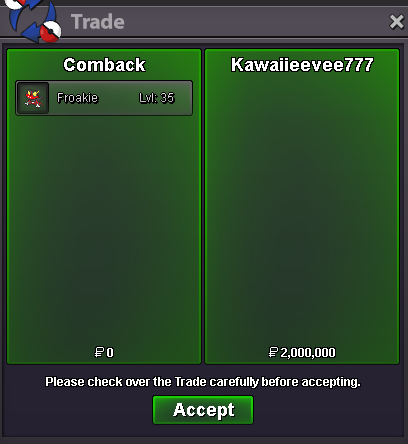
End Frokie . Kawaiieevee77 won
-
upUpUp( start offer 100k) ( Start offer 50k) ( Start offer 1m) Auction Details: End Point: 24 hours (after start price ) Insta Price: N/A Minimum Raise: 50k for all Accepted Payments: Pokedollars, Coin Capsules (x1 Coin Capsule = 400k), IV Reroll Tickets (x1 IV Reroll Ticket = 500k)
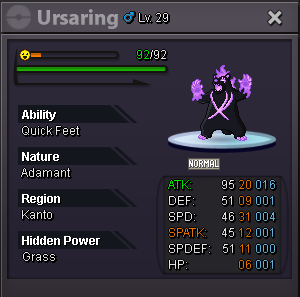
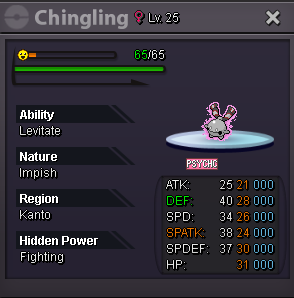
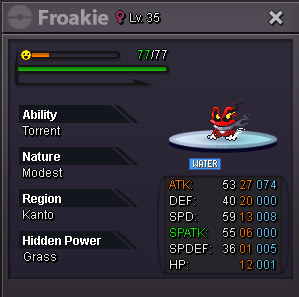 Auction Details: Start Price Tyranitar: 500k End Point: 24 hours (after start price ) Insta Price: N/A Minimum Raise: 100k Accepted Payments: Pokedollars, Coin Capsules (x1 Coin Capsule = 400k), IV Reroll Tickets (x1 IV Reroll Ticket = 500k Auction Details: Start Price Hippowdon: 200k End Point: 24 hours (after start price ) Insta Price: N/A Minimum Raise: 50k Accepted Payments: Pokedollars, Coin Capsules (x1 Coin Capsule = 400k), IV Reroll Tickets (x1 IV Reroll Ticket = 500k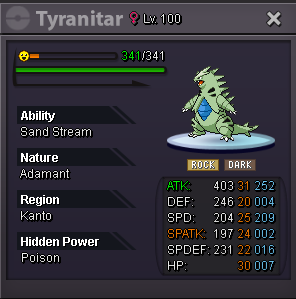
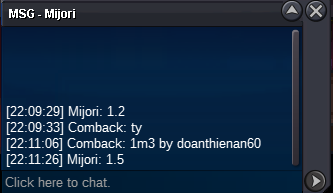
 WHAT TIME YOU USUALLY ONLINE BRO.1cloudz wrong rule offer. suncity won . thanksEnd offer about 5-10 min.Up . Finish after 3-4 hours .Hello . I would like to clear story . Can you help meUpstart offer : 100k min raise : 50k insta price : No insta auction end : 24 hours after 1st bid my accept : cc=450k.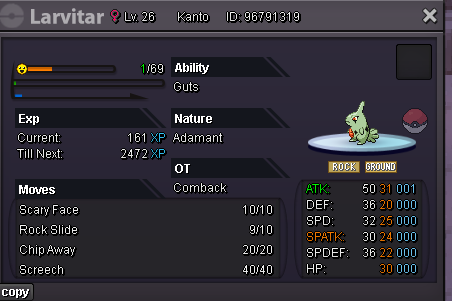



Account
Navigation
Search
Configure browser push notifications
Chrome (Android)
- Tap the lock icon next to the address bar.
- Tap Permissions → Notifications.
- Adjust your preference.
Chrome (Desktop)
- Click the padlock icon in the address bar.
- Select Site settings.
- Find Notifications and adjust your preference.
Safari (iOS 16.4+)
- Ensure the site is installed via Add to Home Screen.
- Open Settings App → Notifications.
- Find your app name and adjust your preference.
Safari (macOS)
- Go to Safari → Preferences.
- Click the Websites tab.
- Select Notifications in the sidebar.
- Find this website and adjust your preference.
Edge (Android)
- Tap the lock icon next to the address bar.
- Tap Permissions.
- Find Notifications and adjust your preference.
Edge (Desktop)
- Click the padlock icon in the address bar.
- Click Permissions for this site.
- Find Notifications and adjust your preference.
Firefox (Android)
- Go to Settings → Site permissions.
- Tap Notifications.
- Find this site in the list and adjust your preference.
Firefox (Desktop)
- Open Firefox Settings.
- Search for Notifications.
- Find this site in the list and adjust your preference.