




New Trade Zone
Trade Zone is now live
Use the new Trade Zone for auctions and instant-price trades so Pokemon and item offers are easy to find.


I0l
Registered User
-
Joined
-
Last visited
-
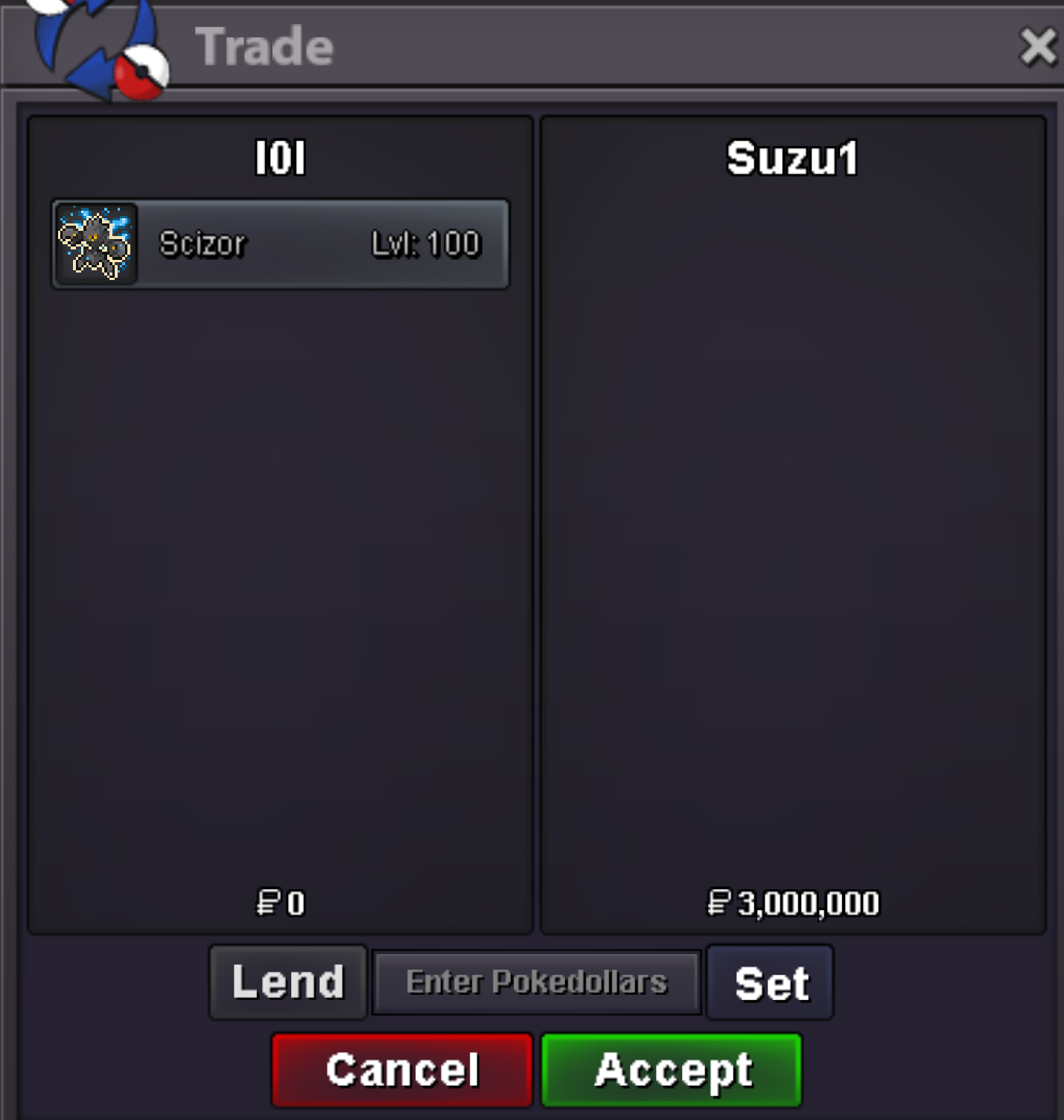
trade complete thx and enjoy
-
Trade complete thank you and enjoy!
-
Sorry I’m pacific time, that was midnight for me lol. I can be online now if you’re ready
-
Feel free to message when available
-
Congrats @Sunrakuxemul I am available tomorrow for the trade
-
Auction is now complete @Suzu1 congratulations! Please feel free to message me when you’d like to trade.
-
Roughly ~ 24h left!
-
Less than 24h left!
-
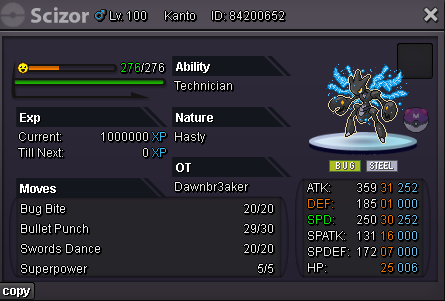
Start offer 1m No insta Min raise: 1m Payments: Pokedollars / ccs ( 480k each ) Auction ends 48h after the first offer Thank you!
-
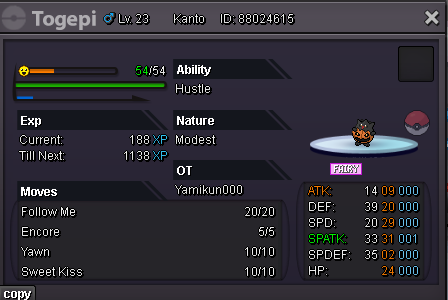
Start offer 1m No insta Min raise: 200k Payments: Pokedollars / ccs ( 480k each ) Auction ends 48h after the first offer Thank you!
-
Thank you @Pokemonking44, trade completed, enjoy the Charizard ~!
 trade completed, thank you @Snormaxxx please enjoy the halloween ralts
 Congrats @Pokemonking44you won, please message me 🙂Congrats you won @Snormaxxxplease message me when you are online 🙂
