




New Trade Zone
Trade Zone is now live
Use the new Trade Zone for auctions and instant-price trades so Pokemon and item offers are easy to find.

Incognite
Registered User
-
Joined
-
Last visited
Everything posted by Incognite
-
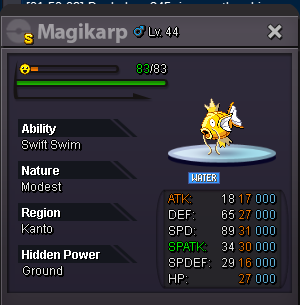
Wooper statthttps://www.tickcounter.com/countdown/4784673/shiny-magikarp
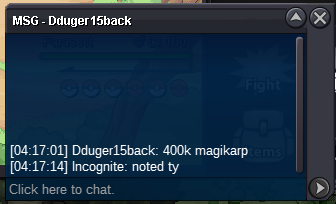
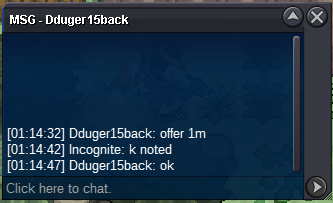
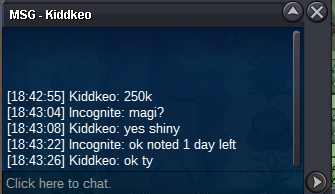
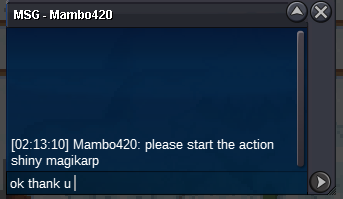 Hello everyone!! 🐠i want to sell me fish Start Price: 200.000 End Point: 48 hours (after start price is met) Insta Price: N/A Minimum Raise: 50k Accepted Payments: Pokedollars, cc:380.000, rc: 6k.
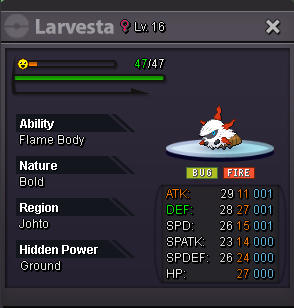
 https://www.tickcounter.com/countdown/4784476/larvestaHello everyone!! fresh larvesta Start Price: 50.000 End Point: 72 hours (after start price is met) Insta Price: N/A Minimum Raise: 25k. Accepted Payments: Pokedollars, cc:380.000, rc: 6k. IGN: Incognite (gold) Discordc: op_incognite
 THANK U
 thank u sir!!
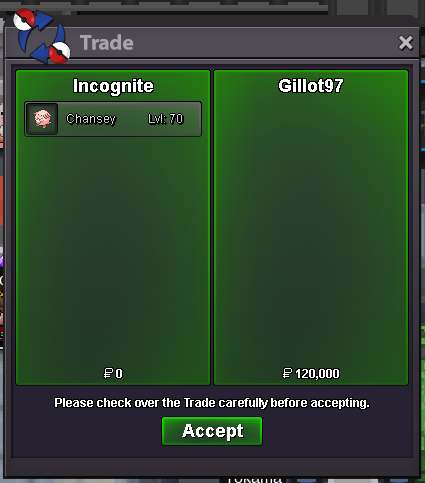
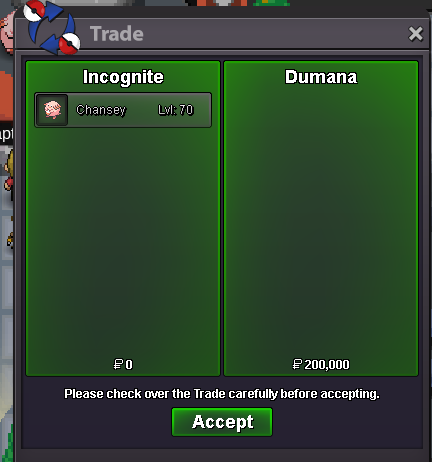 Auction ended thanks for participating.- 17:27 - 01/01/2024Hello bro, u win the chansey(2) where we can meet?Hello sir, the auction end and u win the Chansey(1) where we can meet'?Chansey (1) Chansey (2) Start Price: 10.000 End Point: 24 hours (after start price is met) Insta Price: N/A Minimum Raise: 10k Accepted Payments: Pokedollars, cc:380.000.- Please add in the comment which chansey you are bidding on. example chansey(1) :11k IGN: Incognite (gold) Discordc: op_incognite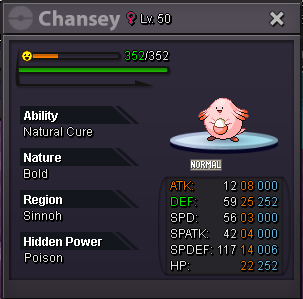
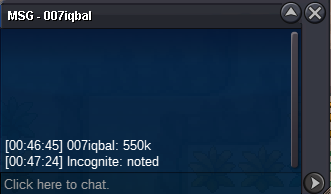
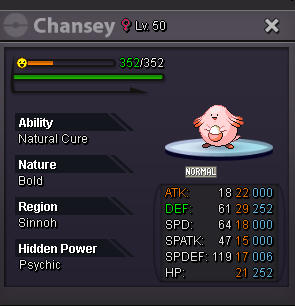 270k IGN: Incognite server:Gold Discord: OP_incognite


Account
Navigation
Search
Configure browser push notifications
Chrome (Android)
- Tap the lock icon next to the address bar.
- Tap Permissions → Notifications.
- Adjust your preference.
Chrome (Desktop)
- Click the padlock icon in the address bar.
- Select Site settings.
- Find Notifications and adjust your preference.
Safari (iOS 16.4+)
- Ensure the site is installed via Add to Home Screen.
- Open Settings App → Notifications.
- Find your app name and adjust your preference.
Safari (macOS)
- Go to Safari → Preferences.
- Click the Websites tab.
- Select Notifications in the sidebar.
- Find this website and adjust your preference.
Edge (Android)
- Tap the lock icon next to the address bar.
- Tap Permissions.
- Find Notifications and adjust your preference.
Edge (Desktop)
- Click the padlock icon in the address bar.
- Click Permissions for this site.
- Find Notifications and adjust your preference.
Firefox (Android)
- Go to Settings → Site permissions.
- Tap Notifications.
- Find this site in the list and adjust your preference.
Firefox (Desktop)
- Open Firefox Settings.
- Search for Notifications.
- Find this site in the list and adjust your preference.