




New Trade Zone
Trade Zone is now live
Use the new Trade Zone for auctions and instant-price trades so Pokemon and item offers are easy to find.

Dragnnel11
Registered User
-
Joined
-
Last visited
Everything posted by Dragnnel11
-
But if I use a VPN app, won't my account get banned?
-
I play on My phone, and l've even tried on my other phone,but it won't let me get into the gold server
-
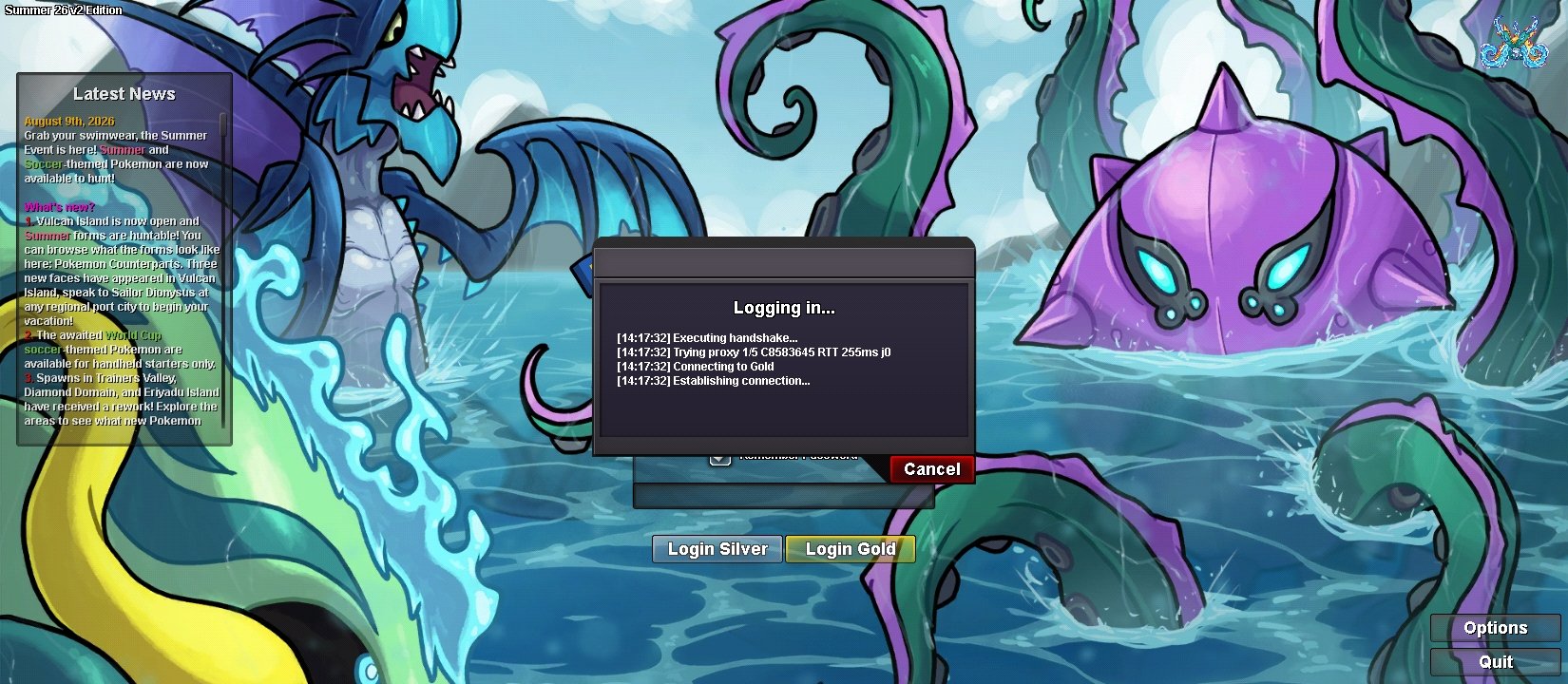
Hi Staff, I am experiencing a connection issue specifically with the Gold Server. - Issue: I cannot connect to the Gold Server using my home Wi-Fi IP address. However, I am able to log in and play on the Silver Server without any problems on the same connection. - Troubleshooting done: I have not violated any rules. My account is clean, and I can connect to Gold if I switch to mobile data. It seems my home Wi-Fi public IP address is being filtered or blocked by the Gold Server firewall. Could you please check if my public IP is being affected by an IP range block or firewall filter on the Gold Server? Thank you for your help.
-
Thank you do much for the información,I was able to capture volcanion.thanks!
-
I can't capture volcanion even though I've completes the entire misión.when I interact with volcanion,it tells me I need to make space in my box, but I have plenty of space. I hope You can help me solve this problem
-
