




New Trade Zone
Trade Zone is now live
Use the new Trade Zone for auctions and instant-price trades so Pokemon and item offers are easy to find.


Inc0gnit
Registered User
-
Joined
-
Last visited
Everything posted by Inc0gnit
-
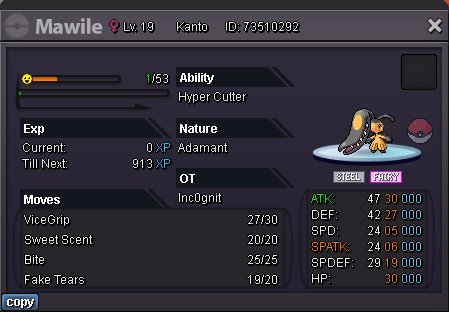
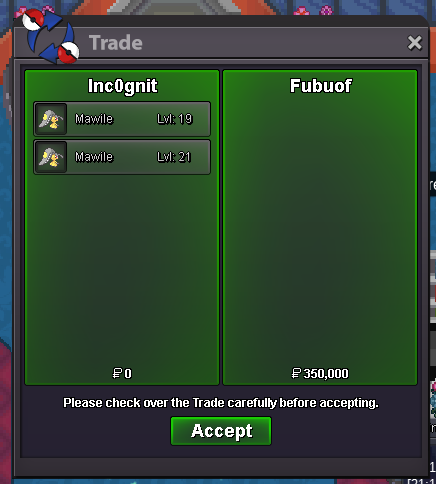
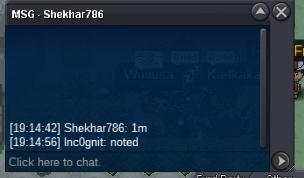
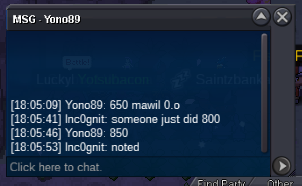
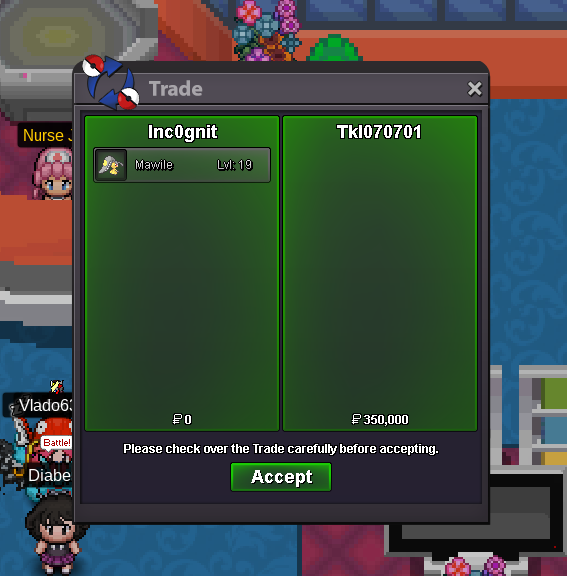
Gz @Fubuof, you got Mawile #1 in the last 10 minutes, and Mawile #5, in total 350k. DM me when you're online, discord: inc0gnit-Auction Each auction ends 48h after first bid This is not a bundle auction Accepted payment Pokedollars CC: 400k Reroll ticket: 500k Important Reminders: This is a Gold Server auction. If bidding from an alternative server, state that you will transfer upon winning. If you intend to purchase with an alt account, specify the account alongside your bid. If a bid is received in the final 15 minutes of the auction, the end point will be delayed by 15 minutes from that bid, and will be delayed by 15 minutes for each new bid thereafter, until the current offer has been held for a full 15 minutes. Format to bid: Number of the Mawile + offer. Example: 4) 200k You can bid on more than one Mawile at once 1) 31 + H.P. Ice + HA + Adamant (Finished) Current offer: 250k by @Fubuof Starting offer: 150k Min. bid: 50k 2) Almost +21 + Adamant Current offer: - Starting offer: 150k Min. bid: 50k 3) Intimidate + Adamant Current offer: - Starting offer: 50k Min. bid: 10k 4) Almost +20 + Adamant Current offer: - Starting offer: 50k Min. bid: 10k 5) 31 + Adamant (Finished) Current offer: 100k by @@Fubuof Starting offer: 100k Min. bid: 25k 6) The sad Mawile (She sad) Current offer: - Starting offer: 1k Min. bid: 1k 7) Strong tanky + Adamant Current offer: - Starting offer: 100k Min. bid: 25k 8 ) Almost +24 + Intimidate + Adamant Current offer: - Starting offer: 100k Min. bid: 25k 9) One-Shot Mawile + Adamant Current offer: - Starting offer: 100k Min. bid: 25k 10) 30 31 + Intimidate + Adamant Current offer: - Starting offer: 100k Min. bid: 25k Happy bidding
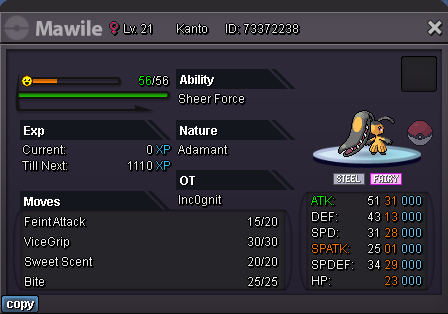
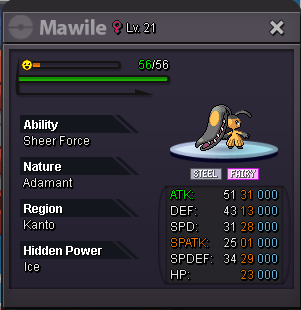

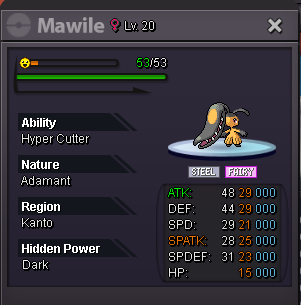
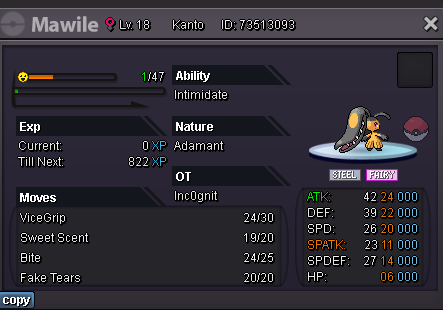
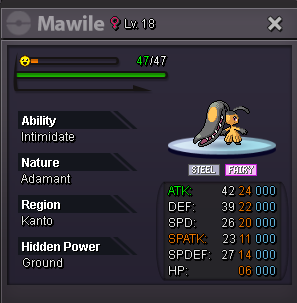
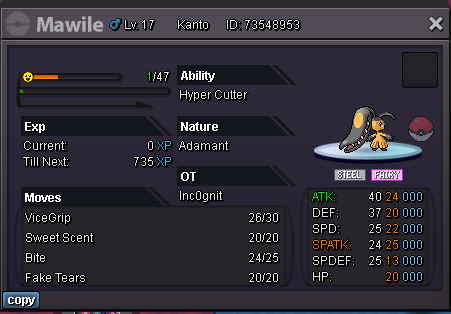
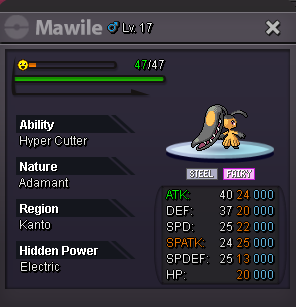
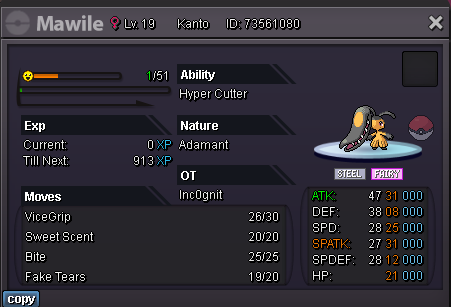
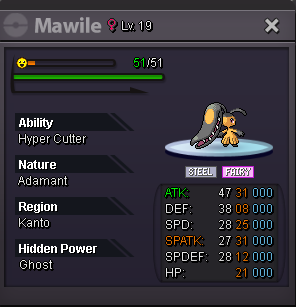


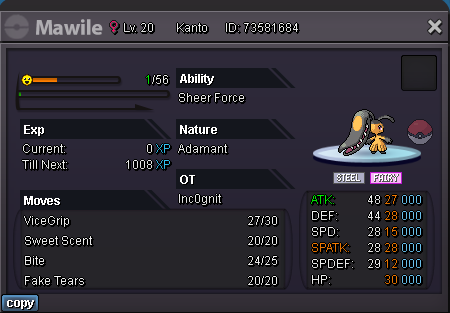
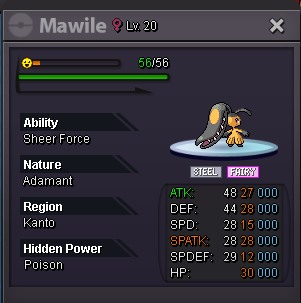
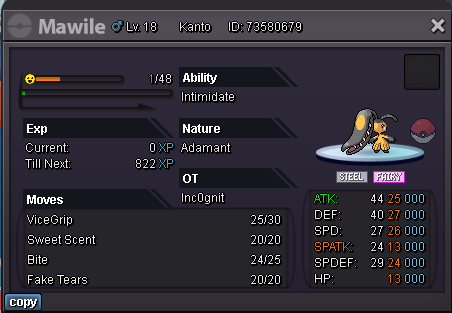
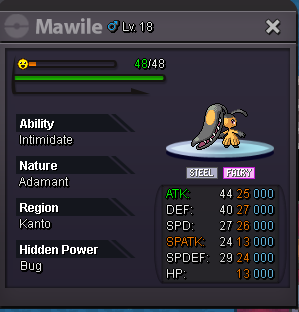
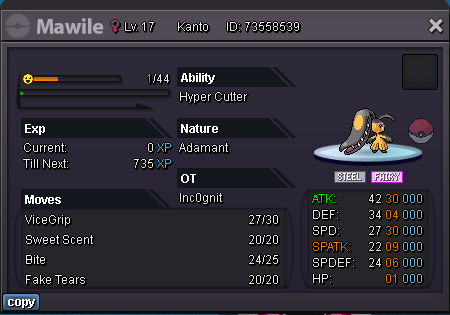
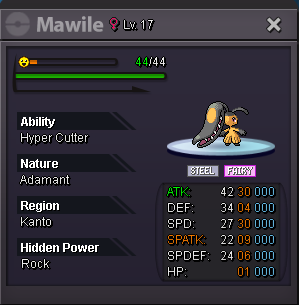
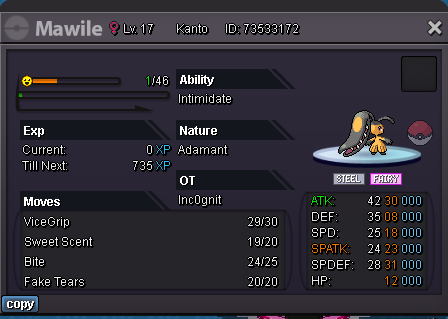
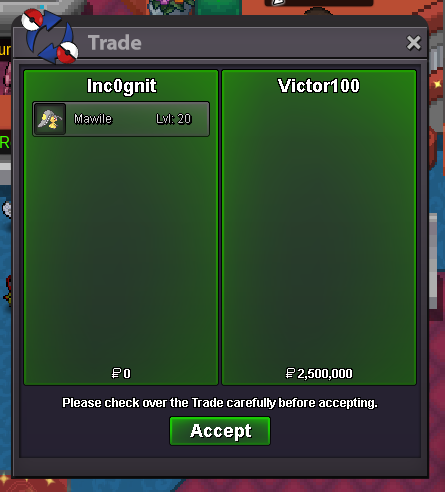
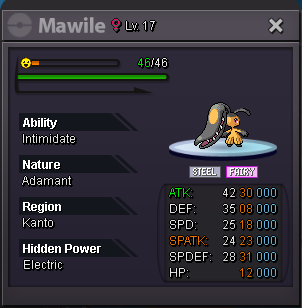 Auction is closed now. Gz to @Victor100, please contact me whenever you're online. IGN: inc0gnitAuction ends in 20 minutes! Rule of 15min is appliedPlease message me or tell me your ign, I tried your forum username but didn’t find you 🙂Auction Starting offer: 100k Minimum bid: 50k Insta: N/A Auction ends 48h after first bid Accepted payment Pokedollars CC: 400k Reroll ticket: 500k Important Reminders: This is a Gold Server auction. If bidding from an alternative server, state that you will transfer upon winning. If you intend to purchase with an alt account, specify the account alongside your bid. If a bid is received in the final 15 minutes of the auction, the end point will be delayed by 15 minutes from that bid, and will be delayed by 15 minutes for each new bid thereafter, until the current offer has been held for a full 15 minutes. Happy bidding
 Gz @Tkl070701, DM me when you're available. IGN Inc0gnitAuction finishing in 2 hours and 6 minutes 🙂Auction Starting offer: 250k Minimum bid: 50k Insta: 3m Auction ends 24h after first bid Accepted payment Pokedollars CC: 400k Reroll ticket: 500k Important Reminders: This is a Gold Server auction. If bidding from an alternative server, state that you will transfer upon winning. If you intend to purchase with an alt account, specify the account alongside your bid. If a bid is received in the final 15 minutes of the auction, the end point will be delayed by 15 minutes from that bid, and will be delayed by 15 minutes for each new bid thereafter, until the current offer has been held for a full 15 minutes.
 Hi, First of all, gz for your app, looks nice and works really fast. I see your app now contains the headbutt spawn information, did you got a dump csv like other spawns or had to do it by urself? 🙂 Would really appreciate if it´s shareableYeah, I didn't get your girlfriend (sadly) but I got your attention instead, I'm inc0gnit, maybe some of you have seen me already ingame, if not, you should pay more attention. I'm a pokemon fan since I was a child as it was my first videogame ever, actually I didn't join the game to be the best player but to be the best tool developer for this beautiful community, I got more than 10 years of professional experience as a Software Engineer and I'm already working on some projects for PRO that I'm pretty sure you will love. Stay tuned as you will hear more about those tools soon, I will be publishing in Tech corner asking for your advice and feedback so you can all be part of it. (I attached a preview 🙂) See you soon 🦝

Account
Navigation
Search
Configure browser push notifications
Chrome (Android)
- Tap the lock icon next to the address bar.
- Tap Permissions → Notifications.
- Adjust your preference.
Chrome (Desktop)
- Click the padlock icon in the address bar.
- Select Site settings.
- Find Notifications and adjust your preference.
Safari (iOS 16.4+)
- Ensure the site is installed via Add to Home Screen.
- Open Settings App → Notifications.
- Find your app name and adjust your preference.
Safari (macOS)
- Go to Safari → Preferences.
- Click the Websites tab.
- Select Notifications in the sidebar.
- Find this website and adjust your preference.
Edge (Android)
- Tap the lock icon next to the address bar.
- Tap Permissions.
- Find Notifications and adjust your preference.
Edge (Desktop)
- Click the padlock icon in the address bar.
- Click Permissions for this site.
- Find Notifications and adjust your preference.
Firefox (Android)
- Go to Settings → Site permissions.
- Tap Notifications.
- Find this site in the list and adjust your preference.
Firefox (Desktop)
- Open Firefox Settings.
- Search for Notifications.
- Find this site in the list and adjust your preference.