




New Trade Zone
Trade Zone is now live
Use the new Trade Zone for auctions and instant-price trades so Pokemon and item offers are easy to find.

Siiorspro93
Registered User
-
Joined
-
Last visited
Everything posted by Siiorspro93
-
start 2 and 4
-
240k alomola 200k volcarona 160k pinsir
-
Auction has ended, thank you to all bidders and congratulation to winner can you tell me your server and username @Ashish3re19m by Suzu118m by SiuuuuuBump 10 hours leftThank you for your purchaseThank you for your purchase500kLucario 210k Alomola 220k Ribonbee 210k16.3m by Suzu1Thank you for your purchaseThank you for your purchaseBumpBuy aerodactyl and riolubuy marowak and clef, pm ig siiorspro93 or siiors on discordThank you for your purchaseThank you for your purchaseStart : 15m End : 72h after start is met Insta : 35m Min. Raise : 300k Accepted Payments : Pokedollars Coin capsule (500k) Reroll ticket (700k) Discord : Siiors https://www.tickcounter.com/countdown/9044646/my-countdown If you intend to purchase with an alt account, specify the account alongside your bid. If a bid is received in the final 15 minutes of the auction, the end point will be delayed by 15 minutes from that bid, and will be delayed by 15 minutes for each new bid thereafter, until the current offer has been held for a full 15 minutes. This is. a Cross Server auction. You may bid from any server, and I will transfer to your preferred server upon winning
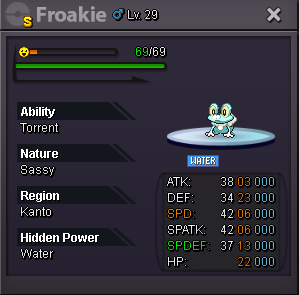 2.3mThank you for your purchaseThank you for your purchase

