New Trade Zone
Trade Zone is now live
Use the new Trade Zone for auctions and instant-price trades so Pokemon and item offers are easy to find.

Xhye85
Registered User
-
Joined
-
Last visited
-
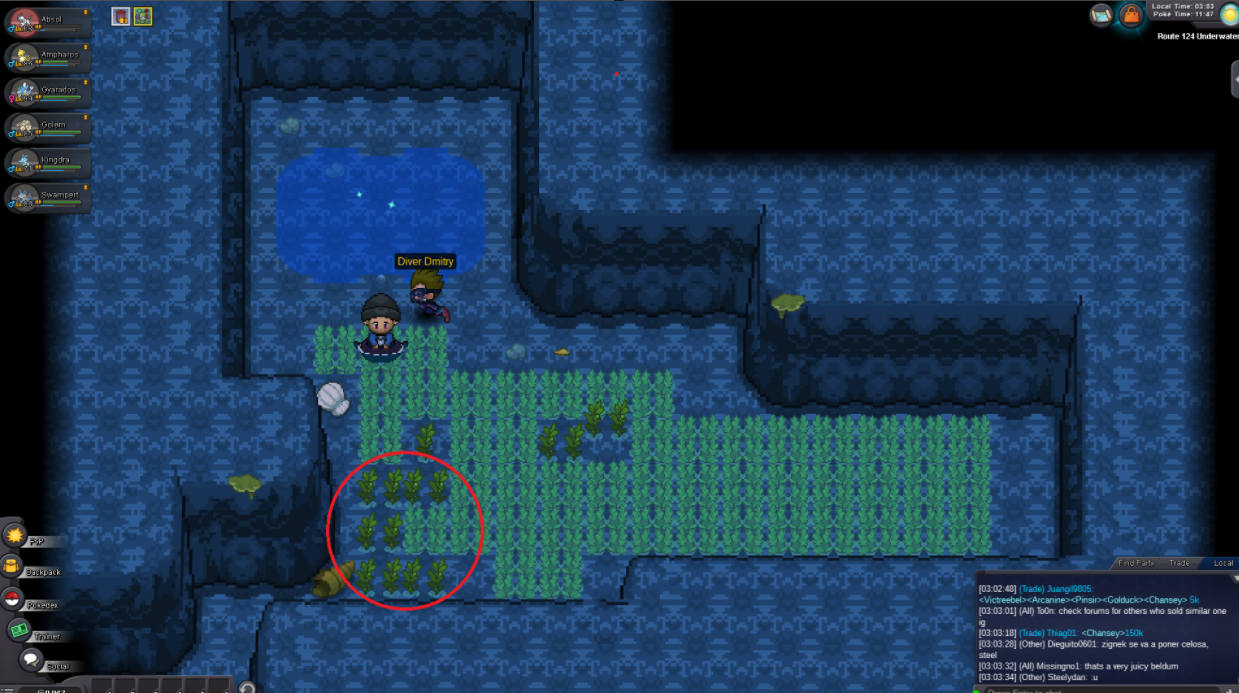
ok so i noticed the pictures were broken so i will try to explain again step 1: talk to hiker jiwan in lilycove city ,you can find him east of lilycove city step 2 : go to the item maniacs house and then use the dive spot just above(north to his) his house. step 3: after u dive in you will see another dive spot north to you, dive up from there step 4: go to the west side of the map and find another dive spot step 5: dive in and fight a trainer then go to the patch of weeds on your south and pick them(to pick them just stand on top of them and click) (also if it doesn't work the first time try to check all the weeds ) talk to hiker jiwan and give him the herb and recieve your eviolite