




New Trade Zone
Trade Zone is now live
Use the new Trade Zone for auctions and instant-price trades so Pokemon and item offers are easy to find.

Campino10
Registered User
-
Joined
-
Last visited
-
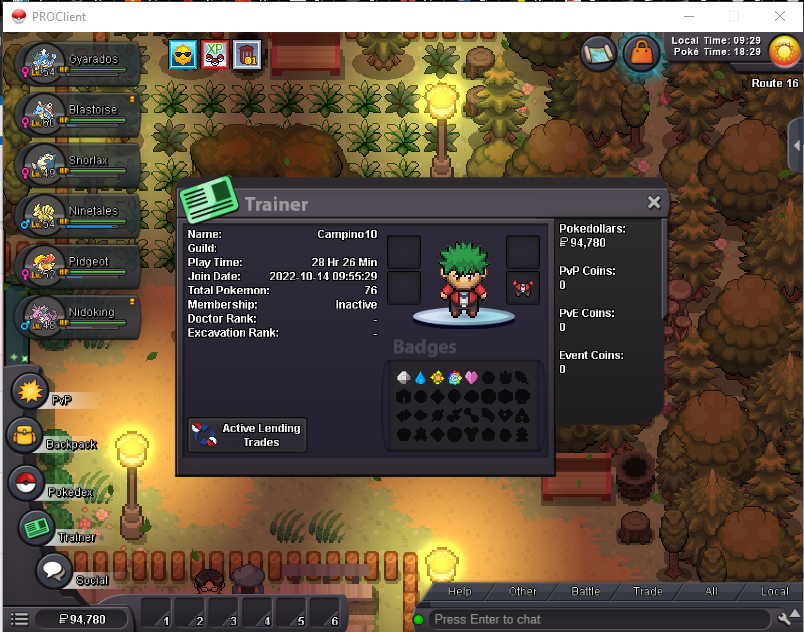
Hello everyone, Are you interested in joining the guild? ● provide a screenshot of your trainer card and answer the questions below: 1-) What is your nickname in the game? Campino10 2-) What is your personal name? Diogo Campino (from Portugal) 3-) How old are you? 32 yo 4-) What is your total time in the game? Around 29hours 5-) What do you like to do in the game? For now, im just doing PvE stuff, exploring the world, having fun and bringing childhood memories. With more time i will start trying the PvP part. 6-) What's your discord? campinooo 7-) What is your favorite pokemon? My childhood was in generation 1 and 2 , so anything from there xD
-
Hello everyone, Looking for a friendly, newbie welcome guild to help me taking the most out of the game. Been playing pokemon since forever, since my first game boy color. Discover this game a few years back, but only now i've been playing regulary. Not looking to PvP atm, just exploring the game and having fun. My name in game is Campino10 and campinooo in Discord. My game info 👇 (SILVER SERVER) Thanks and and fun

