-
NOT A BUNDLE - TWO H.A WOOPER-PALDEA 1x Low Spd 20+ 1x Near Epic
2nd 250k
-
NOT A BUNDLE - TWO H.A WOOPER-PALDEA 1x Low Spd 20+ 1x Near Epic
#1 start #2 150k
-
GRENINJA[BB] [close]
1.1m
-
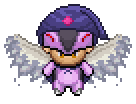
Halloween form wooper-paldea
200k
-
HALLOWEEN FORM (Typhlosion ) AUCTION
im ready to pick
- Gible impish
-
[Closed] Auction 3 epic Wooper-Paldea water absorb
2nd one 150k
-
HALLOWEEN FORM (Typhlosion ) AUCTION
700k
-
Summer GRENINJA <3 (closed)
Start 1.5
-
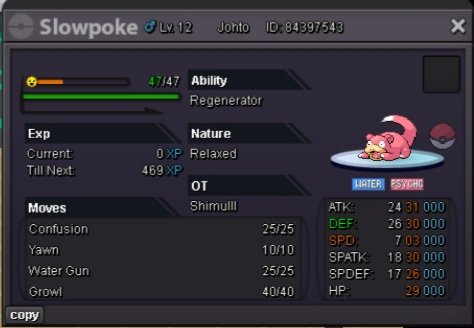
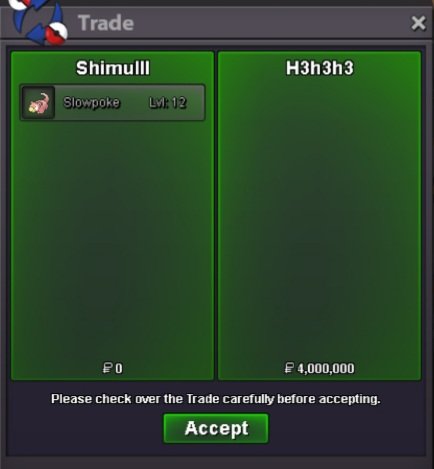
Godly Slowpoke (SOLD)
- Godly Slowpoke (SOLD)
alright!- Godly Slowpoke (SOLD)
congrats @H3h3h3 you won the slowpoke- Godly Slowpoke (SOLD)
I'm sorry someone bides 2m first.- Godly Slowpoke (SOLD)
- Godly Slowpoke (SOLD)
Account
Navigation
Search
Configure browser push notifications
Chrome (Android)
- Tap the lock icon next to the address bar.
- Tap Permissions → Notifications.
- Adjust your preference.
Chrome (Desktop)
- Click the padlock icon in the address bar.
- Select Site settings.
- Find Notifications and adjust your preference.
Safari (iOS 16.4+)
- Ensure the site is installed via Add to Home Screen.
- Open Settings App → Notifications.
- Find your app name and adjust your preference.
Safari (macOS)
- Go to Safari → Preferences.
- Click the Websites tab.
- Select Notifications in the sidebar.
- Find this website and adjust your preference.
Edge (Android)
- Tap the lock icon next to the address bar.
- Tap Permissions.
- Find Notifications and adjust your preference.
Edge (Desktop)
- Click the padlock icon in the address bar.
- Click Permissions for this site.
- Find Notifications and adjust your preference.
Firefox (Android)
- Go to Settings → Site permissions.
- Tap Notifications.
- Find this site in the list and adjust your preference.
Firefox (Desktop)
- Open Firefox Settings.
- Search for Notifications.
- Find this site in the list and adjust your preference.