




New Trade Zone
Trade Zone is now live
Use the new Trade Zone for auctions and instant-price trades so Pokemon and item offers are easy to find.

Toxiege
Registered User
-
Joined
-
Last visited
Everything posted by Toxiege
-
you won @Envymeister , let me know if you are able to trade in game
-
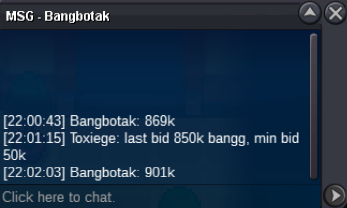
@Envymeister it's from the last bid bro on page one 850k, then he bid for 901k
-
Starting Price: 300k Min. Bid: 50k Insta : N/A Accept: CC (480k), IV RR (730k) Duration: 24h after 1st bid
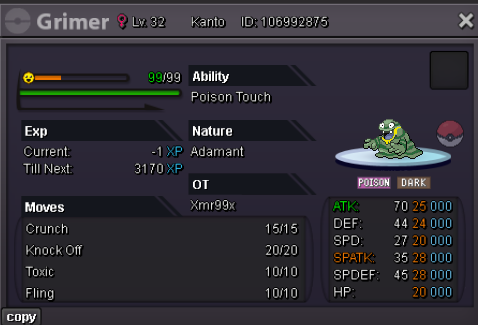 Starting Price: 300k Min. Bid: 100k Insta : N/A Accept: CC (450k), IV RR (700k) Auction Duration: 72hours after first bid
 you won the auction @Oachlkass , let me know when you are able to tradebump, ends in 9hoursStarting Price: 500k Min. Bid: 100k Insta : N/A Accept: CC (450k), IV RR (700k) Auction Duration: 72hours after first bid
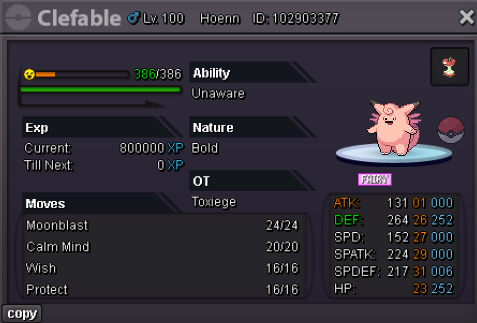 bumpbumpbumpStart Offer 150k Min. Bid 50k Accept CC (500k), RR (600k) Auction will end 48h after first bid
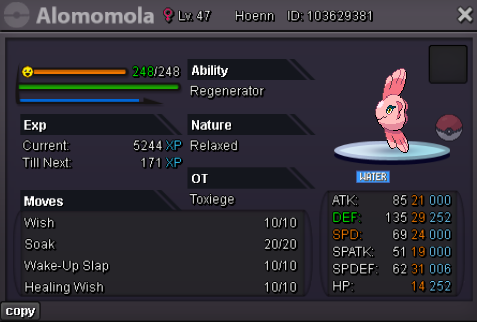 excadrill c.o 400k dragonite c.o 250k scyther c.o 150k
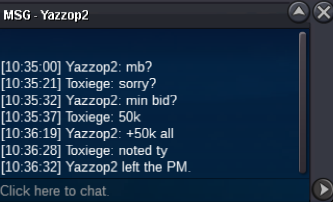 bumpi'm so sorry i don't really know how bid works and i just compare by the time u post and the time someone chat me if you don't mind i will continue to 300k since someone raise itsorry but someone bid it first on excaStart Offer 100k Each (Not Bundle) Min. Bid 50k Accept CC (500k), RR (600k) Auction will end 24h after first bid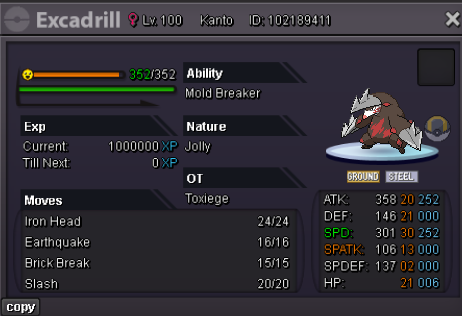
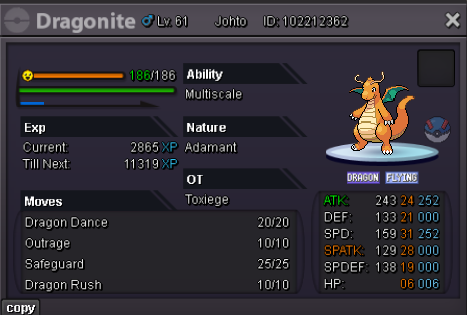
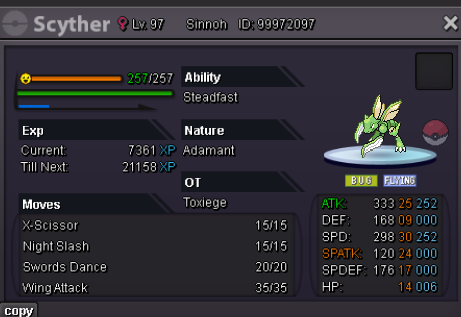 300kyeah you won, can we meet vermi?start 2.5m min bid 100k end 24h after first bid accept cc=450k | rr=500k
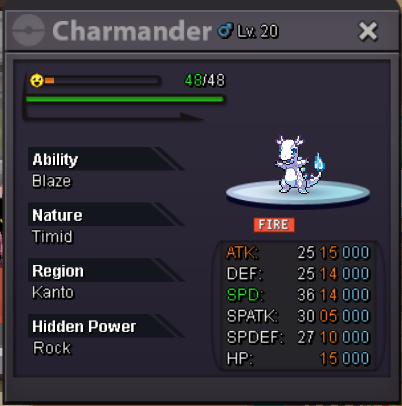 start: 300k min bid: 10k no insta ends after 24h after first bid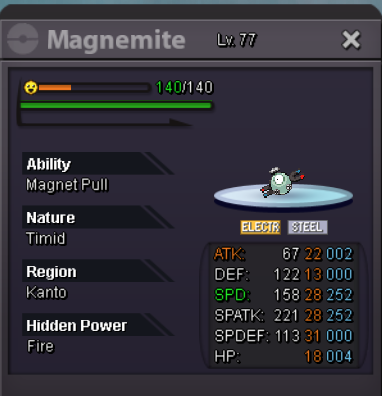



Account
Navigation
Search
Configure browser push notifications
Chrome (Android)
- Tap the lock icon next to the address bar.
- Tap Permissions → Notifications.
- Adjust your preference.
Chrome (Desktop)
- Click the padlock icon in the address bar.
- Select Site settings.
- Find Notifications and adjust your preference.
Safari (iOS 16.4+)
- Ensure the site is installed via Add to Home Screen.
- Open Settings App → Notifications.
- Find your app name and adjust your preference.
Safari (macOS)
- Go to Safari → Preferences.
- Click the Websites tab.
- Select Notifications in the sidebar.
- Find this website and adjust your preference.
Edge (Android)
- Tap the lock icon next to the address bar.
- Tap Permissions.
- Find Notifications and adjust your preference.
Edge (Desktop)
- Click the padlock icon in the address bar.
- Click Permissions for this site.
- Find Notifications and adjust your preference.
Firefox (Android)
- Go to Settings → Site permissions.
- Tap Notifications.
- Find this site in the list and adjust your preference.
Firefox (Desktop)
- Open Firefox Settings.
- Search for Notifications.
- Find this site in the list and adjust your preference.